
Find on this page a few additional ways to use, edit, or create records related to Fielo's features so that you can make the most of them.
Capping allows you to set a limit for the amount of currencies that a member can accrue. This serves as an automatic spending control that helps your incentive and loyalty program stay within budget.
Resetting Cap Limits
As you might already know, transactions marked as capped will not be reprocessed by Fielo until the assigned cap period has ended, even if you update the cap limit and/or period.
That means that if you edit an existing cap to increase its limit and/or period, only members who have not reached the limit yet (i.e. do not have a capped transaction) will have their transactions taken into account for the new limit and/or period.
However, you might eventually need to reset the members who already have capped transactions so that they apply to the new (higher) limit from an existing cap that you edited, for example. In that case, you can manually edit the member's data.
For that, use the Salesforce Inspector to access the FieloPLT__RelatedSummary__c field from the member record. You have two options, depending on your objective:
- To make it possible for the member to reach the new limit, but maintain their previous progress, change the
"capped": truevalue to"capped": false. - Erase the whole entry so that the system restarts the capping process automatically. You can use this option to reset the member's whole progress.
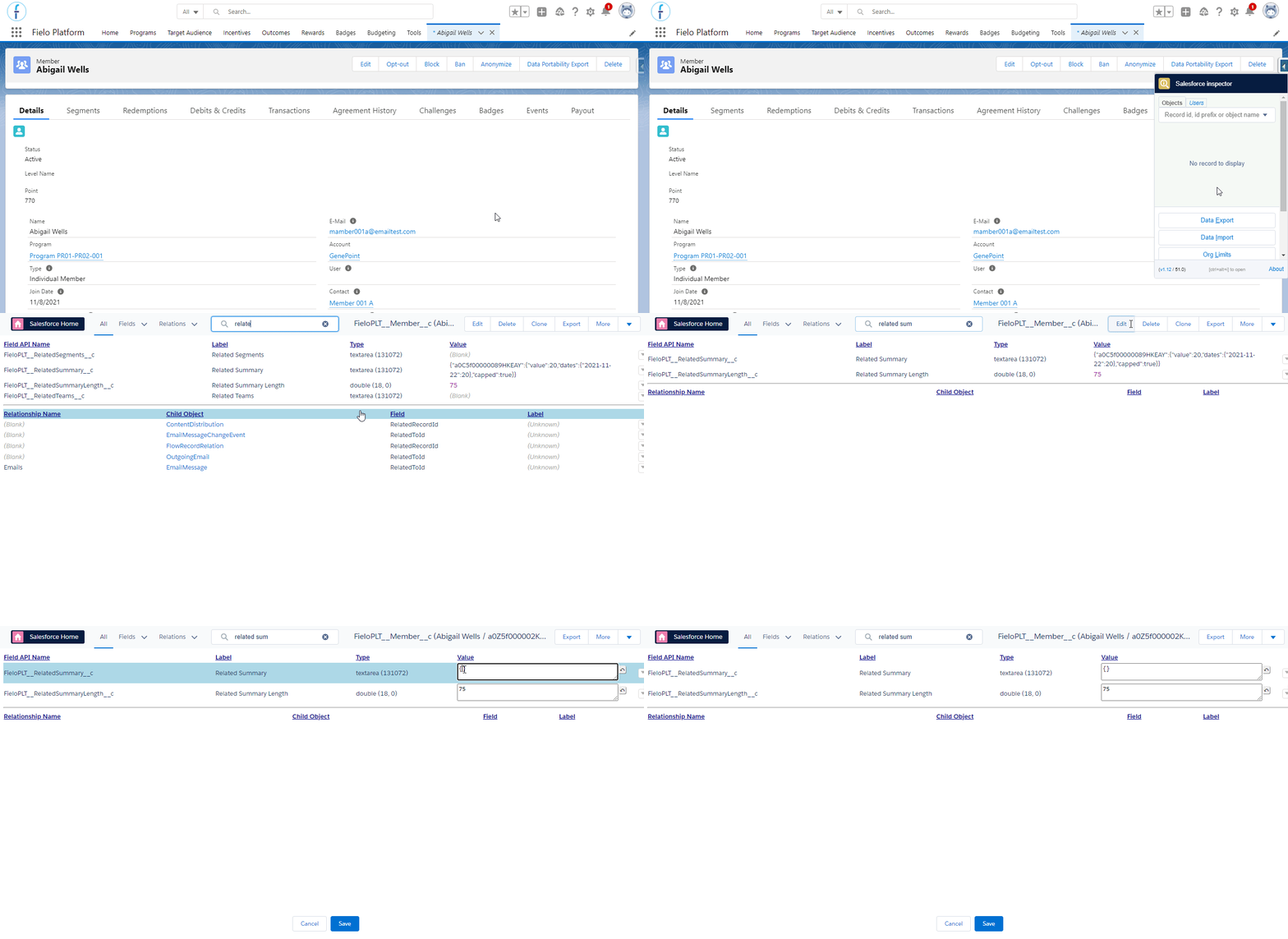
Cleaning Related Summary field
Related Summary FieldThis field is built with the cap Id, the cap accumulated value, the date, the amount on that day, and the boolean that says if the member was capped or not.
The date comes from the field FieloPLT__Date__c from the FieloPLT__Transaction__c object, which is filled with the date defined in the Behavior.
Did you know?Using the Is Capped field, you can customize a way to warn the member when they reach the cap limit, so they know that they won't receive any more currencies related to an action, rule, or from the program in general (depending on how the cap is setup).