
Within the program's view page, in the Settings tab, you can see and edit to your best judgment some fields such as Request Member Authorization and Cap Adjustment Transactions.
However, only a few of them are there by default. In case you want to add other fields to this tab, you can create a field set to extend the program settings form. This could be for simple visualization or in order to be able to change a setup, such as the Request User option.
For that, go to Salesforce Set up and access the Object Manager. Find the Program object and enter it.
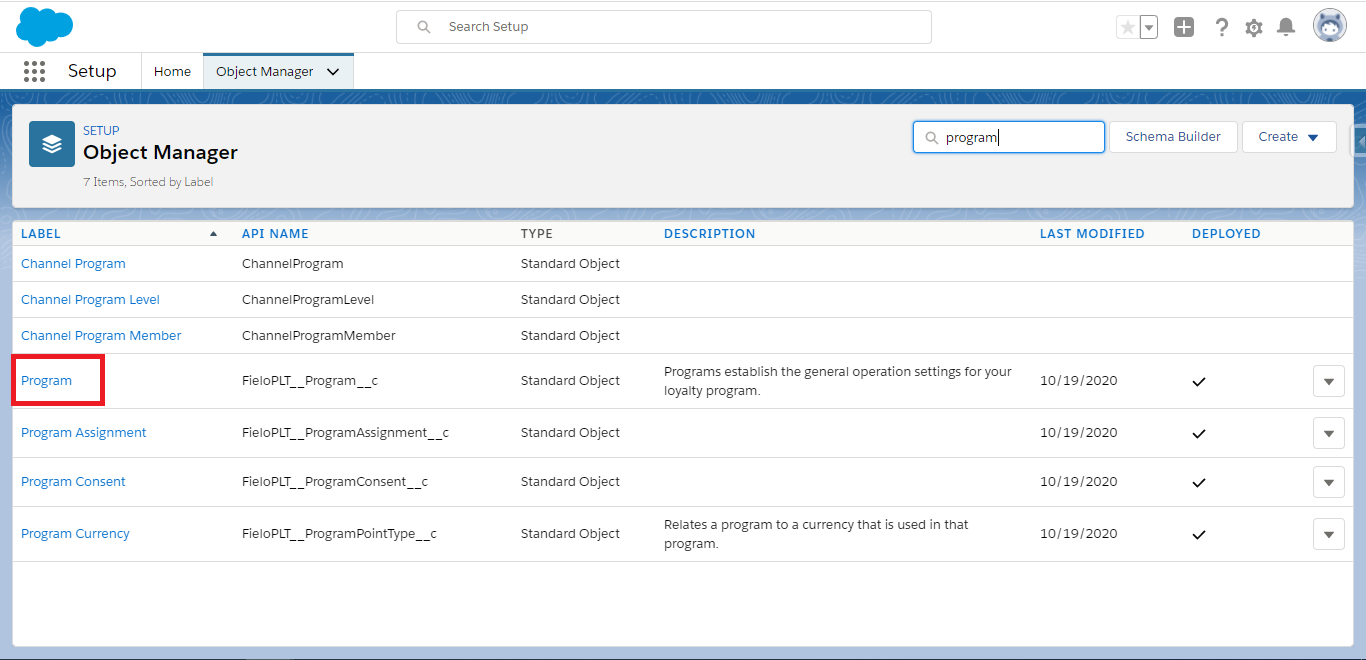
Click on 'Program' in order to access this object's page.
In the column to the left, access Field Sets and click on New. Give it a Label, enter the Field Set Name (which must be ExtendProgramSettingsForm) and explain where it is going to be used. Save.
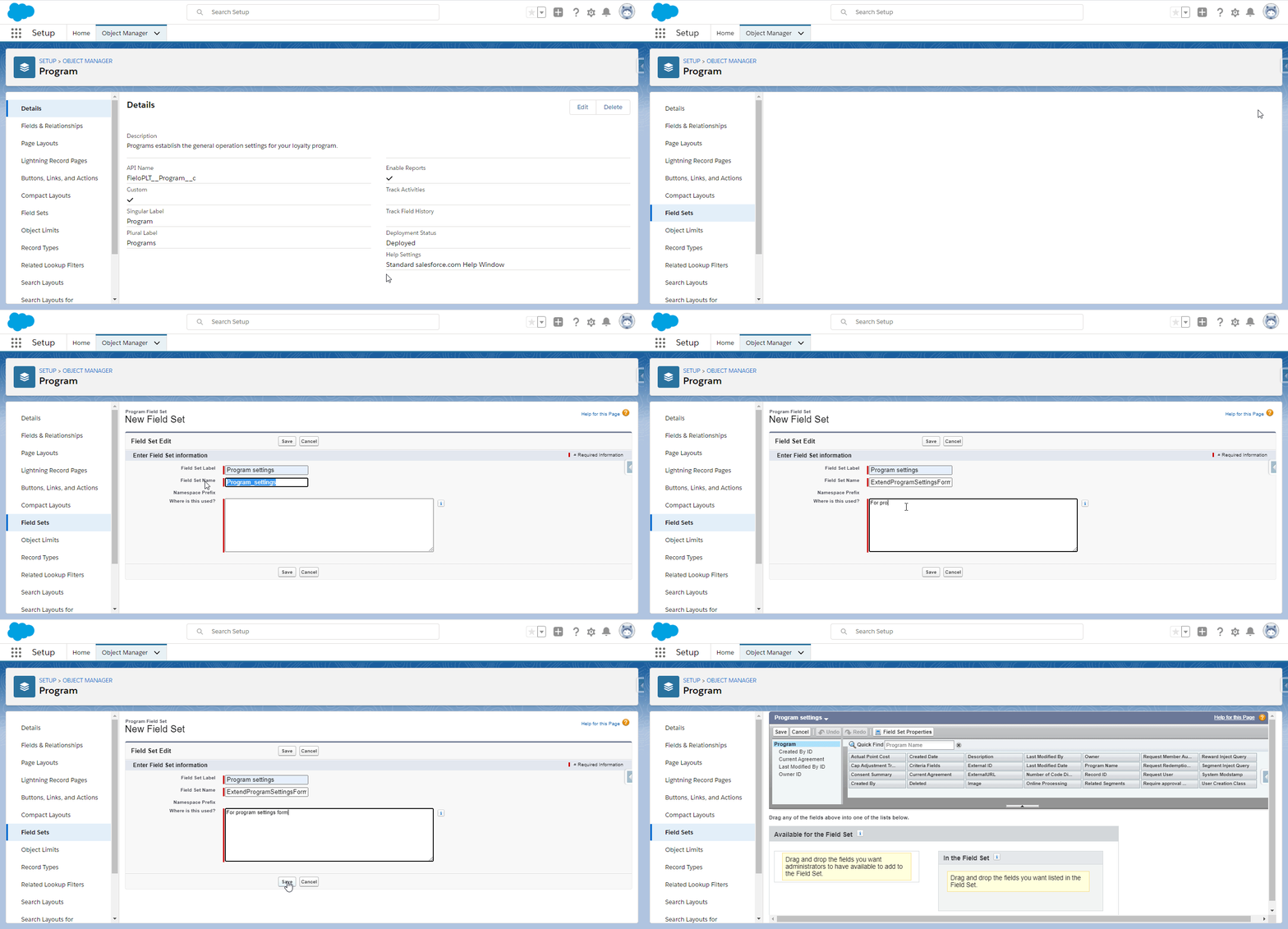
After the field set is created, you will be redirected to its configuration page. In order to add the extra fields, look for them in the list on the top and drag and drop them to the bottom section of the page. Don't forget to Save afterwards.