
Fielo as a Standalone Solution
Plan to use Fielo just for back office incentive and loyalty administration, or simply want to take it for a spin to see what we offer? Follow the steps below to get rolling.
Before Starting
First thing's first: log into your Salesforce org and make sure you have system administrator permissions.
Install Fielo
Once you've logged in to your org and confirmed you're a system admin, you're ready to install Fielo in your org.
- Click here to access the installation package.
- Select Install for Admins Only.
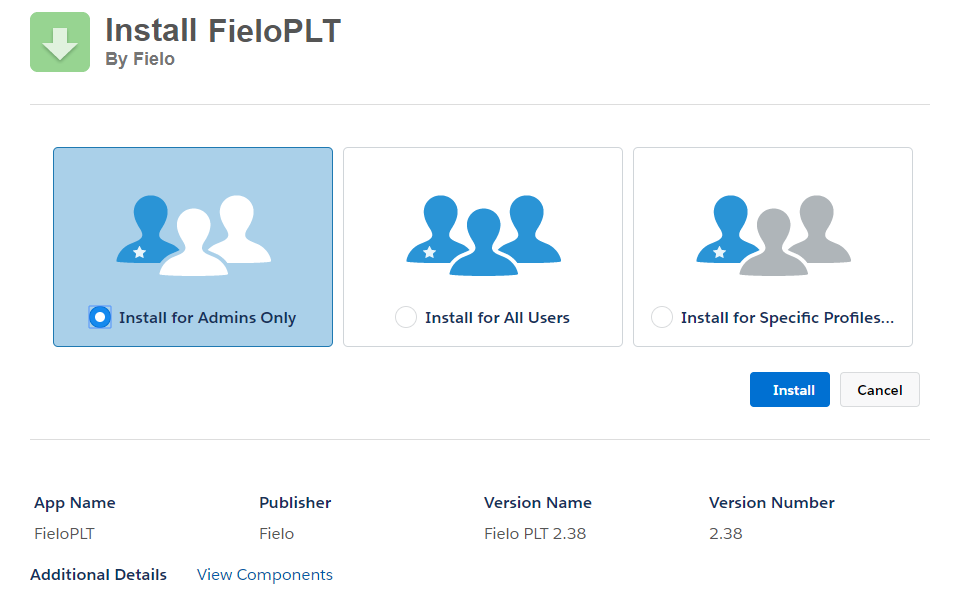
- Click Install. When the installation process is finished, you (or the org admin) will be notified by email.
Setting up Domain
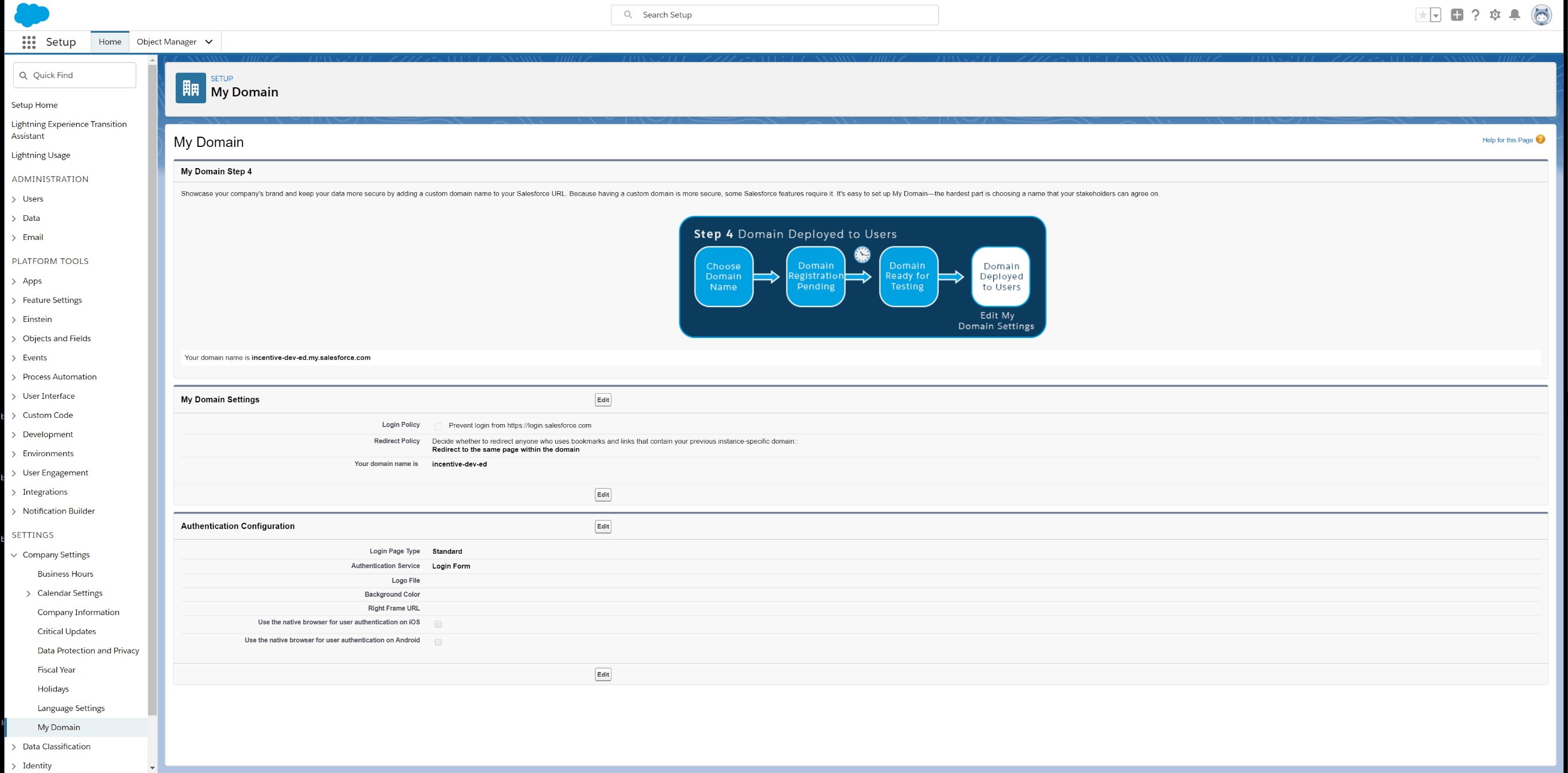
Go to Setup from the top right. Within the Quick Find menu search for "domain". You will see the category Company Setting and within that, click on My Domain.
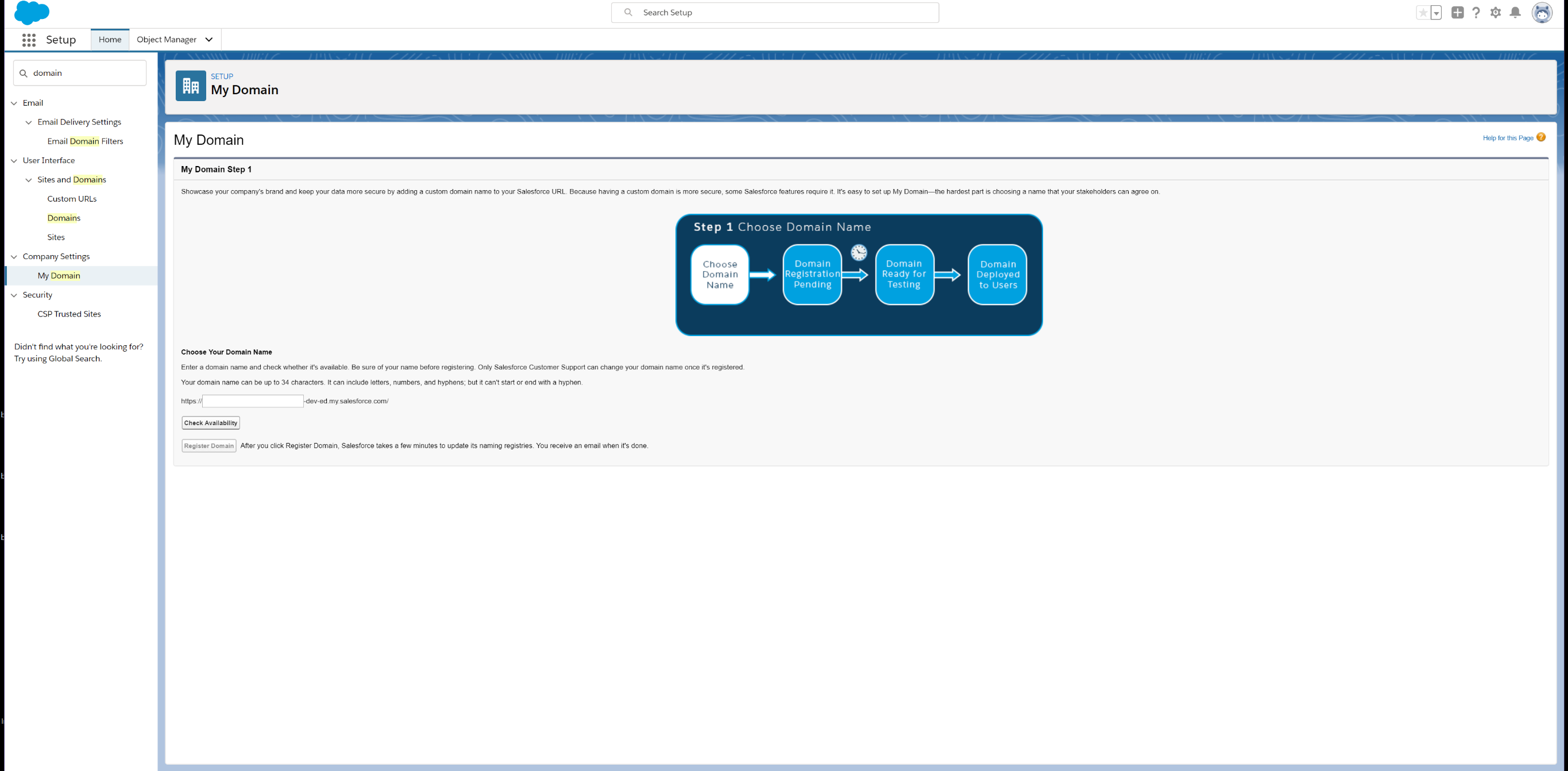
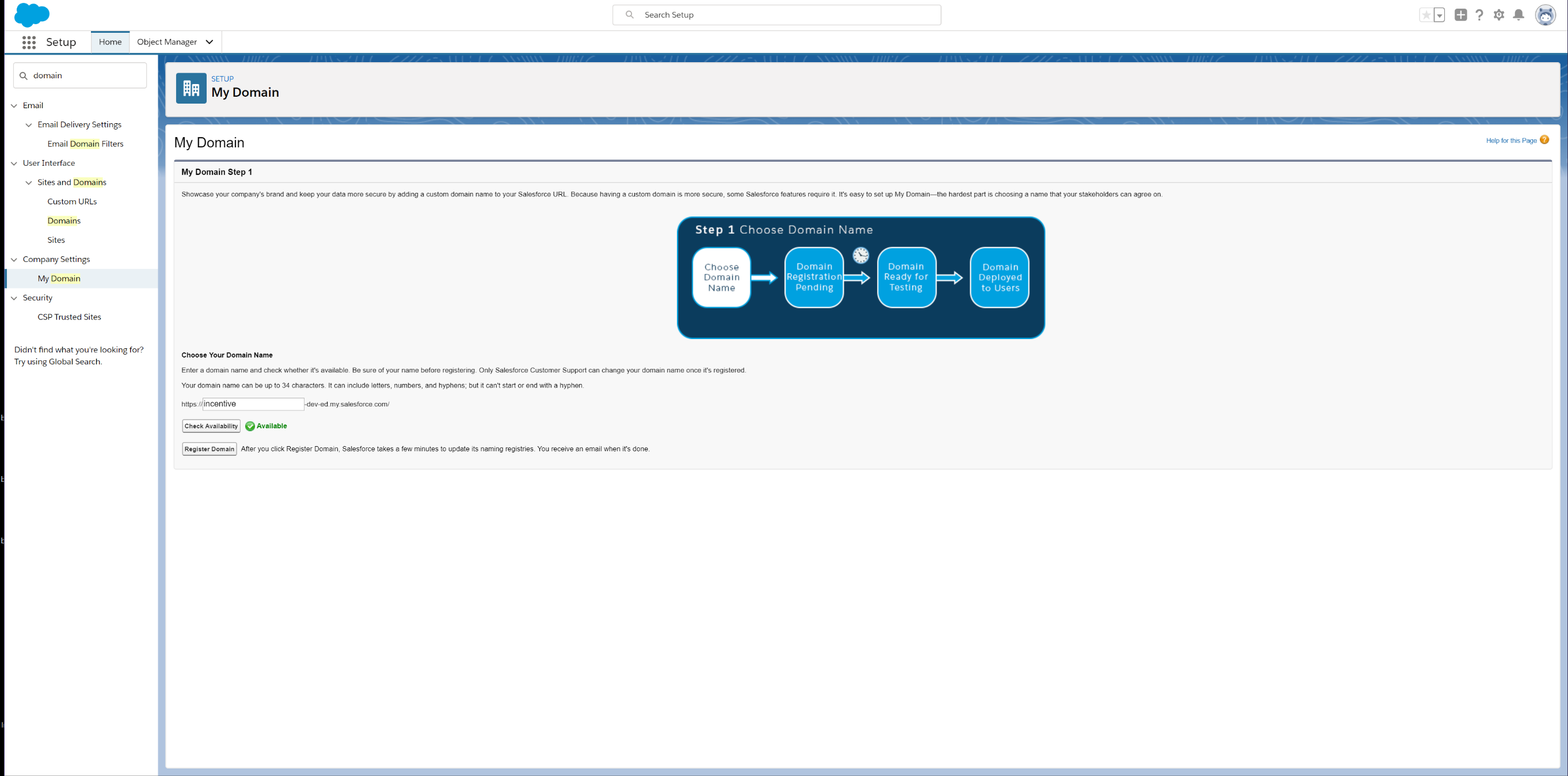
It will ask you to choose your domain name so go to the input field and enter a domain name that works for your program. Once you have entered a name, click the Check Availability button to make sure it able to be used. Once you have an approved domain name, click Register Domain.
The process may take a few minutes to complete but you will receive an email titled "Salesforce domain ready for testing" once your domain has been made. You can either login from the email and go back to the domain section or refresh the original page if it is still open. You will be directed to Log in to test your domain before deploying it to your users.
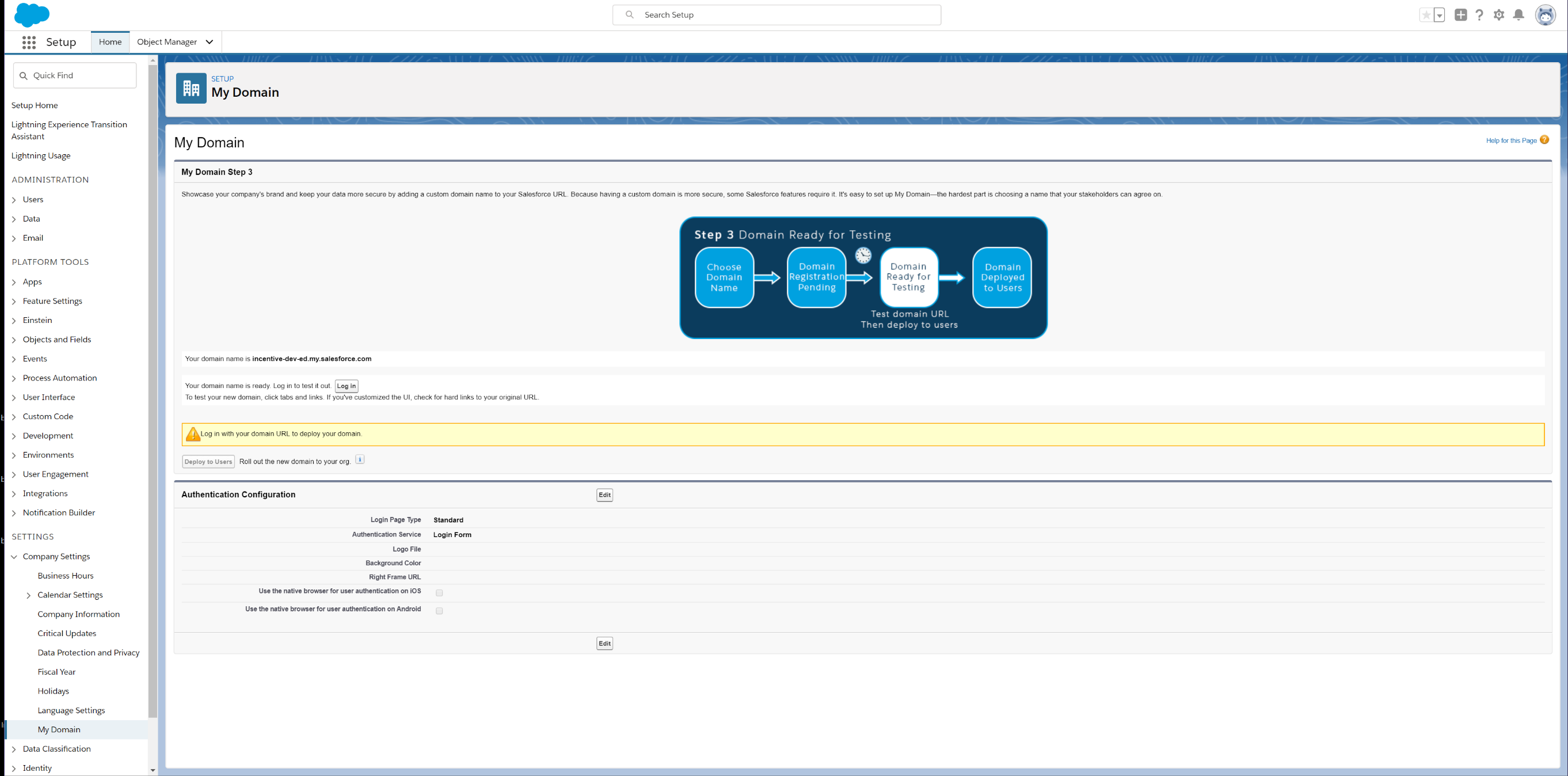
Once you have tested our domain, you are now ready to deploy to your users. The final step is to click Deploy to Users and you have now created your domain.
Ensure Email Deliverability
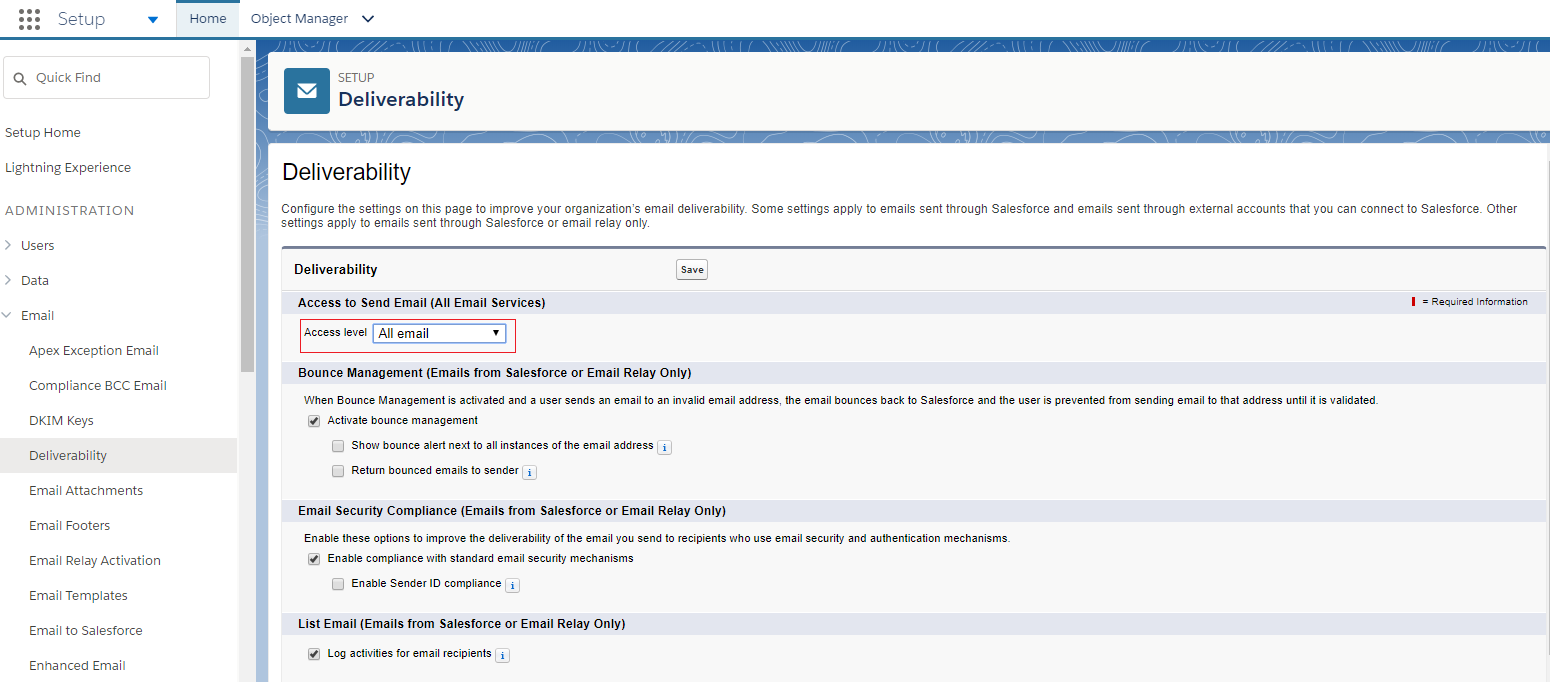
From Salesforce Setup, navigate to Deliverability. Make sure the e-mail access level is set to All email.
Enable Libraries
After installing, you'll want to activate our full feature set by enabling the FieloPLT library.
Click on the App Launcher and choose Fielo Platform. From the Libraries tab, find the row corresponding to FieloPLT and click Activate.
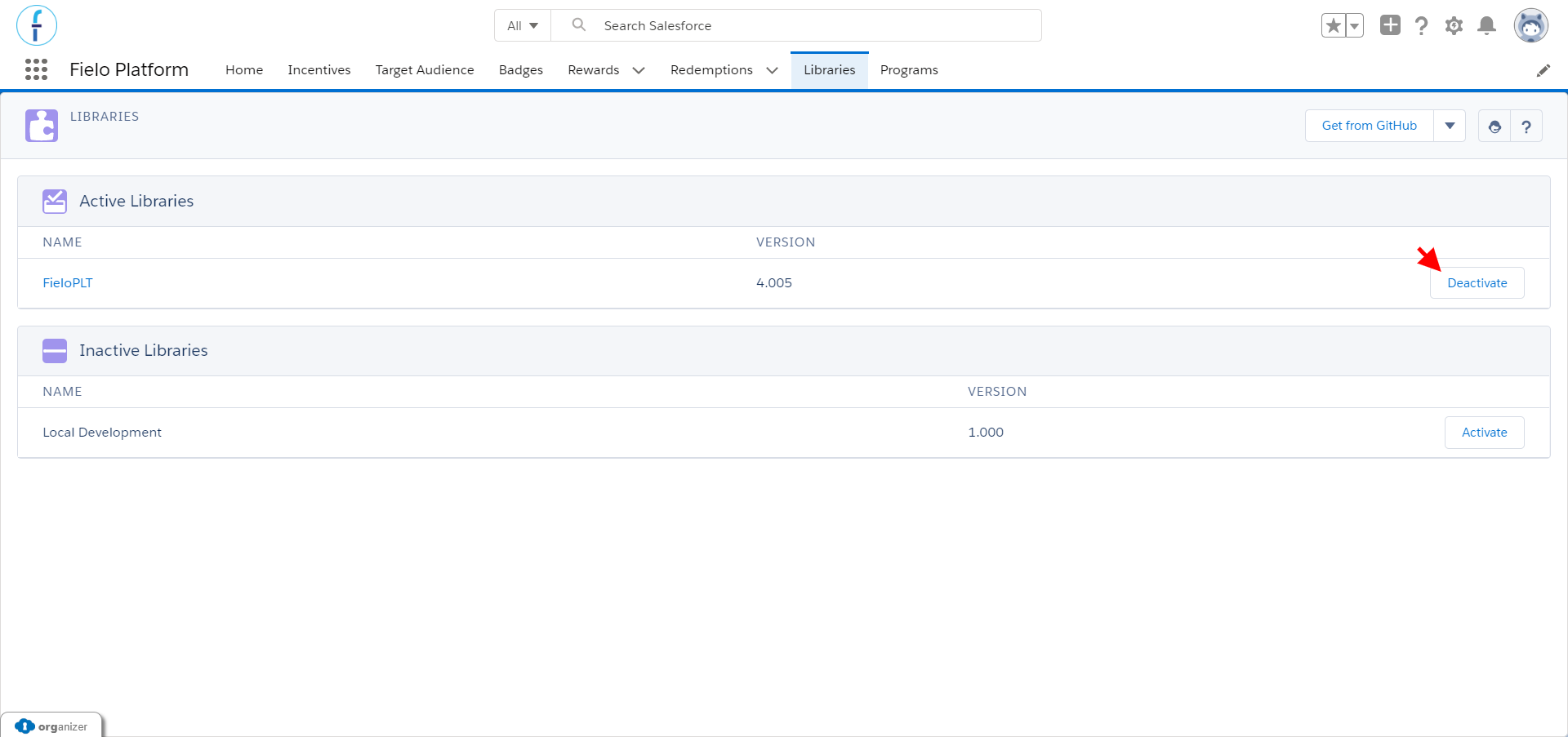
While you're here, go ahead and activate the Local Development library, as well. This way, you'll have a place to store any actions, models, or page settings that you create later on.
Great job!You're ready to start using Fielo.
Updated over 1 year ago