
Manual Upgrade from Spring '19 to Summer '19
If you're using our Spring '19 release (v2.63), upgrade to Summer '19 (v2.69) to take advantage of our newest features. You will have an easier time managing your program with the new Target Audience tab, where you will find your Segments, Members and Teams. If you haven't heard of Teams before, it's because it is another new feature of the Summer '19 release. You can also look forward to additional features like Related Data Rules and Activity Based Segmentation. Continue below to upgrade to the latest version.
Versions Prior to 2.63.xIf you're using FieloPLT v2.63:
Follow these upgrade instructions to get you to Spring '19 release (v2.63) before proceeding.If you have an older version than FieloPLT v2.63:
Please follow the section in FieloPLT v2.63 upgrade instructions called "Versions Prior to v2.60.8".
Before getting started, make sure you're logged into your Salesforce org and have system administrator permissions.
How to Upgrade
Go to setup and in the Object Manager search for Member.
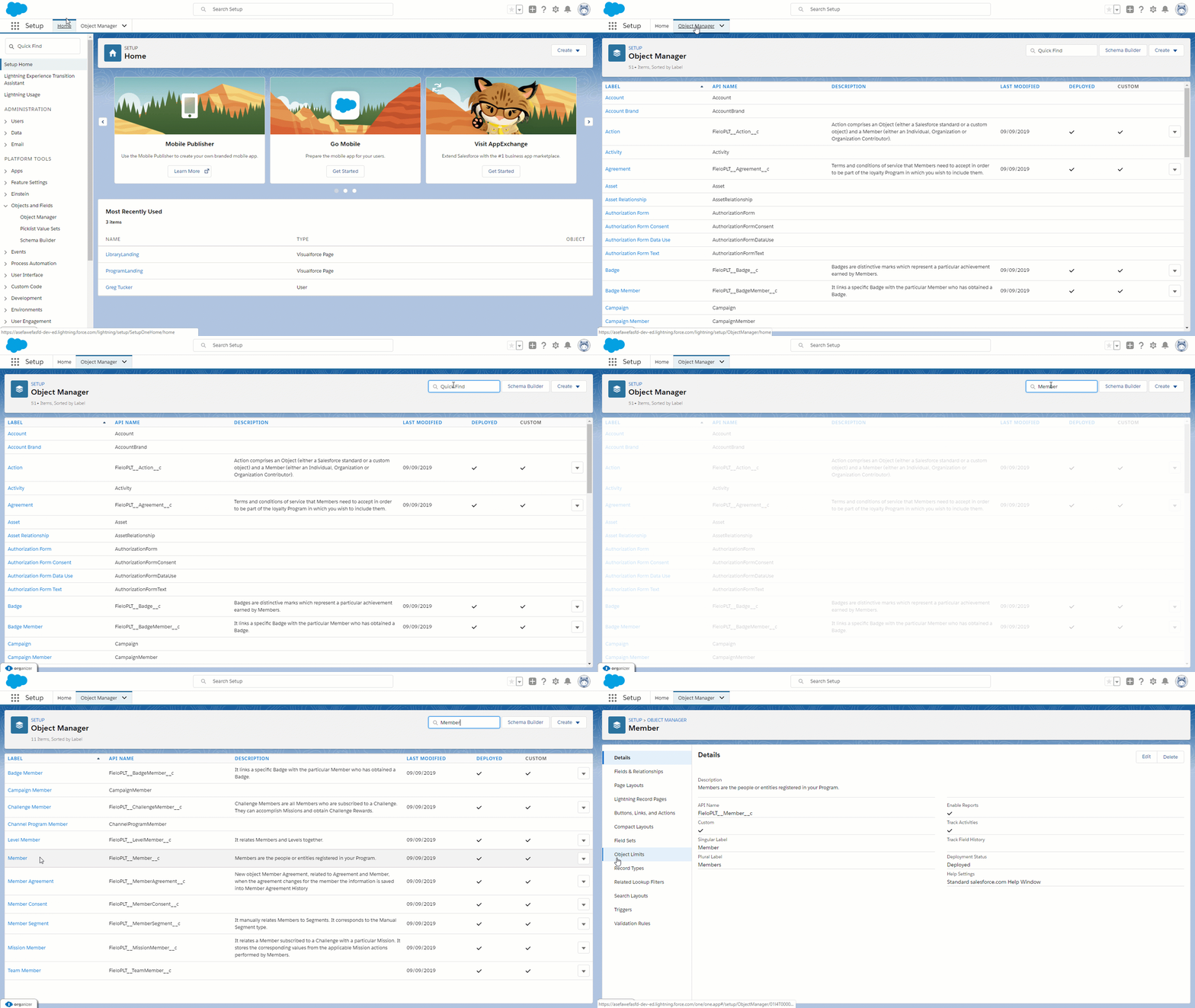
Click on Fields & Relationships and select Type sub section
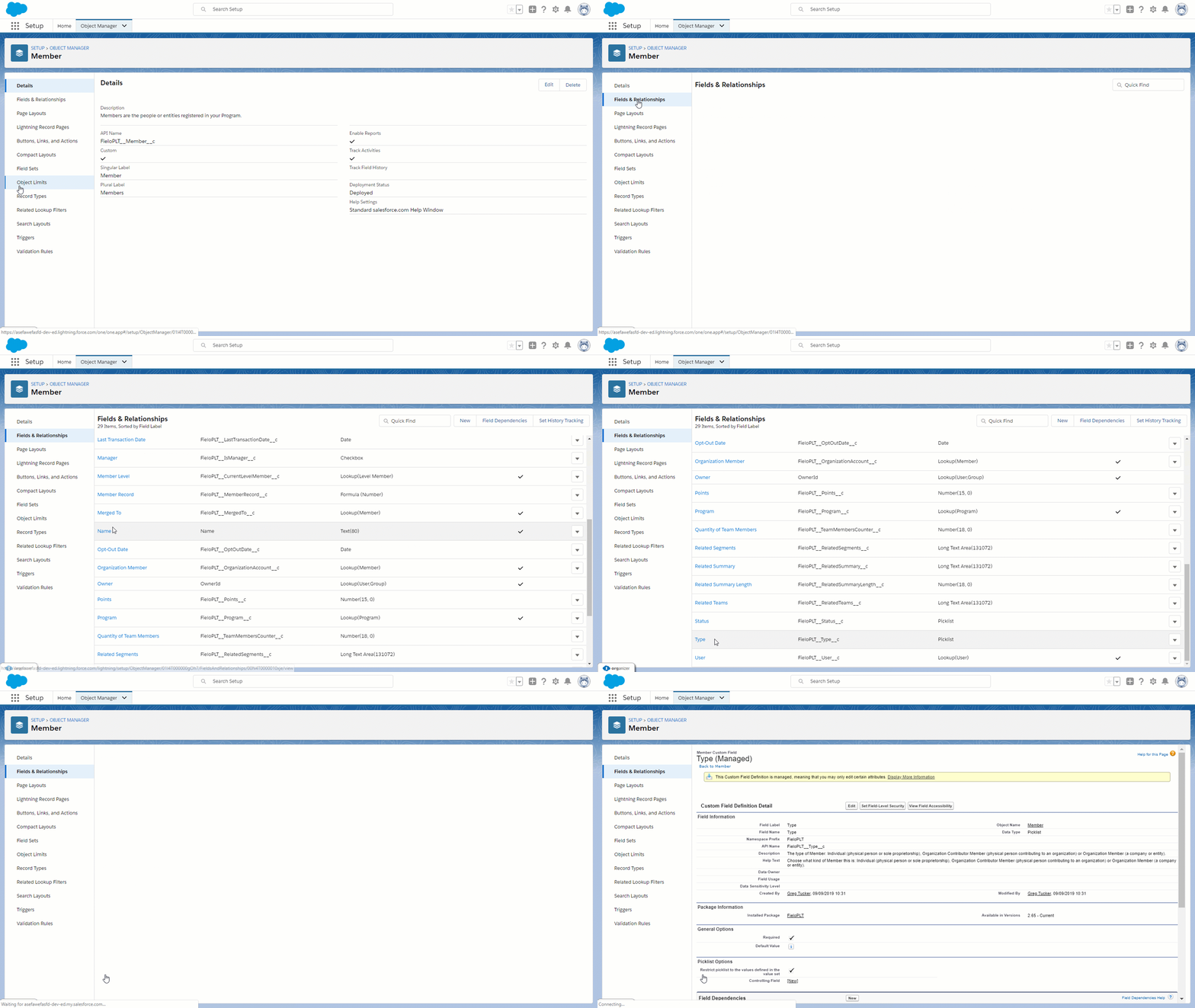
Scroll down to the section called Values and click on the New button. Type "Team" in the dialog box. Once completed, click Save.
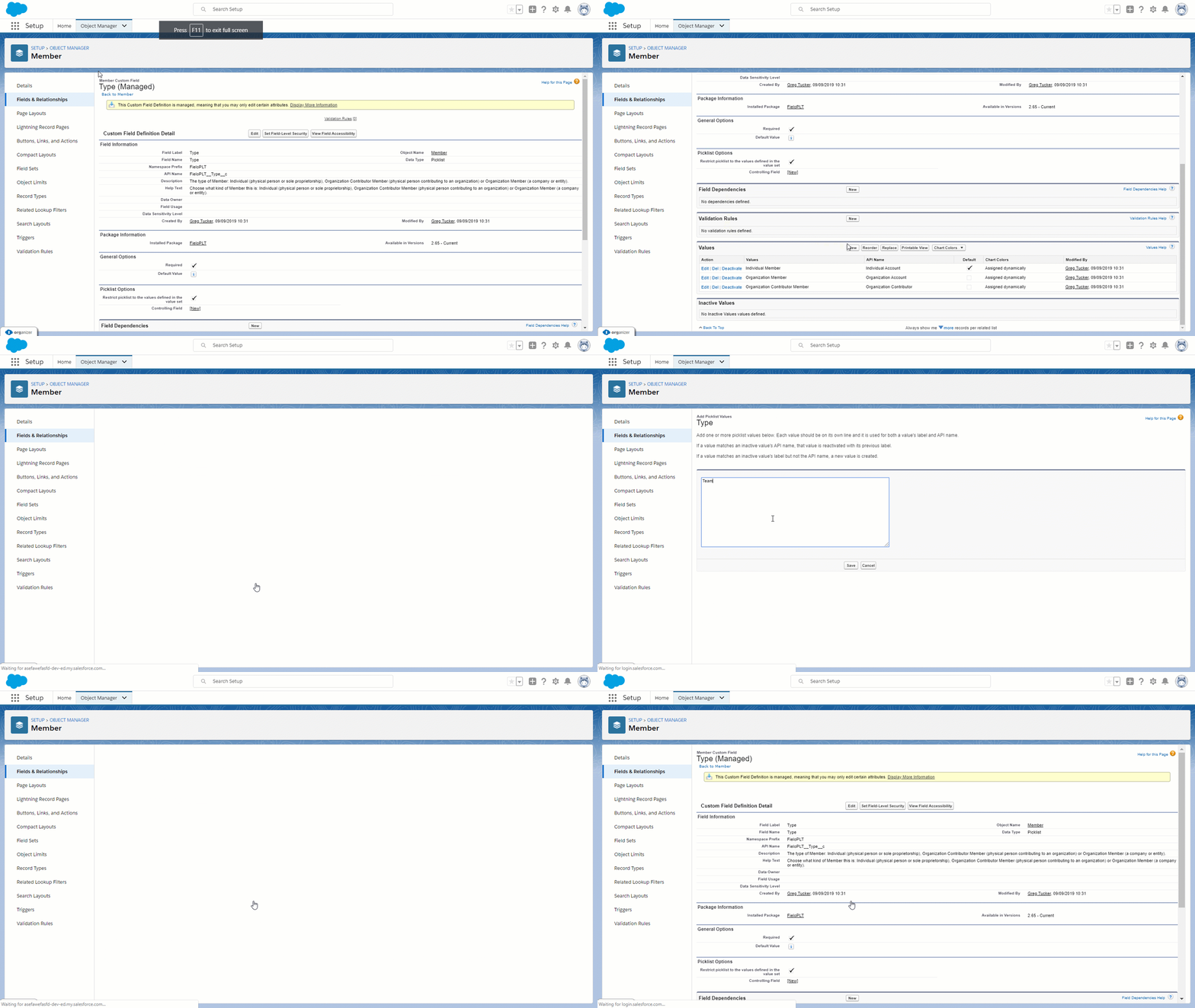
The API names and values of the Picklist Mode in the object criterion group need to be changed. Go to the Object Manager and search for Criterion Group. From the Fields & Relationships section, find Mode and click into it.
Go down to the Values section.
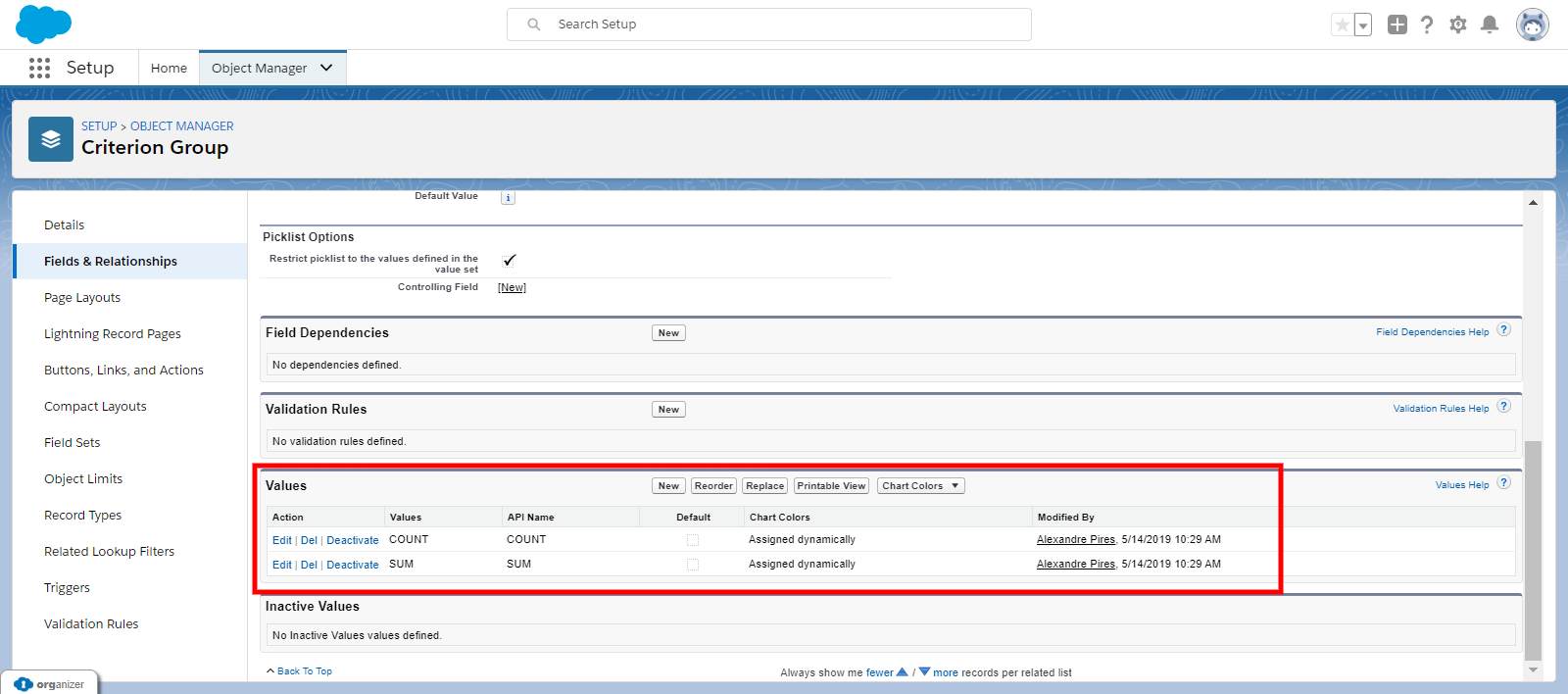
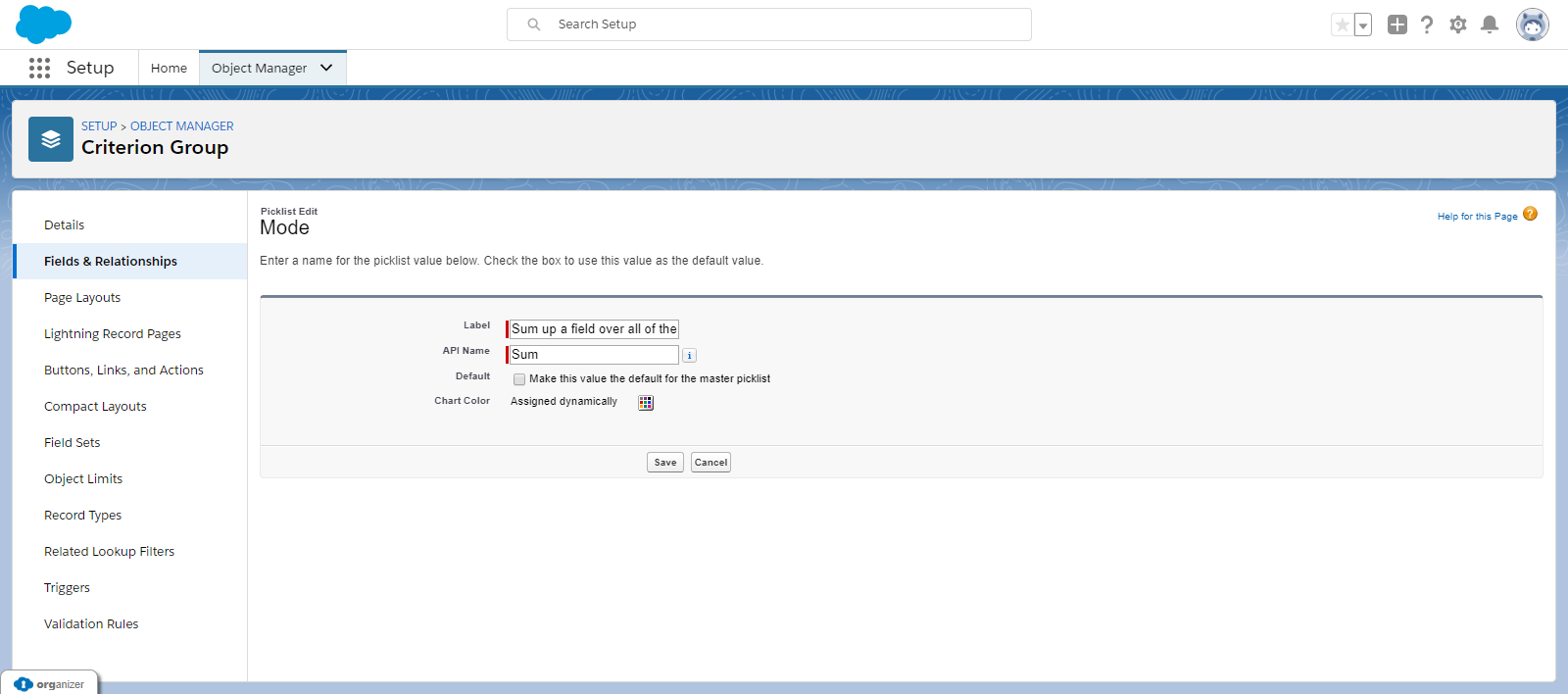
Edit Sum
Edit the API Name and Label with the information below:
| Label | Sum up a field over all of the records that met the conditions |
| API Name | Sum |
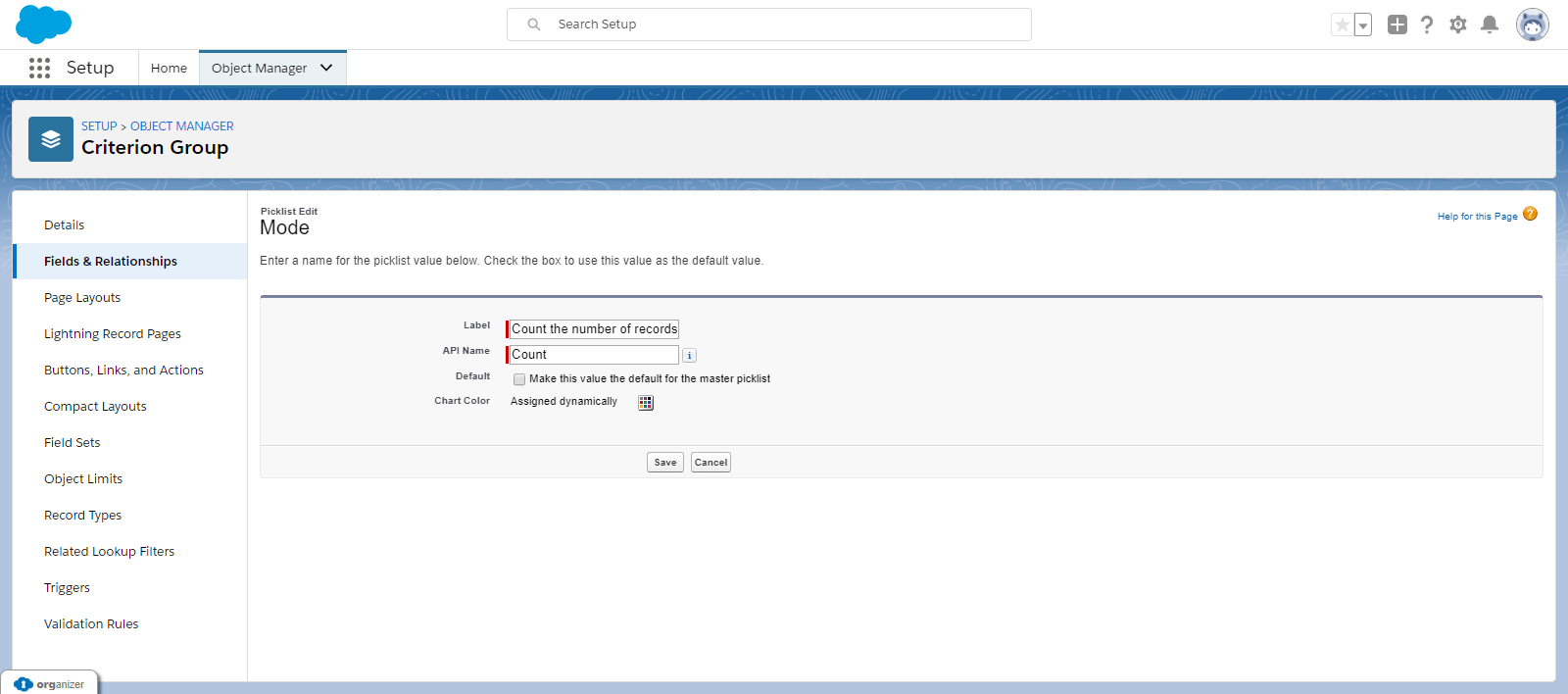
Edit Count
Edit the API Name and Label with the information below:
| Label | Count the number of records that met the conditions |
| API Name | Count |
Once you're ready to go, follow these steps to upgrade:
- Click here to access the Fielo installation package.
- If any internal users that aren't admins will use Fielo, click Install for Specific Profiles and give Full Access to their profile(s).
- If you're using Fielo components in Community Cloud, find the Community User profile(s) that you're using for your members. From the corresponding picklist(s), choose Fielo Community.
- Click Install. When the first part of the upgrade process is finished, you (or the org admin) will be notified by email.
Layout and Object Configuration
Segments
Go to the Object Manager and search for Segment and click on Page Layouts. You will need to go into Dynamic and find the section Segment Detail.
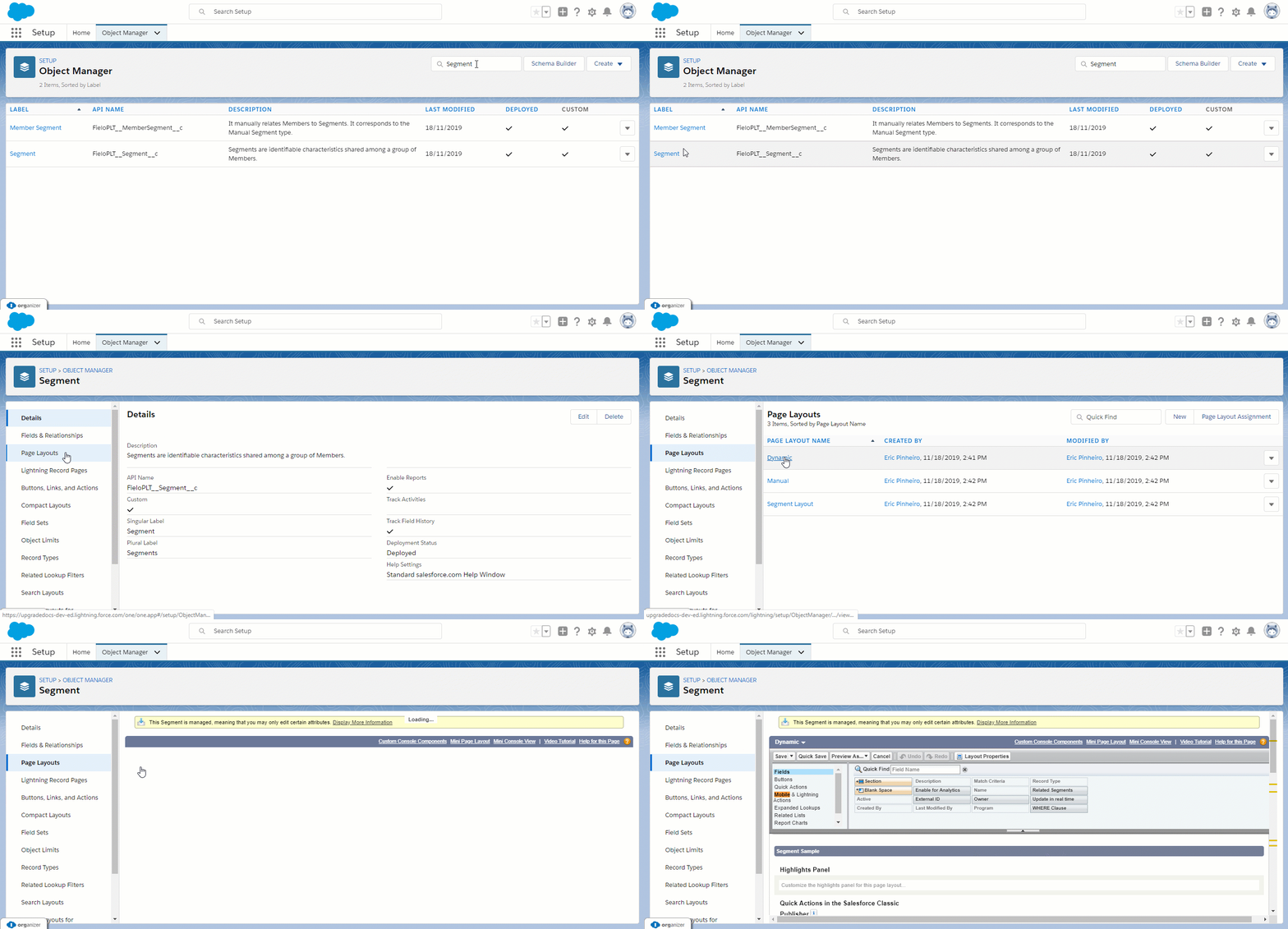
Within the Salesforce Mobile and Lightning Experience Actions window, section, go to the button right and click on the 🔧 icon. You will need to remove all of the items now being displayed except Edit and Delete.
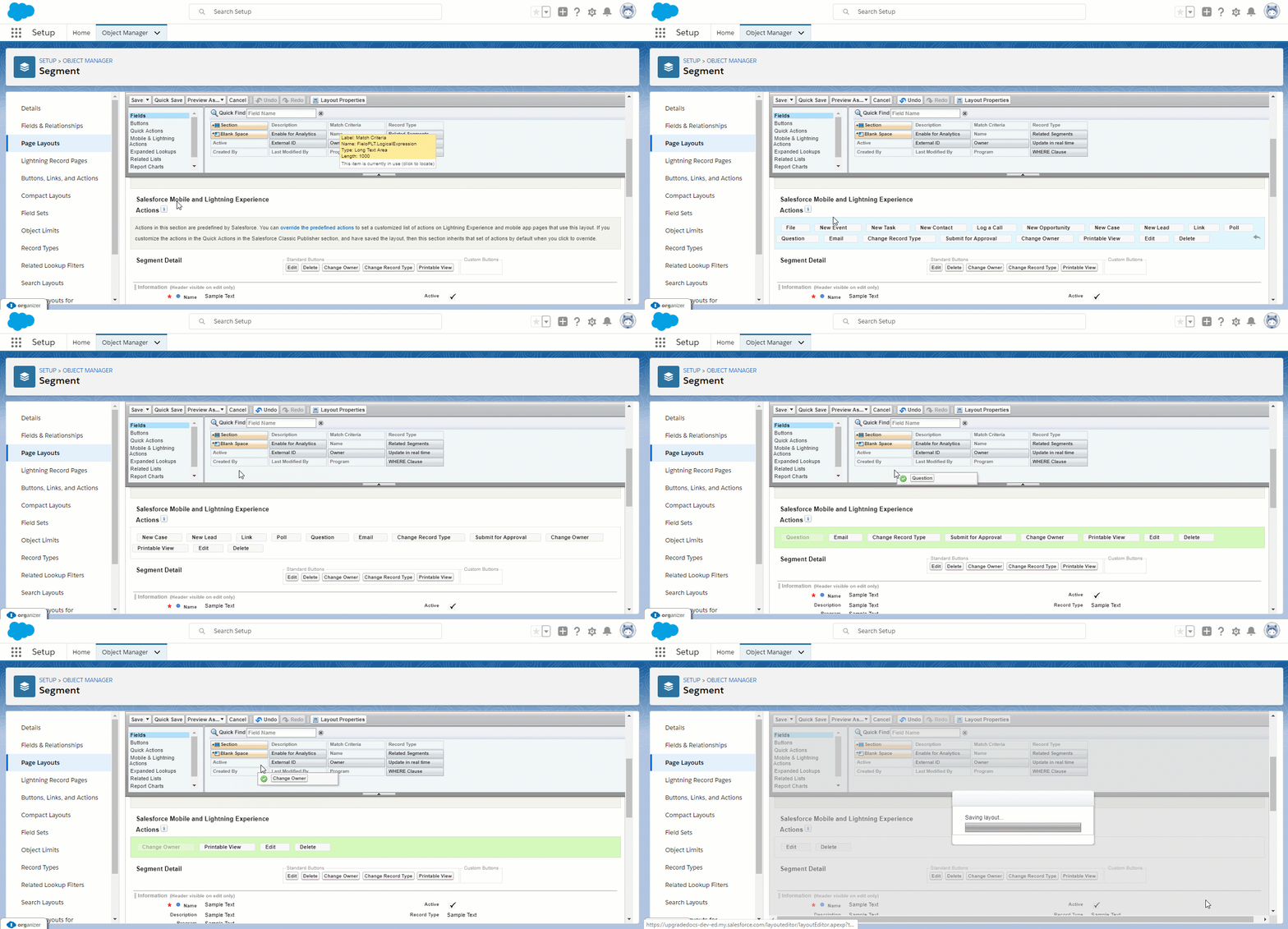
Scroll to the Information section. Add both Enable for Analytics and Update in real time fields and remove Match Criteria.
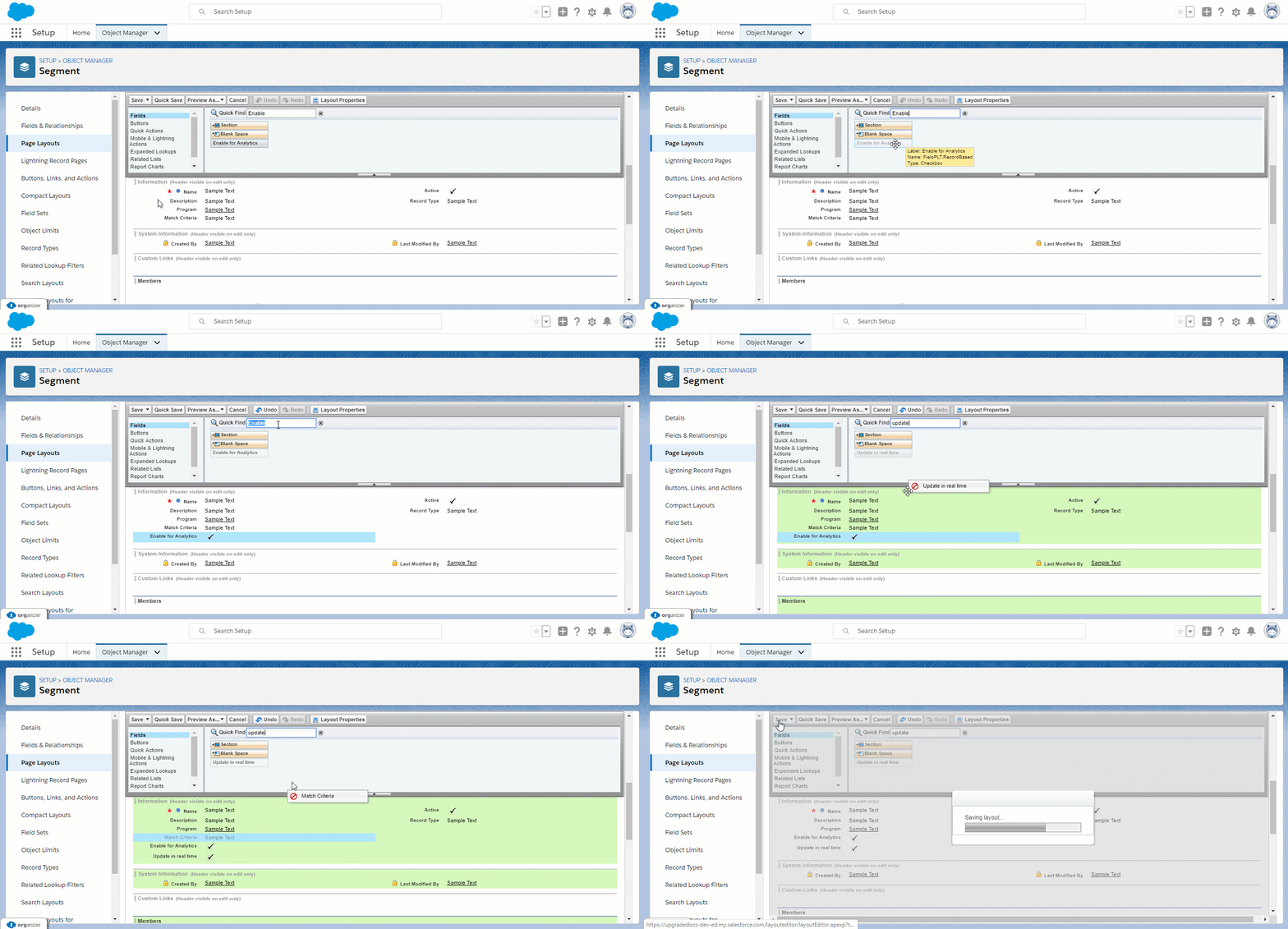
Then scroll to the Related Lists section, add Members to the list and click on 🔧 icon to bring up Related List Properties. On the Columns section, add the fields Member and Created Date. Click on the Buttons bar towards the button to show Standard Buttons. Make sure New is selected. Once you are done, click Ok to close the window.
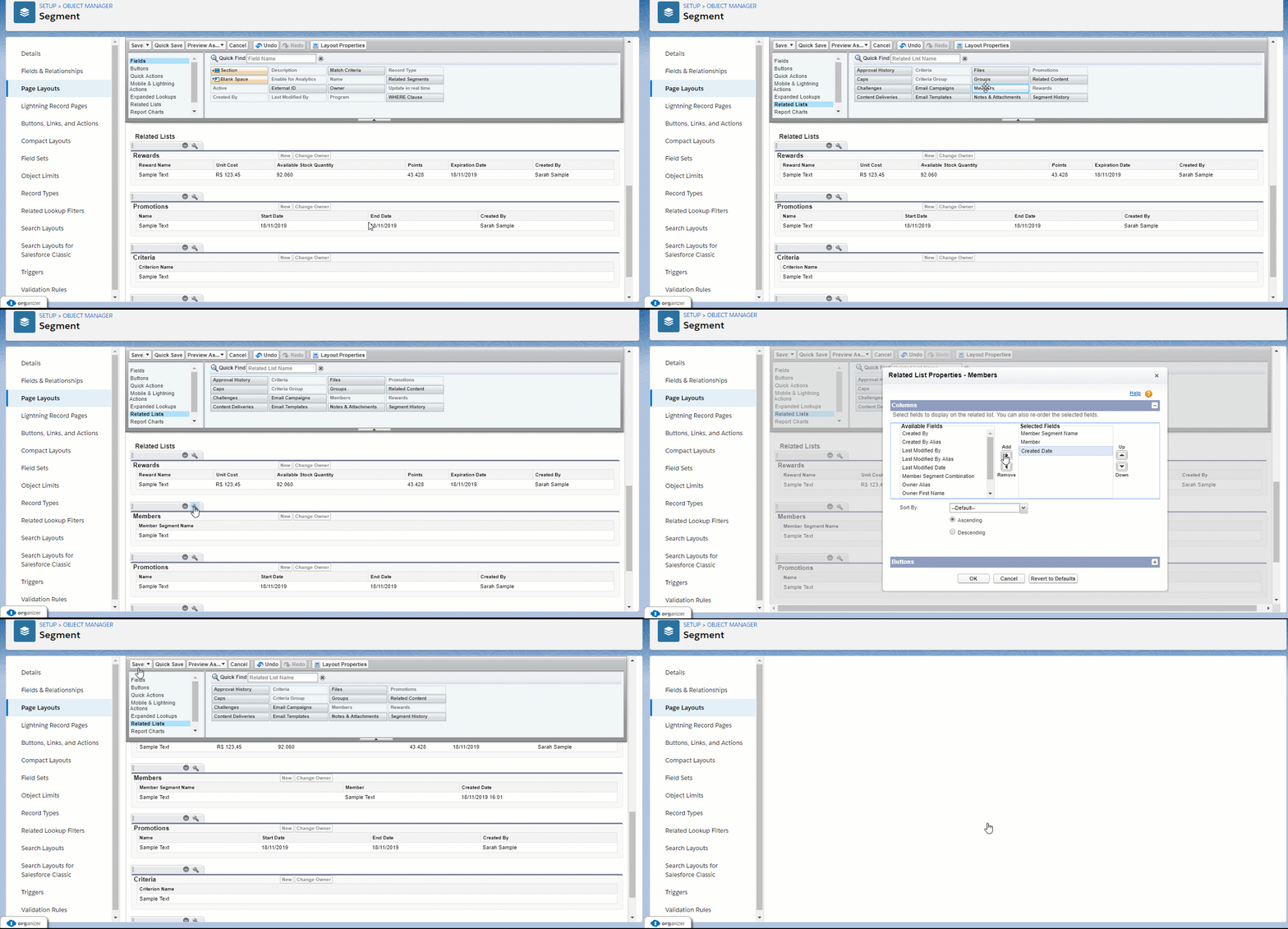
When you are done, you can go to the Layout Properties box and click Save.
Members
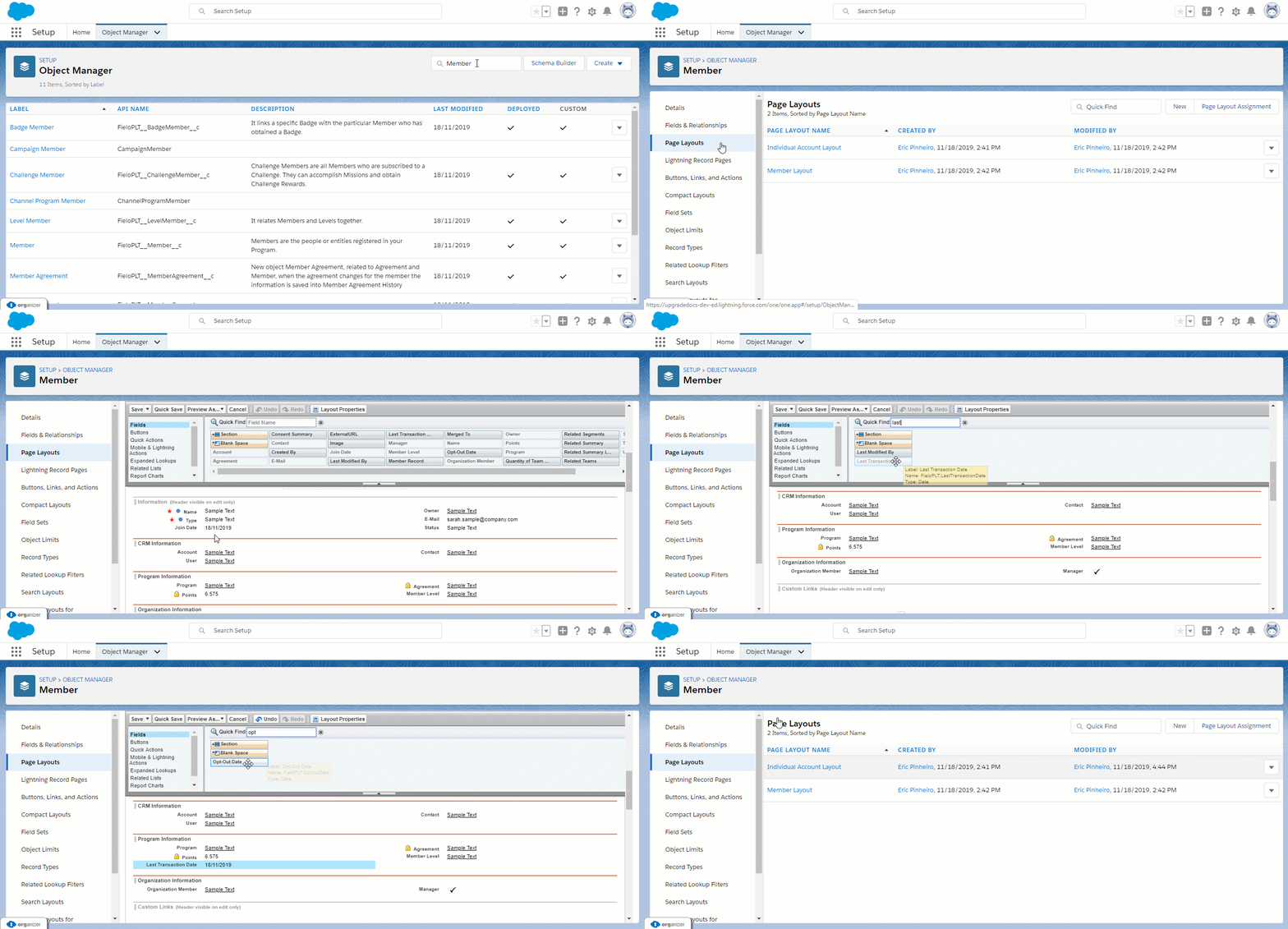
Go back to the Object Manager and search for Member and click on Page Layouts. You will need to go into Individual Account Layout. From the Layout Properties box, search for the fields Last Transaction Date and Opt-Out Date and drag them into the Program Information section.
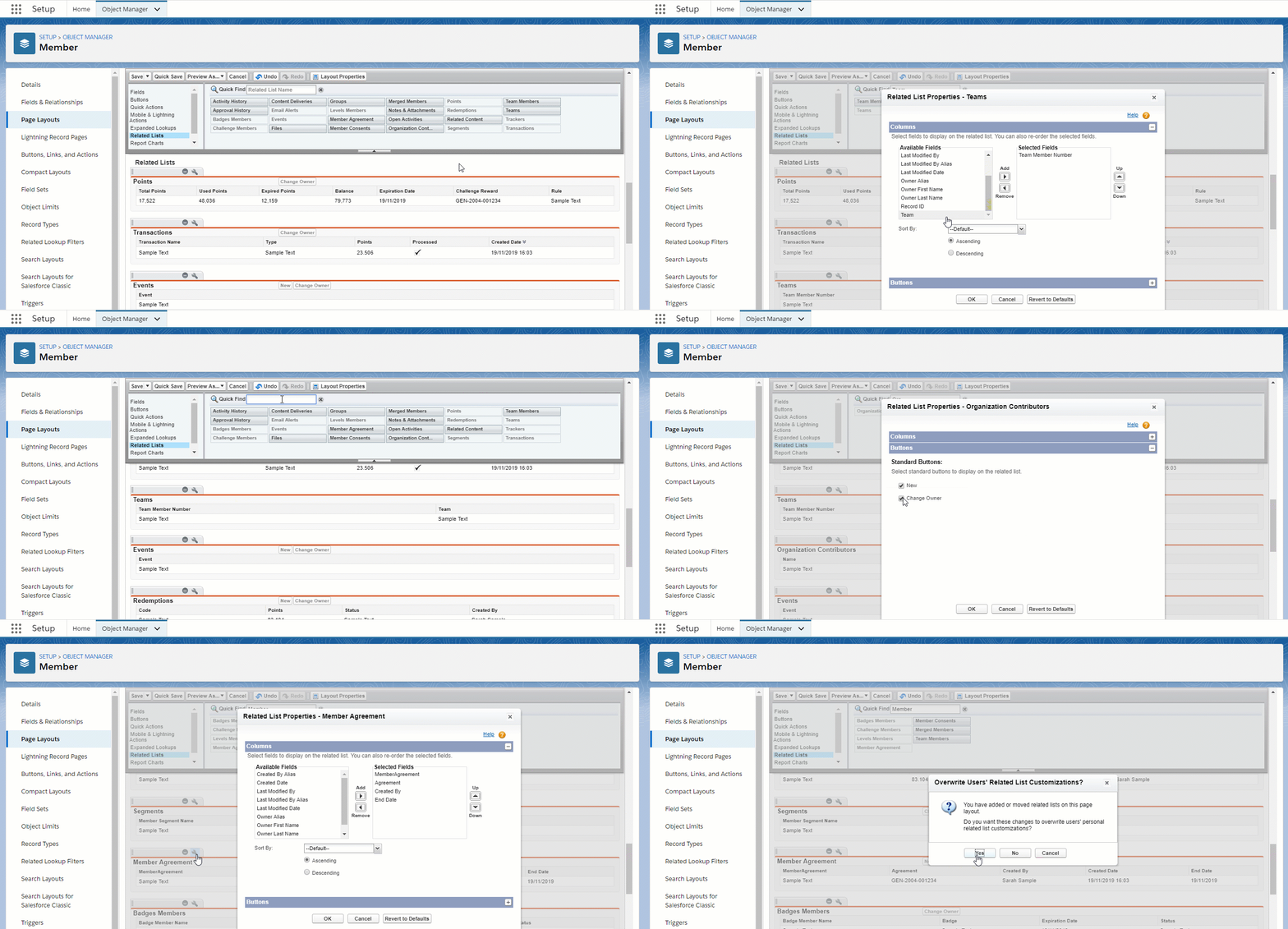
Scroll to the Related Lists section, add Team, Organization Contributors and Member Agreement to the list and click on 🔧 icon in each to bring up Related List Properties.
On the Columns section for Teams, add the field Team. Click on the Buttons bar towards the button to show Standard Buttons. Make sure none is selected. Once you are done, click Ok to close the window.
Follow the same steps above for Organization Contributors, adding the field "Name" instead and leaving the New button checked. As for Member Agreement, add the field Create Date.
Lastly, some adjustments on existing Related Lists will be necessary.
| Related List Name | Fields to be added | Buttons |
|---|---|---|
| Badge Member | Created Date | Uncheck Change owner |
| Redemptions | Items, Created Date | Uncheck New and Change owner |
| Points | Point, Point Type, Created Date, Status | Uncheck Change owner |
| Transactions | None | Add Adjust Button |
| Events | Created Date, Type, Value | Make sure New is checked |
Congrats!You're ready to go with Fielo Summer '19 edition.
New Objects and Fields
We've create these new objects with the following fields:
Team Member (FieloPLT__TeamMember__c):
- Alternative Key (FieloPLT__AlternativeKey__c)
- Member (FieloPLT__Member__c)
- Team (FieloPLT__Team__c)
Update Rewarding JSON(FieloPLT__UpdateRewardingJSON__e):
- RecordIds (FieloPLT__RecordIds__c)
We've also added new fields to the following existing objects:
Challenge (FieloPLT__Challenge__c):
- Target Audience (FieloPLT__TargetAudience__c)
Criterion Group (FieloPLT__CriterionGroup__c):
- Name (FieloPLT__Name__c)\
Member (FieloPLT__Member__c):
- Related Teams (FieloPLT__RelatedTeams__c)
- Quantity of Team Members (FieloPLT__TeamMembersCounter__c)
- Added a new Picklist Value "Team" on Type field (FieloPLT__Type__c) and added values "Draft" and "Inactive" on Status field (FieloPLT__Status__c)\
Redemption (FieloPLT__Redemption__c):
- Items (FieloPLT__Items__c)
New Components
For backend users, we've added the following components:
- BeActionAnonymizeMember
- BeActionBanMember
- BeActionBlockUnblockMember
- BeActionDataPortabilityMember
- BeActionOptOutRejoinMember
- BeActionSetUnsetManager
- BeActiveSegmentAction
- BeActivateTeamAction
- BeConditionGroup
- BeConditionsGroup
- BeDeleteAction
- BeDynamicSegmentsMembers
- BeEventFieldPicker
- BeEventShowForm
- BeFormAdjustTransaction
- BeFormIncentiveFromModel
- BeFormManageChallengeAudience
- BeFormMember
- BeFormSaveAsModel
- BeFormTeamIncentives
- BeHeaderAction
- BeListAction
- BeRecordSegments
- BeStdListAction
- newFromModelAction
- auraPubSub
- bList
- bListObject
- bMemberConsent
- bMemberPoints
- Pubsub
Updated over 1 year ago