
Installation and Setup
RevOps v1.30
Prerequisites
Currently, Fielo RevOps requires that Enterprise Territory Management be enabled in your Salesforce org. Also, your Organization-Wide Default Sharing Settings for the Account object must be set to Private or Public Read Only.
1. Install the RevOps package
Contact us for the installation URL. Then go ahead and navigate to it.
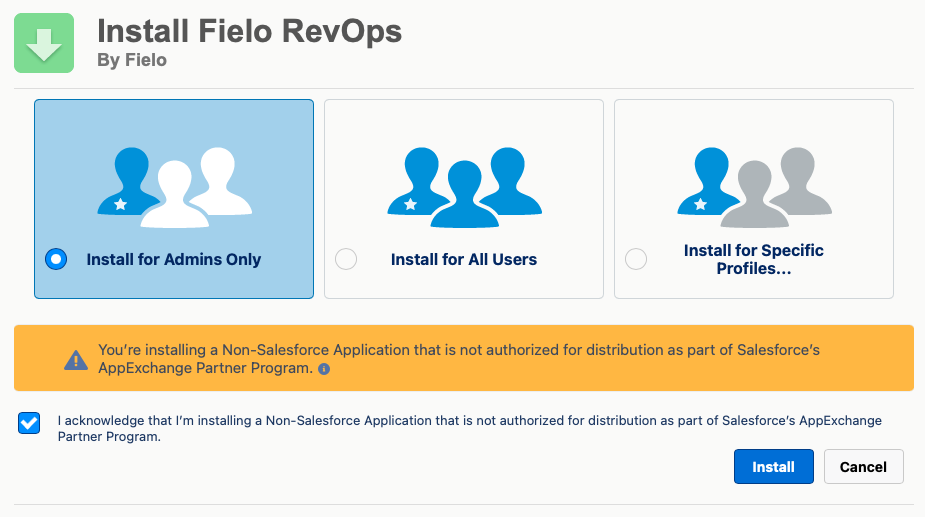
Choose which users in your org will be configuring. If it will be just you and/or other admins, select Install for Admins only and click Install. When the installation process concludes, you will be notified by email.
2. Provide user permissions
Identify the users that will complete activities and establish executive relationships, and grant them the FieloROCommunityMember permission set.
You can also allow additional users to configure RevOps by granting them the FieloROAdmin permission set.
3. Synchronize enterprise territories
On the Fielo RevOps app, navigate to the Fielo Territories tab and select Synchronize.
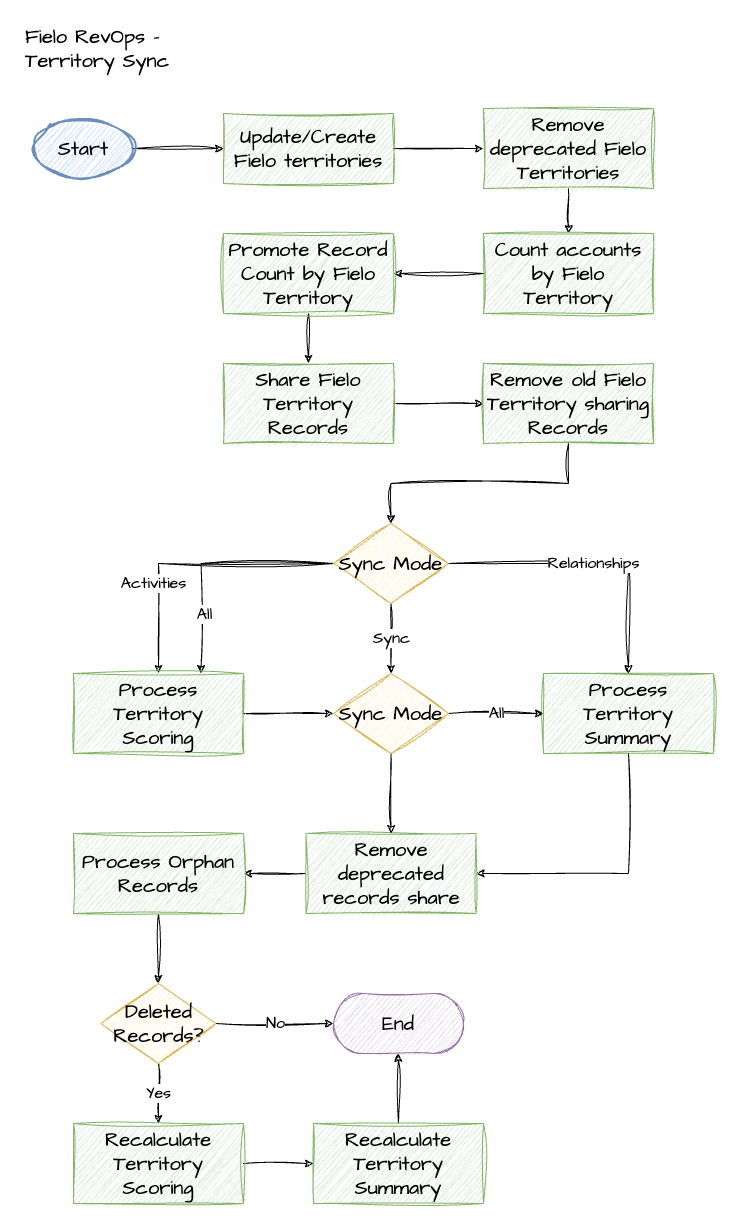
This will populate the Fielo Territories data structure that mirrors your Enterprise Territory Management hierarchy. Going forward, a daily batch job will run to keep these hierarchies in sync.
Here's an overview of what the synchronization process does:
4. Activate the FieloRO library (Optional)
If you plan to use RevOps alongside our Incentives product, you can unlock ready-to-incentivize behaviors.
To do so, enter the Fielo Incentives app and select the Tools tab. Under Libraries, activate the FieloRO library.
You're ready to go!Now, it's time to start setting up your plans.
Updated over 1 year ago