
Actions
Actions let you decide which practices and participants you want to incentivize. You can define what actions performed by the member will award them Currencies, Badges or Instant Rewards - granted through a Promotion or a Challenge.
To create an Action, first you need to create a behavior type that's associated with a Salesforce object.
Creating Actions
Actions are made up of a behavior type you want to encourage, and a Member (either an Individual, Organization or Organization Contributor), which represents the participants of your Program.
Fielo comes with some default Actions if you use the Installation Setup: Generate Event and Win, Redeem, Registration, Convert Lead and Stage Close/Won.Moreover, the Event object can be used to test out incentive automation and can even be configured for real-world applications.
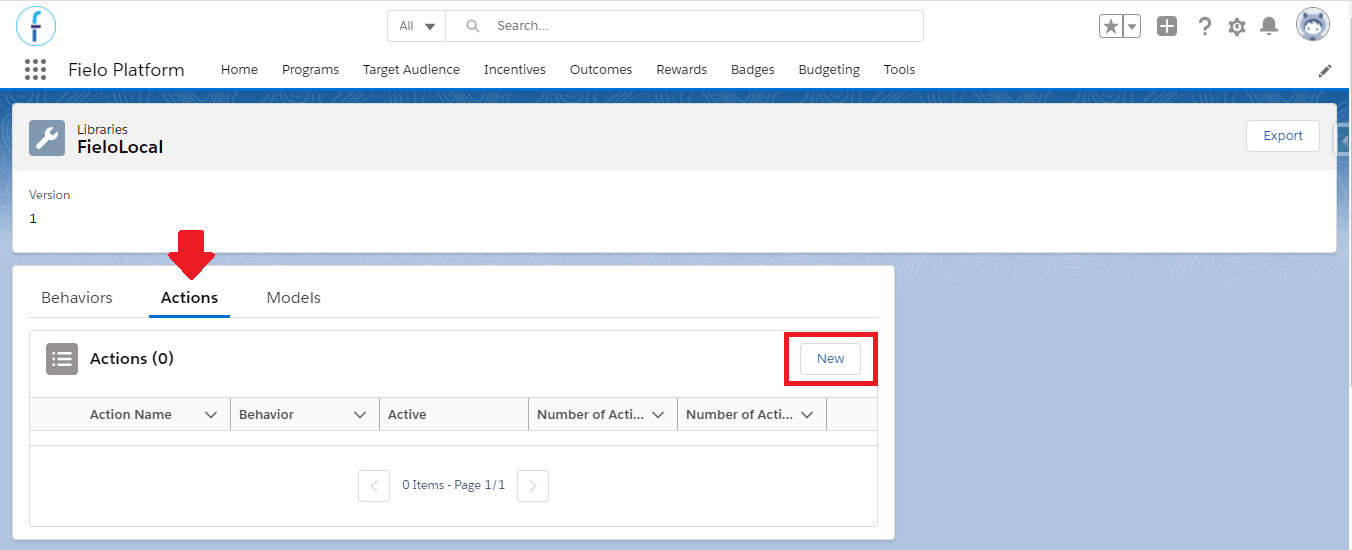
From Tools, go to Libraries and click FieloLocal. Within the Actions tab, click on New.
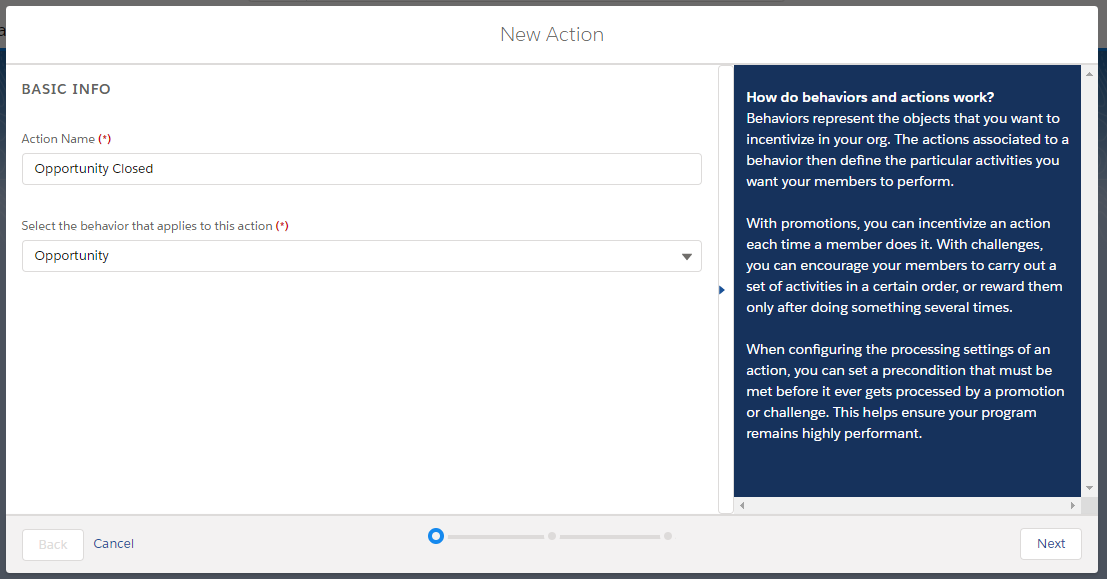
Action Name: Choose a descriptive name for you action. We've chosen to name it "Opportunity closed" as we are going to create an Action that will incentivize the closure of opportunities.
Select the behavior that applies to this action: Choose which behavior type the new action will be related to. In this case, the one that we created previously: Opportunity.
Note that each behavior type can have one or more actions related to it that are going to be incentivized. For example, you can have one action that is going to incentivize the opportunities that are closed and another one that will incentivize the opportunities created.
Basic info
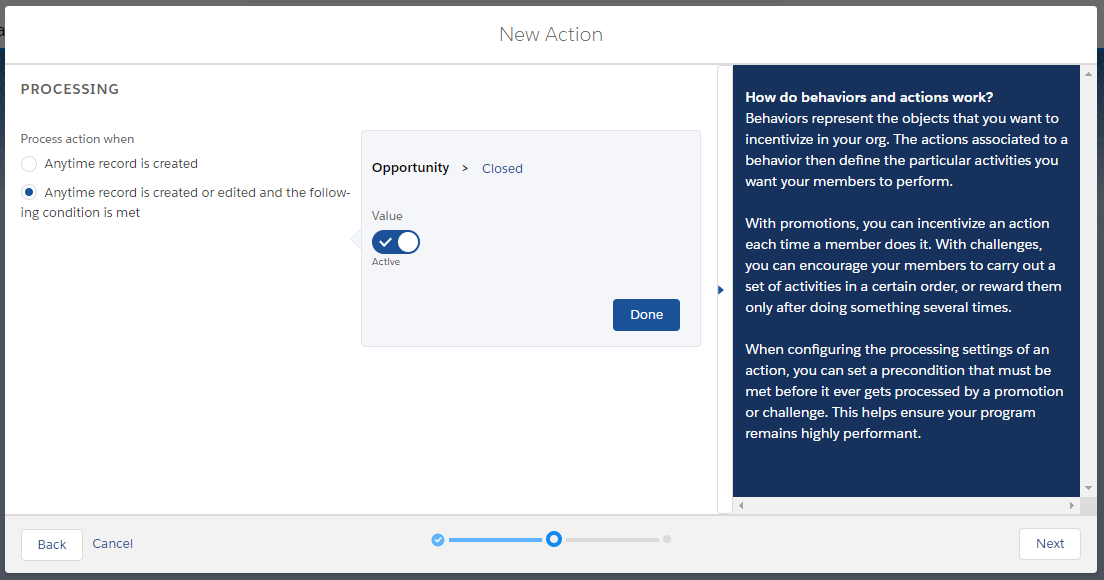
Process action when: choose Anytime record is created to activate the rules engine every time the action is performed. Go with Anytime record is created or edited and the following condition is met to filter out actions by a criterion before they can be evaluated by rules engine.
Regardless of which option you choose, you can always add additional criteria when you create your incentives.
Anytime record is created or edited and the following condition is metWhen selecting the criteria for this option, the operator will always be equal. Further criteria, using other operators, can be added through a Promotion Rule or Challenge Mission.
Process when criteria is met
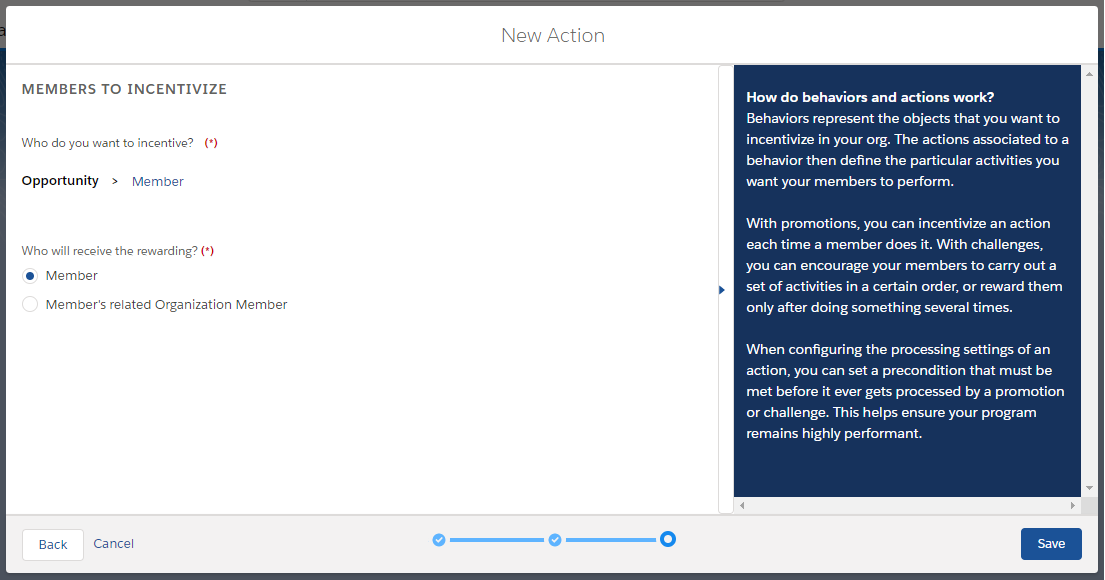
In Who will receive the rewarding?, choose the member that you want the action to consider when processed. If it is a Member, then any rewards given by the incentive that uses this action will go only to the member who is related to the incentivized action. In the case of Member's related Organization Member, the reward will be given to the Organization Member to which the member is related to.
Imagine, for example, that when an individual member performs an Action, you don't want to award him for that, but the organization that they are related to, instead. In this case, you would choose the second option.
If you need both, choose one and can create a second action for the other.
Incentivize Members
Deleting an Action
You can delete an action as long as it is not being used in any rules or missions.
Using Actions
You are going to use an Action in your Incentive setup: it is one of the aspects that are used to define what exactly the member needs to do in order to win a Reward - along with the Behavior Types. Therefore, be sure to have at least one Action before creating a Promotion or Challenge.
Let's use Fielo's default Action, Generate Event and Win, as an example. It is related to the Event Object, a custom one that is created when you install the FieloPLT package in your ORG, and can be used in real case scenarios. The most common of them are:
-
When you want to incentivize a specific behavior, but it doesn’t exist an Object related to that.
This is the case where you want to incentivize something that is happening outside from Salesfroce. It is one of the greatest advantages of the Event object: instead of needing to create another custom Object just so you would be able to incentivize an action that was performed through an integration (e.g. a purchase), you can add whatever fields you need to Event and build an Incentive around it. -
When the Object that you want to incentivize is Fielo’s (those that have the API name starting with FieloPLT_).
It is a best practice to not use our custom Objects to create Behavior Types, because it can affect Fielo’s performance. We have some triggers and processes related to them that could be impacted when you incentivize the Object.However, note that the Transaction object is an exception.
Take one of the default Event types: Registration. Instead of you using the Member Object to track when a new Program Member is created and reward them accordingly, you would use the Generate an Event and Win Action and track the Registration Events. Moreover, you are free to create other Event types and use them in your Program.
This Action can be a great way to show members how you will reward them even for minor interactions they have with your Program, which will attract more attention to it, making members come back and continue to participate in future Promotions and Challenges you create. After all, having more traffic on your Program means that you will reach your objectives faster.
Well, imagine that you want to reward 50 Points to all members who register to your Program in January. You can create a Promotion Rule for that, specifying the Event Date for that specific month.
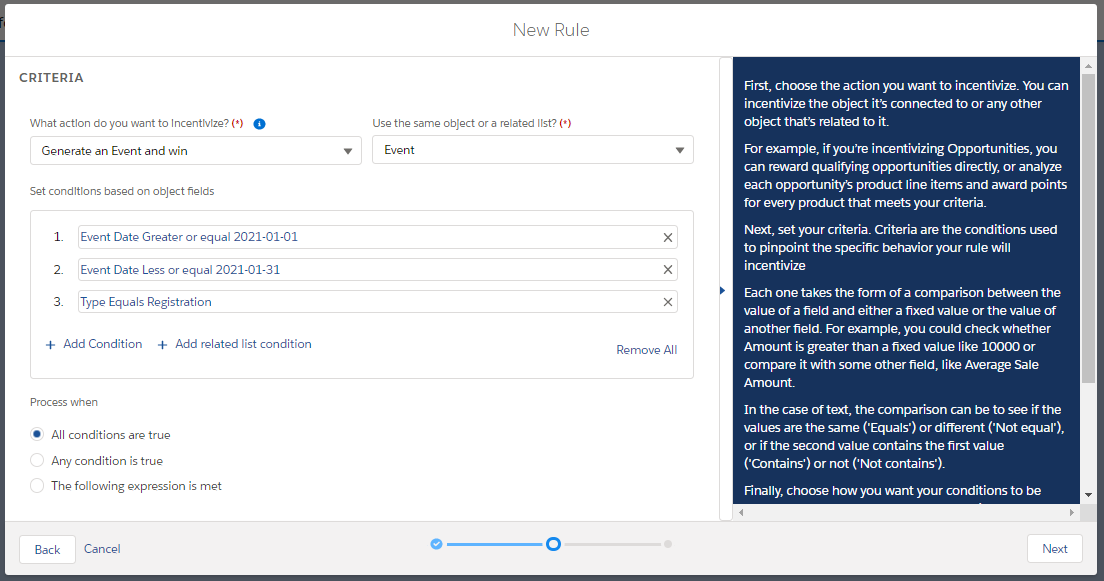
New Rule using the "Generate an Event and Win" Action
Event CreationThe Event Object is actually a powerful tool that can model almost anything. You can use Event in a number of integrations, it is able to be related with any other Salesforce Objects and even things that come from outside of Salesforce (such as from an ERP system).
However, as there are a number of different possibilities, the Event Creation is not present in the platform by default. If you wish to use it in your Program other than for manual testing, you need to create an integration for the Event Creation, so that the Action is triggered when the Member performs the action. Otherwise, the Member won’t receive the reward.
Updated over 1 year ago