
Mission Rewarding
Choose how you'll reward Members for completing Challenges and Missions
Before setting up rewarding for your challenge, be sure that you've created at least one mission.
Mission Rewarding
Mission Rewards are a way to reward members for successfully completing an individual mission. Like challenge rewards, they can take the form of Points, Instant Rewards and/or Badges.
Mission Rewarding Schemes
Rewarding schemes allow you to configure how mission rewards are awarded to members who have successfully completed a mission. Depending on the type of Mission and its Leaderboard Mode, there are several rewarding schemes to choose from.
Both Mission Types
-
Based on performance metrics at the end of the mission
For use with: No Leaderboard or By performance value Leaderboard
Use Based on performance metrics at the end of the mission to reward members based on performance metrics at the conclusion of a mission. For each mission reward, you'll specify the range of performance values that will qualify a member for the reward. -
Based on performance rankings at the end of the mission
For use with: By performance value Leaderboard
Use Based on performance rankings at the end of the mission to reward members based on performance rankings at the conclusion of a mission. For each mission reward, you'll specify the range of rankings that will qualify a member for the reward.
Missions with Objective
-
Just one reward, one or more times
For use with: No Leaderboard, Order of completion or By performance value Leaderbaords
Use Just one reward, one or more times if your mission will have just one mission reward. -
Different rewards depending on the order of goal completion
For use with: Order of completion Leaderboard
Use Different rewards depending on the order of goal completion to reward members based on the order in which they accomplish a mission. For each mission reward, you'll specify the range of time Positions that will qualify a member for the reward.
Missions without Objective
- Successive, real-time rewarding based on performance
For use with: No Leaderboard or By performance value Leaderboard
Use cumulative rewarding to provide successive, real-time rewarding to members according to their performance. Each time a member's performance passes into the next rewarding level, the member gets that reward immediately.
Adding a Mission Reward
From your Challenge page, on the Missions card, click in the row corresponding to the target Mission and select Mission Reward.
Be aware that editing the mission reward afterwards isn't possible at the moment.
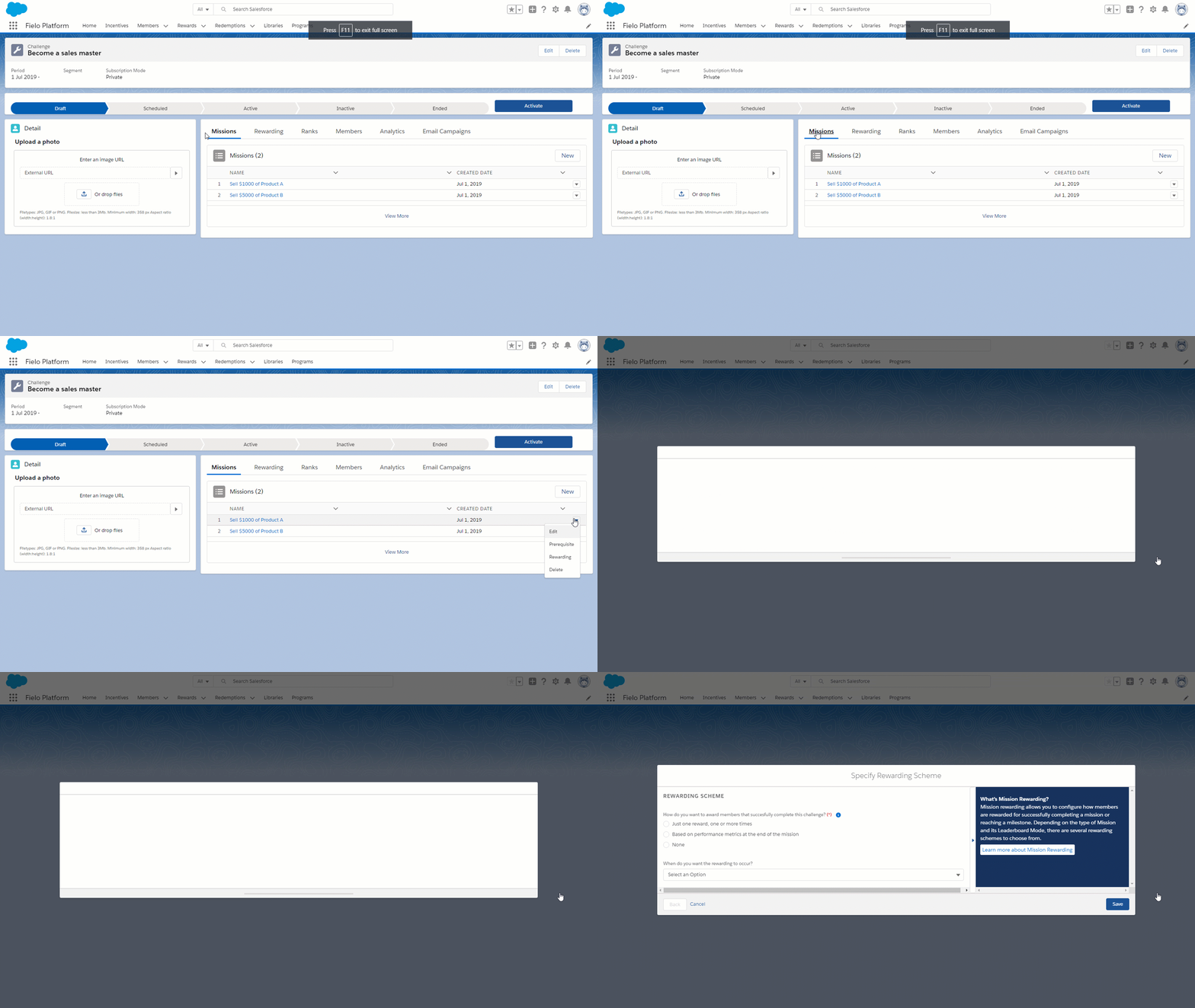
Choose the rewarding scheme you want to use. Then, choose when you want the rewarding to occur:
- Accomplished means that winning members will be rewarded as soon as they accomplish the mission. This option is only available for Just one reward, one or more times and Different rewards depending on the order of goal completion.
- Challenge Finished means that winning members will be rewarded at the conclusion of the challenge that the mission is a part of.
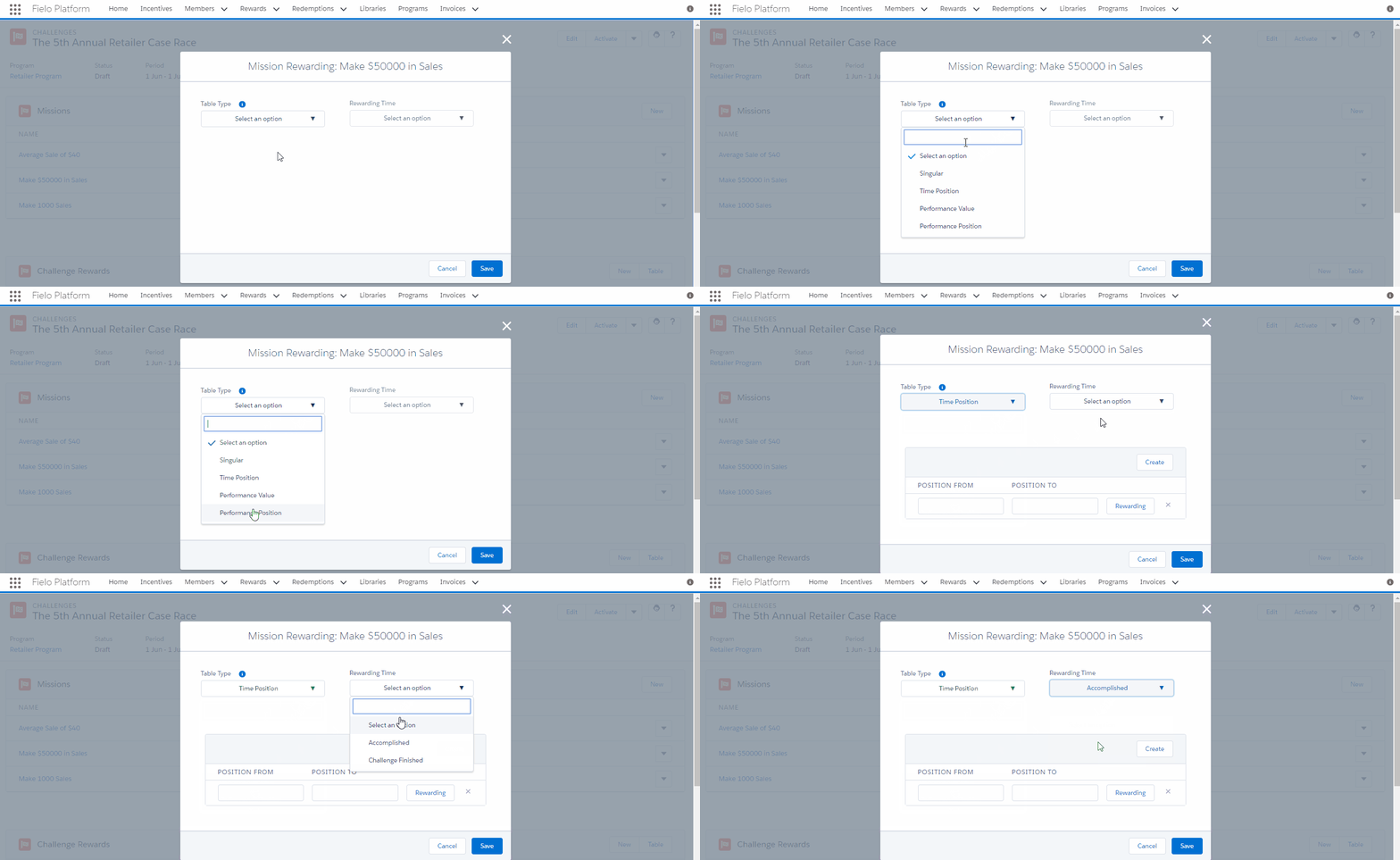
Finally, enter any range of values that your rewarding scheme might require, specify Rewarding (i.e. Points, Instant Rewards and/or Badges) and, when you're ready, click Save.
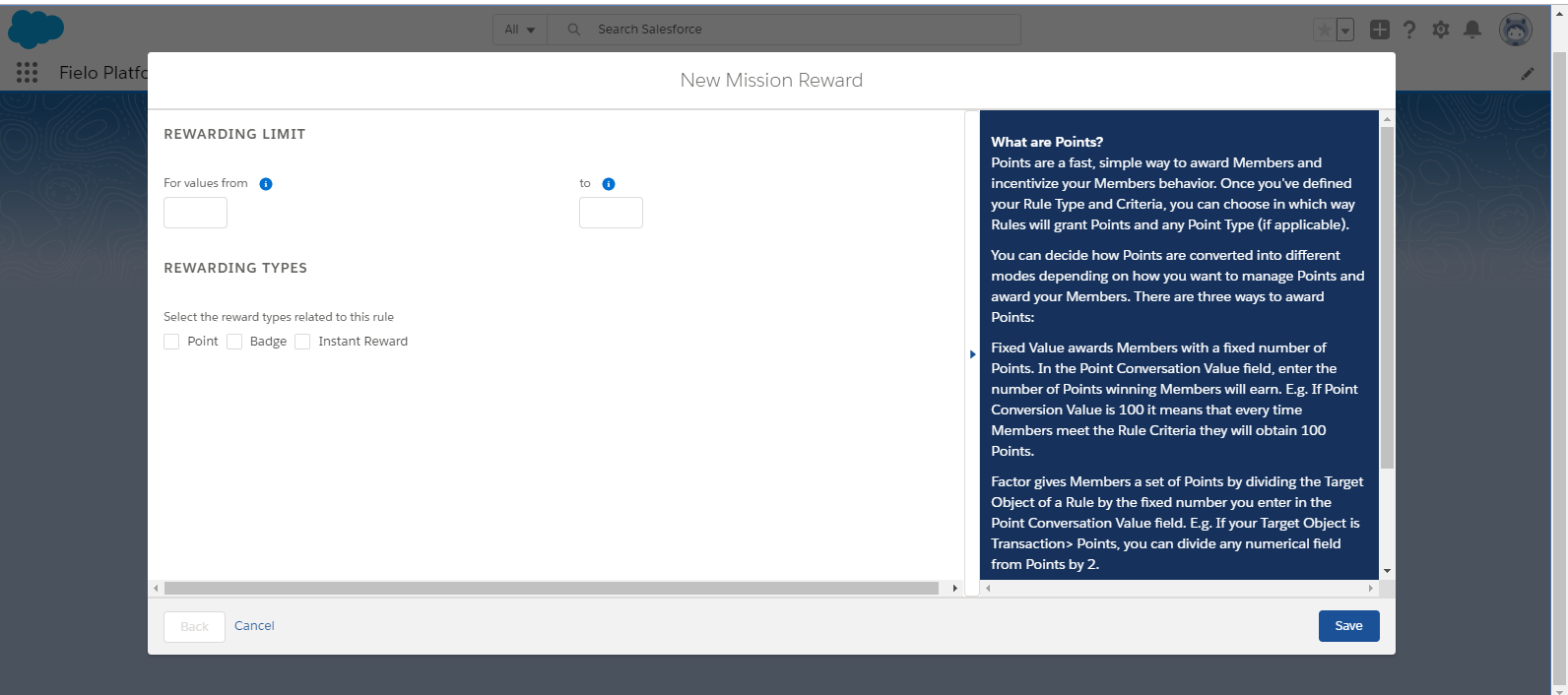
Incentives cannot deduct points. Avoid inputting negative values.
Updated over 1 year ago