
Editing Admin Layout
Tabs are used to organize and group content in order to make navigation as easy and intuitive as possible. Inside every tab, you'll find objects and the Content Section. These content sections bring, by default, a set of fields, such as Name, Type, and Date.
If you wish to add or remove fields in these Content Sections, follow these steps:
Editing Layout
For this example, we are going to be using Transactions, which you can find in the Tools tab, to show how the editing is done, but it applies to all tabs that have been redesigned so far.
From Setup, click the Object Manager tab and search for Redemption.
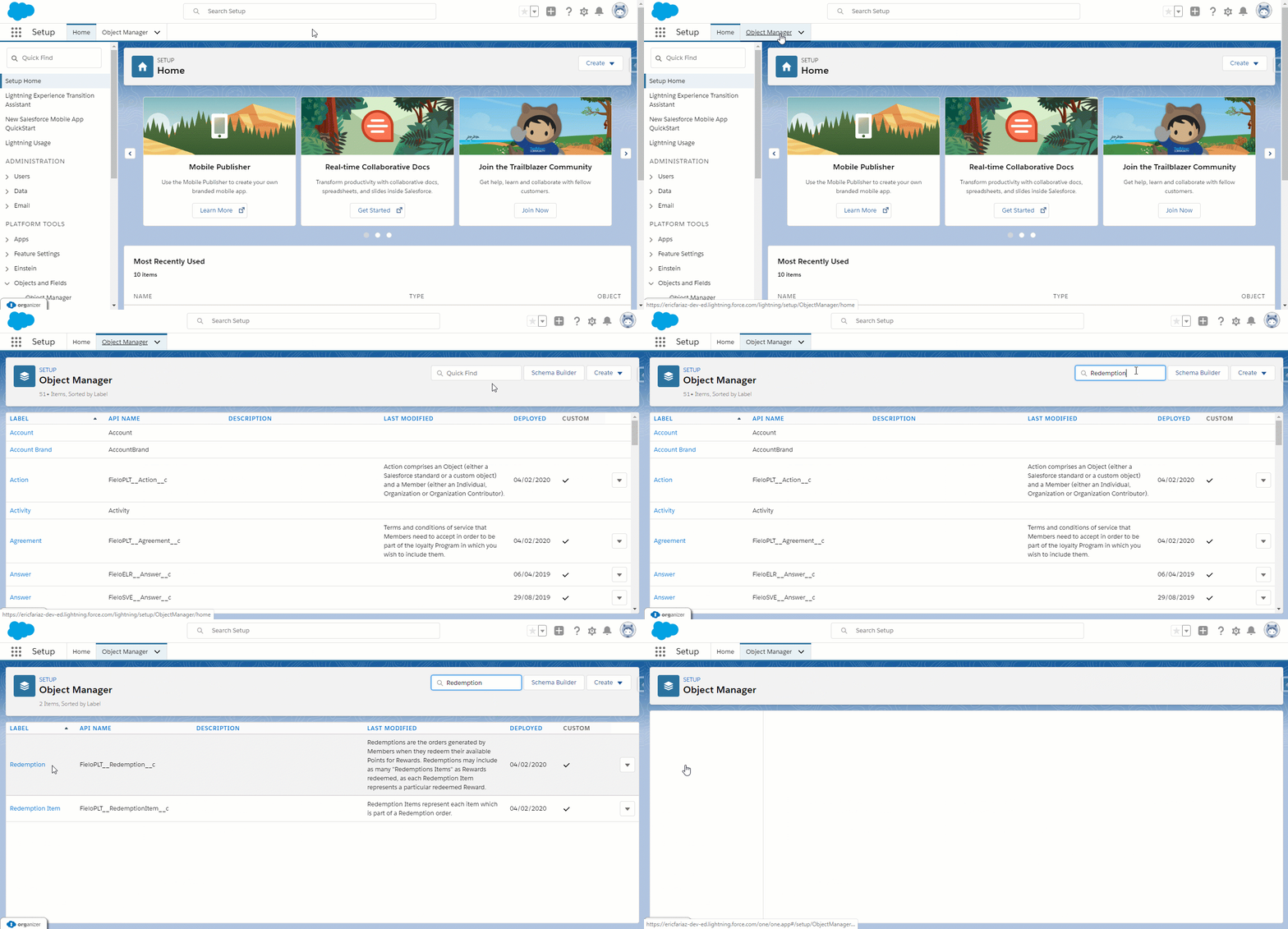
Select Field Sets from the content table on the left and click the RedemptionLanding
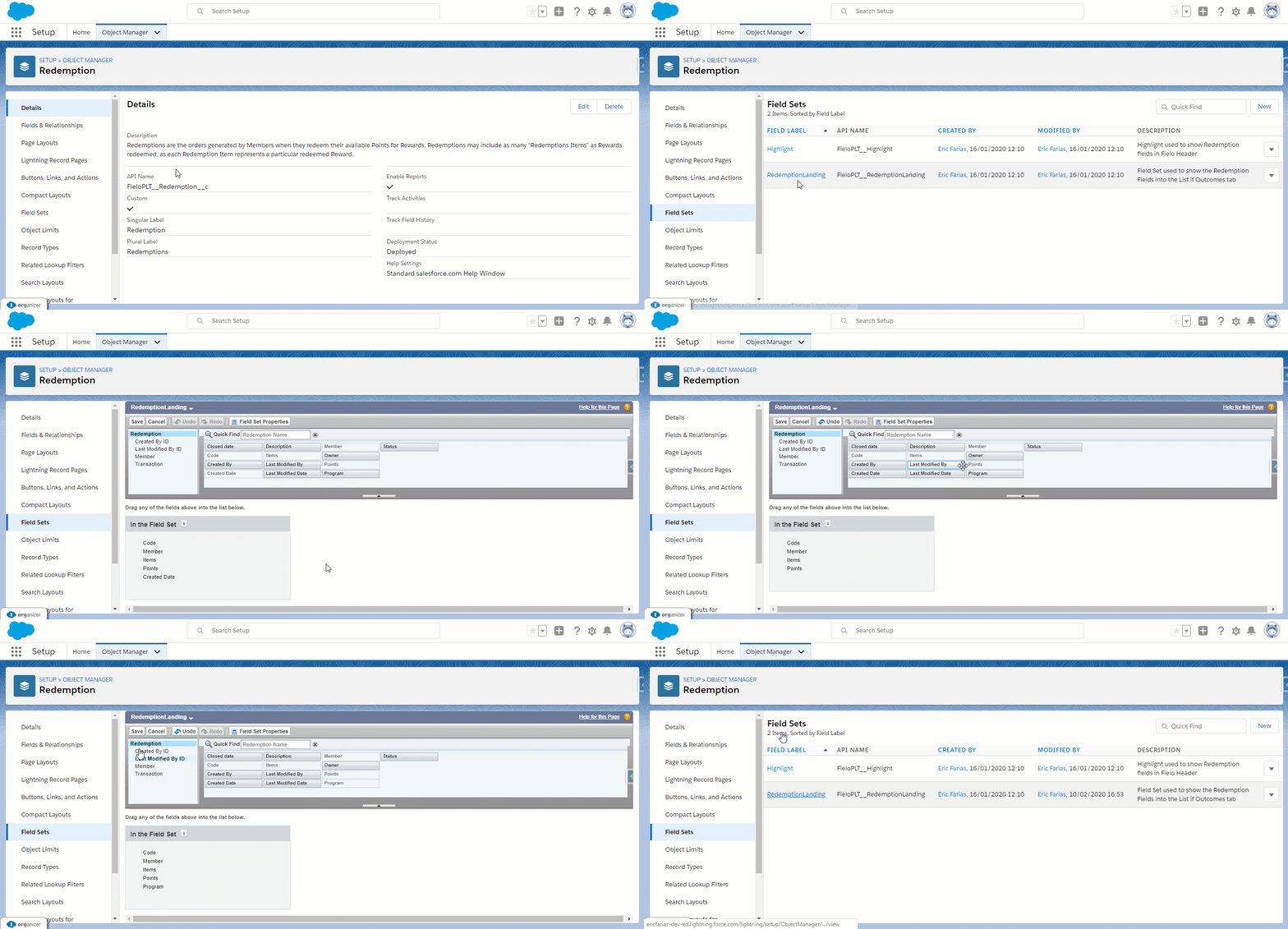
As shown above, add or remove fields from the "In the Field Set" section to have them displayed or hidden from view.
Available Configurable Content Sections
Here are other objects you have the possibility to make changes on the Content Section:
| Object name | Field Set Name |
|---|---|
| Segments | LandingList |
| Members | Member Landing |
| Teams | Team Landing |
| Promotions | Promotion Landing |
| Challenges | Challenge Landing |
Updated over 1 year ago