
Behaviors
Behaviors let you decide which Salesforce objects you want to create incentives for. You can choose to drive a particular behavior by using the Single Action Engine- for example, award your members every time they log in to your loyalty portal - or you can encourage your members to carry out a set of activities in certain order, time frame or number by means of Multi-Action Engine - e.g. you award your members after logging into your portal 5 times.
Our Single Action Engine works via Promotions, while the Multi-Action Engine leverages Challenges.
Using Behaviors
The library FieloPLT comes with a default Behavior: Event. This record can be used to test out incentive automation and can even be configured for real-world applications.
From Tools, go to Libraries and click FieloPLT. The Behavior tab already includes Event:
-
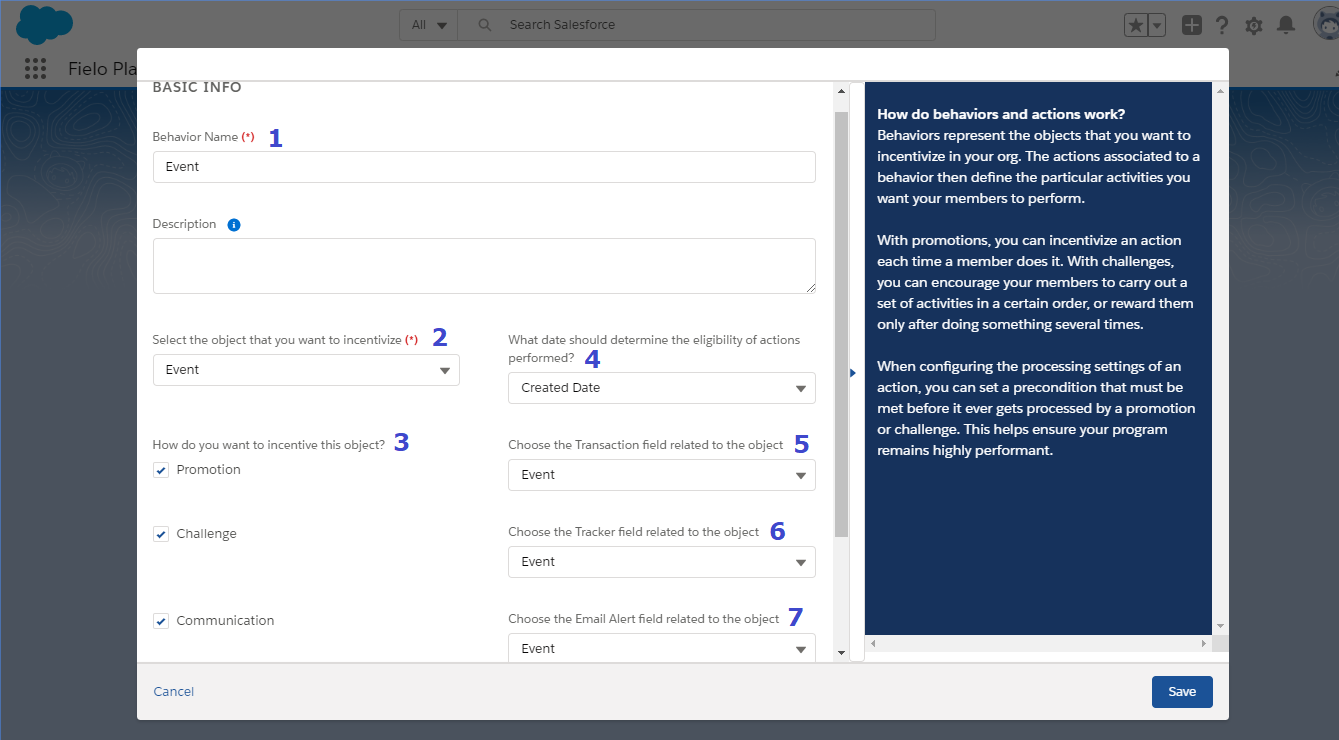
Behavior Name: Choose a name that best fits your behavior. We chose to name it "Event", as it's a generic name that can be applied to any type of Behavior.
-
Select the object you want to incentivize: In this case we want our members to perform an Event, which can be either Register, Login, or Redeem points.
-
How do you want to incentive this object?: Choose whether you want to incentivize your behavior with Promotions, Challenges or both. You can also select Communication to send member communication regarding that behavior via Fielo Messaging.
-
What date should determine the eligibility of actions performed?: The date field you select will be the one used to determine if a member action fell within the validity period of the incentive. If you want to process all Behaviors based on the date when they were created, choose Created Date.
-
Choose the Transaction field related to the object: Transaction already contains a 🔎 field to Event, which allows a relationship between those fields. When Event is used as the Action of a Rule or Mission, a Transaction (if Event is used in Rules) record is generated as a result of processing Event.
-
Choose the Tracker field related to the object: Tracker already contains a 🔎 field to Event which allows a relationship between those fields. When Event is used as the Action of a Rule or Mission, a Tracker (if Event is used in Missions) record is generated as a result of processing Event.
-
Choose the Email Alert field related to the object: 🔎 field in Email Alert that connects the object of the Action and Email Alert when using Messaging Transactional Emails. You can set this field if you want your members to receive an e-mail when the Action is completed.
Creating Behaviors for Any Object
Fielo lets you create Behaviors for any object whose associated activity you wish to drive. You can create it using your own custom object, a Fielo object or any Salesforce standard object.
Object Relationships
First, you must create a relationship between your Members and the object to incentivize. To do so, you need to link the object to incentivize (in this case, we're using our own custom object, Loyalty Card) with Member. From Setup, go to your object and create a new Lookup Relationship field. Choose Member as Related object and go through all the steps entering the required information.
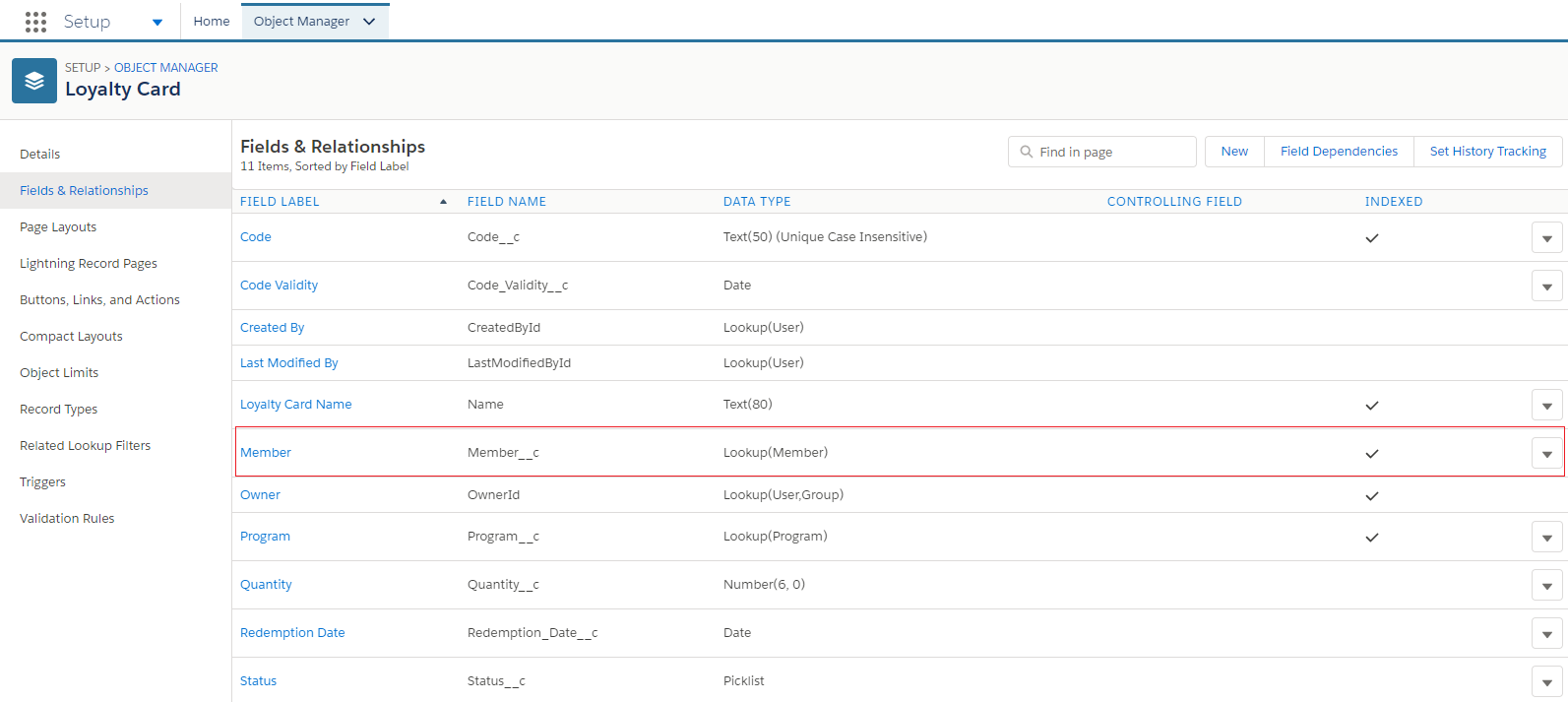
New Lookup Relationship: Loyalty Card <> Member.
Once you've finished, you can create a Lookup Relationship between the object (Loyalty Card) and:
- Transaction, if you're using the Single Action Engine in a Promotion.
- Tracker, if you're using the Multi Action Engine in a Challenge.
- Both, if you're using the Action for Single and Multi Action Engine.
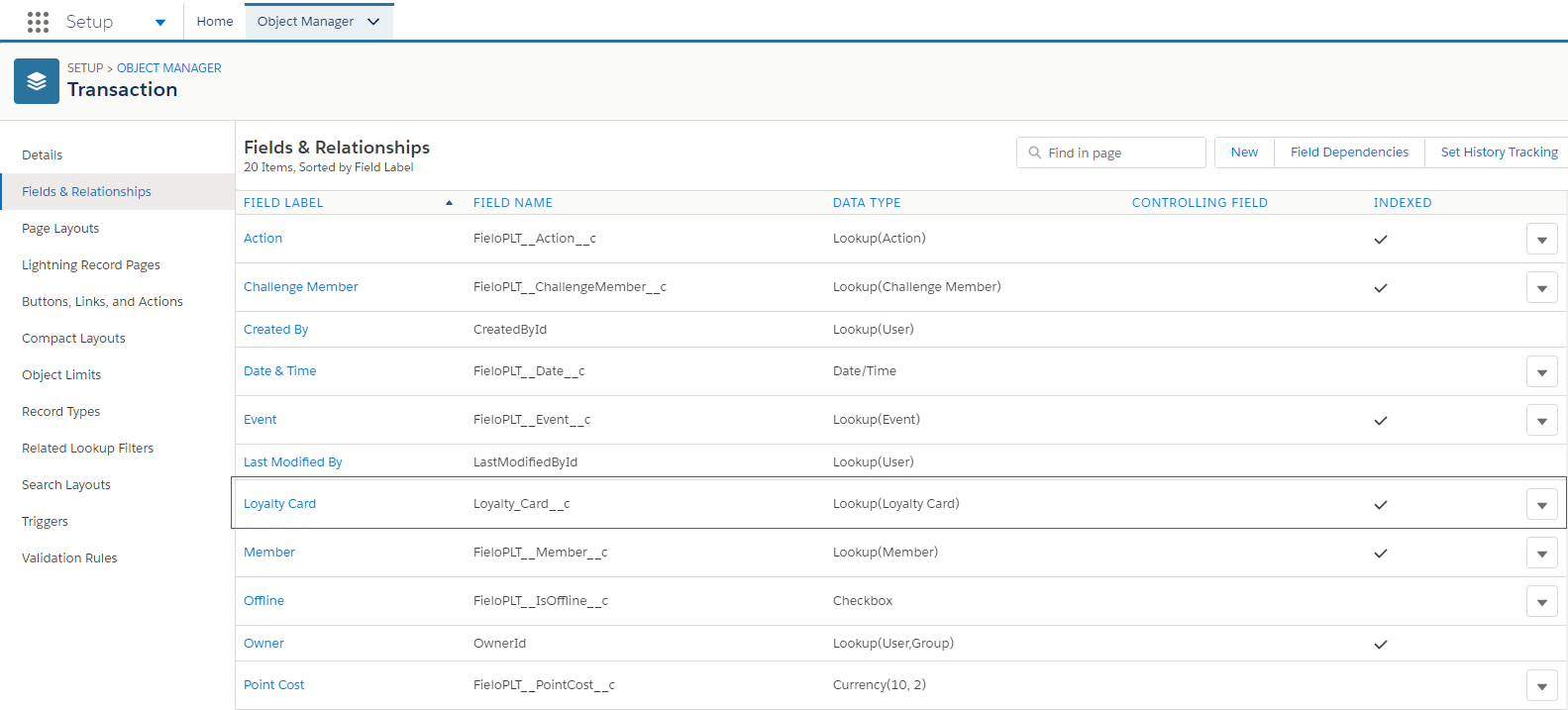
Transaction <> Loyalty Card
Triggers
After creating the relationship between Members and the object to incentivize (i.e. Loyalty Card), you need to create a Trigger so that the Single or Multi Action Engine can process your incentivized object every time a Member performs the Action.
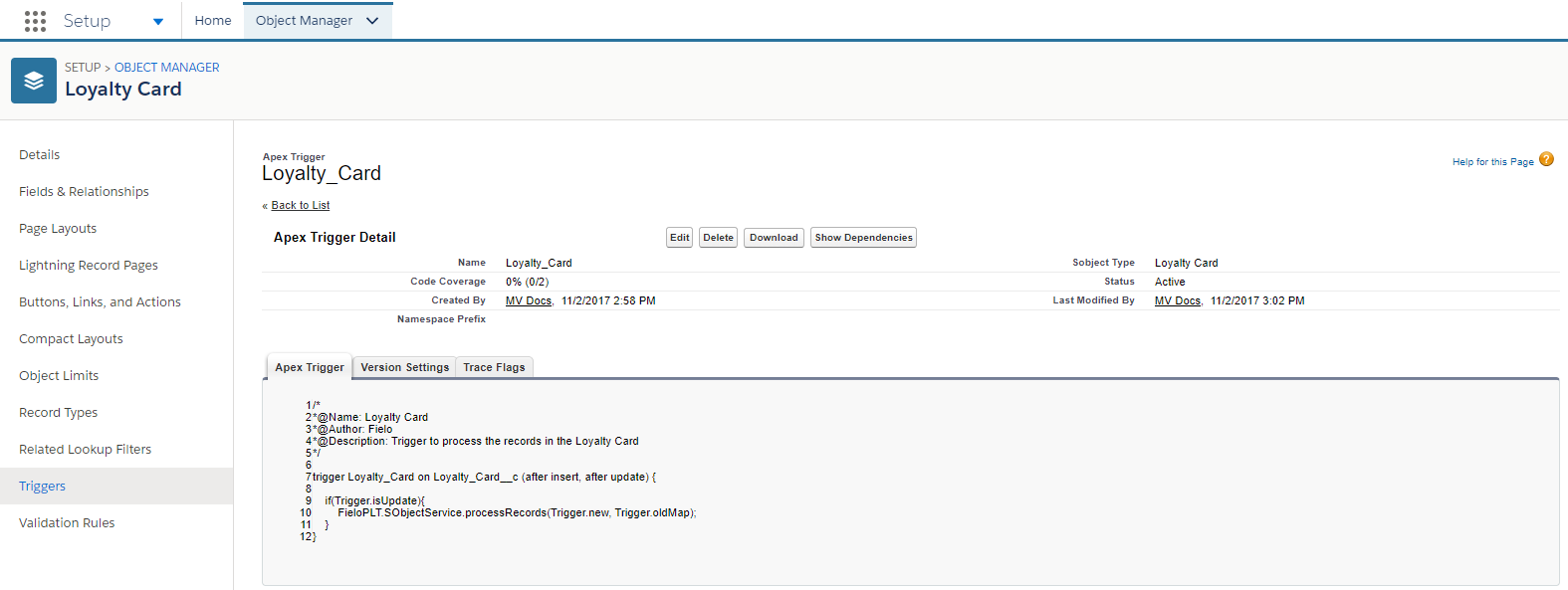
Trigger
From Setup, go to your object and scroll down to Triggers. Click New and copy the following code snippet replacing ObjectPluralName with the name of your Action object:
//ObjectPluralName is the Action Object name. ObjectAPIName is the API Name of the object to process.
trigger ObjectPluralName on ObjectAPIName (after delete, after insert, after update, before delete, before insert, before update){

  if(Trigger.isAfter){
  	if(Trigger.isInsert){
  		FieloPLT.SObjectService.processRecords(Trigger.new, null);
  	}else if(Trigger.isUpdate){
  		FieloPLT.SObjectService.processRecords(Trigger.new, Trigger.oldMap);
  	}
  }

}
Updated over 1 year ago