
Upgrade from Summer '19 to Winter '20
If you're using our Summer '19 release (versions ranging from 2.64 to 2.69), upgrade to Winter '20 (v2.76) to take advantage of our newest features. No more language barrier for international members, you can now use Languages to translate your program and make it accessible for anyone and everyone. Get your members even more invested in your challenges by setting up Demote and Maintain Rank. You can also look forward to additional features like Asynchronous Processing. Continue below to upgrade to the latest version.
Versions Prior to 2.69.xIf you're using a version prior to FieloPLT v2.69:
Follow these upgrade instructions to get you to Summer '19 release (v2.69) before proceeding.
Please, make sure you're logged into your Salesforce org and have system administrator permissions before getting started.
Before continuing, please make sure you are at least on version 2.69.10 or above so you are able to install Fielo's Winter '20 release.
How to Upgrade
Before proceeding, follow these steps to upgrade:
- Click here to access the Fielo installation package.
- If any internal users that aren't admins will use Fielo, click Install for Specific Profiles and give Full Access to their profile(s).
- If you're using Fielo components in Community Cloud, find the Community User profile(s) that you're using for your members. From the corresponding picklist(s), choose Fielo Community.
- Click Install. When the first part of the upgrade process is finished, you (or the org admin) will be notified by email.
Upgrading within Winter '20If your ORG has a FieloPLT version ranging from 2.70 to 2.76.9 and have already performed the the following steps, there is no need to perform them when upgrading it to the newest 2.76.10 version.
In case you are upgrading from any version prior to v2.70, continue.
Profile Record Type
It is necessary to remove the records of the Agreement object from all profiles, deactivate and delete them.
If you're not able to delete it due to dependencies, follow the next steps:
Go to Installed Packages, enter the FieloPLT, click the View Components button
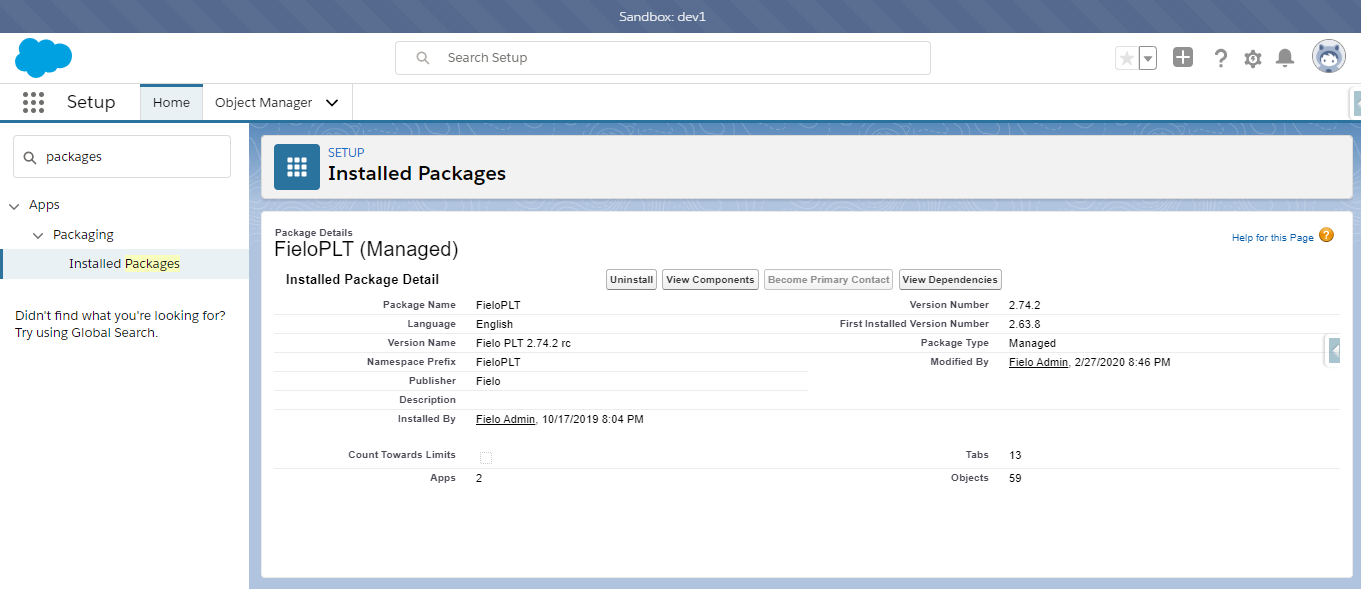
FieloPLT inside Installed packages, click View Components button
Click on View Dependencies and wait until the screen is fully loaded, it may take a couple of minutes.
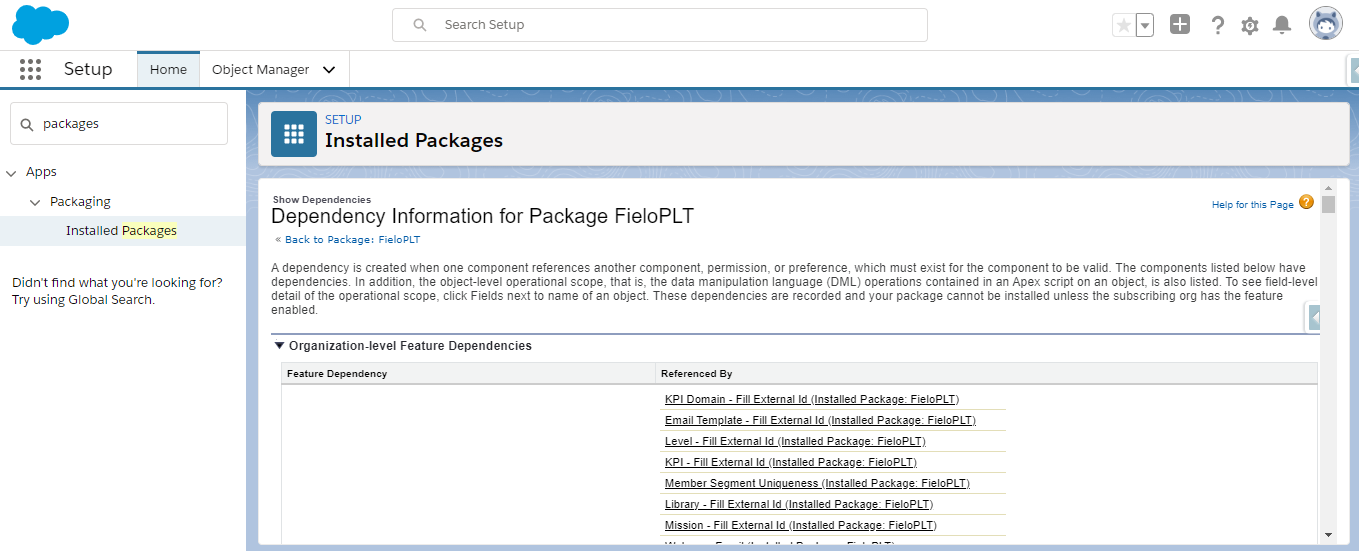
Once it's loaded you can then go to the Agreement Object, deactivate the Record Type and then delete it.
Removing Record Type for Profiles
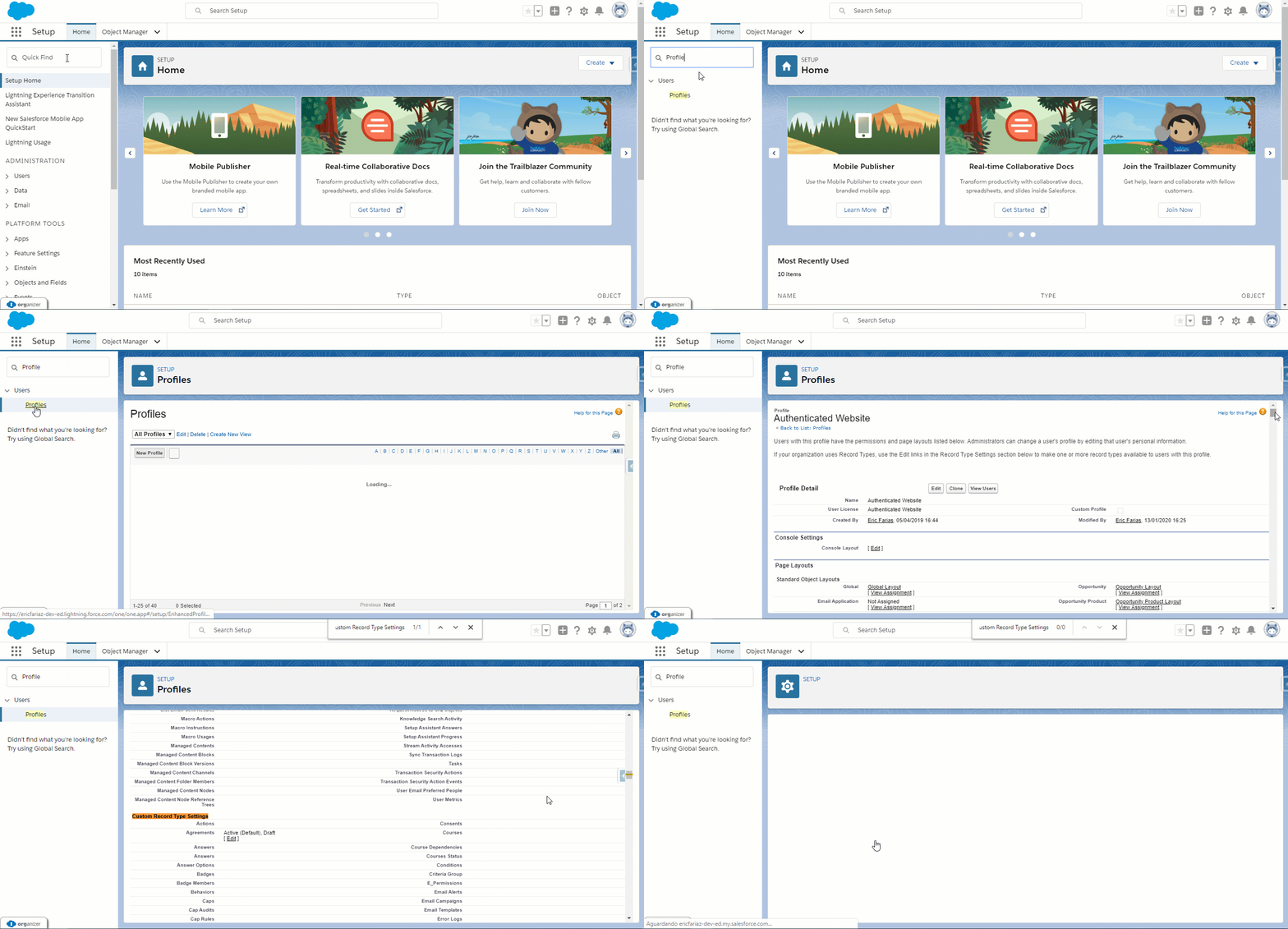
On Salesforce Classic, go to Setup and look for Profiles.
This configuration has to be done for all Profiles using Fielo so the upgrade is successfully installed.For example, if you installed it for Admins only or for Specific Profiles, those are the profiles that the configuration requires, while if Fielo was installed for all users, all profiles should be configured accordingly.
Click on a Profile and scroll down to the Custom Record Type Settings section. There is an option to edit Agreements, click it.
Move "Active" and "Draft" to the "Available Record Types" section and Add "--Master--" to the "Selected Record Types" section.
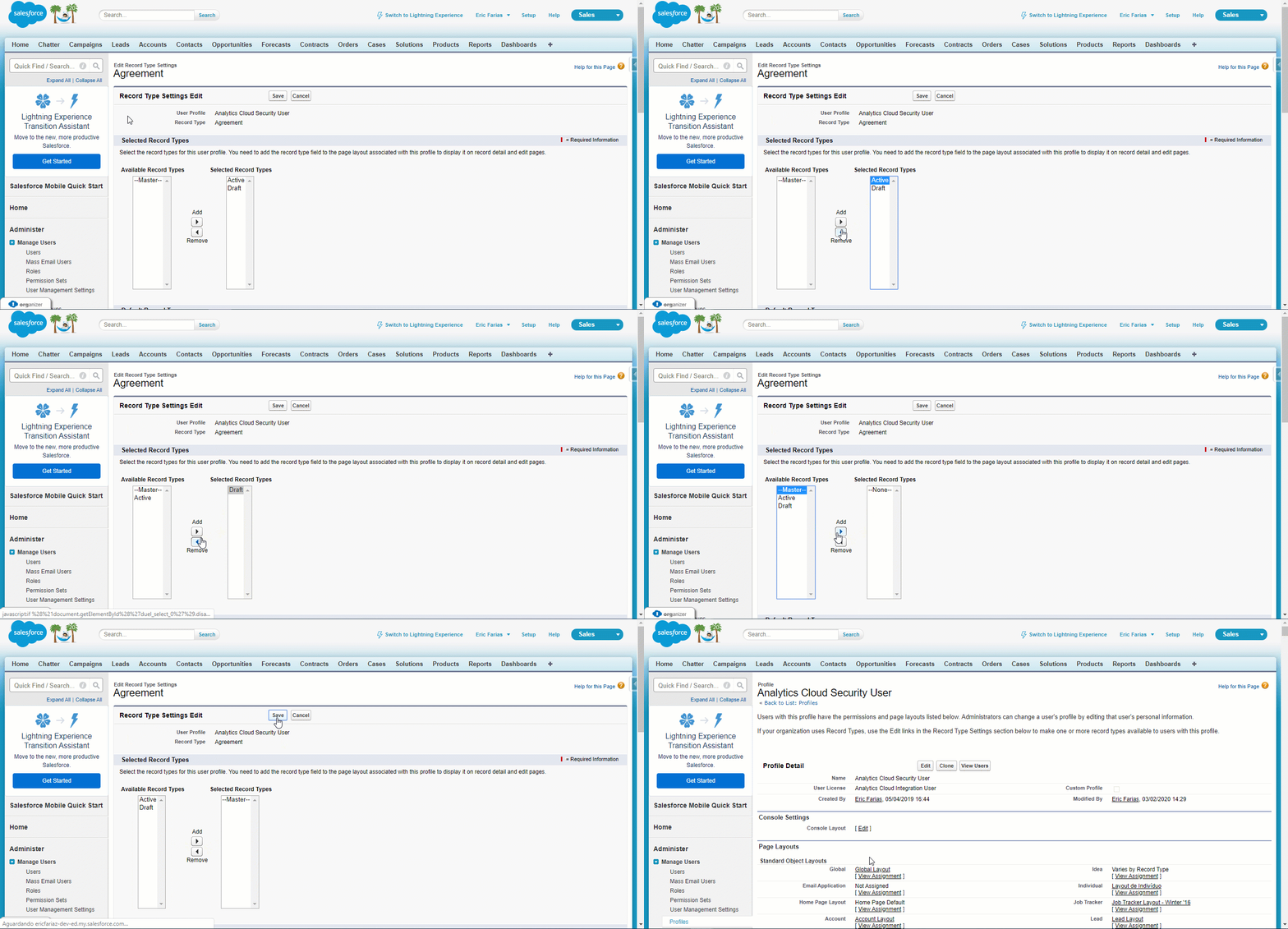
Removing Record Type for Chatter Profiles
Chatter Profiles won't let you edit the default record type. Follow the steps below to successfully delete them:
Open a Chatter Profile and grab its ID from the Search Bar.
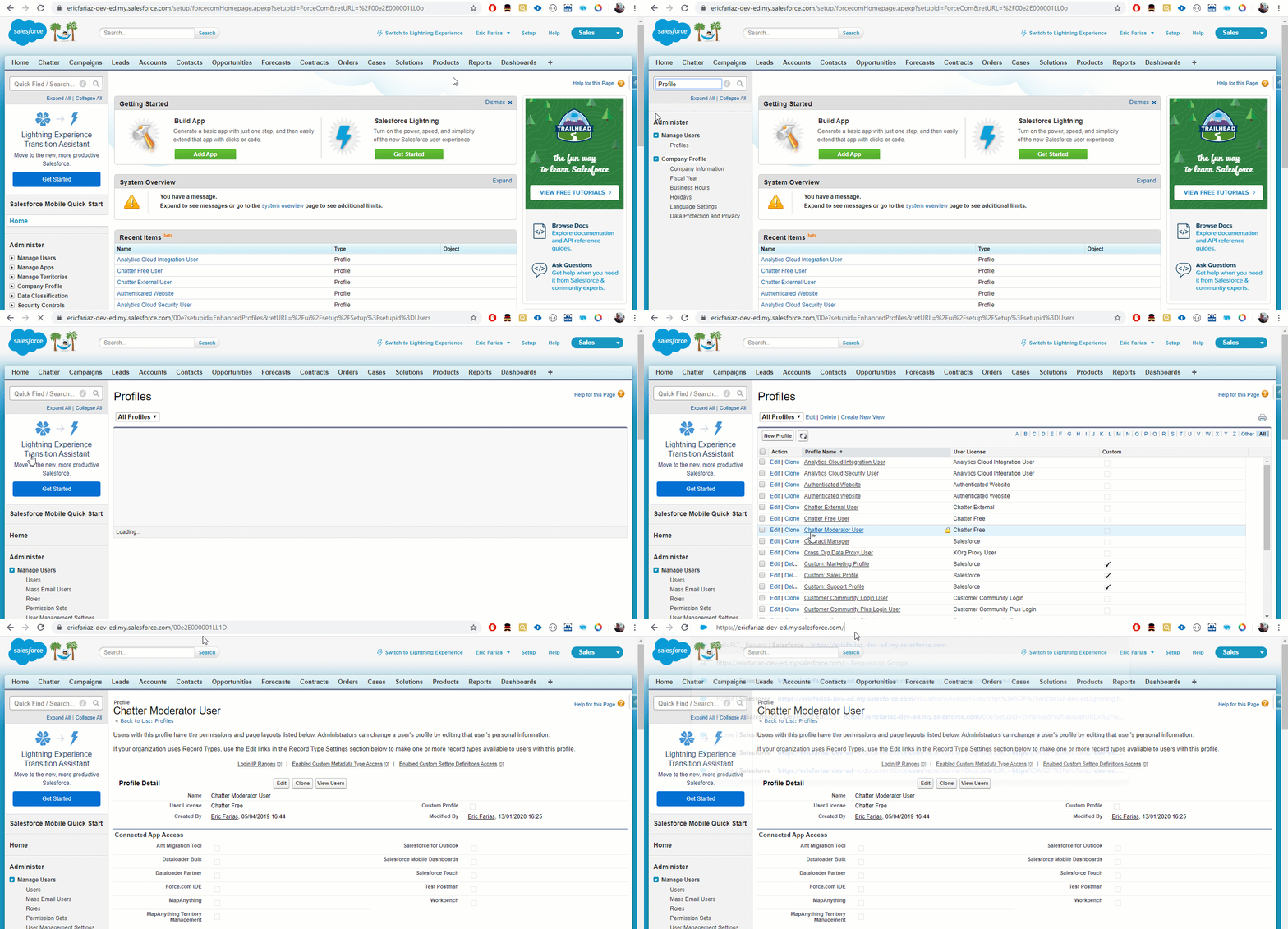
On any other profile, go to the Custom Record Type Settings and edit the Agreements field. Replace the ID of the page with the ID from the Chatter Profile you grabbed before.
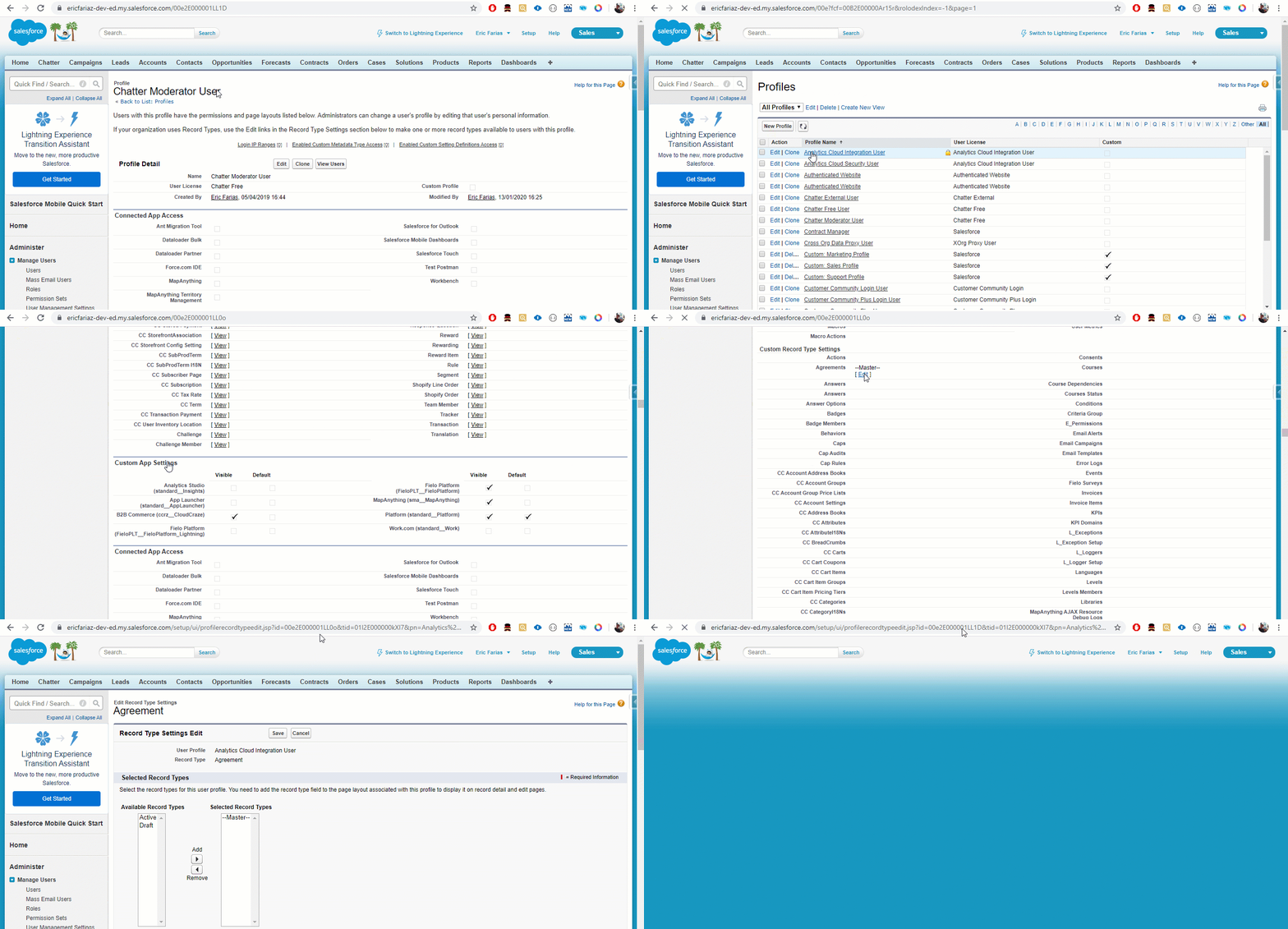
Move "Active" and "Draft" to the "Available Record Types" section and Add "--Master--" to the "Available Record Types" section.
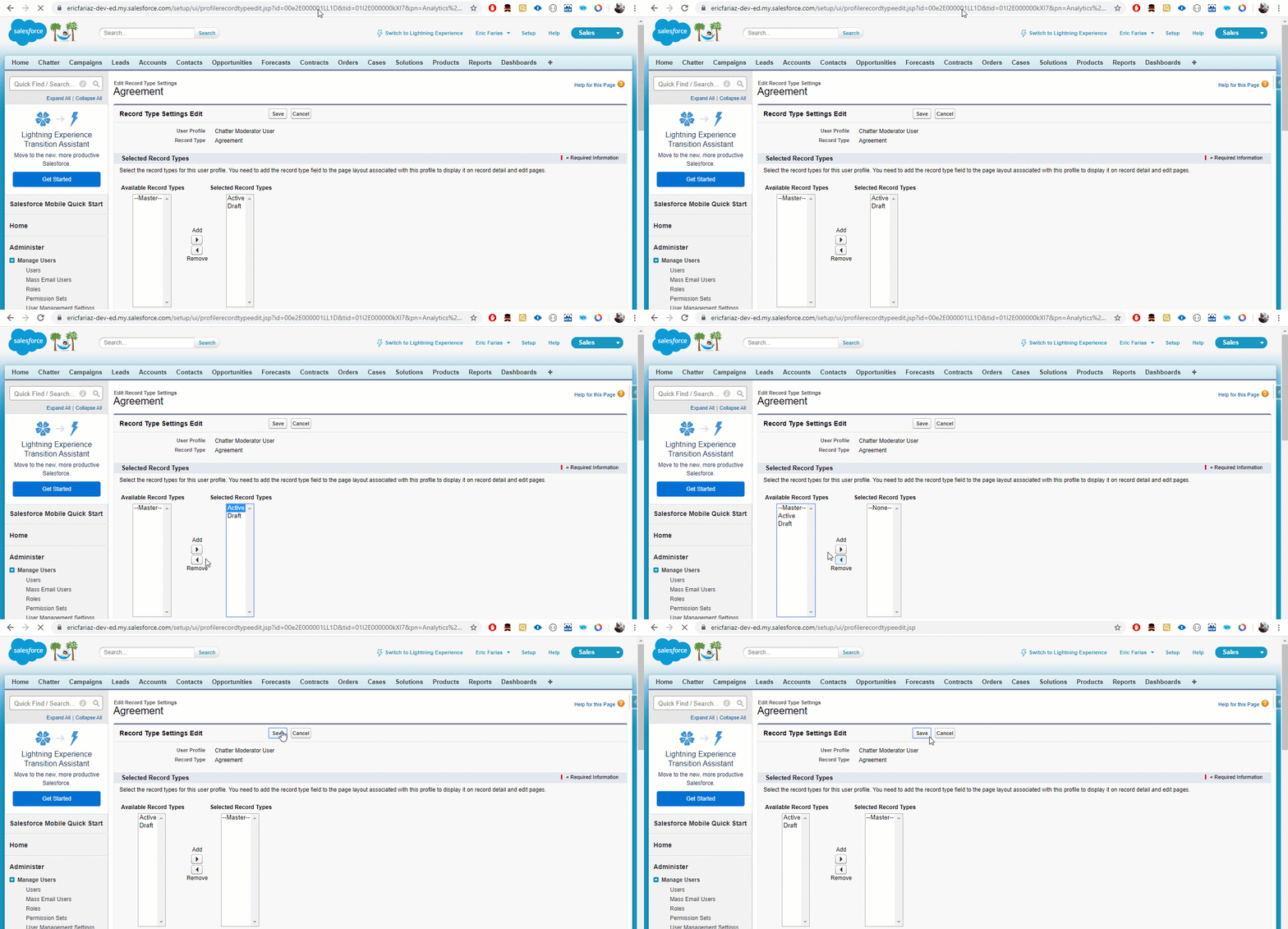
Deleting Records
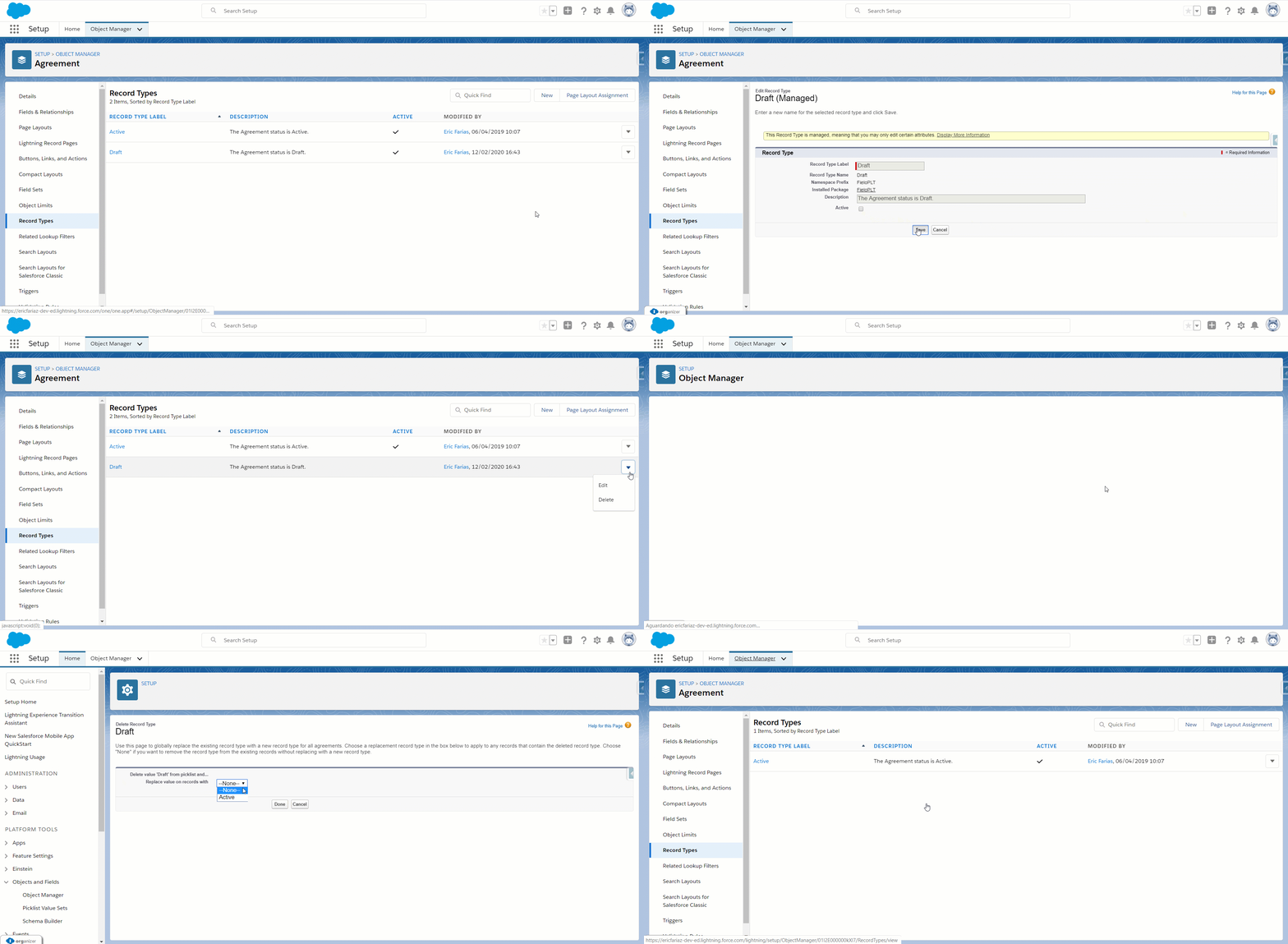
On Setup, go to the Object Manager tab and look for Agreement.
Click on the Record Type section on the left side of the screen. There will be two record types: Active and Draft.
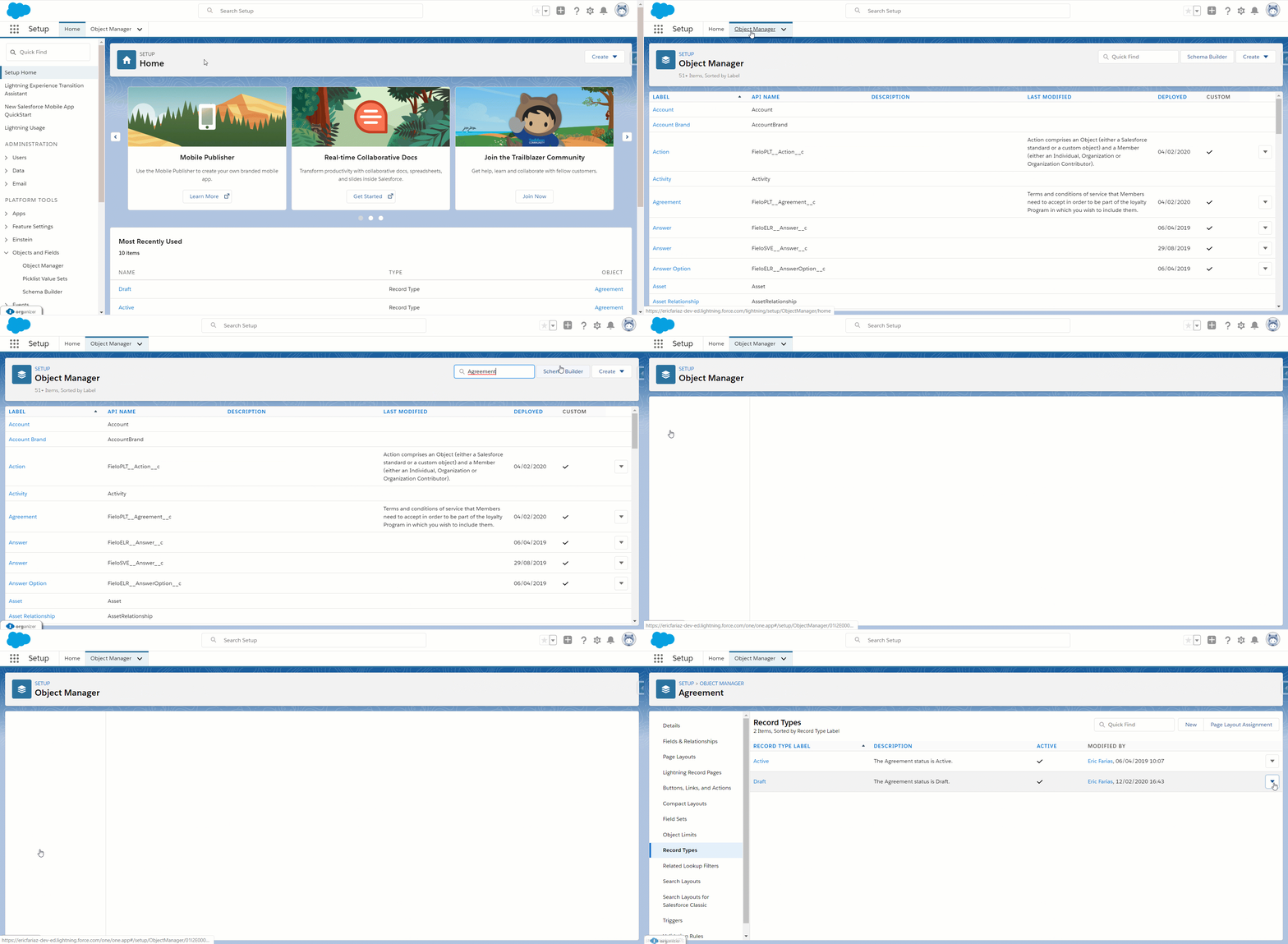
Click the arrow to Edit and Deactivate them both. Once they are deactivated, go ahead and Delete the records.
Layout and Object Configuration
Level
Go to the Object Manager, search for Level and click on Page Layouts. You will need to go into Level Layout.
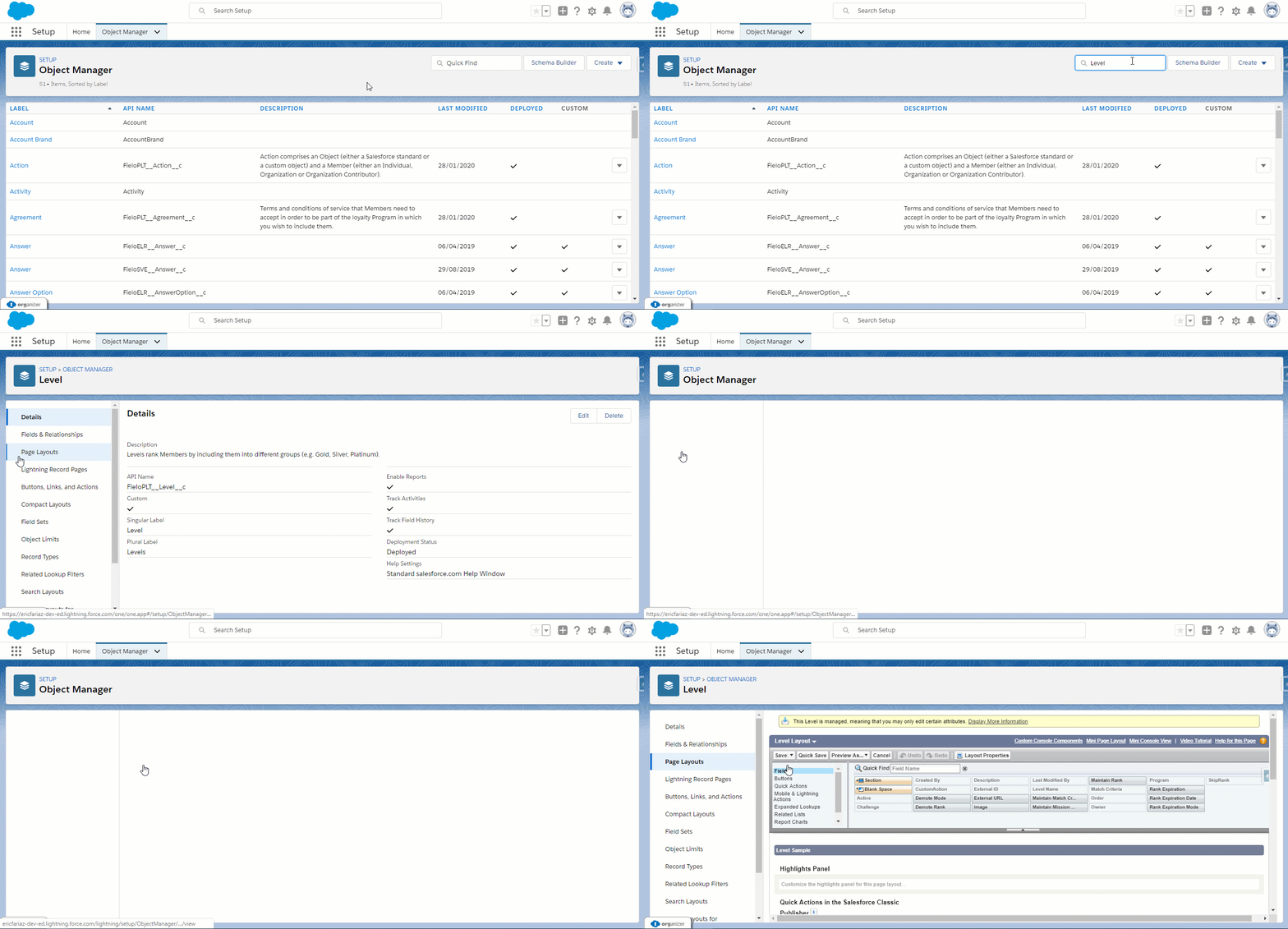
Find the section named Level Detail and remove the fields: Challenge, CustomAction, SkipRank, External ID, Program, Active.
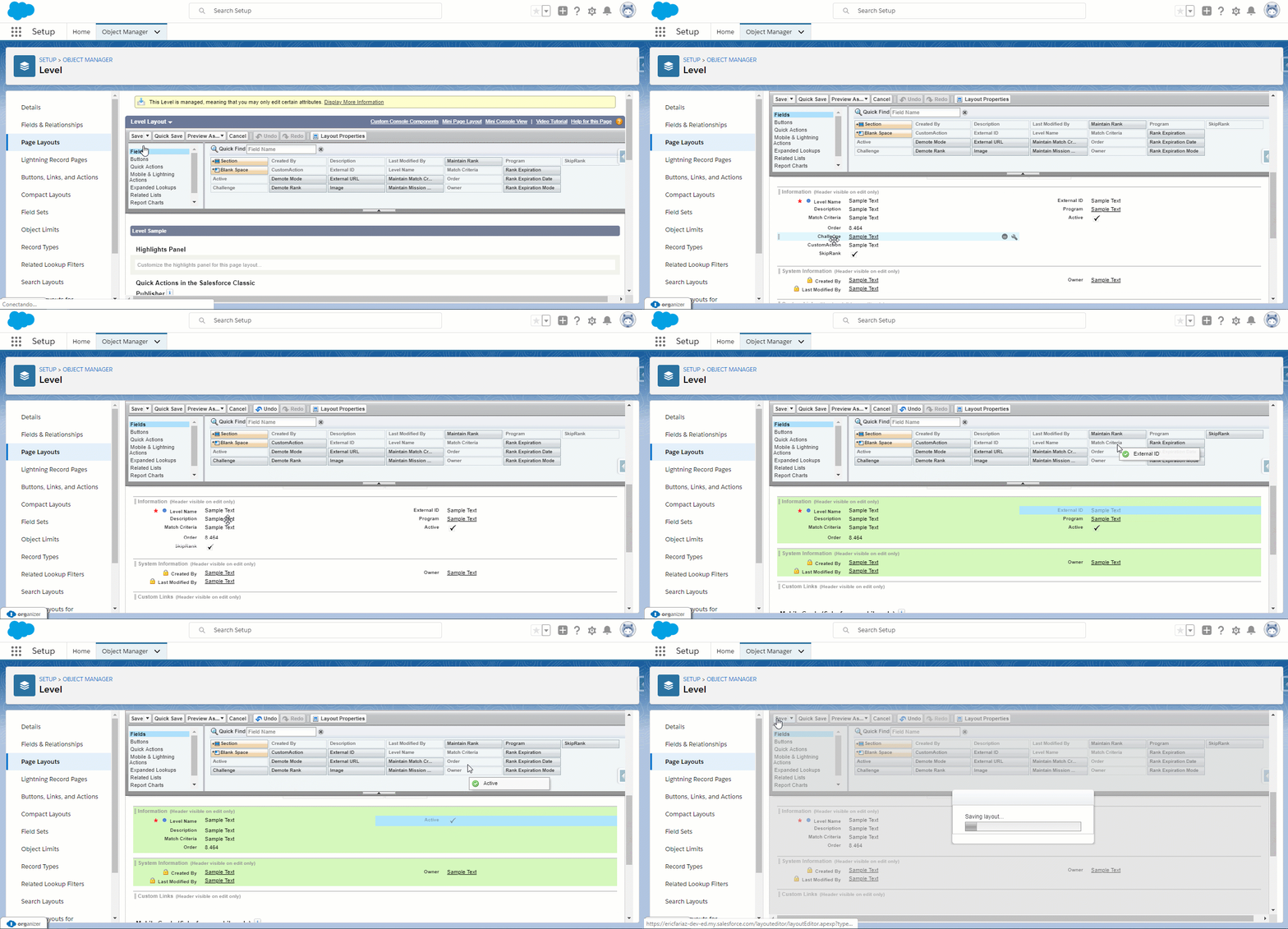
Click Save before leaving.
Member
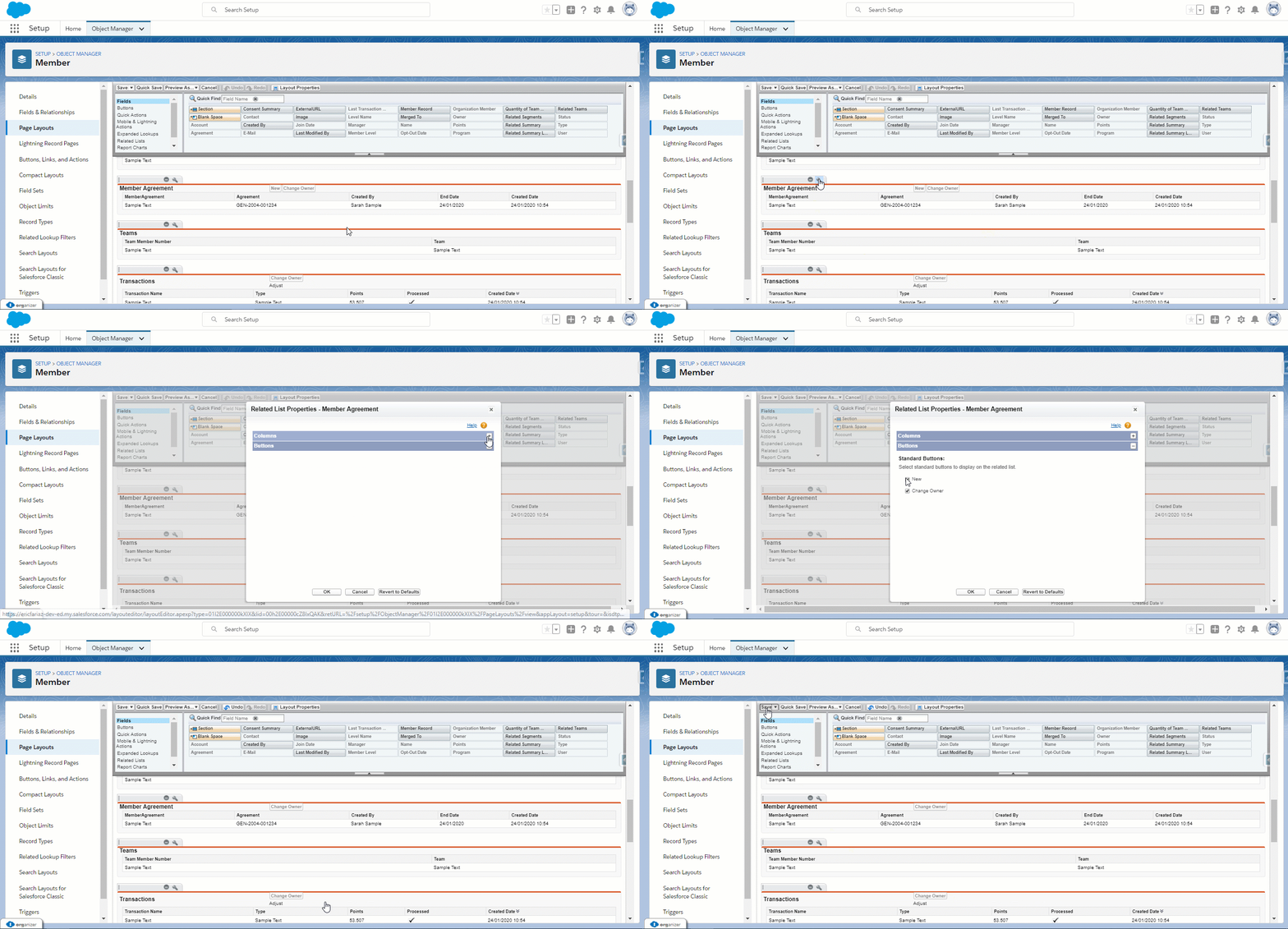
Go back to the Object Manager and search for Member and click on Page Layouts. You will need to go into Individual Account Layout and find the related list named Member Agreement.
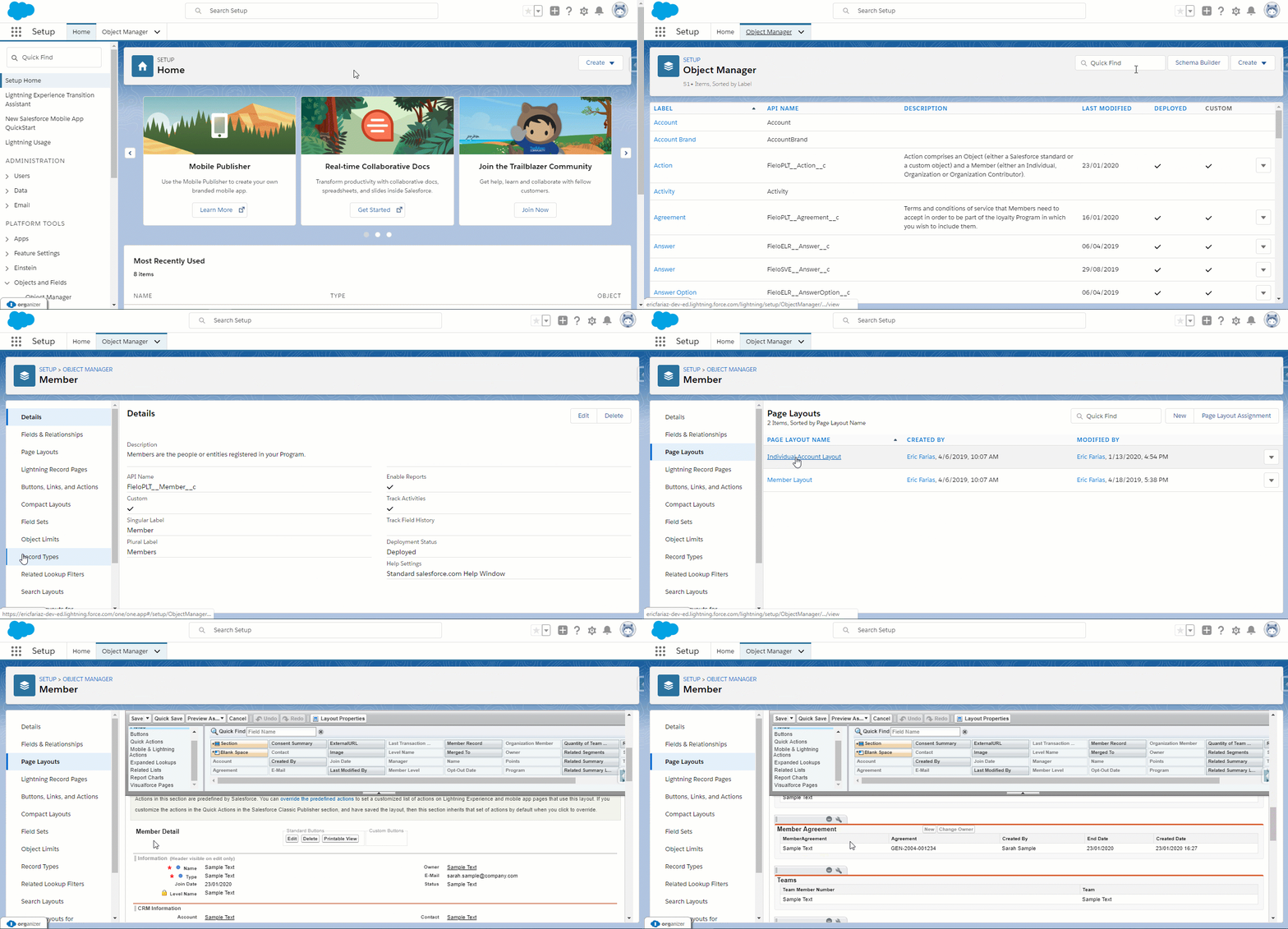
Click on the 🔧 icon, minimize the Columns section and maximize Buttons. Uncheck New and click ok. Don't forget to save before leaving.
Actions
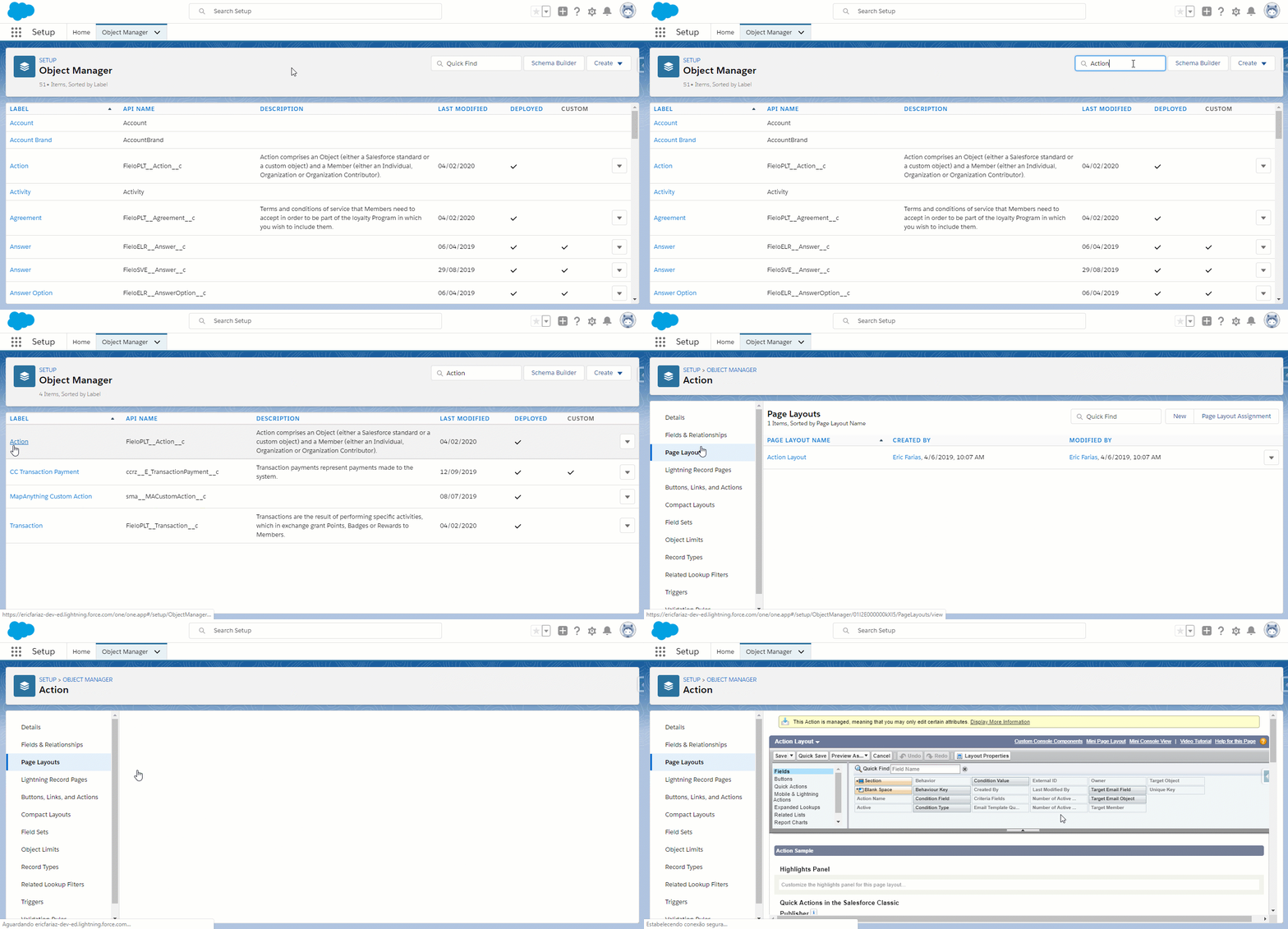
Go to the Object Manager, search for Action and click on Page Layouts. You will need to go into Action Layout.
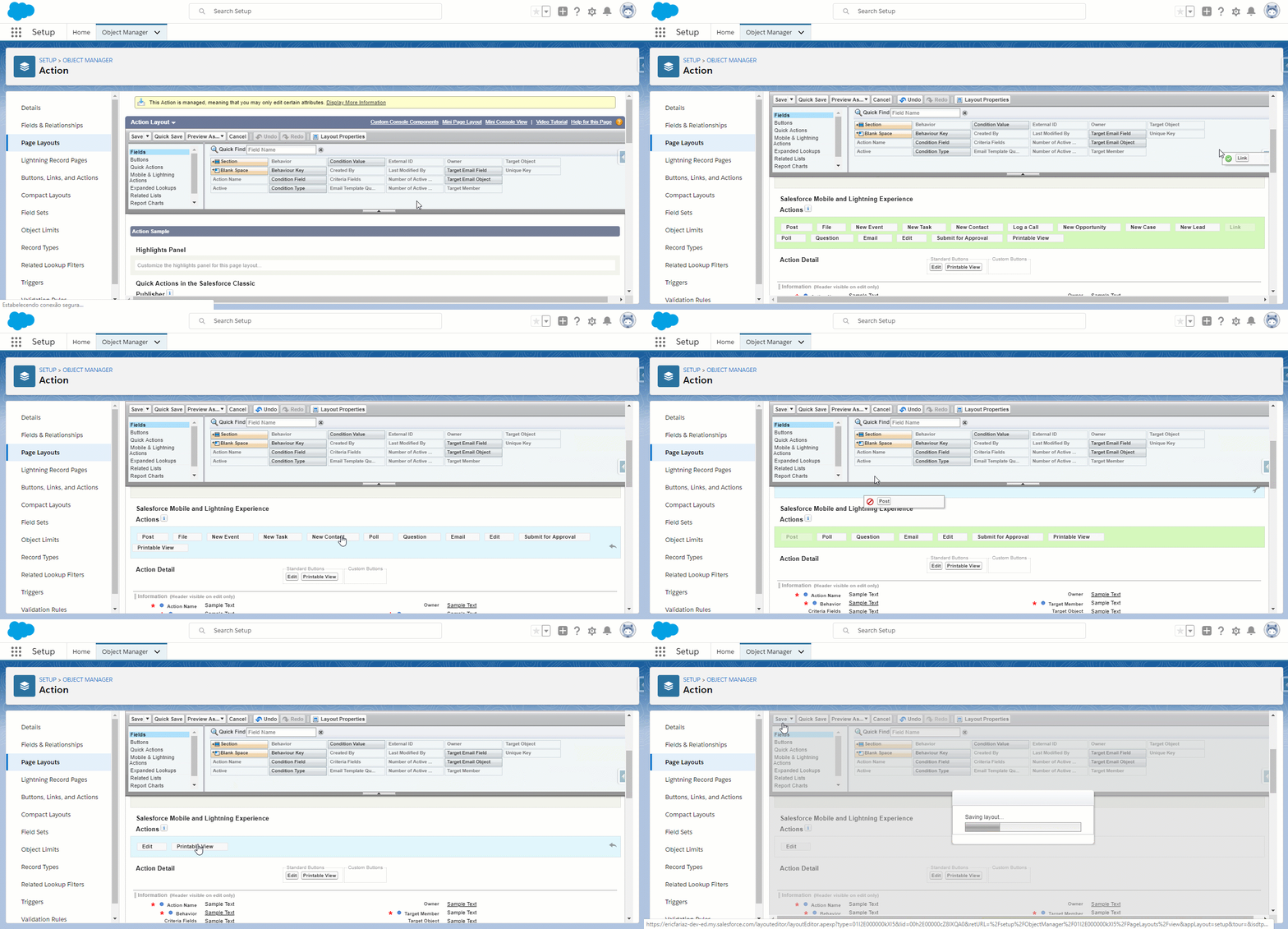
Scroll down to Salesforce Mobile and Lightning Experience Actions, click on the 🔧 icon and remove everything except Edit.
Upgrading Library
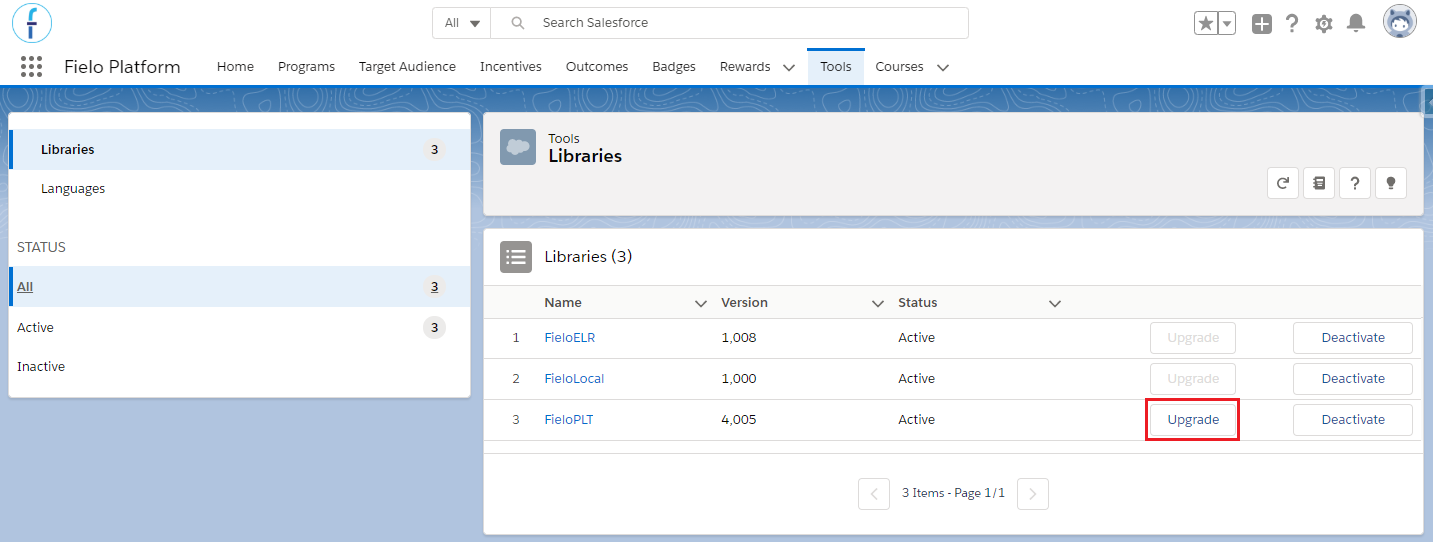
Once Winter '20 is successfully installed, the last step is to Upgrade FieloPLT library.
Go back to Tools. In Libraries, find FieloPLT and click Upgrade.
Congrats!You're ready to go with Fielo Winter '20 edition.
New Objects and Fields
We've also added new fields to the following existing objects:
Action (FieloPLT__Action__c)
- FieloPLT__ConditionField__c
- FieloPLT__ConditionType__c
- FieloPLT__ConditionValue__c
- FieloPLT__Key__c
Async Process (FieloPLT__AsyncProcess__c)
- FieloPLT__AsyncProcess__c
- FieloPLT__RankDmlMargin__c
- FieloPLT__ReverTimeUnit__c
- FieloPLT__RewardTimeUnit__c
Challenge (FieloPLT__Challenge__c
- FieloPLT__KeepDemoteHistory__c
Language (FieloPLT__Language__c)
- FieloPLT__Language__c
Level (FieloPLT__Level__c)
- FieloPLT__DemoteMode__c
- FieloPLT__DemoteRank__c
- FieloPLT__MaintainLogicalExpression__c
- FieloPLT__MaintainMissionList__c
- FieloPLT__MaintainRank__c
- FieloPLT__RankExpiration__c
- FieloPLT__RankExpirationDate__c
- FieloPLT__RankExpirationMode__c
Level Member (FieloPLT__LevelMember__c)
- FieloPLT__Async__c
- FieloPLT__Expired__c
- FieloPLT__Processed__c
- FieloPLT__PromoteSummary__c
- FieloPLT__RankExpirationDate__c
- FieloPLT__RankExpirationDateKey__c
Mission Member (FieloPLT__MissionMember__c)
- FieloPLT__NumberOfTimesAccomplished__c
Rule Trigger (FieloPLT__RuleTrigger__c)
- FieloPLT__Key__c
Transaction (FieloPLT__Transaction__c)
- FieloPLT__ChallengeReward__c
- FieloPLT__IsAsync__c
- FieloPLT__ReversionStatus__c
- FieloPLT__ReversionSummary__c
Translation (FieloPLT__Translation__c)
- FieloPLT__Badge__c
- FieloPLT__Challenge__c
- FieloPLT__Language__c
- FieloPLT__Level__c
- FieloPLT__MappingFields__c
- FieloPLT__Mission__c
- FieloPLT__Program__c
- FieloPLT__Promotion__c
- FieloPLT__Reward__c
- FieloPLT__Rule__c
New Components
For backend users, we've added the following components:
- BeActionFulfullRedemptionItem
- BeActionRevertRedemptionItem
- BeActionSetActiveInactiveLevel
- BeActionList
- BeActivateLevelAction
- BeFormAction
- BeFormBehavior
- BeFormLevel
- BeFormRedemption
- BeLanguageDetail
- BeListLibrary
- BeManageLanguages
- BeMemberToIncentivize
- BeOrderLevel
- BePointsRedemption
- BeProcessingAction
- BeRedemptionItemList
- bListFilter
- bListModal
- bManageLanguages
- bMiltiPoints
- bObjectHistory
- bRankHistory
- bRedemptionAddItems
- bTranslationDetail
- bTranslationInput
- bTranslationTable
Updated over 1 year ago