
Redemption Items
Redemption Items represent each item that is part of a Redemption order. You can see them listed on a redemption detail page.
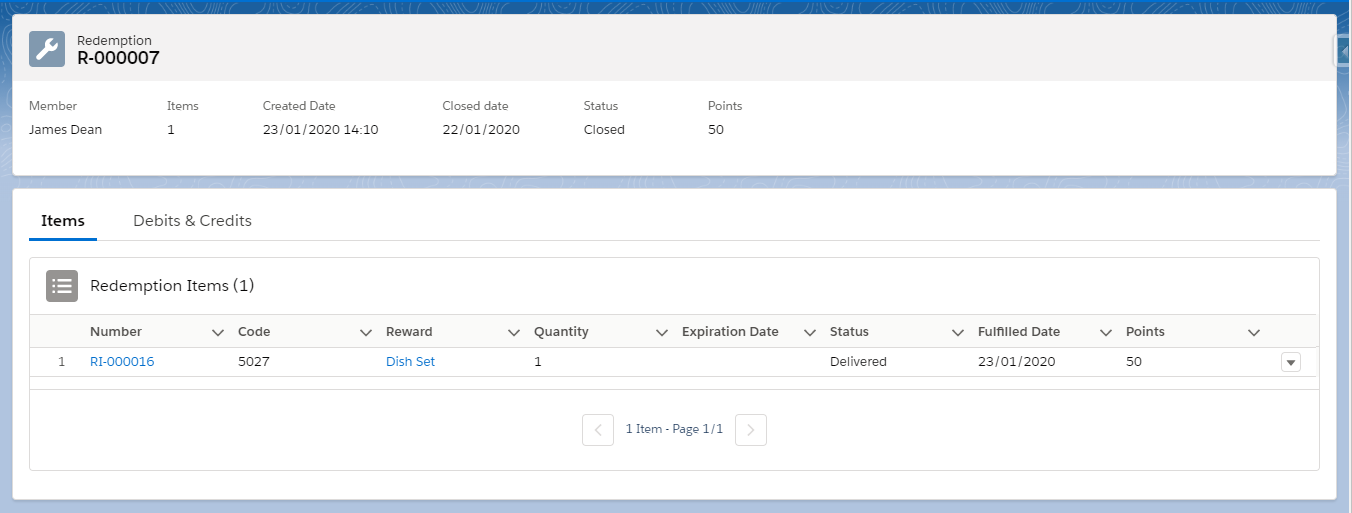
Each Redemption Item has an identifying Number, a link to the corresponding reward, a Status, a Points cost, an Expiration Date (if a Redemption Validity Period was set in the Reward) and a Unique Code (either auto-generated or defined in the Reward Item).
Reverting a Redemption Item
You may want to revert just one Redemption Item in a Redemption. This means that the Reward associated with the Redemption Item is returned to stock and the member receives a refund of the points redeemed for that Reward.
Expiration Date on Refunded PointsThe points refunded as part of a reversion will NOT retain the expiration date they had when the member made the redemption. They will either have no expiration date or, if the point type has a Default Expiration Mode, the expiration date will be set according to that default.
To revert a Redemption Item, click in the corresponding row and select Revert.
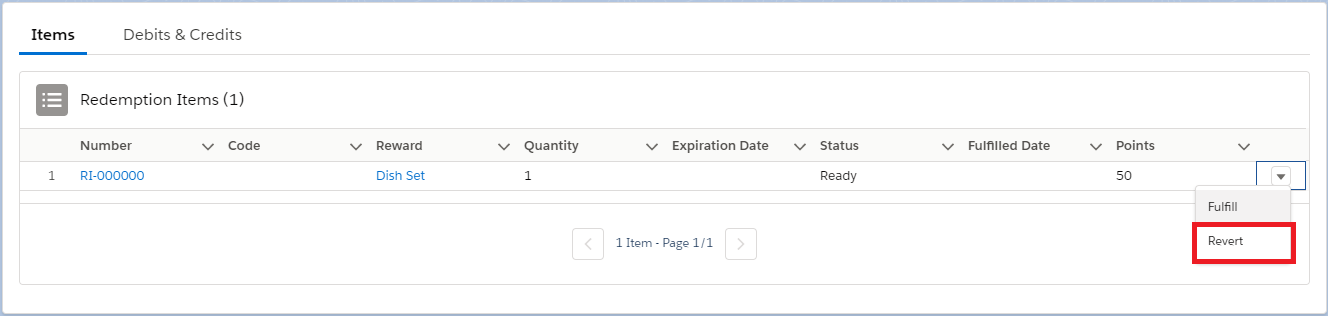
Upon reversion, the status of the Redemption Item will change to Reverted.
Marking a Redemption Item as Fulfilled
You may want to mark just one Redemption Item as Fulfilled, signaling that this particular portion of the Redemption has been delivered.
To do so, click in the corresponding row and select Fulfill.
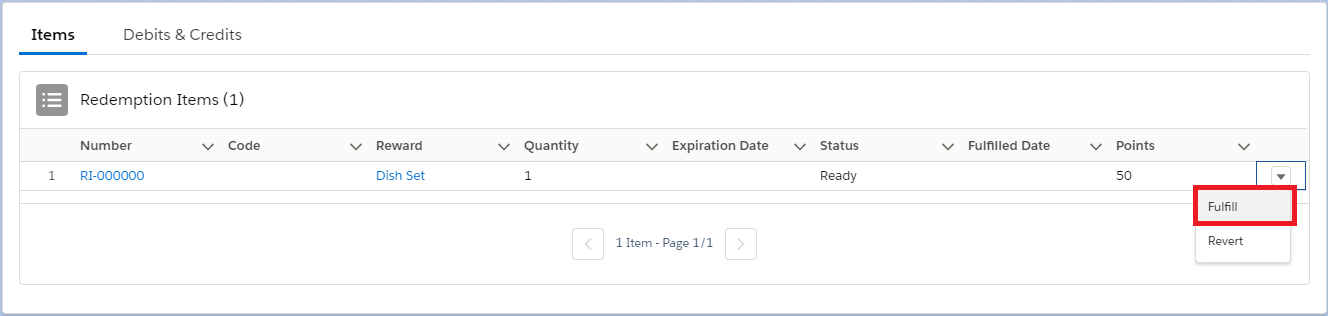
Upon marking a Redemption Item as fulfilled, its status will change to Delivered.
Redemption Item Statuses
As in the case of Redemptions, Redemptions Items may go into a range of different status, each mapping to different stages during the Redemption life cycle, and representing the steps towards Redemption Item delivering.
- Ready is the status redemption items take when redemptions have status Closed. When Ready, the Redemption Item can be either Delivered or Reverted.
- Delivered applies to all redemption items that were either individually marked as Delivered, or which are part of a Closed Redemption that was marked as Delivered.
- Expired is the status redemption items take when their associated rewards have met their Expiration Date.
- Pending corresponds to redemption Items that are part of redemptions whose status are Pending.
- Reverted applies to all redemption items that were either individually marked as Reverted, or which are part of a Delivered or Closed Redemption that was Reverted completely. Upon reverting a Redemption Item, all the used points return to the member and all rewards are taken back to stock.
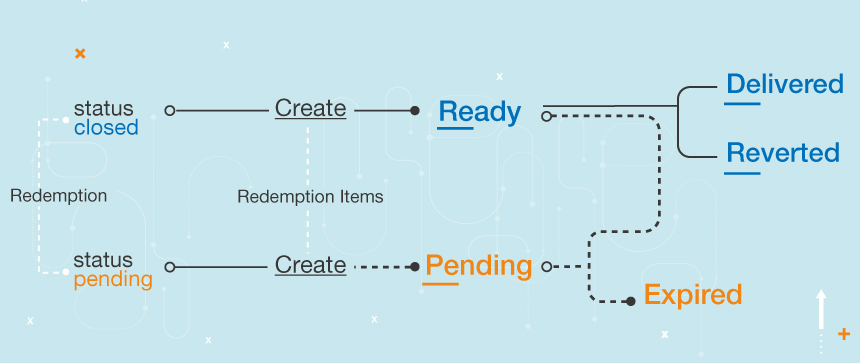
Note that Redemptions Items can only have one Status at a time. Correspondingly, you'll be able to perform certain specific actions associated with each Status.
Updated over 1 year ago