
Fielo as a Standalone Solution
Plan to use Fielo just for back office incentive and loyalty administration, or simply want to take it for a spin to see what we offer? Follow the steps below to get rolling.
Before Starting
First thing's first: log into your Salesforce org and make sure you have system administrator permissions.
Install Fielo
Once you've logged in to your org and confirmed you're a system admin, you're ready to install Fielo in your org.
- Click here to access the installation package.
- Select Install for Admins Only.
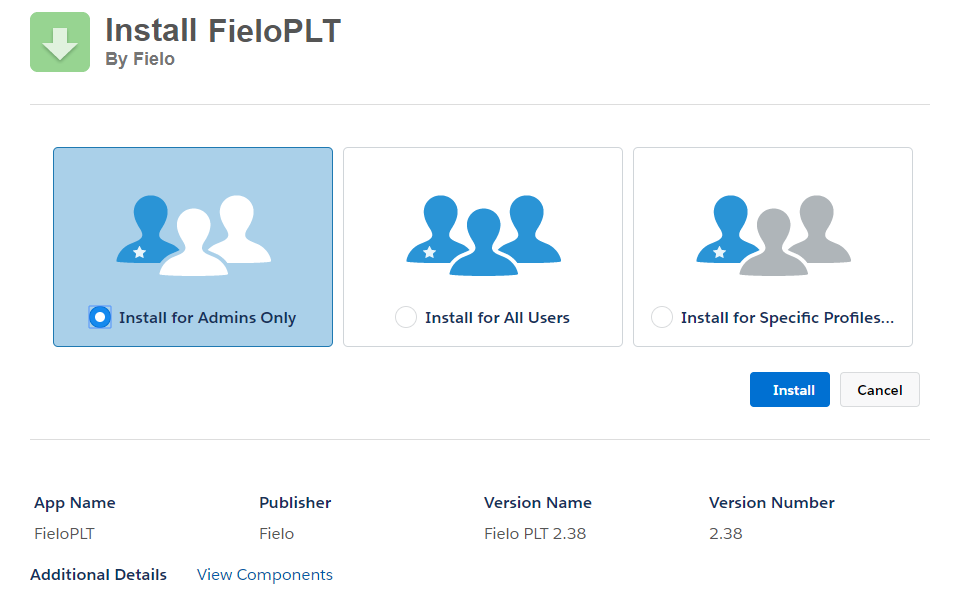
- Click Install. When the installation process is finished, you (or the org admin) will be notified by email.
Ensure Email Deliverability
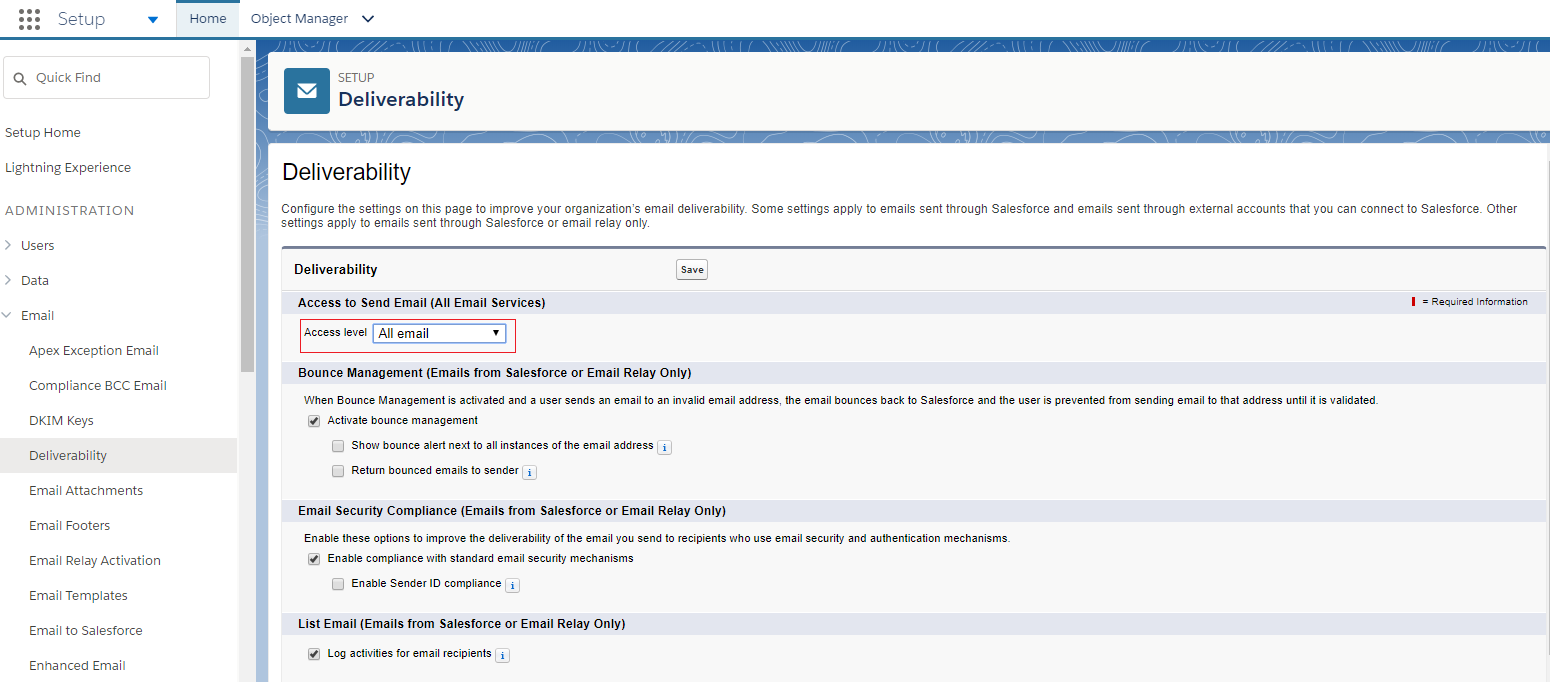
From Salesforce Setup, navigate to Deliverability. Make sure the e-mail access level is set to All email.
Enable Libraries
After installing, you'll want to activate our full feature set by enabling the FieloPLT library.
Click on the App Launcher and choose Fielo Platform. From the Libraries tab, find the row corresponding to FieloPLT and click Activate.
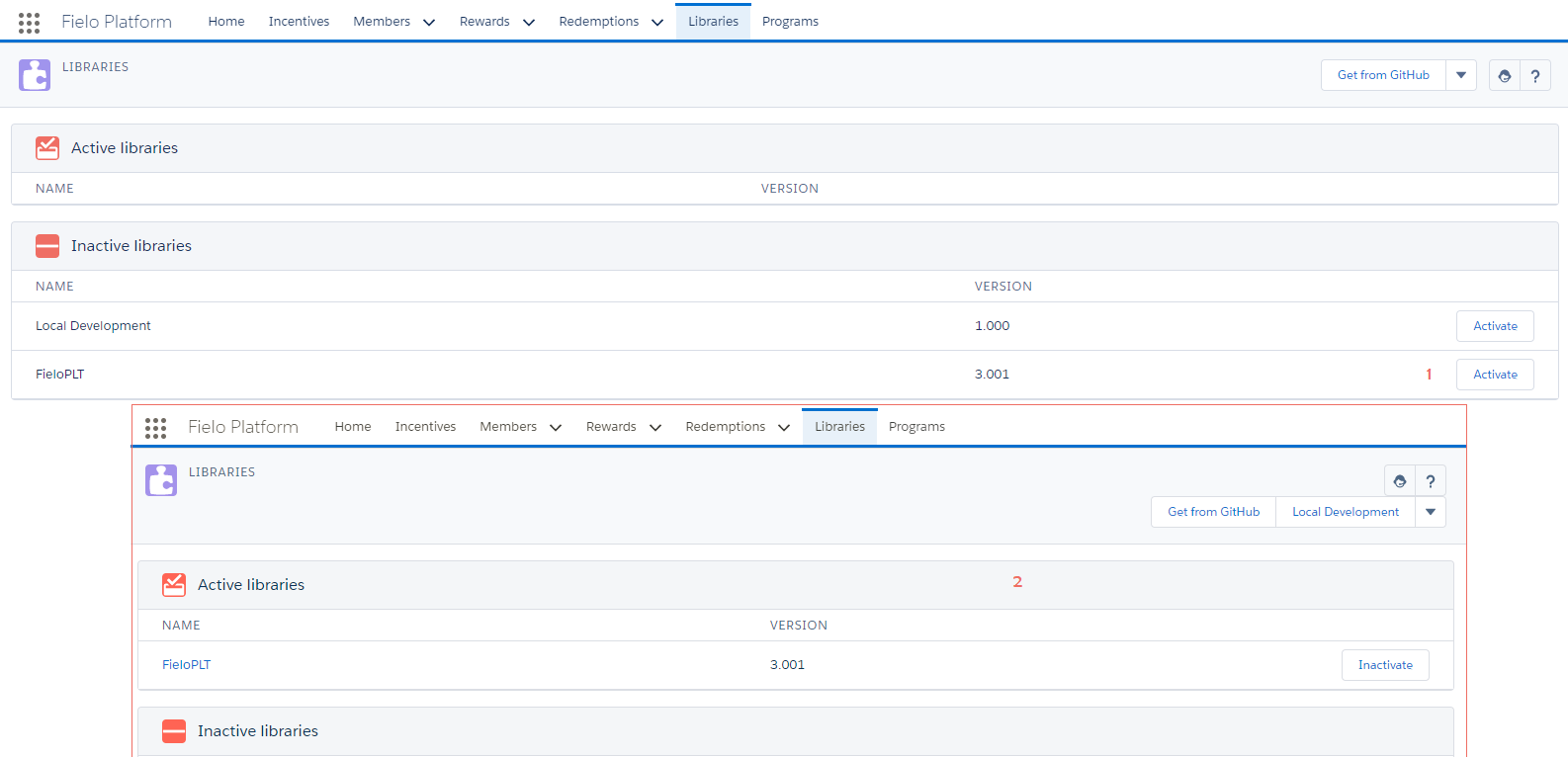
While you're here, go ahead and activate the Local Development library, as well. This way, you'll have a place to store any actions, models, or page settings that you create later on.
Great job!You're ready to start using Fielo.
Updated over 1 year ago