
Badges
Badges are emblems which represent a particular achievement earned by members. Badges are some of the most visible elements of gamification as they confer status and recognition to the members who earn it. Some typical examples of badges are Achiever, Top Performer and Superuser.
When should I use badges?Badges are commonly used in training contexts, such as corporate and business training, to reinforce soft skills. They're also a great way for members to show off their skills to fellow members and even prospective customers.
Before Starting
Be sure to have your badge image files ready! We recommend using images in PNG format with a transparent background.
Creating a Badge
Creating your first badge is easy. In IAS, from the Members tab, click and select Badges.
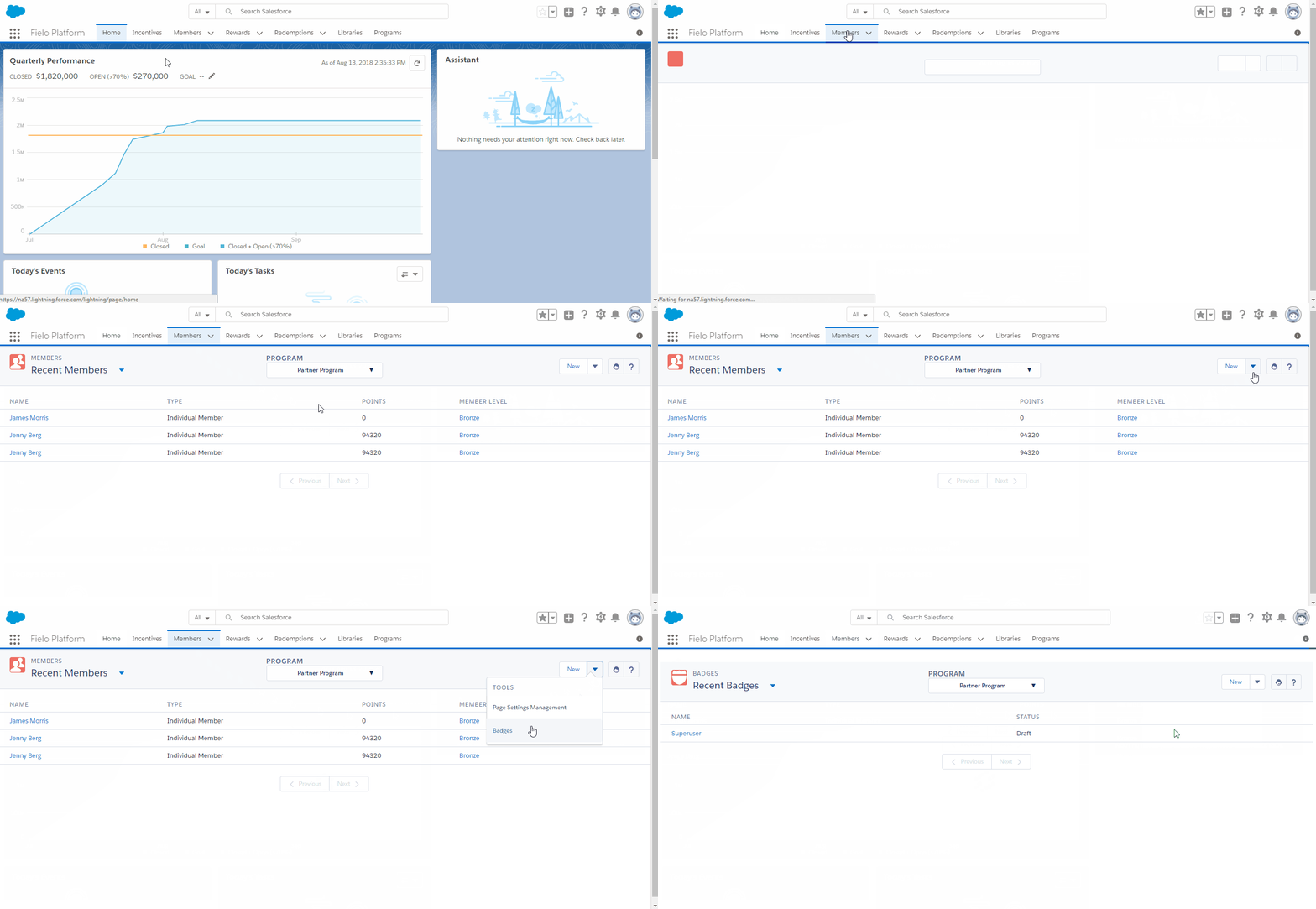
Choose the program you'll want to use your badge in and click New. Enter the name of your badge and click Save.
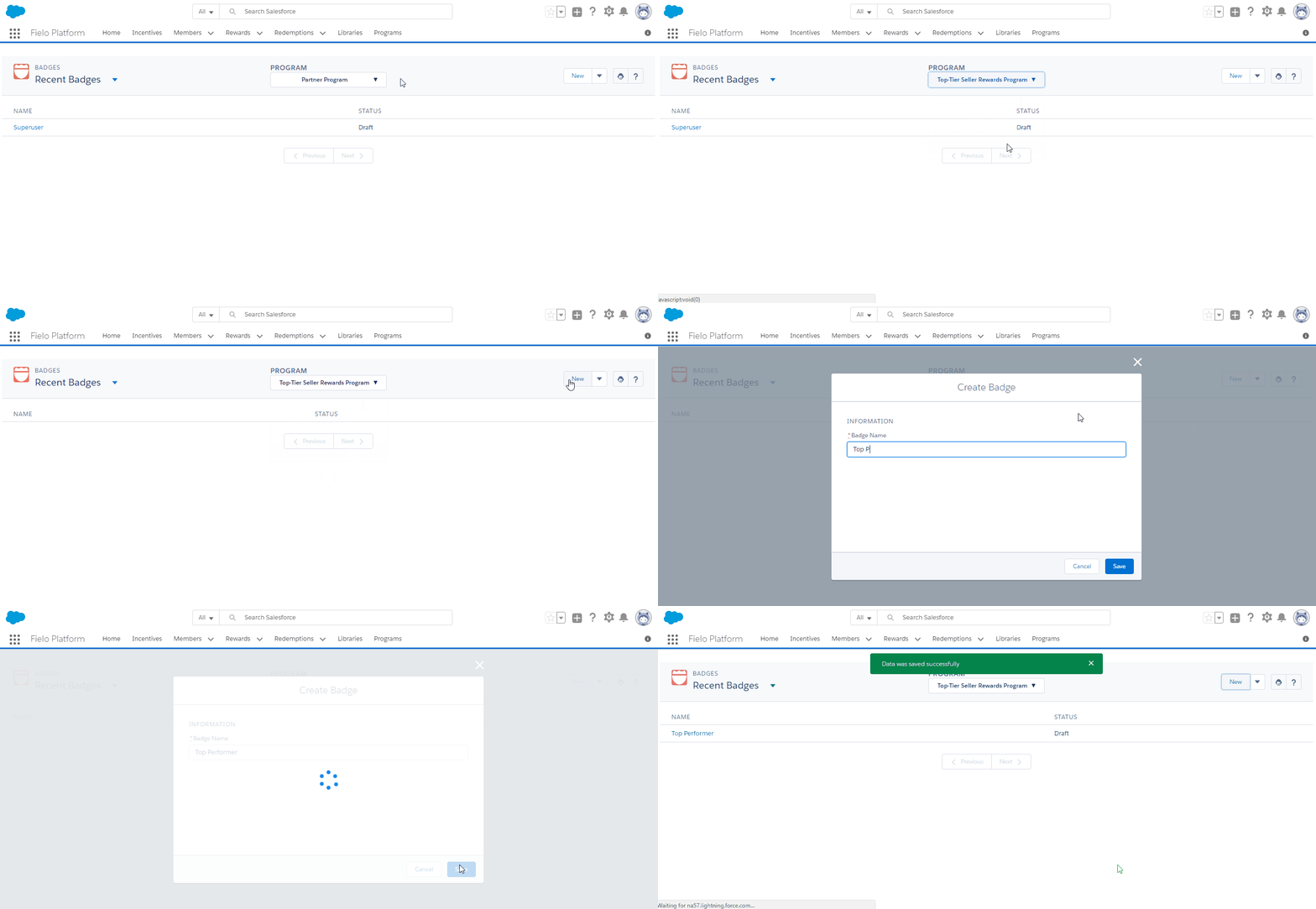
If you need to change the name of your badge, just click Edit. To delete a badge, click and select Delete.
Assigning a Badge Image
With your badge created, go ahead and assign the image that members will see. You can upload an image from your computer or provide the URL of an externally-hosted image.
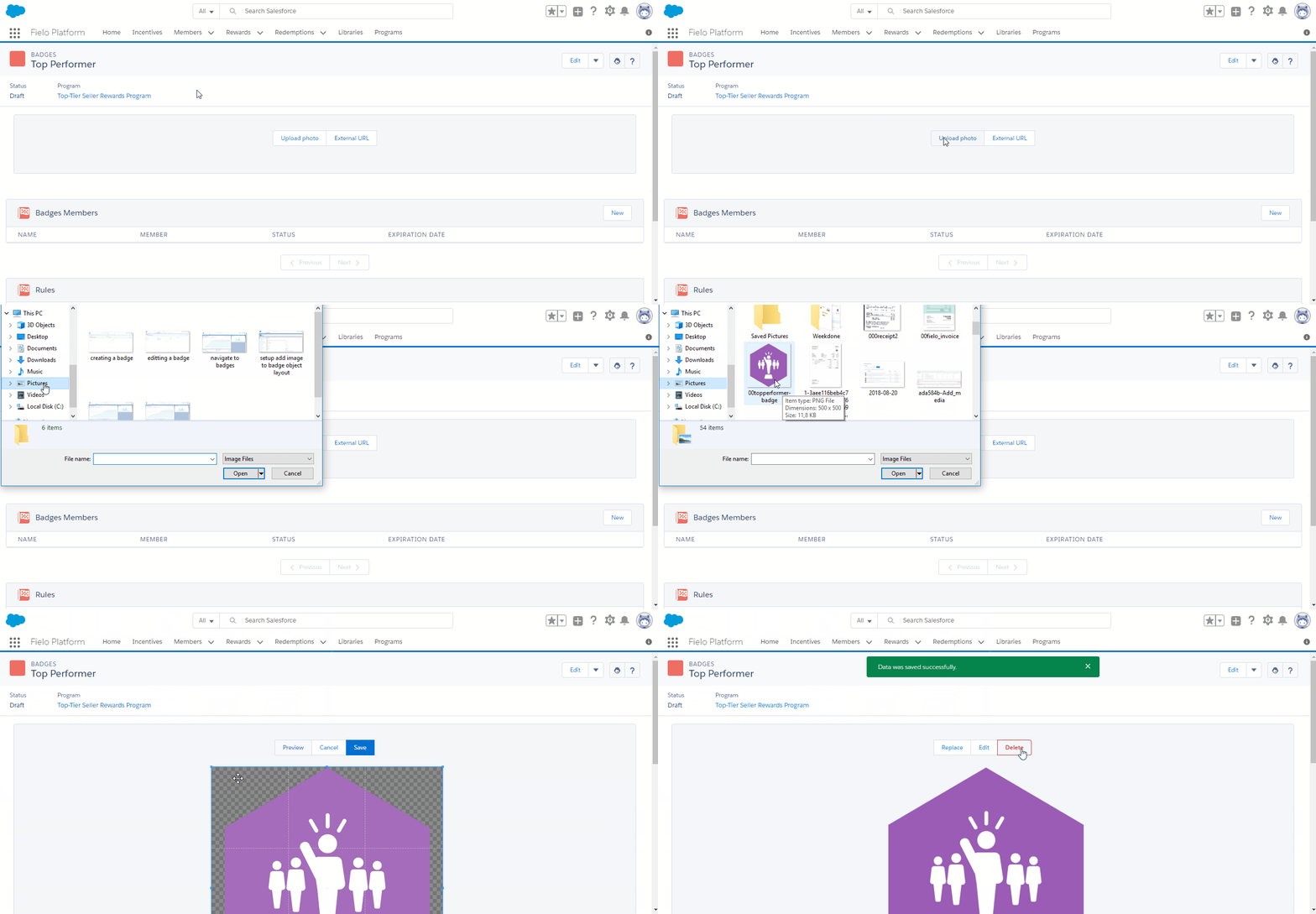
Now that your badge is ready to go, you can start using it when creating rules or setting up challenge and mission rewarding.
Badge Statuses
A badge's status updates automatically depending on how it's being used in your incentives.
- Draft: Badges are in draft when they are first created or when they are only associated with incentives whose status is draft, pending, or completed.
- Active: Badges are active when they become a reward for an active incentive.
- Inactive: Badges are inactive when they are no longer a reward for any incentive or when they belong to at least one inactive incentive.
Badge Status UpdatesBadge statuses are updated by the batch processes that keep track of incentive statuses. By default, batch processes run daily at midnight.
Updated over 1 year ago