
Relationship Plans
Relationship plans are where you outline the types of stakeholders you expect your reps to build relationships with over a given period.
Create a Relationship Plan
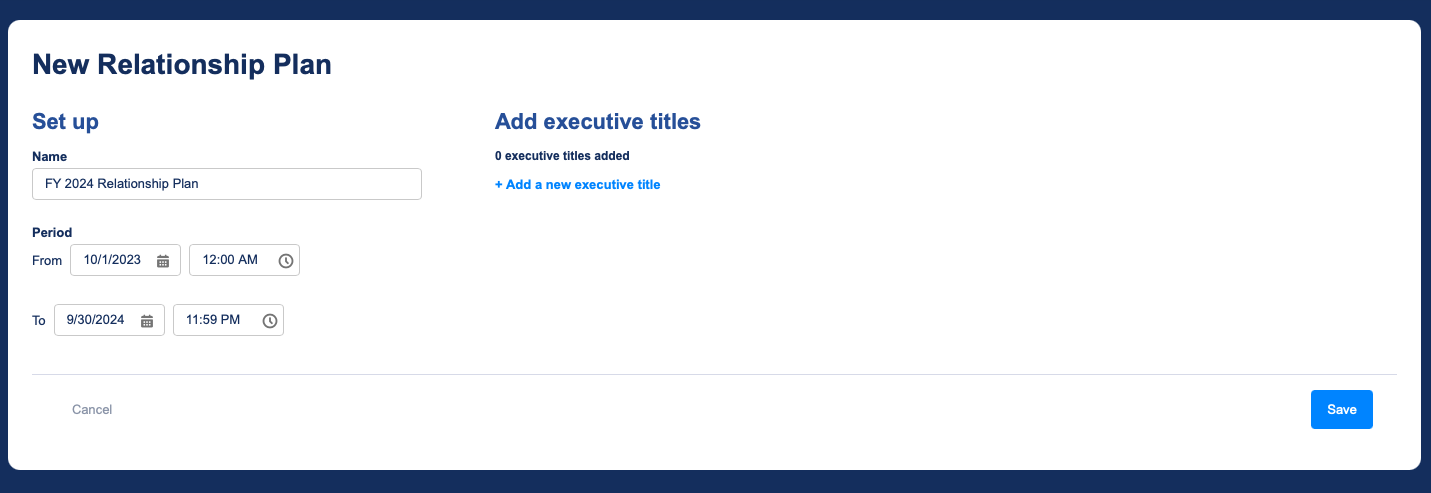
To create a relationship plan, go to the Relationship Plans tab and click New Relationship Plan. Alternatively, you can navigate to the Import Plans tab to import a previously-exported plan.
Give your plan a name and, optionally, a timeframe.
Add Stakeholder Titles
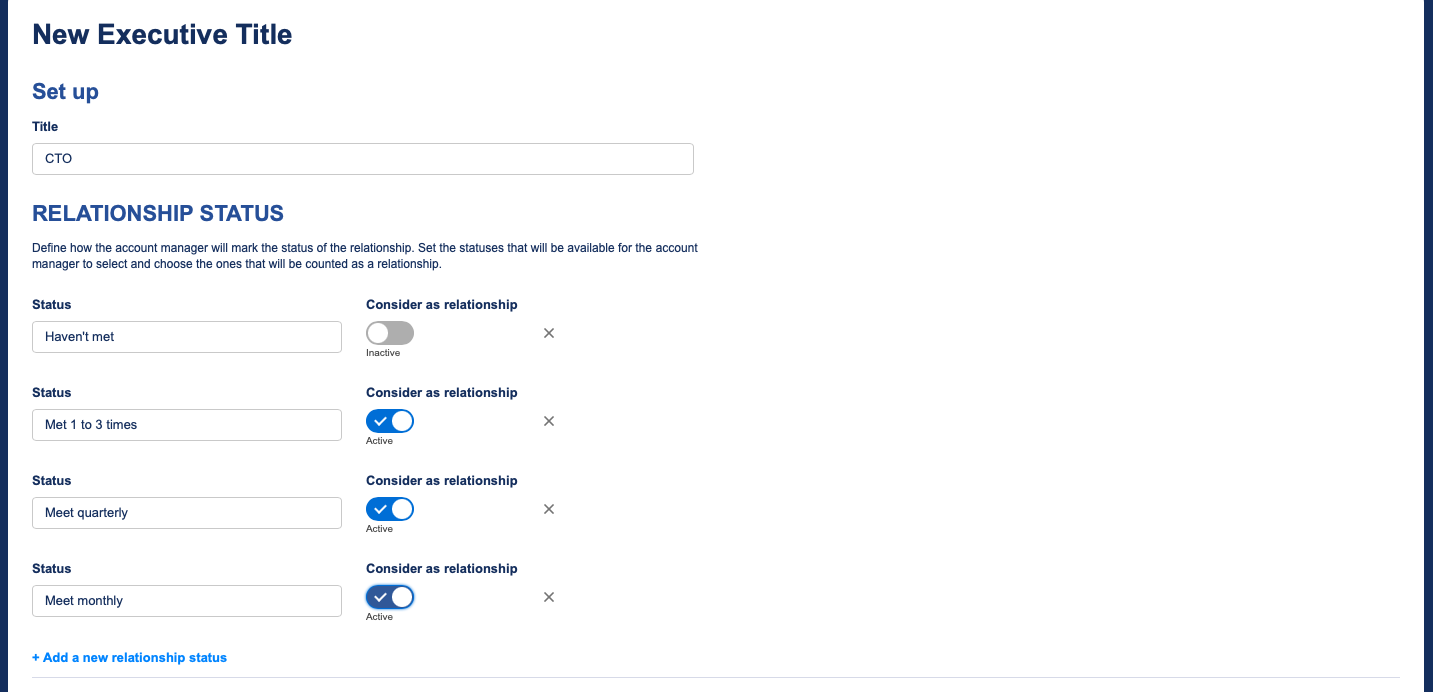
Now, add stakeholder titles to your plan. These are the people you expect your reps to build relationships with while the plan is active.
Give the title an appropriate name that your reps will easily understand.
Set Statuses
Next, define how reps will rate stakeholder relationships. The first status should represent an unbuilt relationship, while the rest should represent ways in which it can be built.
When you're ready, click save. Feel free to follow these steps again to include additional stakeholder titles.
Activate Your Plan
Once you're satisfied with your plan, go ahead and activate it.
Enable Reps to Log Relationships
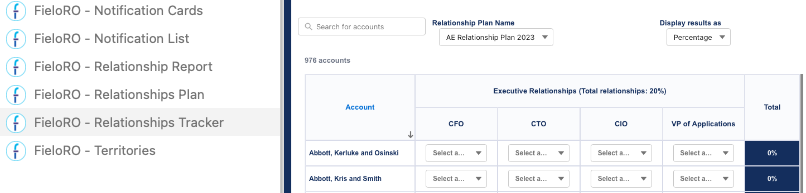
The Relationship Tracker component presents the relationship plans applicable to the logged-in rep, allowing the rep to rate stakeholder relationships and check their progress. We recommend placing it in a wide area on a page that your reps are accustomed to visiting.
To add it to a page, go to the Lightning App Builder or Experience Builder and open the component menu. Drag and drop FieloRO - Relationship Tracker onto the desired area, then save or publish.
Enable Managers to Monitor Relationships
The Relationship Report component allows sales managers to monitor relationship building at every level of the role or territory hierarchy, including aggregated progress data. We recommend placing it in a wide area on a page that your managers are accustomed to visiting.
To add it to a page, go to the Lightning App Builder or Experience Builder and open the component menu. Drag and drop FieloRO - Relationship Report onto the desired area, then save or publish.

Updated over 1 year ago