
Set Up a Campaign
Campaigns are where you organize your communications across channels. You can group your communications into different campaigns using any criteria you wish.
On the left nav of the Fielo Comms app, verify that the Fielo program you want to work in is selected. Then, from the Campaigns landing area, click New Campaign.
Create a Campaign
Give the campaign a name and choose its scope.
The scope can be your program overall, or an incentive inside your program. If your communication is specific to an incentive, such as letting your members know about it, choose Specific incentive and select the incentive. Otherwise, leave the scope on Program.
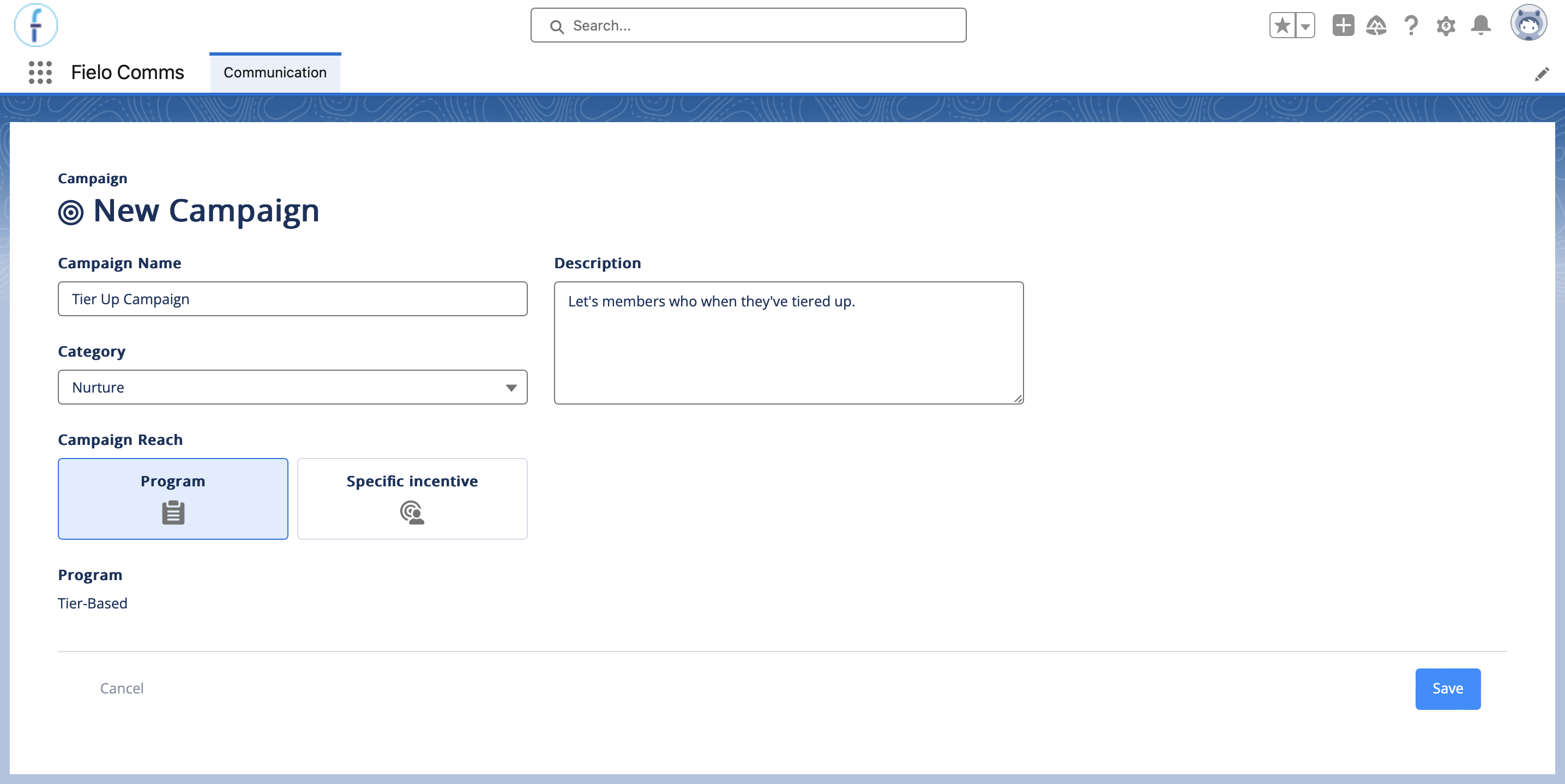
Optionally, you can also assign your campaign a category and description.
Add CategoriesYou can create more categories by adding picklist values to the Category field on the Communication Campaign object. If you don't have access to Salesforce Setup, ask your org admin to do this.
When you're ready, click Save.
Add Communications
With your campaign created, you can now add Communications to it. Communications are the actual messages you'll be sending out to your recipients. Go ahead and Add a Communication.
Activate Your Campaign
Once you've added all of your comms and activated those that you'll launch with, you can go ahead and activate your campaign. To do so, navigate to its detail page and click Activate.
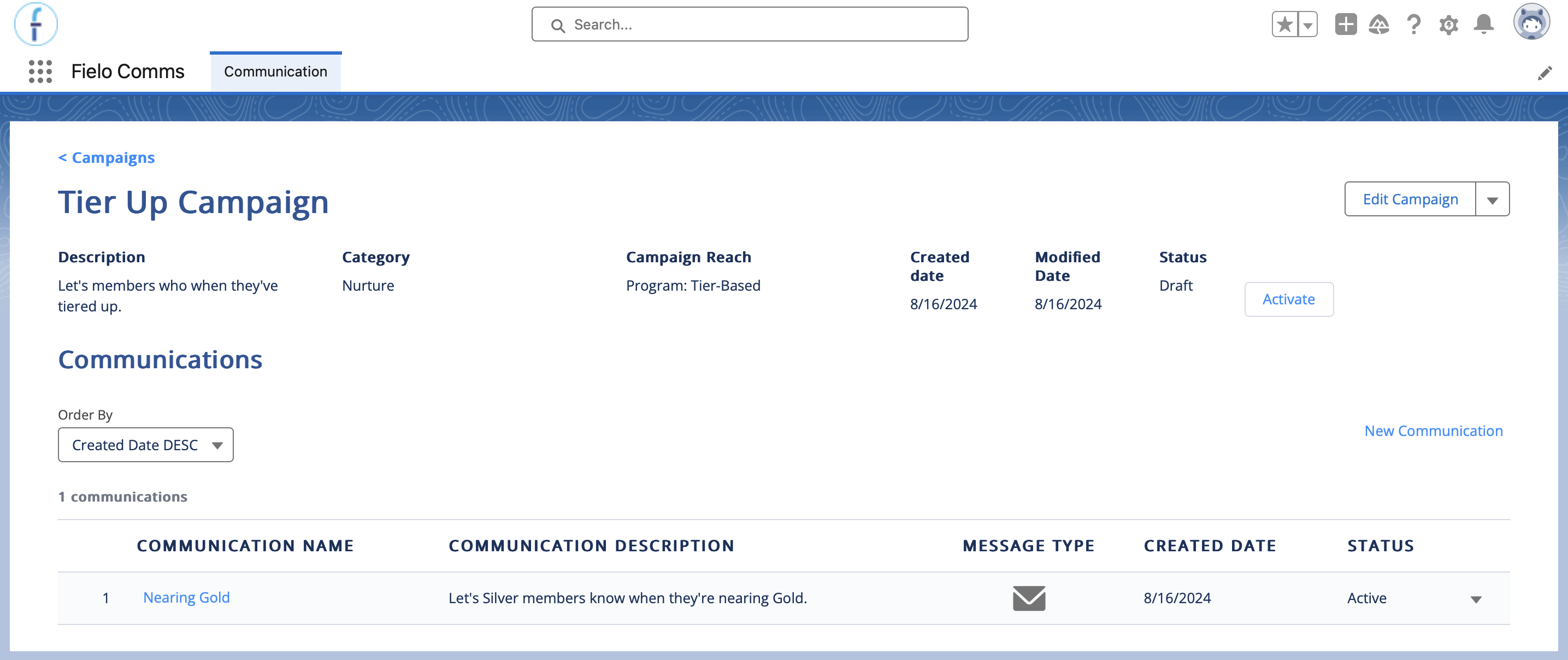
Nice!You just launched your first Comms campaign.
Updated over 1 year ago