
Editing Admin Layout
Tabs and headers are used to organize and group content in order to make navigation as easy and intuitive as possible.
Inside every tab, you'll find objects and their record tables, which brings a set of fields, such as Name, Type, and Date by default, for easier visualization of the object's details within the tab. Also, as soon as you enter the object page, you will see a top section - the header -, that makes it better to overview the most important information related to that specific object.
If you wish to add or remove fields in these Record Tables and Headers, follow these steps:
Editing Layout
For this example, we are going to use the Redemption object (which you can find in the Outcomes tab) to show how the editing is done, but it applies to all tabs that have been redesigned so far.
From Setup, click the Object Manager tab, search for Redemption and select Field Sets from the content table.
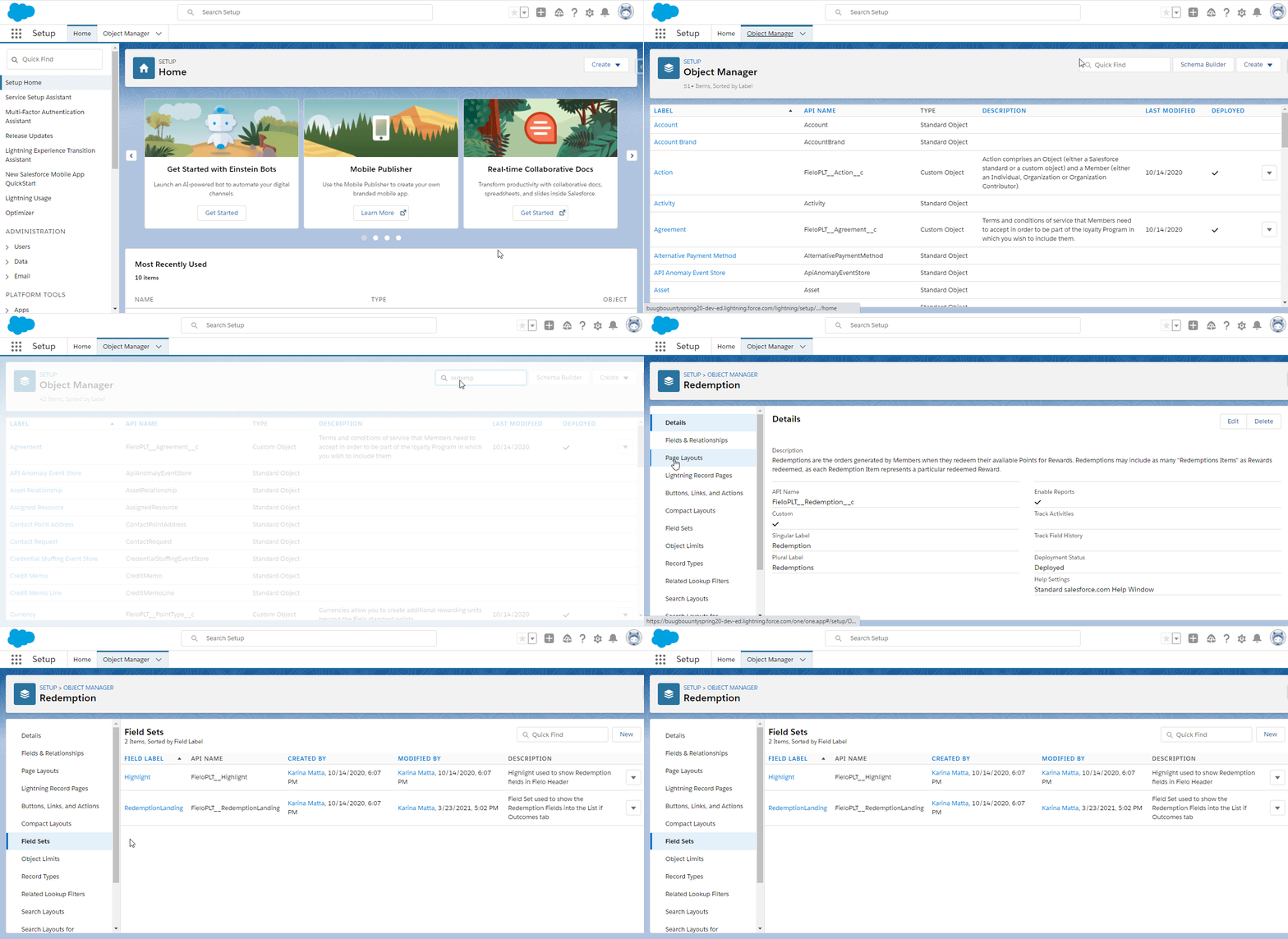
Record Tables
In order to change the information displayed in the record tables that you can see in the Outcomes tab, click the RedemptionLanding within the Field Sets page. Add the fields that you think are most relevant and remove the ones that you don't want to be displayed. Save.
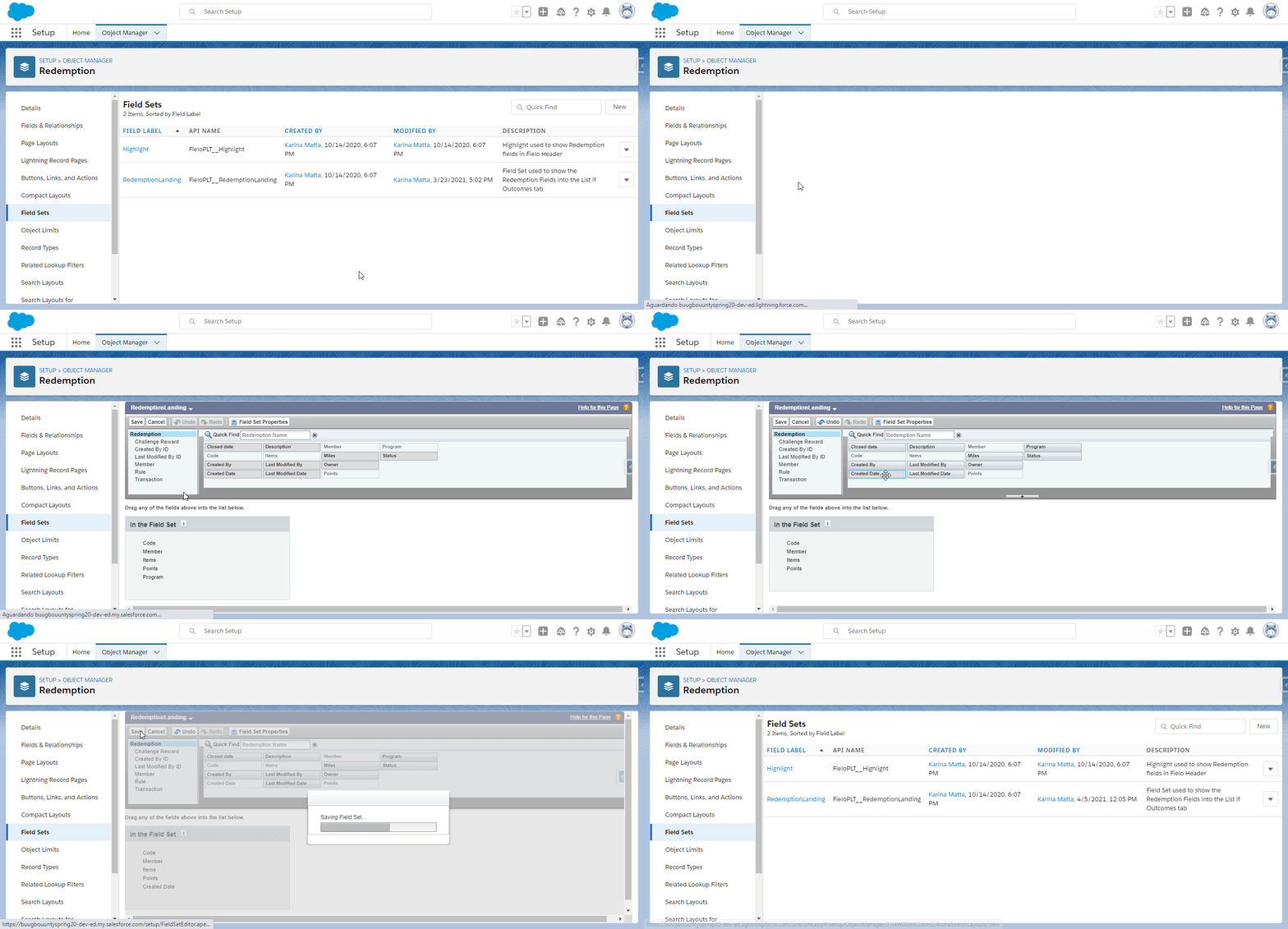
Removing 'program' and adding 'created date'
Check the result within the Outcomes tab.
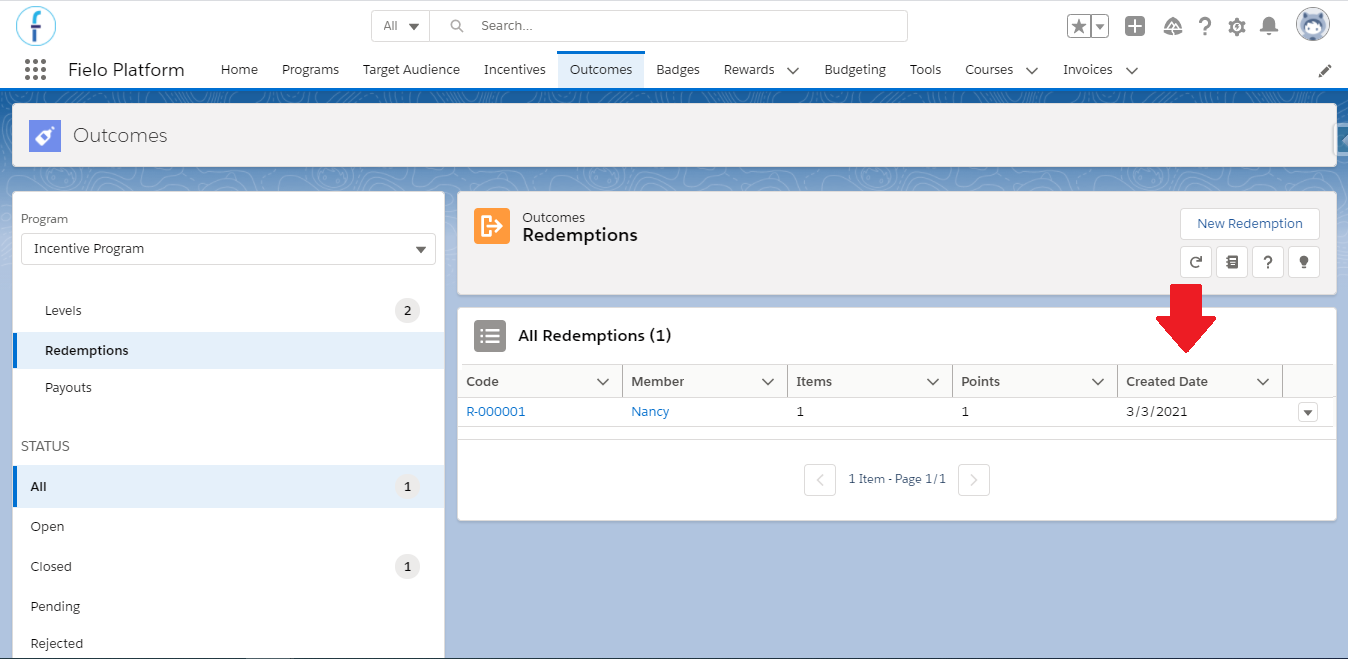
New record table view, after editing the field set
Headers
Now we are going to change the data that is displayed in the object page's top section, the header. Back to the Field Set page, click the Highlight Field Set. As you did before, add or remove the fields that you want to see in the page.
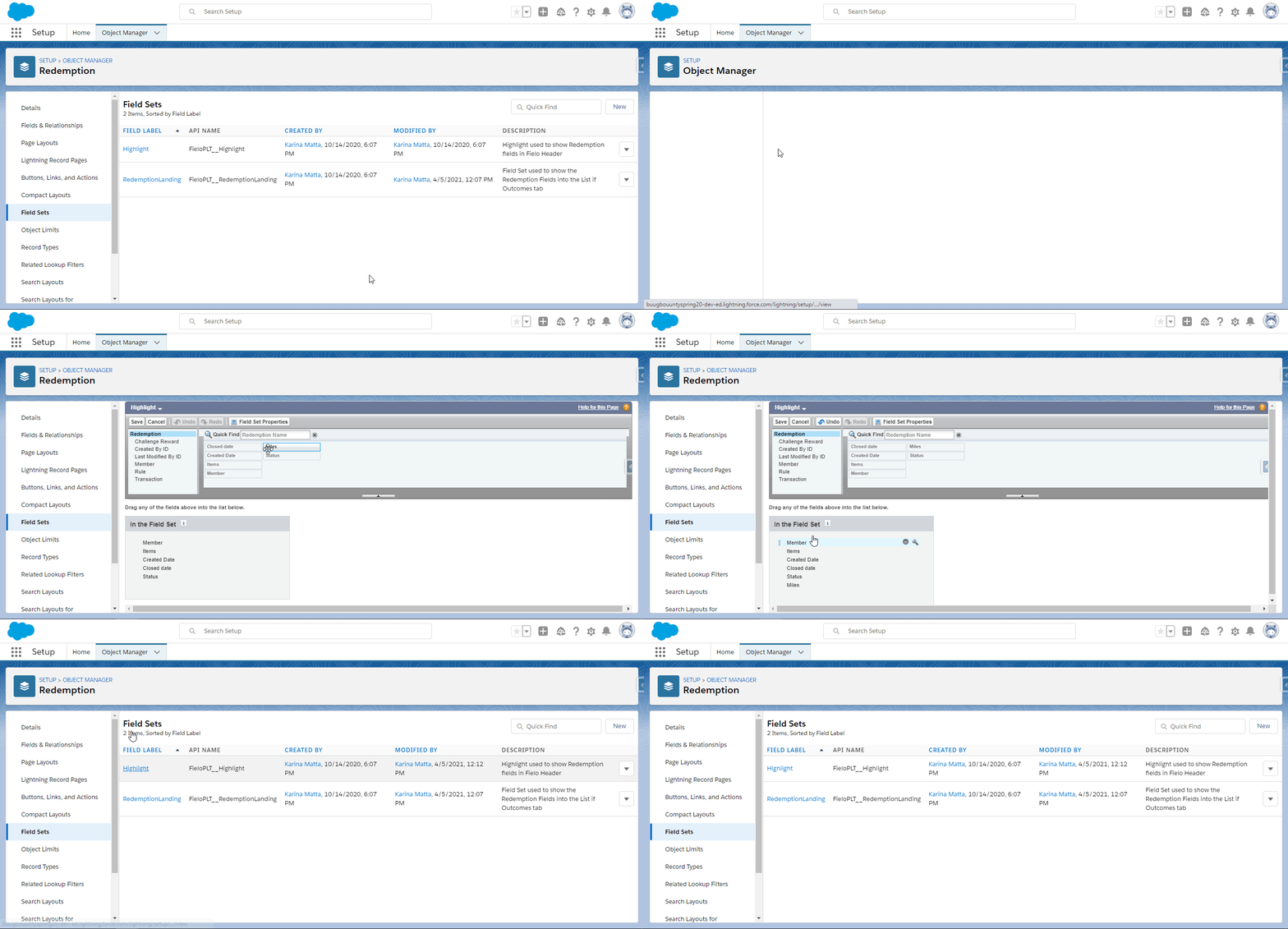
Adding 'miles'
To check, go to the Outcomes tab and access one of the redemption records there.
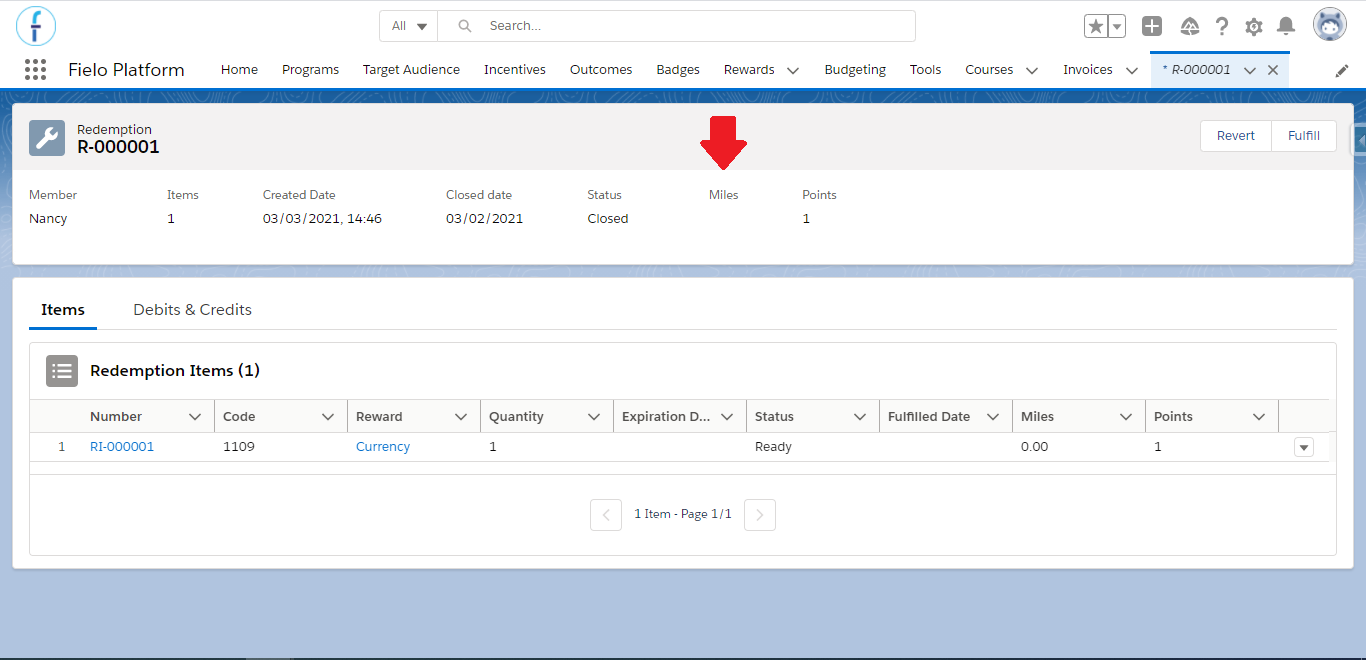
New Redemption object page view, after editing the field set
Note that the fields available to add or remove are those that the package creator - in this case, Fielo - has defined that should be available, and the custom fields that you create for the object.
Available Configurable Record Tables and Headers
Here are other objects you have the possibility to make changes on the Record Tables and Headers:
| Object name | Record Tables Field Set Name | Headers Field Set Name |
|---|---|---|
| Segments | LandingList | |
| Members | Member Landing | |
| Teams | Team Landing | |
| Promotions | Promotion Landing Fieldset | |
| Challenges | Challenge Landing Fieldset | |
| Budget | Budgeting Landing | |
| Level | Level Landing | Highlight |
| Payout | PayoutLanding | |
| Redemption | RedemptionLanding | Highlight |
| Reward | LandingList | DetailHighlight |
| Language | LanguageLanding | |
| Library | Highlight | |
| Redemption Item (you'll find this within the Redemption page) | RedemptionItemList |
Edit Layouts using Page LayoutsYou are also able to add and remove fields from the non-managed objects' view pages using Page Layouts. Objects such as Mission, Rule, Reward, Transaction, etc.
Updated over 1 year ago