
Libraries
Libraries are stacks which extend Fielo's functionalities. They comprise a suite of data such as Behavior Types, Actions and Models designed to achieve more capabilities for your incentive and loyalty program.
Each Fielo package includes its own reusable Library. For example, if you install and setup Proof of Purchase, you'll have its corresponding library, FieloPRP, installed and ready to be enabled. You can also have and manage your own Library - FieloLocal Library - in which you can save all your custom-made Behavior Types, Actions and Models to reutilize as you like.
Managing Libraries
You can manage libraries from the Tools tab, in the Libraries section. By default, all libraries are Inactive, but we guide you through how to enable them every time you install a new package - i.e. when installing and setting up Fielo, one of the last steps you need to do is to enable FieloPLT Library; when you're setting up any Incentive and Loyalty Apps, we walk you through how to enable their corresponding Libraries (i.e. FieloPRP, FieloELR).
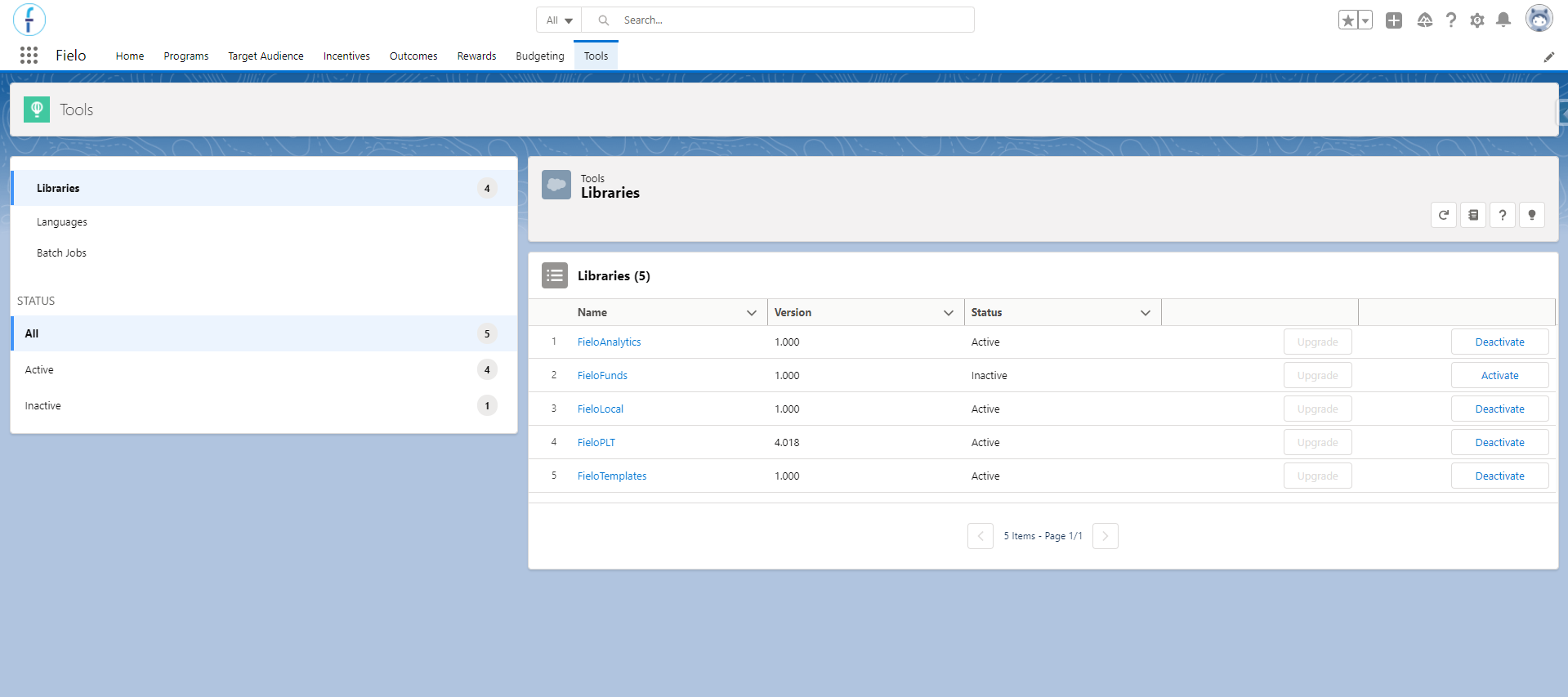
Libraries
Upgrading Libraries
Libraries might change when upgrading Fielo. In the event of a new version of a Library is available, you'll be given the option to upgrade them. To do so, just click Upgrade next to the Library status and you are all set.
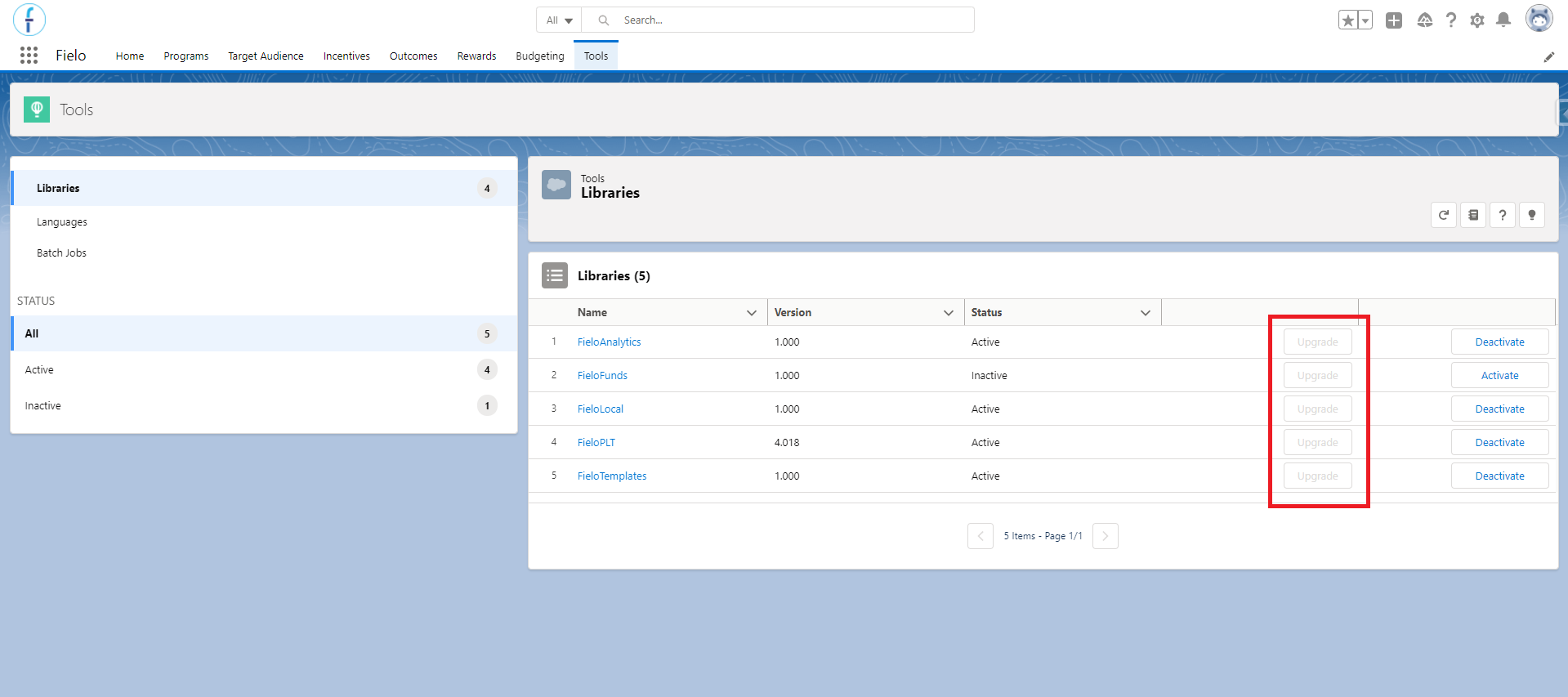
Upgrading FieloPLT Library
Once you've upgraded, note that the Version Number has also changed, displaying the newly updated version. In this example, we've upgraded FieloPLT, but the process is the same for all other installed packages, such as FieloPRP, FieloELR, FieloAnalytics, etc.
Libraries' Content
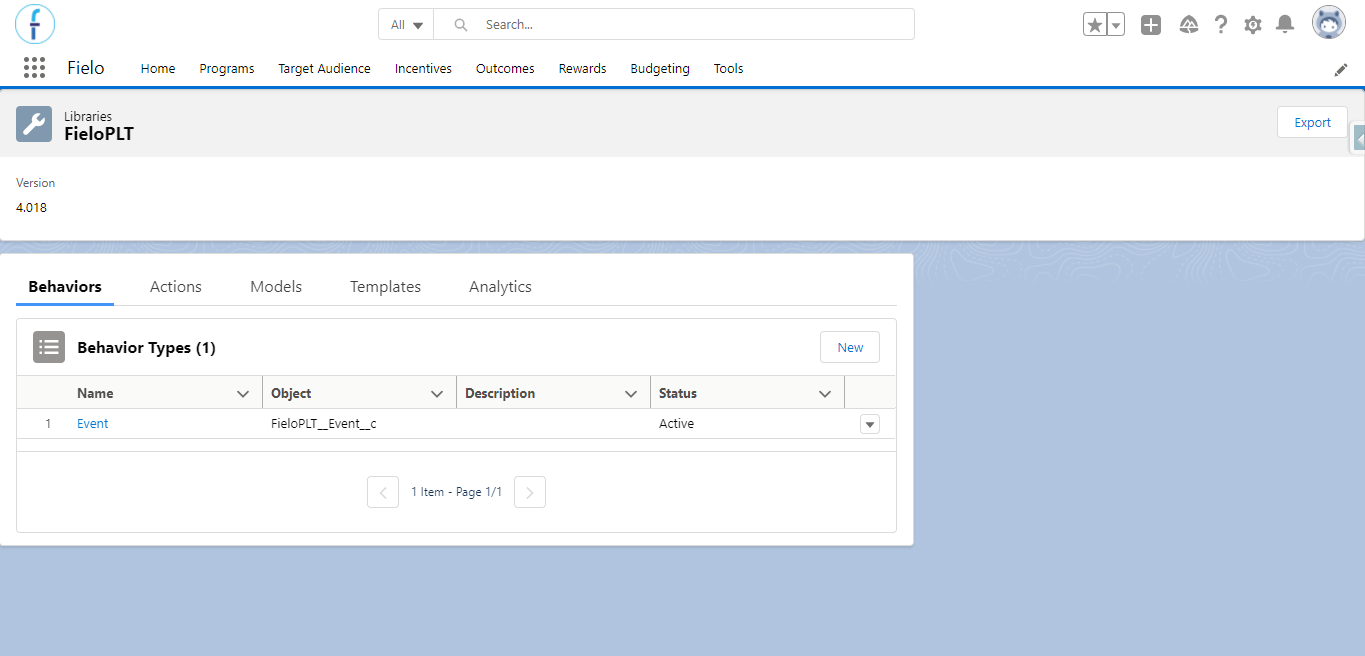
FieloPLT library page
Behavior Types
Behavior Types let you decide what Salesforce objects you want to create incentives for. You can choose to drive a particular behavior by using the Single Action Engine- for example, award your members every time they log in to your loyalty portal - or you can encourage your members to carry out a set of activities in a certain order, time frame or number by means of Multi-Action Engine - e.g. you award your members after logging into your portal 5 times.
Single Action Engine is externalized in Promotions, the same way Multi-Action Engine does so in Challenges.
Actions
Actions let you decide which practices and participants you want to incentivize. To create an Action, first, you need to create a Behavior Type that's associated with a Salesforce object.
Models
Models are pre-configured, reusable Incentives and Programs templates you can use to create Programs and Incentives easier and faster. FieloPLT library doesn't come with any Model, but some other Fielo packages, such as Proof of Purchase or E-learning, do bring some Models you can start using from scratch.
You can create new Models and reuse them any time you want! All of your own created Models are stored in FieloLocal library.
Templates
Templates are pre-configured incentives, levels, segments, and agreement that can either be created during the Fielo installation done by the Fielo Setup or manually created by you.
You can find Templates in this tab mostly on the FieloTemplates library.
Analytics
Analytics is where you can create and store new KPIs to be used in reports related to your program. At a high level, the KPI brings the reports that are stored within Salesforce to the reports and dashboards that you'll create, while the KPI Domain converts their data to look like what we want them to and does the association between the KPI (i.e. the report) and a specific program or incentive.
Some KPIs come out-of-the-box with the Fielo installation, you can find them on the FieloAnalytics library.
Activating and deactivating FieloPLT Library
You must enable the FieloPLT library to use Fielo, as it contains all Page Settings that control every page layout and design. For that reason, it's one of the last steps while setting up Fielo.
To enable FieloPLT library - and any other Library as well - just hit Activate on the right area of the Inactive section on the Tools tab. You'll see how FieloPLT moves from Inactive to the Active section, which makes it ready for you to click and access.
Inactive FieloPLT LibraryIf FieloPLT library is inactive you won't have access to any Fielo pages.
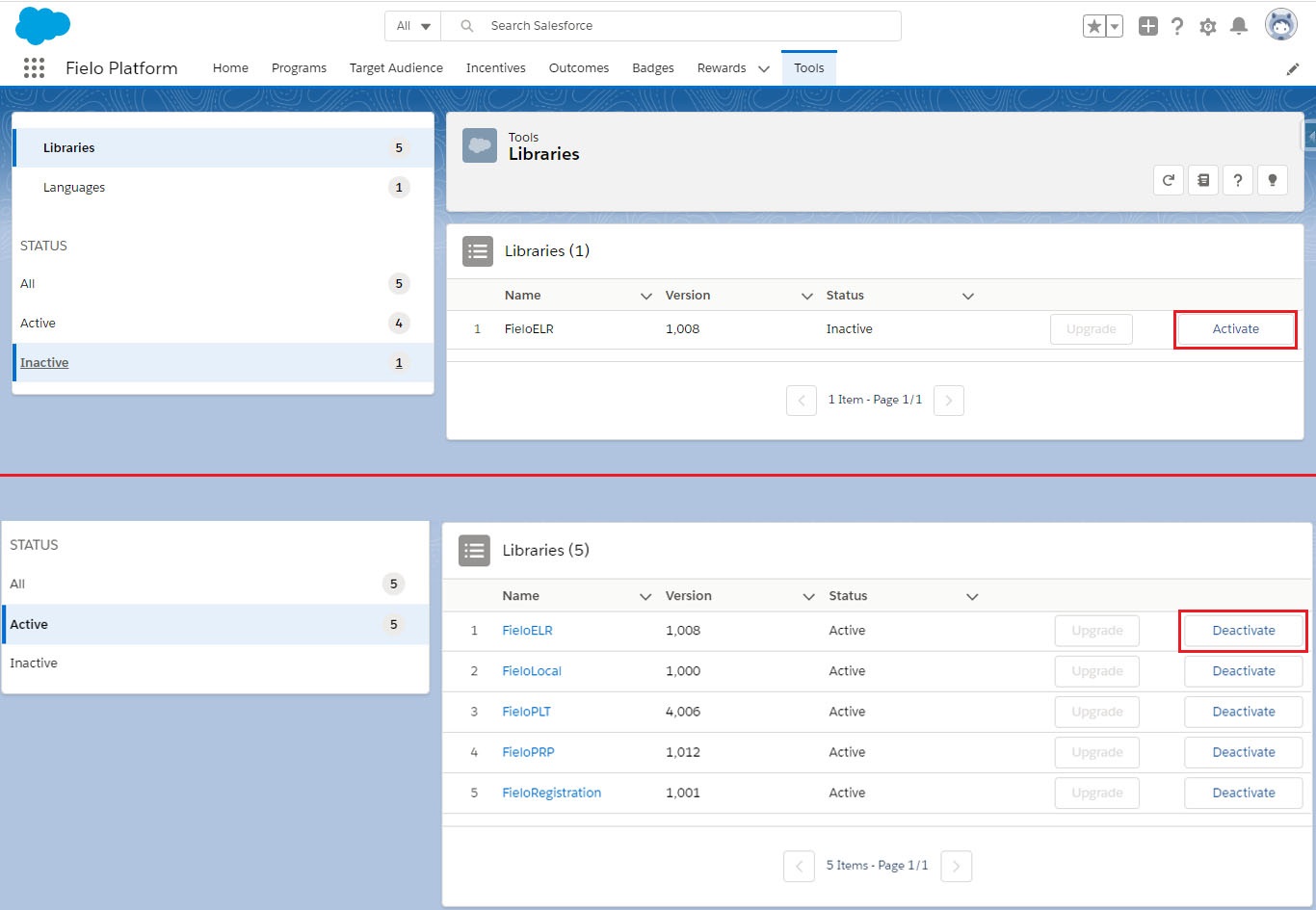
Activating FieloPLT Library
Get from GitHub
You can access our Github public repository, which includes different plugins to extend Fielo functionality. These plugins may be used for several specific solutions which can be applied to any of your customers' particular needs.
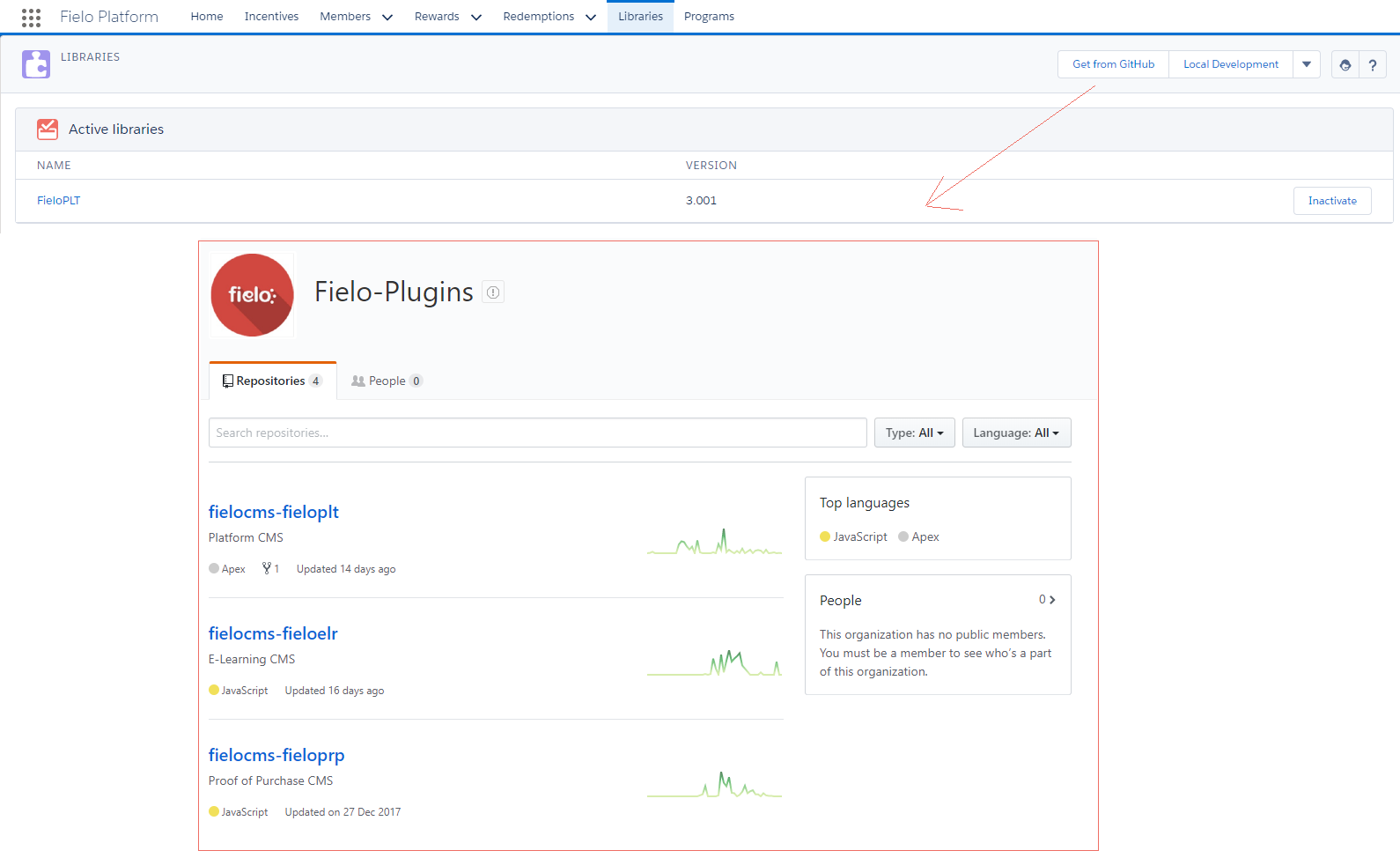
Get from Github
Fielo's Libraries
The Fielo standard installation comes with 6 libraries that you can - in general - choose between activating or not, depending on your objectives. Each one of them brings some extra features and data to be used in your Program.
However, note that there are some libraries that are mandatory to be activated. They are the FieloPLT and FieloLocal, and also the FieloPRP and FieloELR libraries if you have those packages installed in your Org.
FieloPLT Library
Fielo comes with its own default library called FieloPLT. It includes by default a standard Behavior Types and Action.
FieloLocal Library
FieloLocal library represents a local repository you can use to create and store your own Behavior Types, Actions and Models, independently of the default Libraries that come after installing different Fielo packages.
Don't forget to enable the FieloLocal library. Once you've done that and accessed FieloLocal, you are free to create all the Behavior Types, Actions, and Models you want!
FieloAnalytics Library
Fielo Analytics is built directly on Salesforce, so it uses the wealth of information Salesforce puts at your fingertips — from real-time snapshots of your business to yearly summaries —, and for that, we provide you with 21 reports that come ready to be used and displayed in the Command Center. They bring a wealth of information about your program and make them the first thing that you'll see whenever you access Fielo.
At its core, the reports are based on what we call KPI and KPI Domain. You can find records related to the reports mentioned above within the FieloAnalytics library, which must be activated for them to show up in the Command Center's dashboards.
FieloFunds Library
The Funds library enables you to keep track of any Funds Allocation Rewarding given to the member through their transactions, including which Budget the allocation was created in. For that to be available, activate this library first.
FieloTemplates Library
Fielo makes available pre-configured incentives, levels, segments, and agreements that can either be created during the Fielo installation done by the Fielo Setup or manually created by you. They are seen and created whenever you use the Program Setup wizard to create your programs.
For you to be able to see and use them, activate the FieloTemplates library first.
Export Libraries
To export a library, with all of its configurations, go to the library's page and click on Export. You might want to do that when there is a need to transfer your whole Program from a sandbox Org to a production Org, for example, or if you wish to create your libraries, extending Fielo.
As this process will export the entire library, we suggest you check that there isn't any configuration that is not required by our app in it before proceeding. After you delete those configurations that are not needed (if any), follow these steps:
- From Tools, go to the library that you want to export and click on Export.
- Deselect the Use Default Name option and name the library. In this example, we will name this library "CaseLibrary".
- After you click Export, a JSON file will be downloaded.
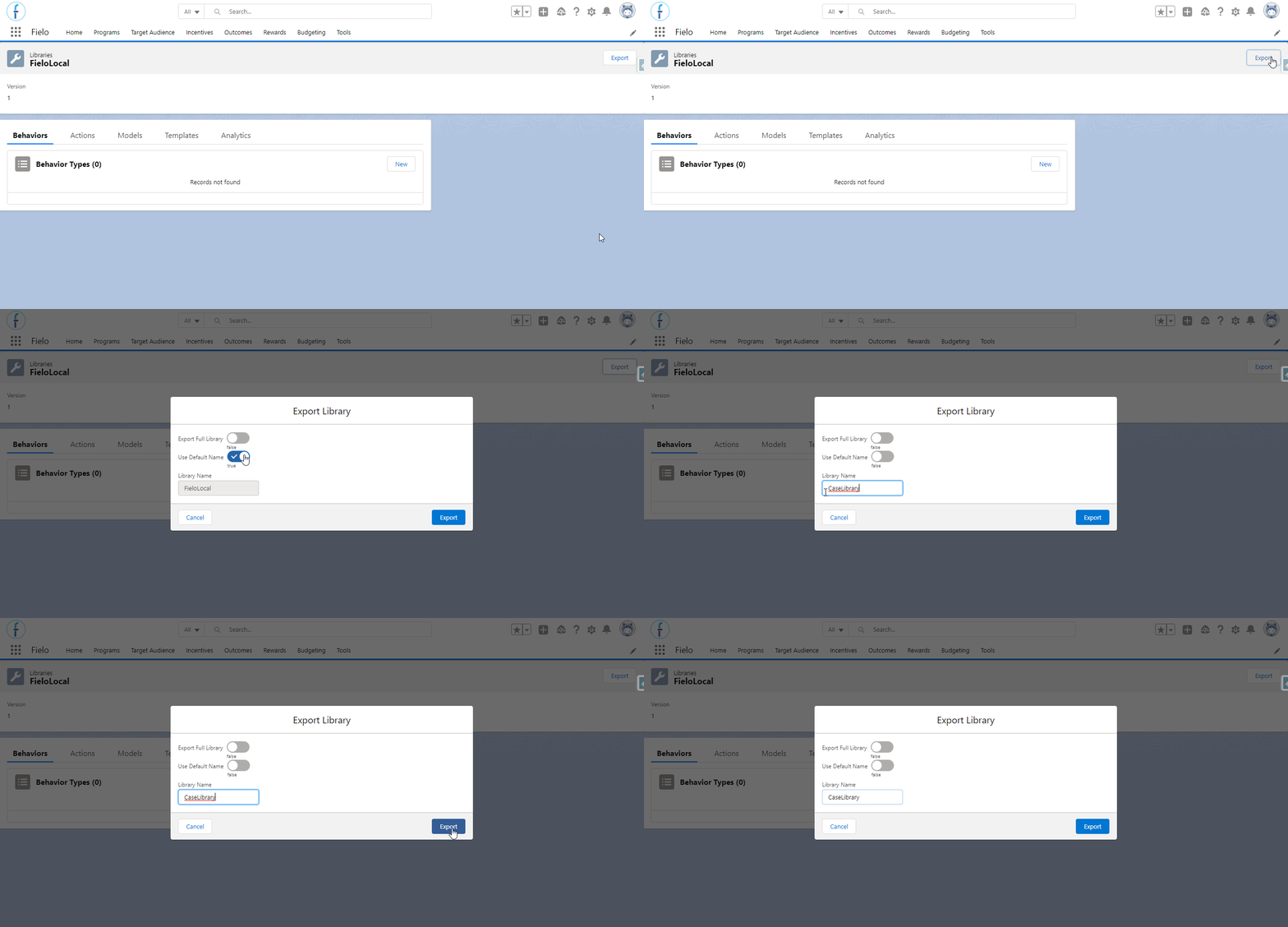
Exporting the library
Advanced Features
Take a look at the advanced features that you can use with libraries:
Import/Export and Data Portability Utilities
The Import/Export and Data Portability utilities provide a simple way for you to specify what data you want to export. Exporting is available for Programs, Members (via Data Portability), Incentives, Rewards and Libraries.
Understand better about that here.
Developer Mode
Trying to make the work easier for the developers who want to transfer the configurations done in one environment to another, Fielo makes it possible for you to develop a new library, change the default local library and publish it without too much trouble.
For that, you will need to activate the Developer Mode. See more details in our Developer's documentation.
Updated over 1 year ago