
Incentives
Create and configure Promotions and Challenges to engage your community
Incentives are Fielo's core feature. Create incentives to guide your customers and partners toward desired behaviors and drive their engagement with your brand.
Incentives include the Promotions and Challenges that target Member behavior. Members can be rewarded through Currencies, Instant Rewards and/or Instant Badges.

How Incentives Work
Incentives are where you define the behaviors you want to encourage and specify how you want those behaviors to be rewarded. They leverage Fielo's Single Action and Multi-Action Engines, which use Actions to track member activities on any Salesforce object, standard or custom. When criteria for rewarding has been met—that is, a member has performed the defined behavior(s)—a Transaction is generated to reward the winning member. It's that simple!
Promotions versus Challenges
When should I use Promotions?
Use promotions to incentivize any behavior(s) that you want to reward independently, that is, without considering any past behaviors a member has performed. Promotions leverage Fielo's Single Action Engine, meaning that Actions are tracked and evaluated on an individual basis. Members are rewarded immediately for performing targeted behavior types.
When should I use Challenges?
Use Challenges to incentivize any behavior(s) that you want to reward on an ongoing basis, that is, taking into account a member's complete history of performing the behavior(s). Challenges leverage Fielo's Multi-Action Engine, meaning that Actions are tracked and evaluated over the life of the Challenge. Members can be rewarded for performing the targeted set of behavior types either in real-time or at the conclusion of the Challenge.
Rebate in Challenges and Promotions
The rebate, by definition, is an amount paid by way of reduction, return, or refund on what has already been paid or contributed. It is a sales promotion tool that uses payback as an incentive, mostly aiming to improve a company's income or increase the sales of a specific product or its category.
It can be seen as a rewarding that is more motivational than regular Points (which would be exchanged for something later), incentivizing even more your partners to perform an action you want them to. In Fielo, rebate is represented by the Payout feature, a way of giving back to your partners - in cash - a fixed amount or a percentage of something's total value: an Opportunity closed, a goal reached or a product bought, for example.
Creating Incentives
Check Promotions and Challenges to see how you can create Incentives.
Incentives: Views & Status
After adding some Incentives, you may need to move along their different views depending on their status. You will find them split by: All (shows all Promotions and Challenges, Draft, Scheduled, Active, Edited, Inactive and Ended.
The incentives are also divided by Program. If there's more than one Program available, you can choose the Program you wish Incentives to be created in.
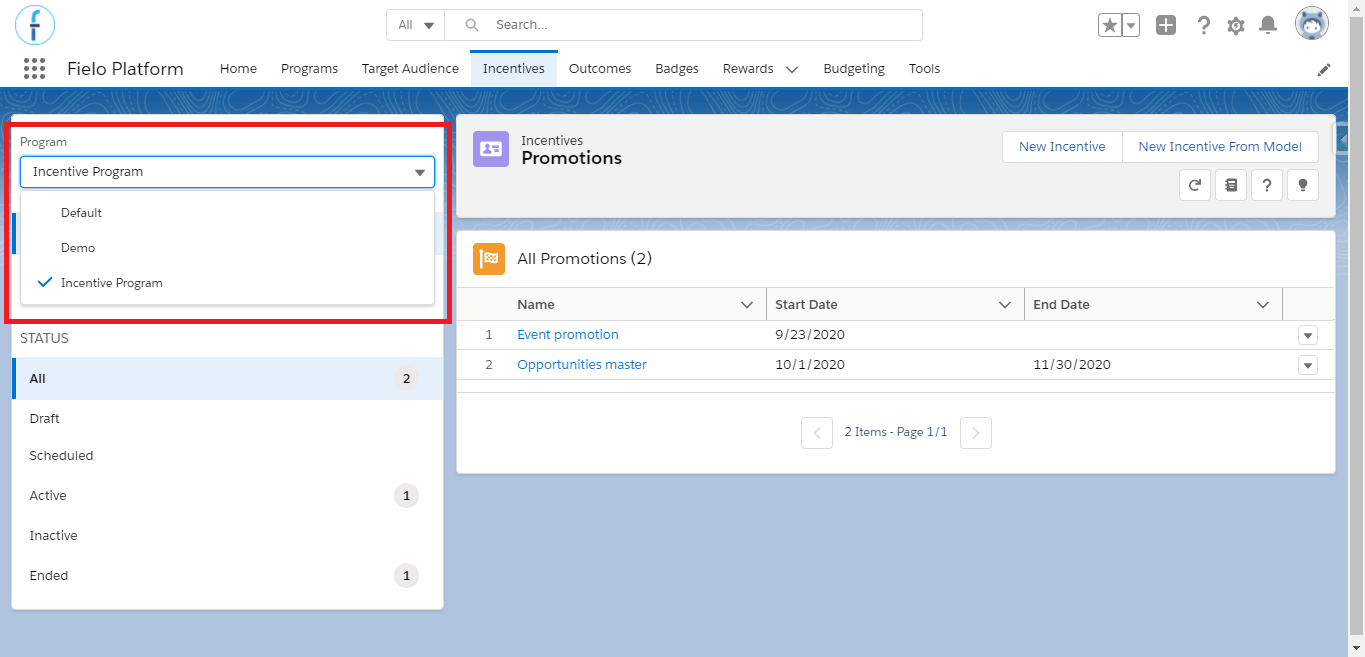
Multi Program Management
Incentives go into a range of 7 different status, each allowing you to perform certain actions:
- Draft: Promotions or Challenges will be Draft when they're created and there is no Approval Process set. Promotions and Challenges become Active either by manually enabling them or when the corresponding Batch Processes are executed.
- Active: Incentives will appear as Active when they fall within the active period you set, that is, when they range between their Start and End Date (if established) or as of their Start Date.
- Pending: Promotions and Challenges include an Approval Process set which needs to be approved before moving towards status Active. The Approval Process must have a criterion set as follows:
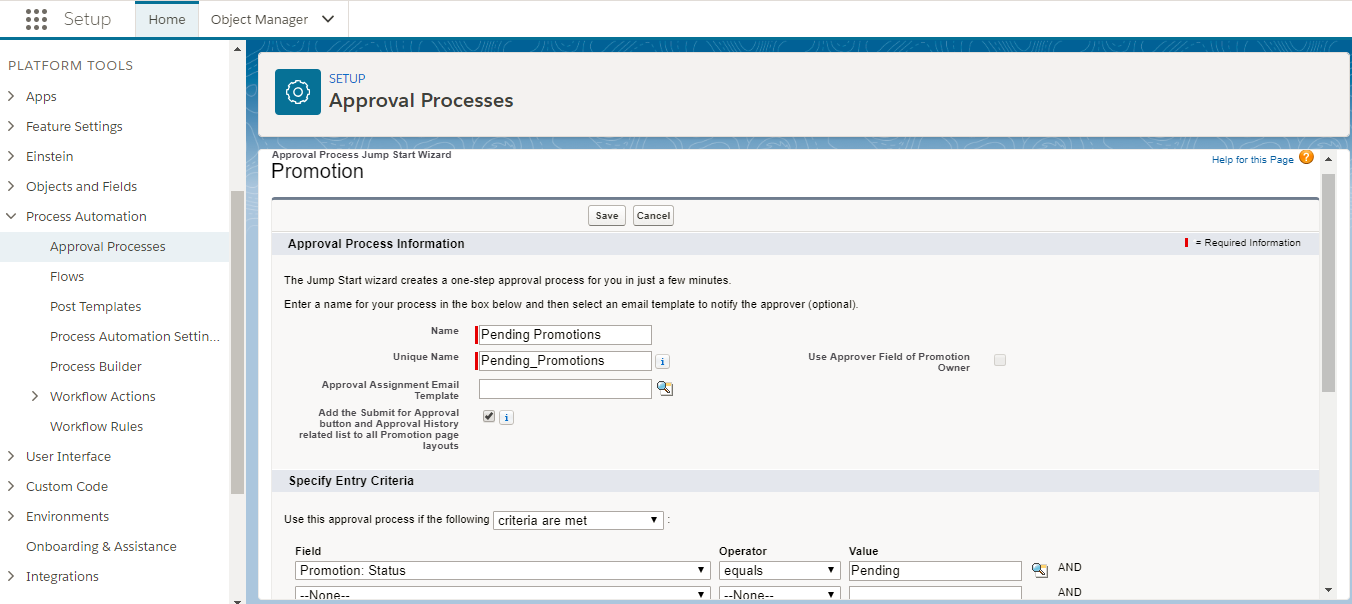
Approval Process for Pending Incentives
- Edited: They will be Edited when you have changed something in an Active or Scheduled Incentive and didn't apply the changes.
- Scheduled: Promotions and Challenges will appear as Scheduled when their Start Date is later than the current date. Processing takes place when the corresponding Batch Processes are executed.
- Inactive: Incentives which have been manually disabled.
- Completed: status when a Promotions and Challenges has an End Date that has already passed.
The Incentives are automatically updated once a day. However, you can perform this update immediately by running a Batch. From Batch Execution page, click Run in the rows named Promotion Status and Challenge Status.
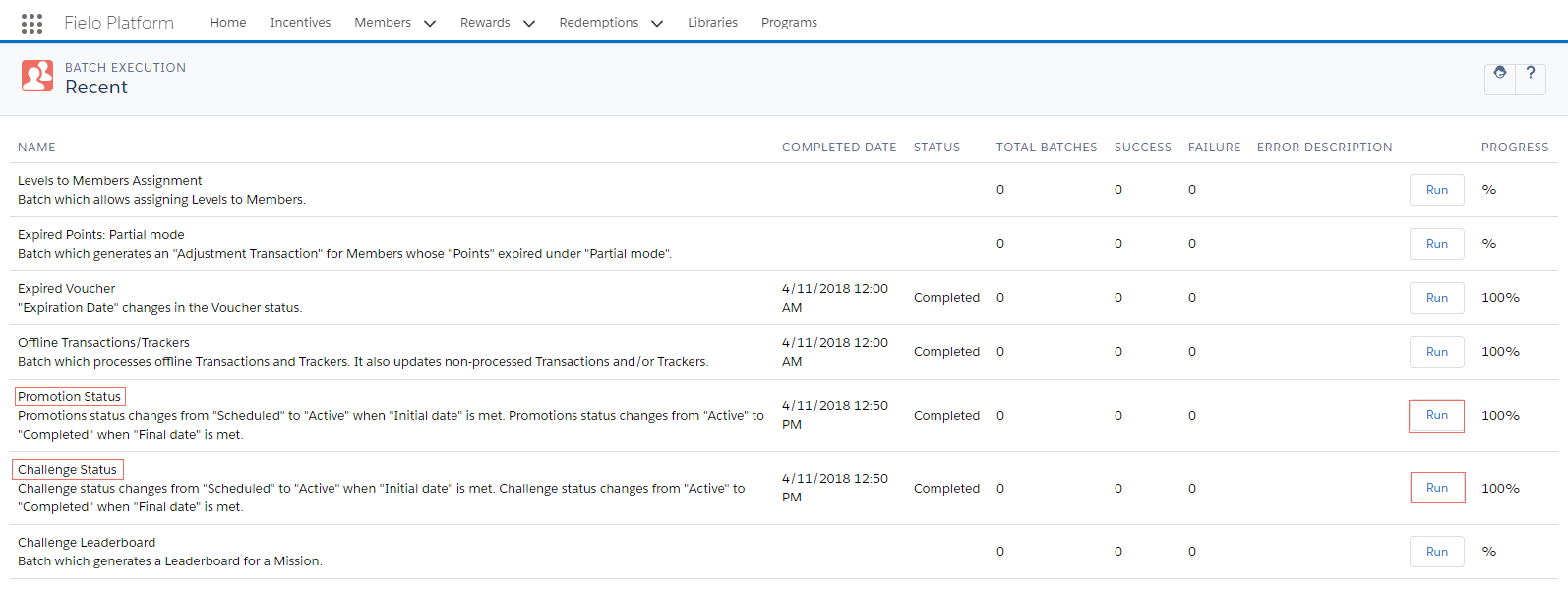
Incentives Statuses - Batch Processes
Extend Incentives FormYou can extend the Incentives form in order to add more fields. See how to do that in our Extending a Form page.
Incentives Management Tools
Several tools are part of Incentives tab to let you manage general configurations for Incentives, both Promotions and Challenges. This available only through Classic view.
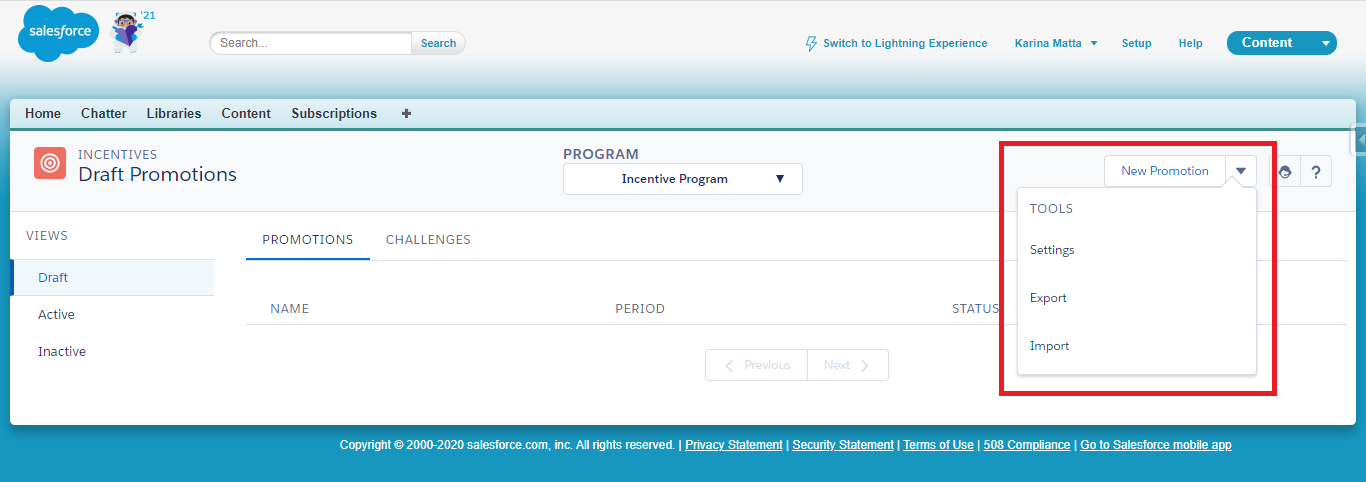
Program management tools in Classic View
Page Settings Management
It allows you to customize Incentives Landing and New page design by using the applicable Page Settings configuration.
Export
It lets you export all data stored in Incentives, which can include Promotions and Challenges, along with their Rules and Missions, Challenge and Mission Rewards from the chosen Program.
When exporting, you'll obtain a file in a JSON format containing the following object hierarchy:
Incentives (FieloPLT__Incentives__c)
FieloPLT__Promotion__cFieloPLT__Rule__cFieloPLT__Criterion__c
FieloPLT__KPIDomain__cFieloPLT__EmailCampaign__c
FieloPLT__Challenge__cFieloPLT__ChallengeReward__cFieloPLT__Mission__cFieloPLT__Criterion__cFieloPLT__ChallengeReward__c
FieloPLT__KPIDomain__cFieloPLT__EmailCampaign__c
Updated over 1 year ago