
Libraries
Libraries are stacks which extend Fielo's functionalities. They comprise a suite of data such as Behaviors, Actions and Models designed to achieve more capabilities for your incentive and loyalty program.
Each Fielo package includes its own reusable Library. For example, if you install and setup Proof of Purchase, you'll have its corresponding library, FieloPRP, installed and ready to be enabled. You can also have and manage your own Library - FieloLocal Library - in which you can save all your custom-made Behaviors, Actions and Models to reutilize as you like.
Managing Libraries
You can manage libraries from the Tools tab, in the Libraries section. By default, all libraries are Inactive, but we guide you through how to enable them every time you install a new package - i.e. when installing and setting up Fielo, one of the last steps you need to do is to enable FieloPLT Library; when you're setting up any Incentive and Loyalty Apps, we walk you through how to enable their corresponding Libraries (i.e. FieloPRP, FieloELR, FieloBCP).
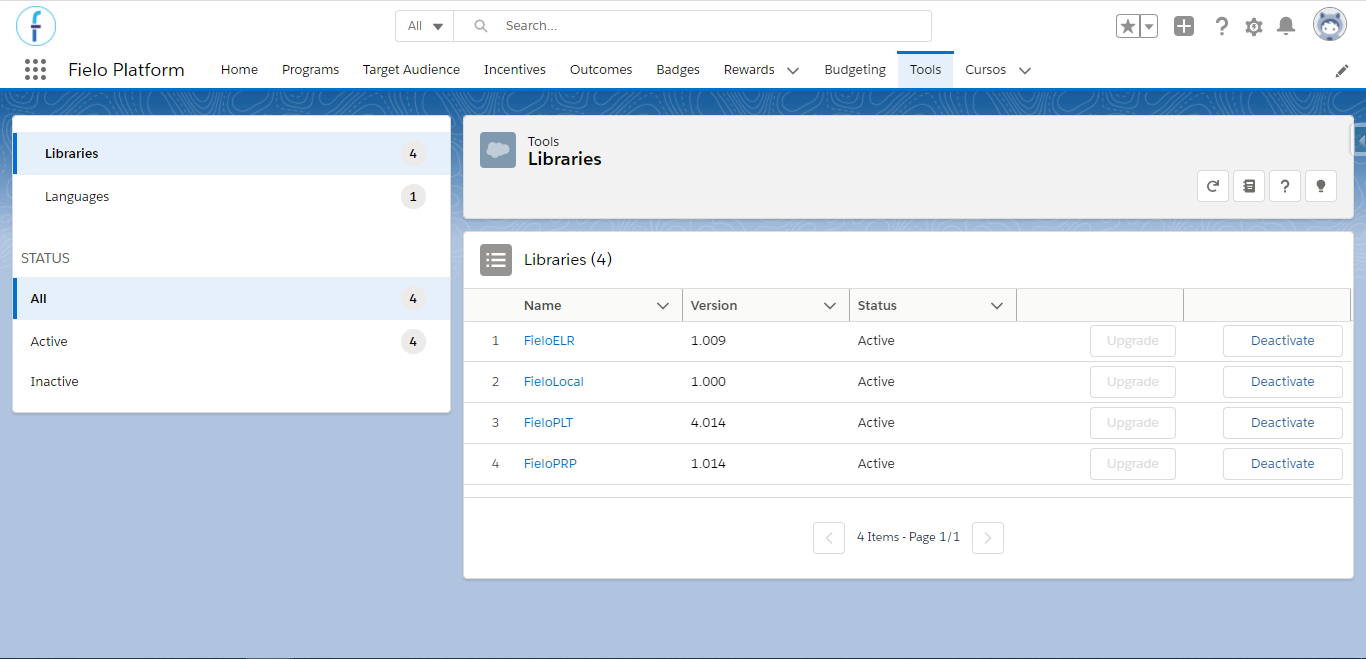
Libraries
Upgrading Libraries
Libraries might change when upgrading Fielo. In the event of a new version of a Library is available, you'll be given the option to upgrade them. To do so, just click Upgrade next to the Library status and you are all set.
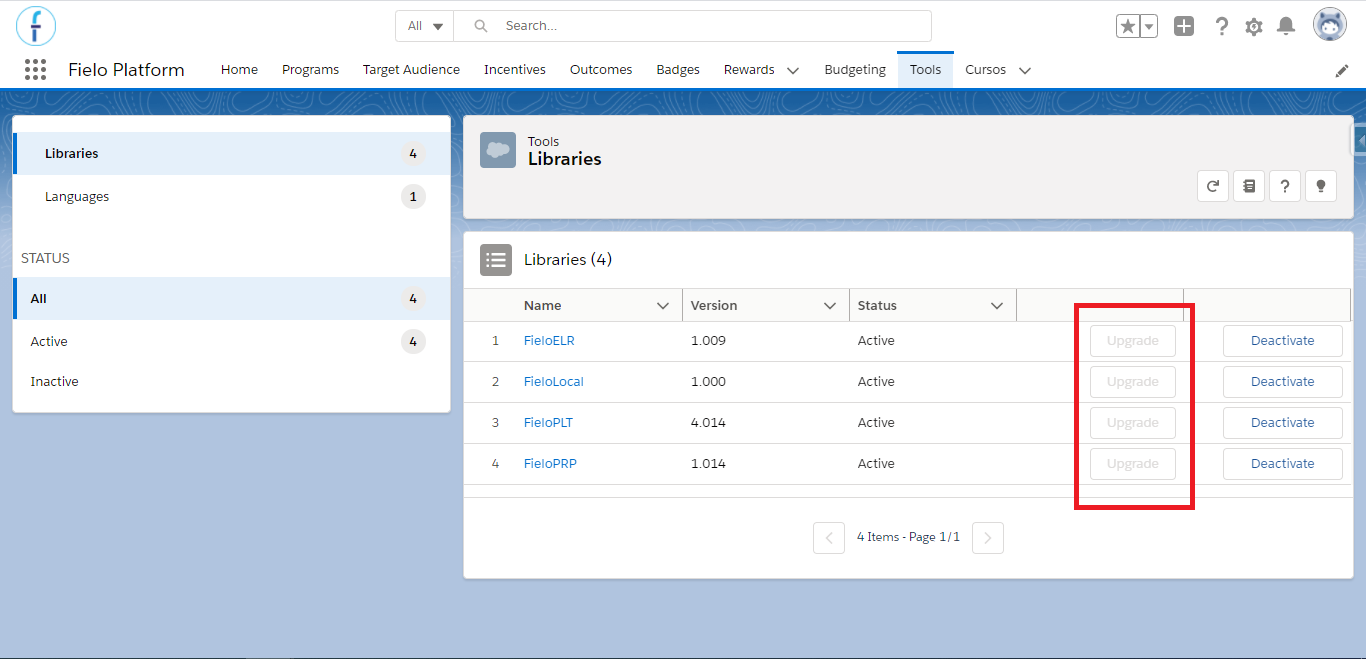
Upgrading FieloPLT Library
Once you've upgraded, note that the Version Number has also changed, displaying the newly updated version. In this example, we've upgraded FieloPLT, but the process is the same for all other installed packages, such as FieloPRP, FieloELR, FieloBCP, etc.
FieloPLT Library
Fielo comes with its own default library called FieloPLT. It includes by default Behaviors, Action, and Models.
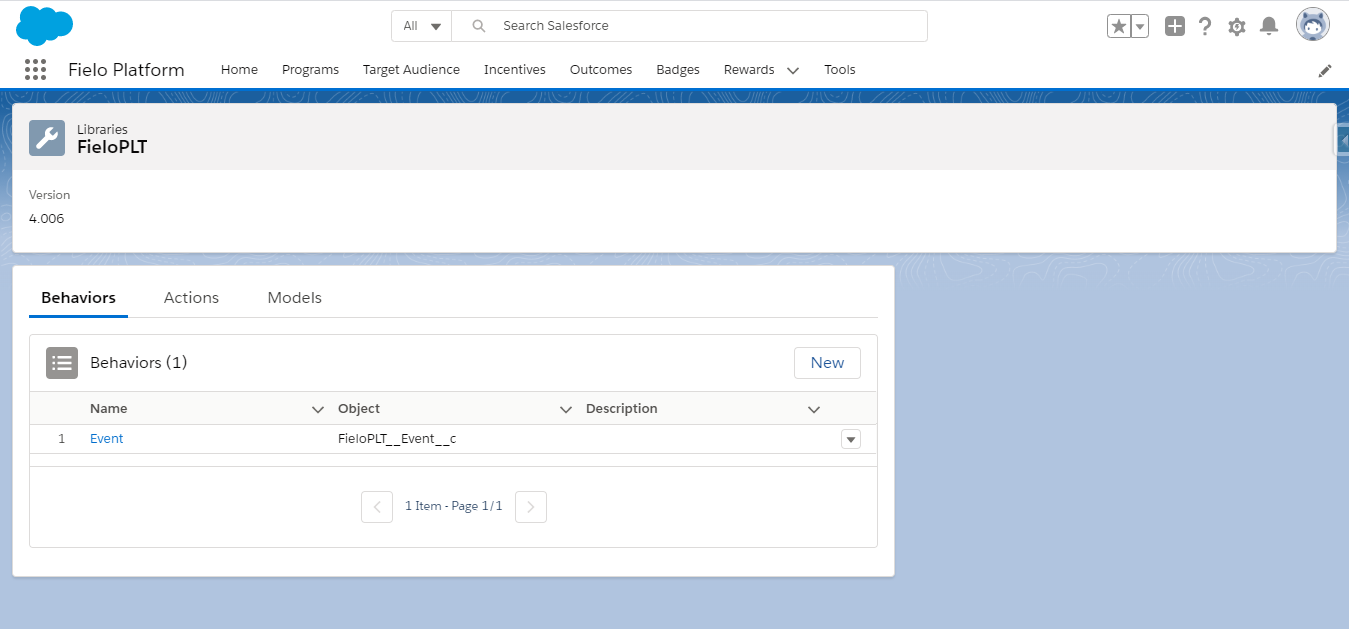
FieloPLT Library
Behaviors
Behaviors let you decide what Salesforce objects you want to create incentives for. You can choose to drive a particular behavior by using the Single Action Engine- for example, award your members every time they log in to your loyalty portal - or you can encourage your members to carry out a set of activities in certain order, time frame or number by means of Multi-Action Engine - e.g. you award your members after logging into your portal 5 times.
Single Action Engine is externalized in Promotions, the same way Multi-Action Engine does so in Challenges.
Actions
Actions let you decide which practices and participants you want to incentivize. To create an Action, first you need to create a behavior that's associated with a Salesforce object.
Models
Models are pre-configured, reusable Incentives and Programs templates you can use to create Programs and Incentives easier and faster. FieloPLT library doesn't come with any Model, but some other Fielo packages, such as Proof of Purchase or E-learning, do bring some Models you can start using from scratch.
You can create new Models and reuse them any time you want! All of your own created Models are stored in FieloLocal library.
Activating and deactivating FieloPLT Library
You must enable FieloPLT library to use Fielo, as it contains all Page Settings that control every page layout and design. For that reason, it's one of the last step while setting up Fielo.
To enable FieloPLT library - and any other Library as well - just hit Activate on the right area of the Inactive section on the Tools tab. You'll see how FieloPLT moves from Inactive to the Active section, which makes it ready for you to click and access it.
Inactive FieloPLT LibraryIf FieloPLT library is inactive you won't have access to any Fielo pages.
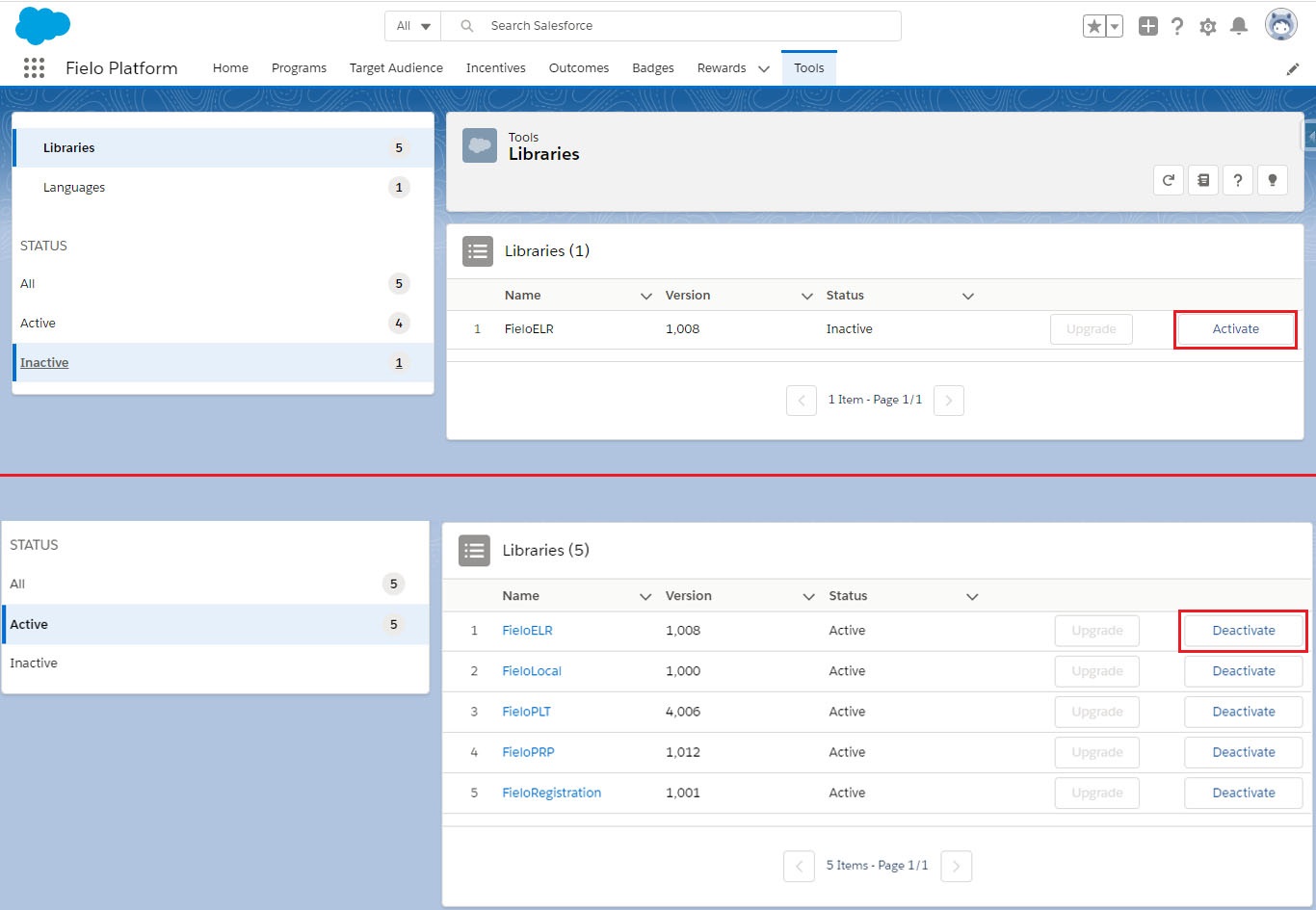
Activating FieloPLT Library
Get from GitHub
You can access our Github public repository, which includes different plugins to extend Fielo functionality. These plugins may be used for several specific solutions which can be applied to any of your customers' particular needs.
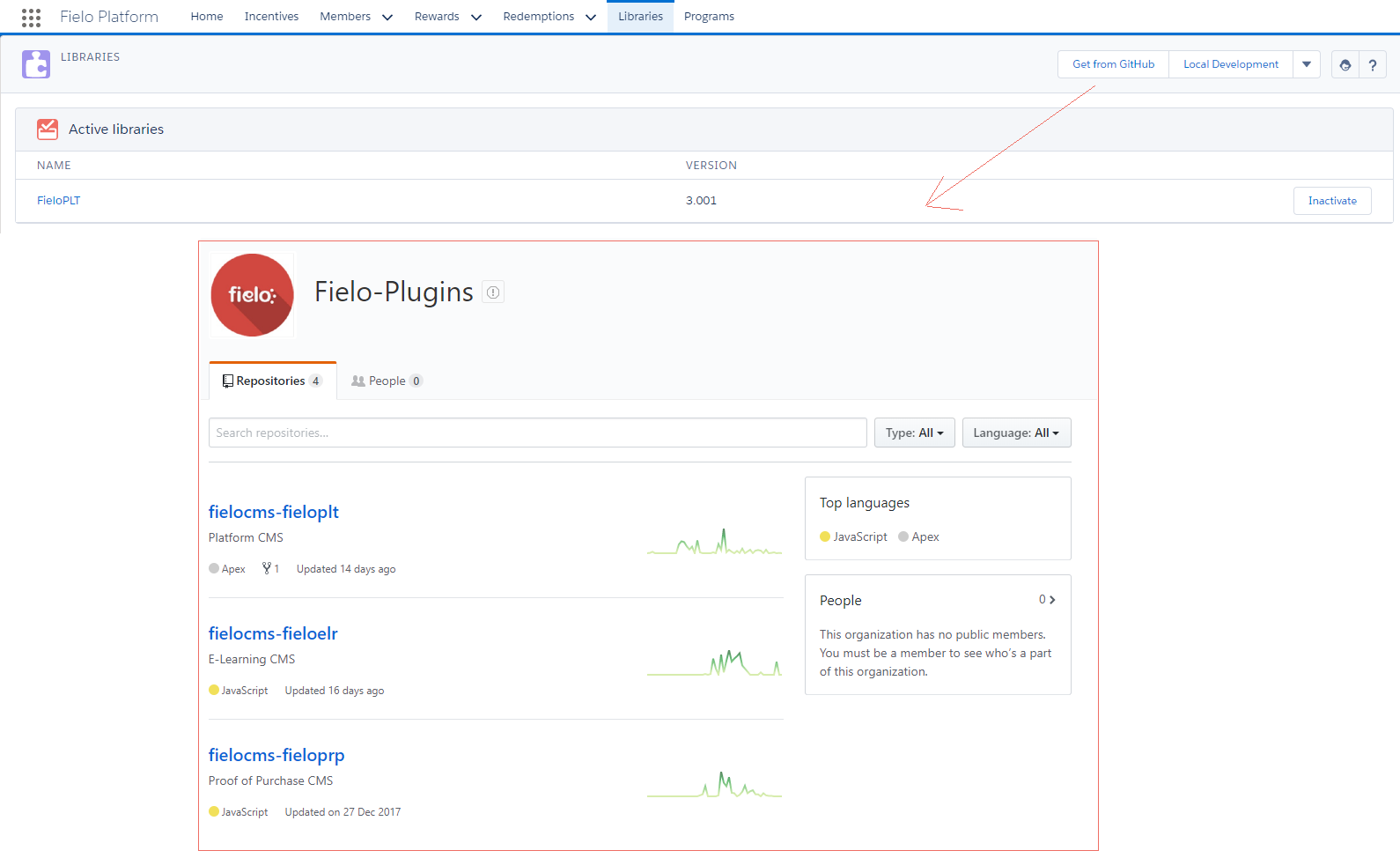
Get from Github
FieloLocal Library
FieloLocal library represents a local repository you can use to create and store your own Behaviors, Actions and Models, independently of the default Libraries that come after installing different Fielo packages.
To enable FieloLocal library - and any other Library as well - go to the Tools tab and select Libraries. On the Inactive status section, click Activate.
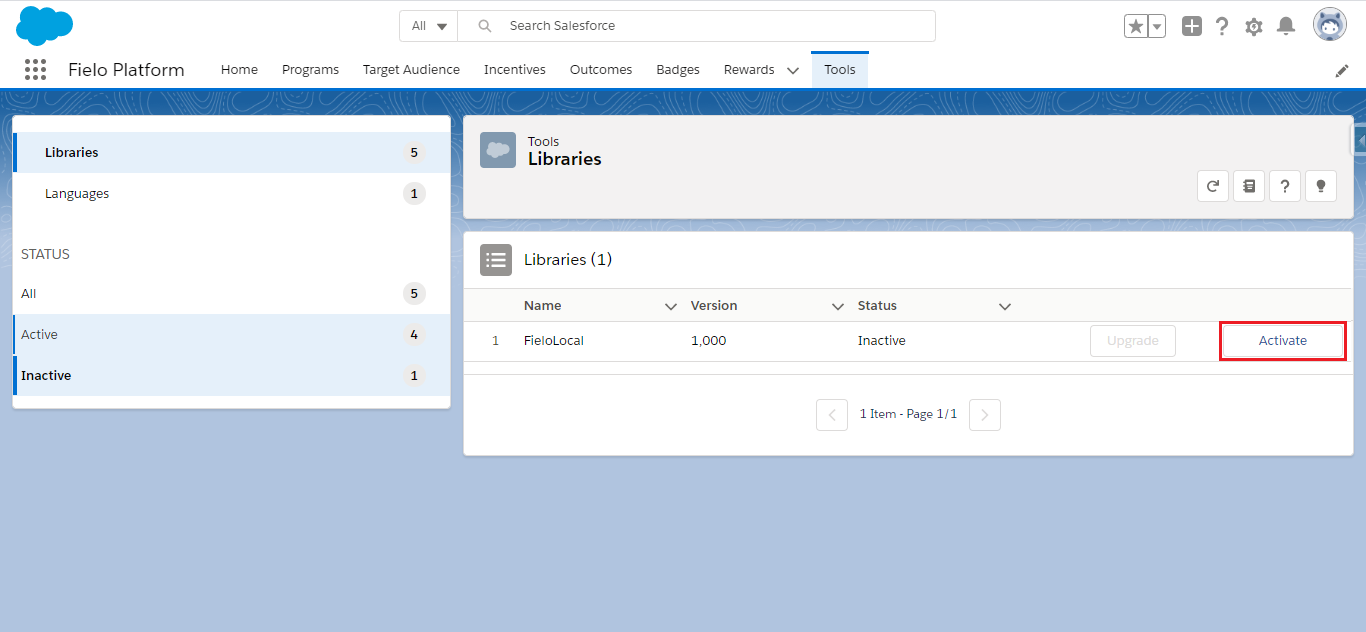
Activating Local Library
Once you've accessed FieloLocal, you are free to create all the Behaviors, Actions and Models you want!
Advanced Features: Import/Export and Data Portability Utilities
The Import/Export and Data Portability utilities provide a simple way for you to specify what data you want to export. Exporting is available for Programs, Members (via Data Portability), Incentives, Rewards and Libraries.
Understand better about that here.
Updated over 1 year ago