
Uninstalling Fielo
We hope you never have to, but you may one day need to uninstall Fielo.
First thing's first: all data stored in the Fielo app, including any custom fields or components, will be removed. It's a good practice to back up your data before starting.
There are some important details you must pay attention to when uninstalling any Salesforce package, since there can be dependencies that hinder the process:
- Active custom components (e.g. Objects, Fields, Apex Classes, Triggers, Process, Flows…) may be executing a process in your org and, as a consequence, prevent the uninstall. In order to avoid that, deactivate them.
- Since Salesforce won’t allow you to uninstall a package whenever a component not included in the uninstall references any component in the package, remove all references to Fielo managed package components in your org.
Before uninstalling, we suggest you seek out whoever helped you install Fielo - an implementation partner, for example - in order to ask for their assistance in analysing what will be lost. It is your responsibility to ensure your Salesforce organization operates as expected after uninstalling Fielo.
To begin, go to Setup. Search for and select Installed Packages.
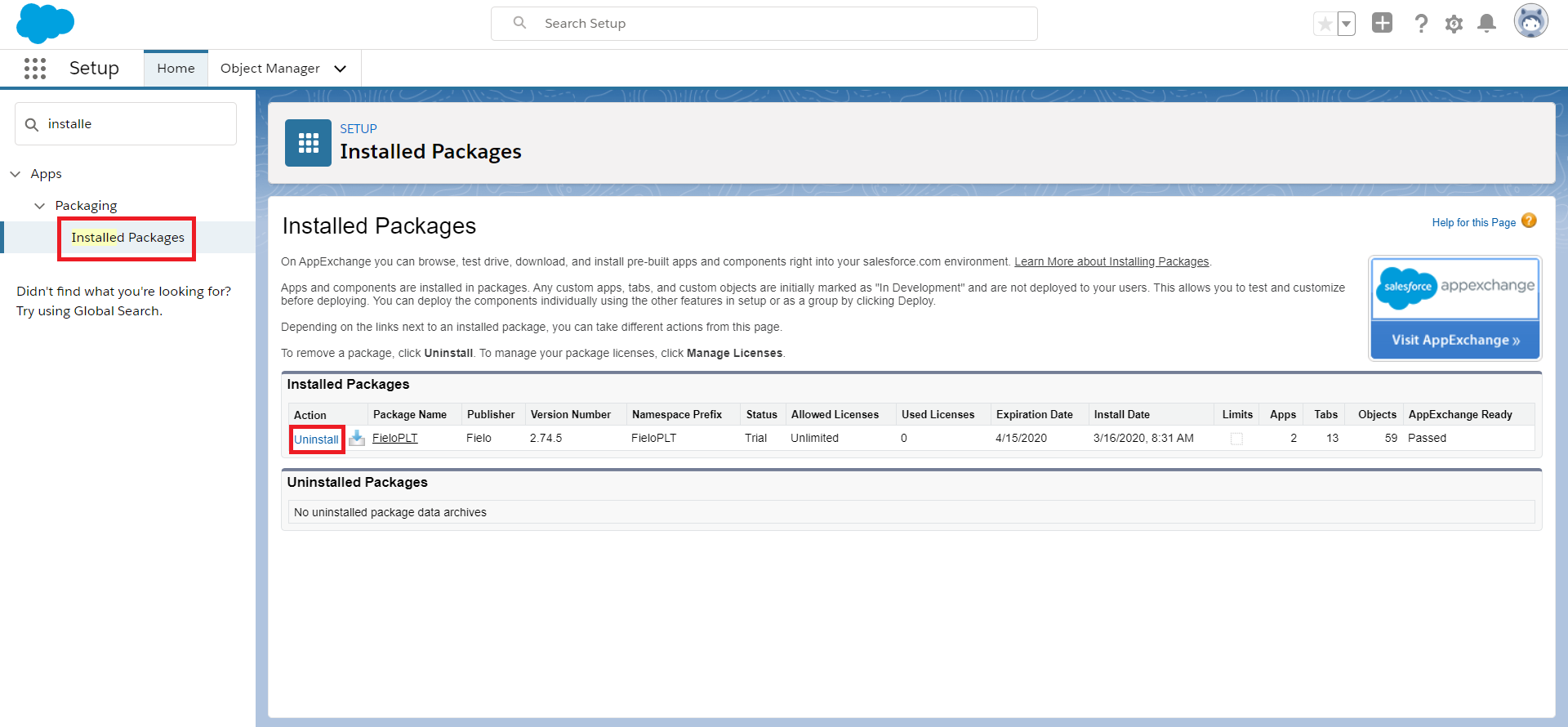
Look for Fielo's package and, under Action, select Uninstall. Salesforce will ask if you're sure. Select Yes, I want to uninstall and click Uninstall.
If you have any customizations that impede the uninstall process, Salesforce will show you:
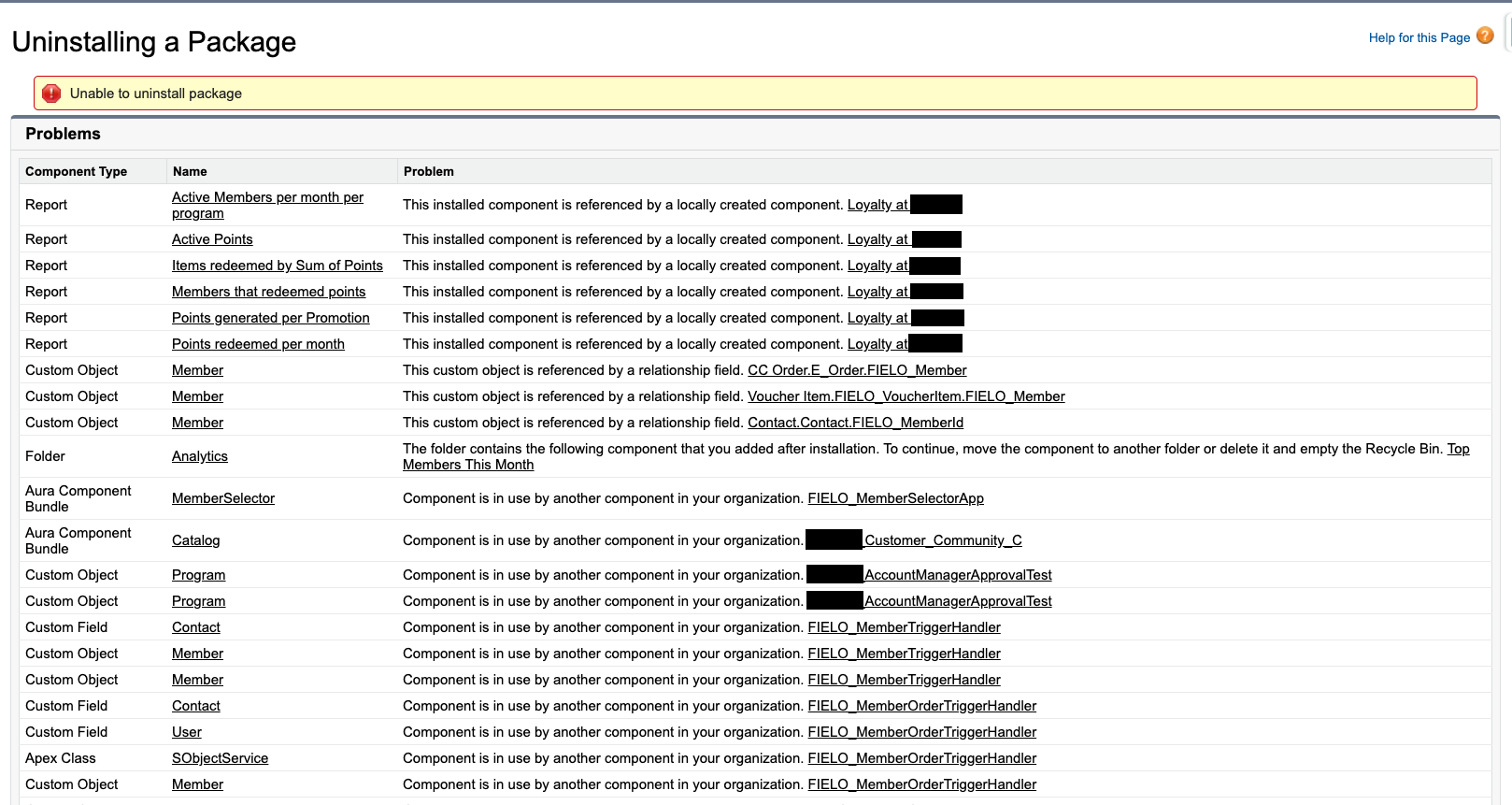
In this case, you will need to manually remove each dependency listed.
When you uninstall Fielo, Salesforce will create a file containing some of your data, such as package data, associated notes, and any attachments, and will send a link to the export file to you via email. Remember to save the file in your computer or somewhere else, because it will be deleted from the server after only two days.
For more information, please refer to Salesforce's uninstalling guide and best practices.
Updated over 1 year ago