
Fielo with REST API Services
If you plan to use Fielo with Fielo REST API services, follow the steps below.
Before Starting
First thing's first: log into your Salesforce org and make sure you have system administrator permissions. You'll also want to confirm that your org has the Authenticated Website license.
1. Install Fielo
Now that you've created a profile for the REST API, you're ready to install Fielo in your org.
-
Click here to access the installation package.
-
Select Install for Admins Only.
-
Click Install. When the installation process is finished, you (or the org admin) will be notified by email.
-
Once Fielo is installed, go ahead and configure the Fielo REST API.
2. Setting up Domain
Before going on, make sure that your Org has a Domain.
Production Orgs created in Salesforce Winter ’21 version and later have a My Domain by default, but if yours doesn't, check here how to create it.
3. Ensure Email Deliverability
From Salesforce Setup, navigate to Deliverability. Make sure the e-mail access level is set to All email.
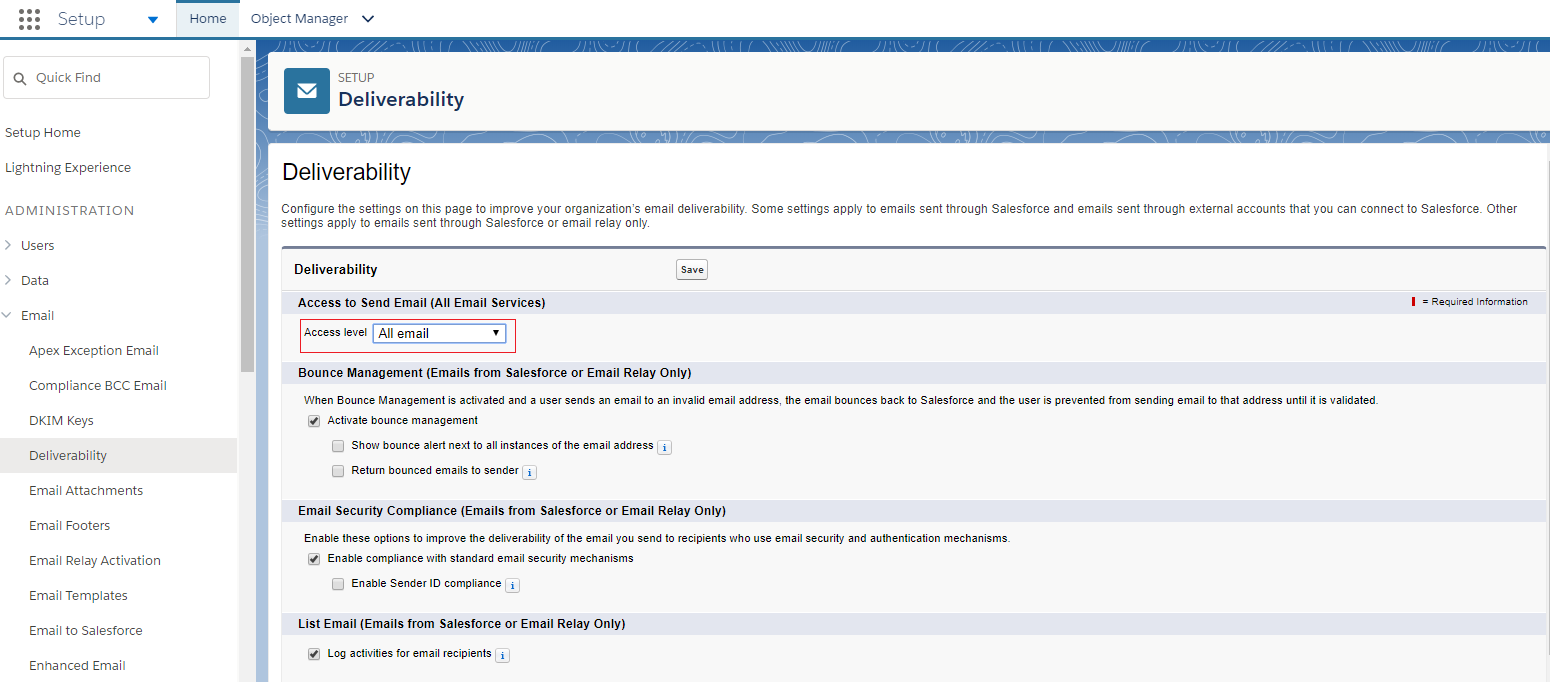
4. Assign Permission Set
Still on the Salesforce Setup, go to Permission Sets and click on the permission set labeled Fielo REST.
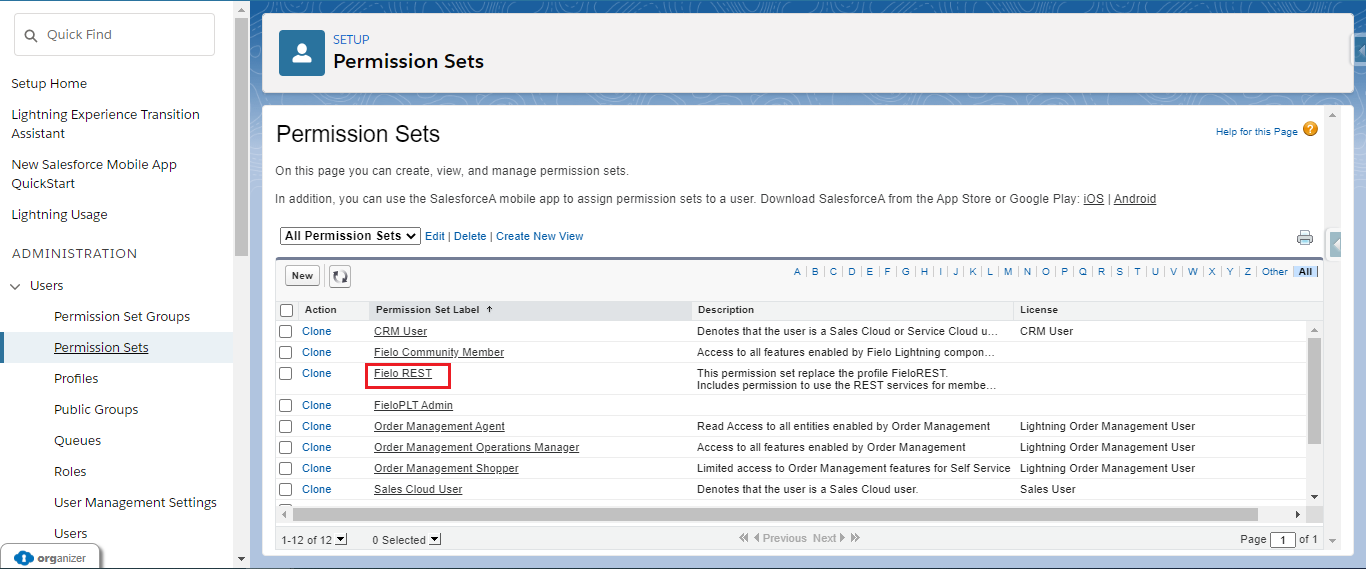
You'll find the button to Manage Assignments on the top of the page. Click it.
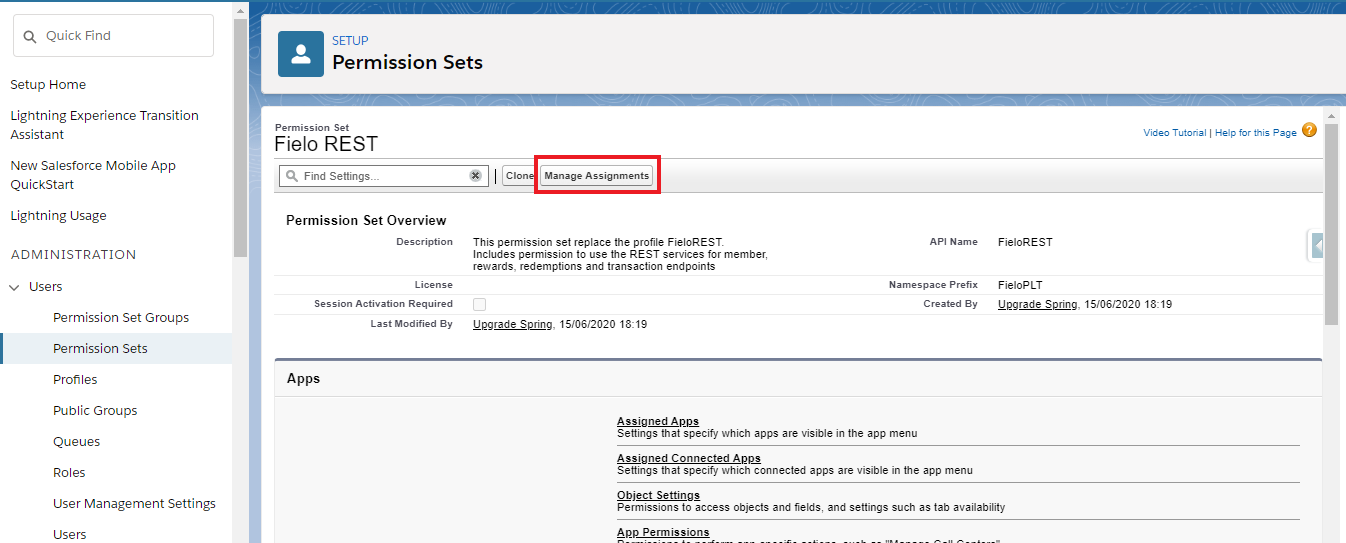
Click on Add Assignmentsand select the users who will be using Fielo's REST APIs and click Assign.
Standard permissionsOther than the Fielo REST, Fielo automatically creates a Permission Set named FieloPLT Admin, which has all the permissions needed to work with Fielo standard objects. Therefore, all users that will work with the platform should have this Permission Set assigned to them.
In case you create your own custom objects to incentivize through Fielo, you'll need to clone the FieloPLT Admin and add the new object(s) permissions to it.
5. Enable Libraries
After installing, you'll want to activate our full feature set by enabling the FieloPLT library.
Click on the App Launcher and choose Fielo Platform. From the Tools tab, make sure that you are in the Libraries section and click Activate next to FieloPLT.
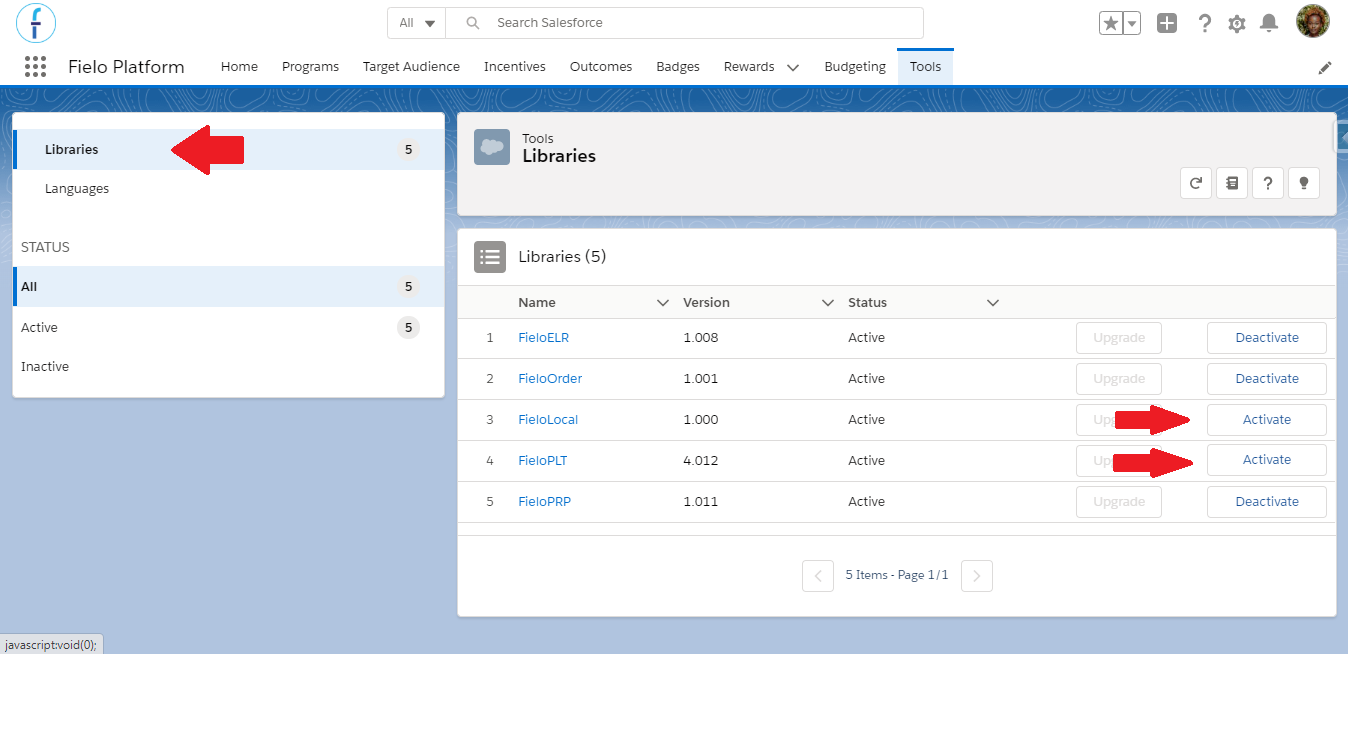
While you're here, go ahead and activate the FieloLocal library, as well. This way, you'll have a place to store any actions, models, or page settings that you create later on.
Great job!You're ready to start using Fielo with our REST API.
More Details About Installing Fielo
How long does it take to install?
Our main package, FieloPLT, takes 20 to 25 minutes to install on your org.
What does my org need to have in order for me to be able to install Fielo?
FieloPLT requires at least 3MB of platform cache available to allocate.
What do I need to have in order to use Fielo?
This really depends on how you plan to use Fielo; on which features you are going to use. For example:
- If you want to create a member portal, you will need to enable Digital Experiences.
- If you want to enable our metadata automation (Behaviors, Currencies and Fund Allocation Rewarding), you'll need to configure a remote site.
- If you plan on using Funds as a rewarding type, you'll need to have Partner Lincenses in your Org and Digital Experience enabled.
Updated over 1 year ago