
Models
Create and use Models
Models are pre-configured, reusable templates you can use to create Programs and Incentives easier and faster. FieloPLT library doesn't come with any model out of the box, but some other Fielo packages, such as Proof of Purchase or E-learning, do bring some Models you can start using from scratch.
You can create new Models and reuse them any time you want! All the models you created are stored in the FieloLocal library.
Using Models
You can use Models directly when creating a new Program or Incentive. You'll notice the available Models you can choose as they will appear in the Select a Model section. For example, if there's an existing Program model, you'll be able to choose it when creating a new Program:
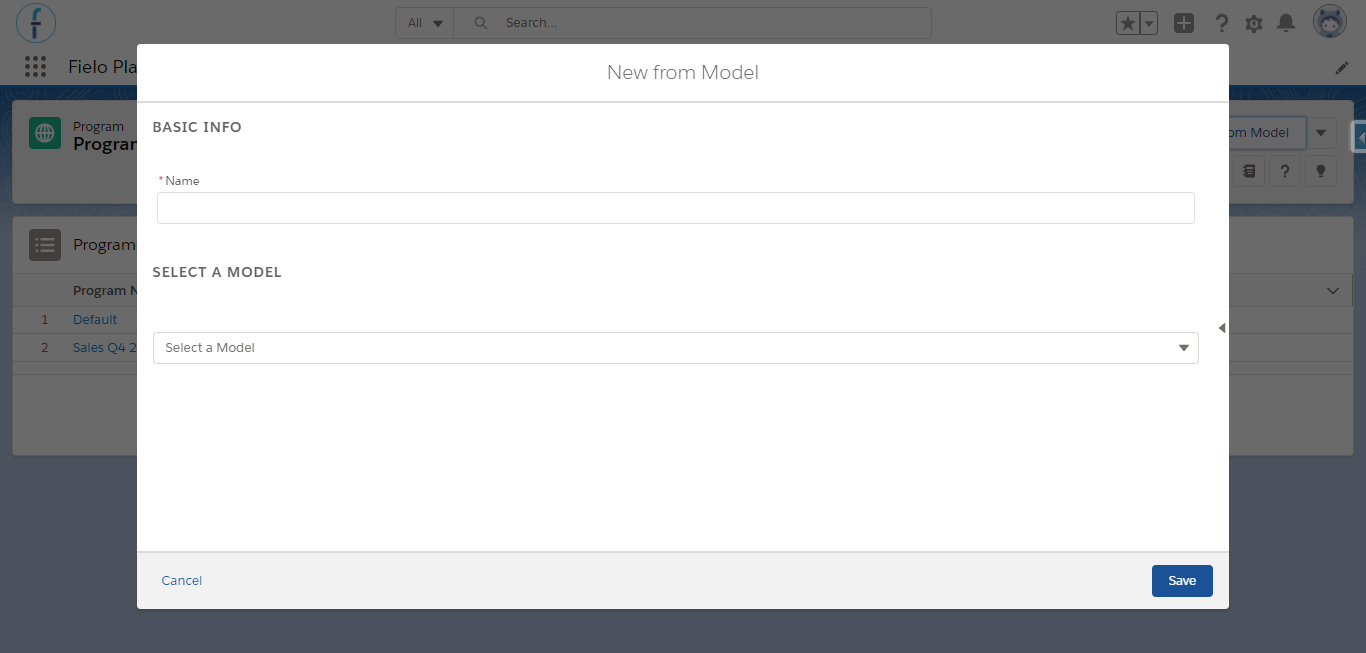
Program Model
If you're using some of our Incentive & Loyalty Apps such as Proof of Purchase or E-learning, you'll find some existing Models available when selecting each of their Libraries, either FieloPRP or FieloELR.
Creating Models
It's also possible for you to create your own Models. There are two ways in which you can create them:
Save as Model
Imagine that you've created some Incentives with a structure, Agreement, Rules and Missions and built in and all the settings you're really happy with, you may want to save it as a Model so you can use the same structure again. To do this, from the Incentive detail page, simply click on the on the top right of the page, and select Save as Model.
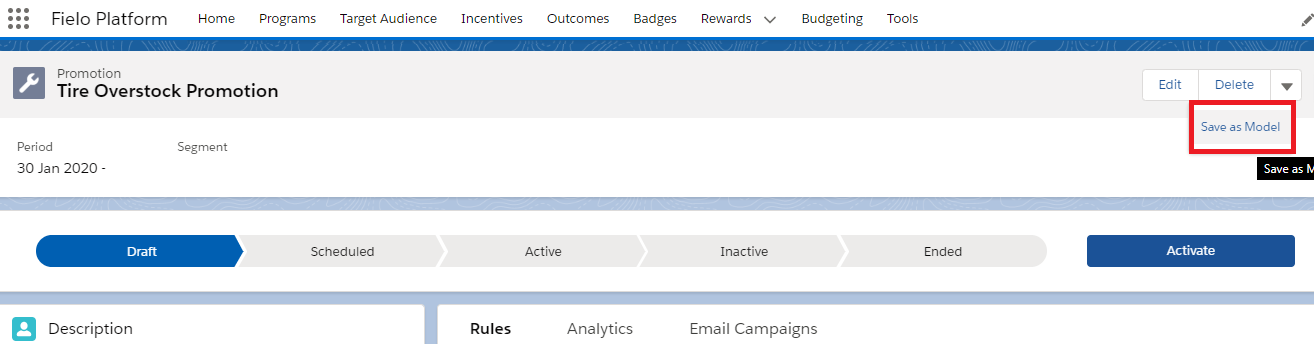
Saving a Promotion as Model
You can also do the same for Programs:
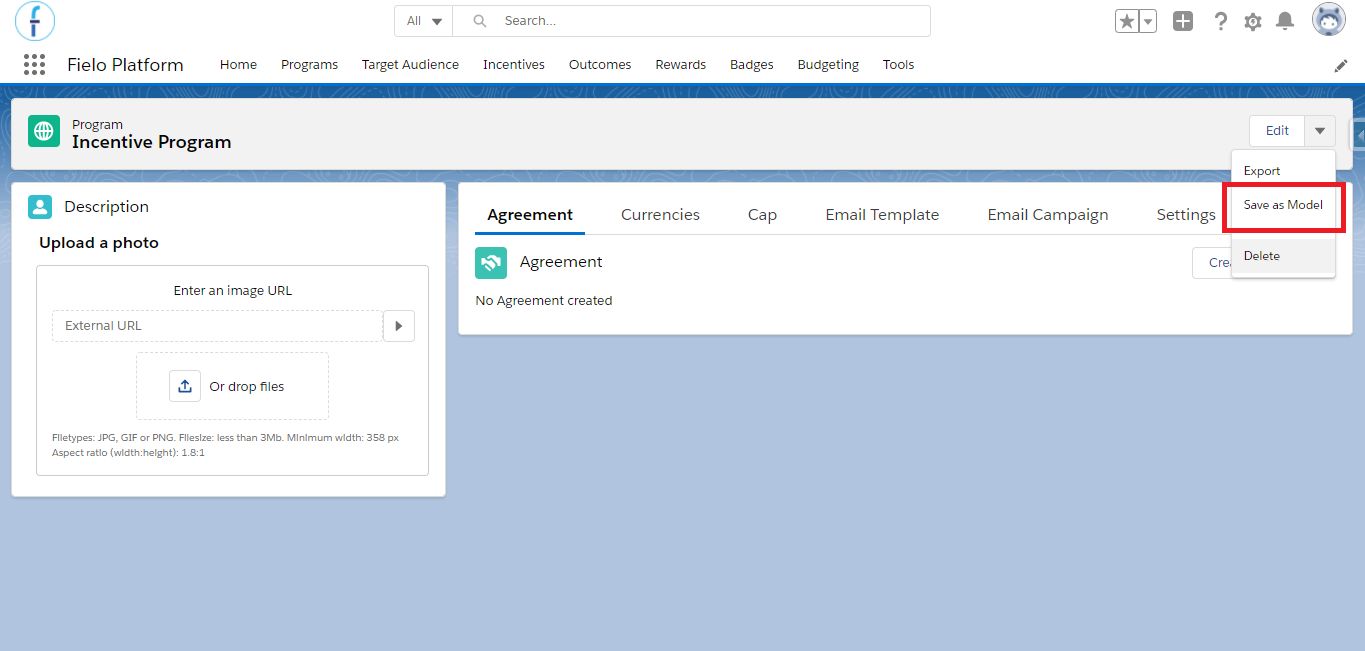
Saving a Program as Model
From Models card
If you prefer, it is also possible to create it directly from the Models tab. Go to Tools, click on Libraries and select FieloPLT. From there, click on the Models tab and hit New. Simply give it a name and select a Type depending on which type of Model you're uploading and include the JSON representation of the Model Type.
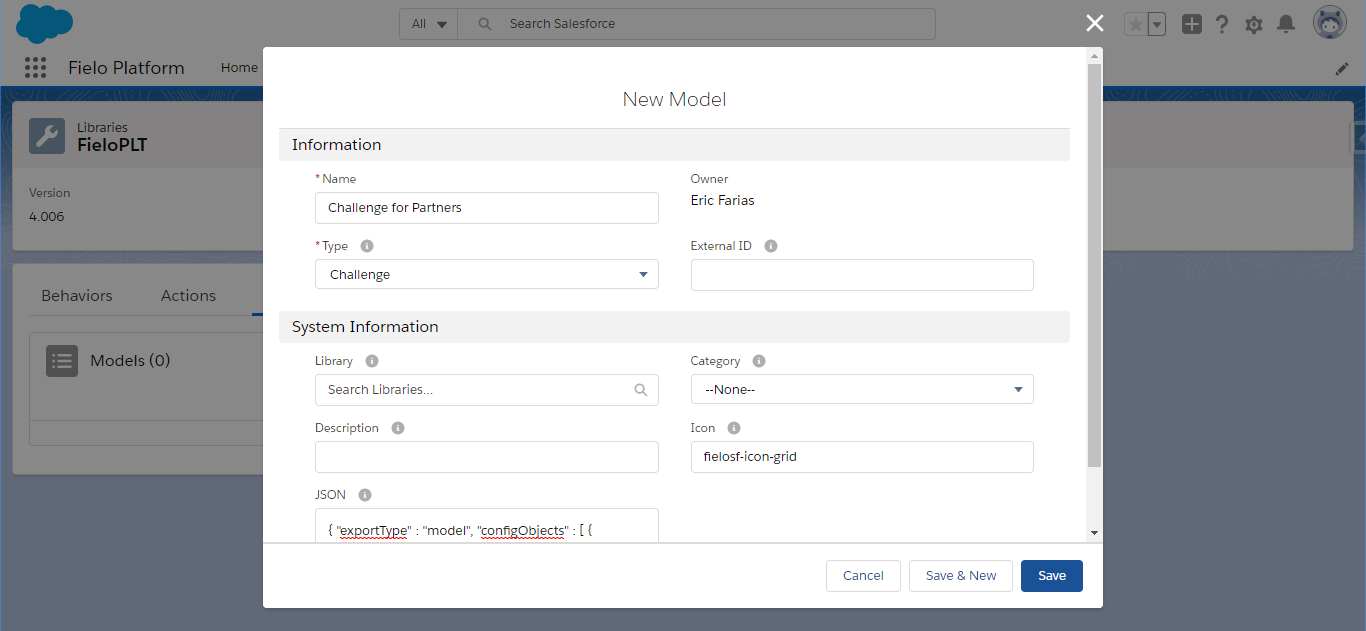
New Model
In most cases, you'll be including a JSON representation obtained by previously exporting an existing Program or Incentive. Note that Export for Incentives is not available in Lightning Experience, only through Salesforce Classic View.
Save as ModelIncentives - both Promotions and Challenges - and Programs which were previously Saved as Model are automatically listed in the Model card under its corresponding Type.
LimitationsThere are some limitations to create Models. Check more details on that at Fielo Platform Limitations.
Updated over 1 year ago