
Team Challenges
Challenges allow you to incentivize your members to work together in teams toward a common goal.
When incentivizing teams composed of Individual Members, be sure your missions are using actions that target Individual Members. Same for Organization Members -- if your teams are made up of Organization Members, make sure you incentivize actions targeting Organization Members.
In order to add or remove teams, click the Manage button.
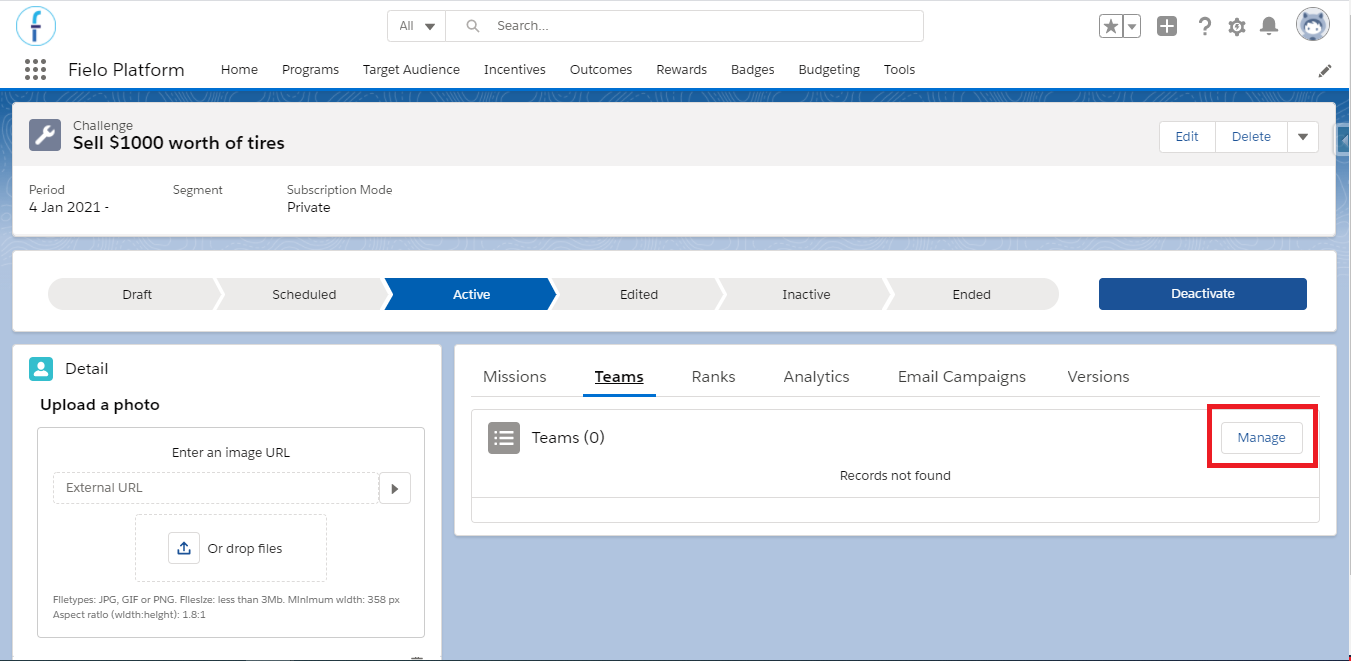
Ensure you have created a team before this pointIn order for you to manage teams for your challenge, you will need to create a team first.
Adding Teams
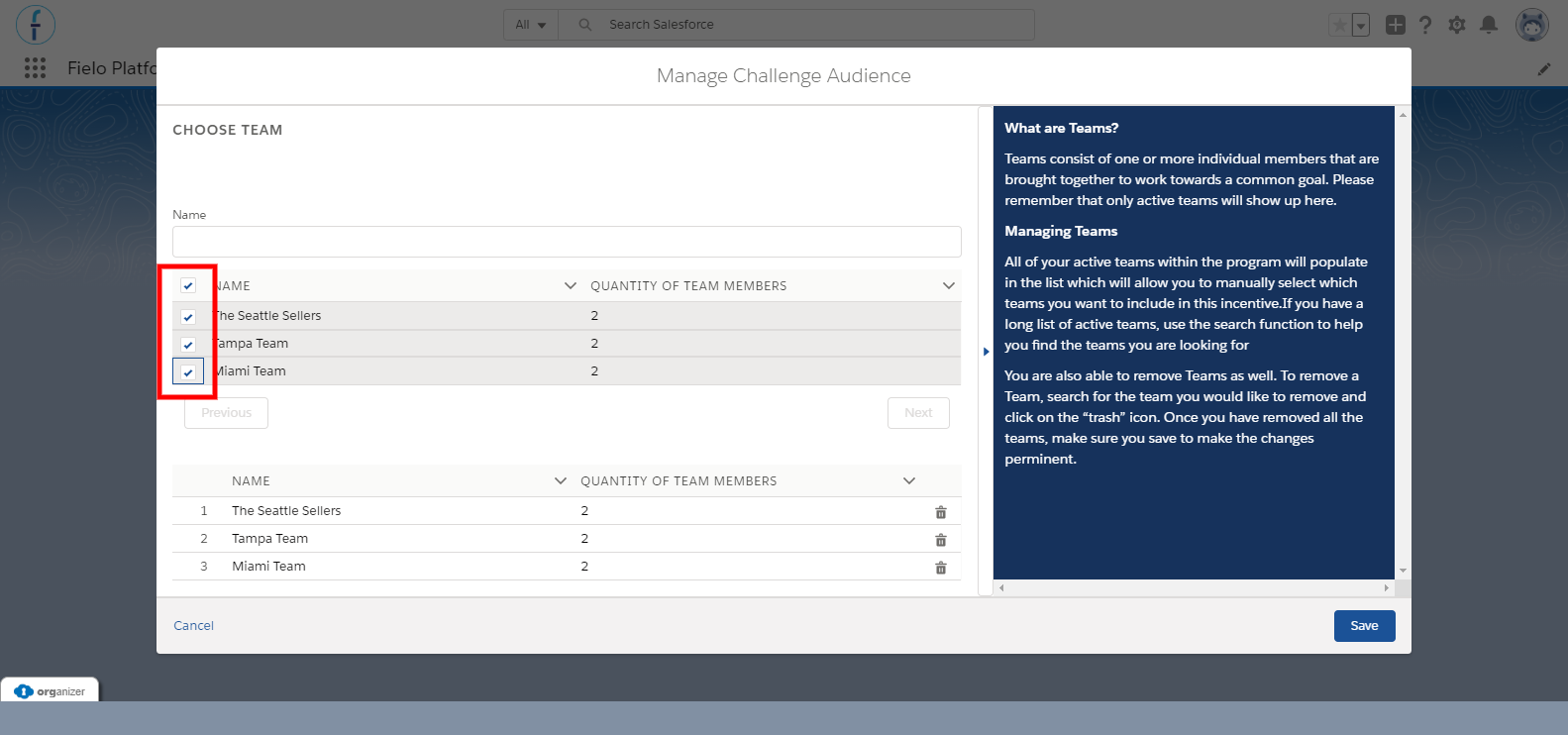
In order to add teams, click on the to the left. If you have a lot of teams and need to find specific ones faster, use the search function. You will notice that as you select teams, they will appear at the bottom of the window.
When you have selected all the teams you would like, click Save.
Removing Teams
Removing teams is just as easy as adding them. Click on the to the left of the name.
When you have removed all the teams you would like, click Save.
Updated over 1 year ago