
Register Retail Outlets
Once you've installed the app and finished the initial configurations, your next step is to register the retail outlets which will make planogram submissions.
To do so, access the Planogram Designer app and select the Retail outlets menu option. Then, click +.
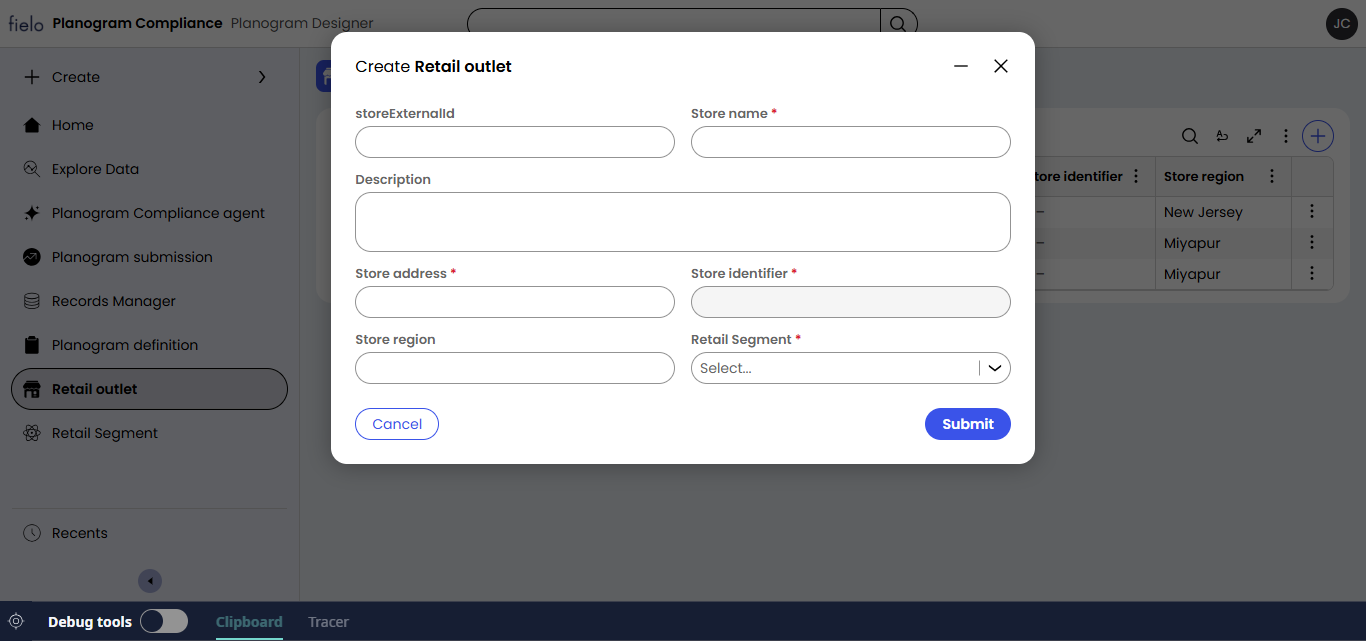
Add the following details:
- storeExternalId: How this store will be identified uniquely across systems (such as via API). This must be distinct across all retail outlets.
- Store name: The name of the retail outlet for day-to-day use
- Description: Optional
- Store address: The retail outlet's address, formatted as you see fit.
- Store region: The retail outlet's region, in whichever way you typically break those out.
- Retail Segment: The style of retail this outlet represents. Retail outlets can only make submissions on planogam definitions designated for their segment. If needed, you can add additional segments by selecting the Retail Segment menu option.
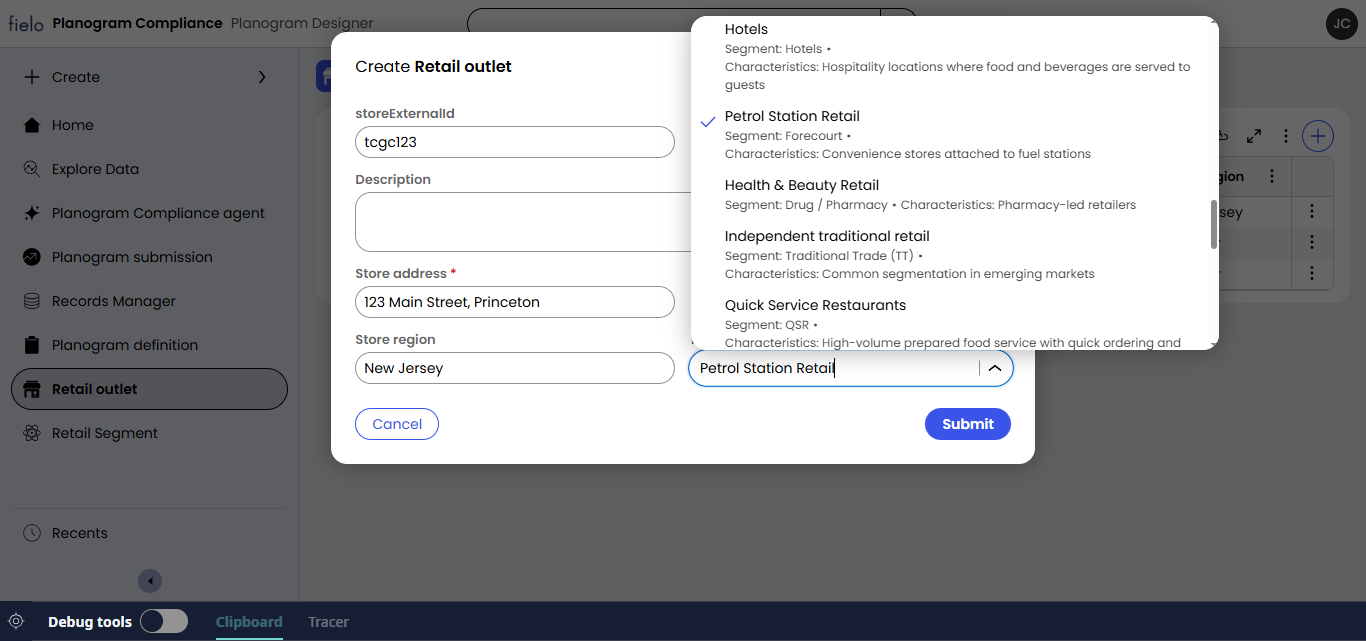
When you're ready, go ahead and submit.
Updated 2 months ago
Did this page help you?