
Agreement
Create and manage Program Terms & Conditions
Agreement sets the terms and conditions that Members need to accept in order to take part in a Program. Once you've activated your Agreement, Members will be prompted to confirm acceptance when signing up or logging into the loyalty portal for the first time.
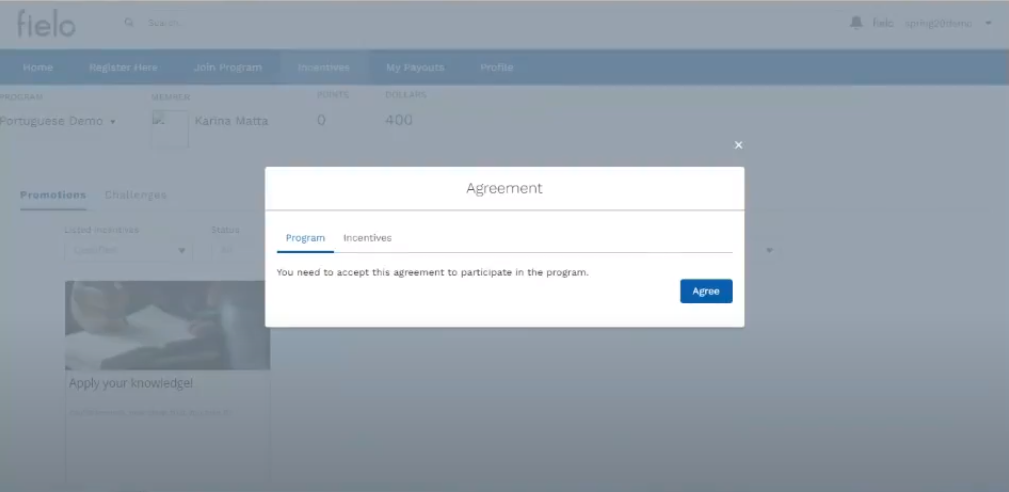
Loyalty Portal - Program Agreement
Creating and Activating an Agreement
From Programs, select the program in which you'd like to create an Agreement and, on the detail page, click Manage Agreement.
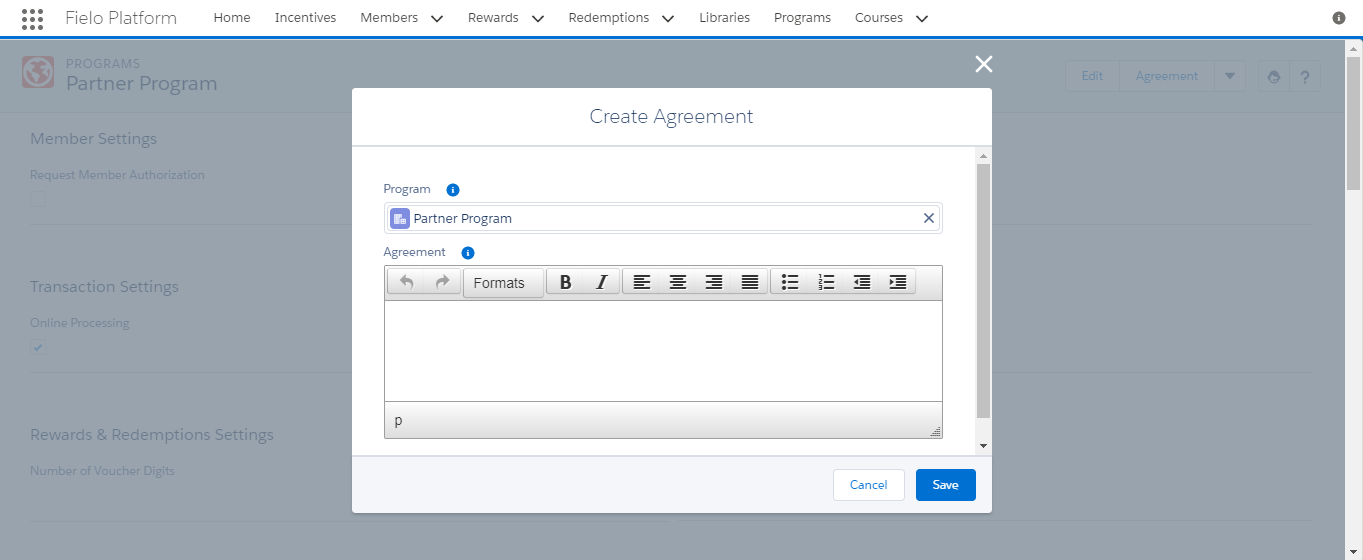
Create Agreement
Enter (or copy and paste) the text of your Program terms and conditions and click Save.
Upon saving, you will be directed to the Agreement detail page. From here, you can edit your Agreement.
When you're happy with your Agreement, click Activate to make it part of your Program. The Agreement Status will change from Draft to Current.
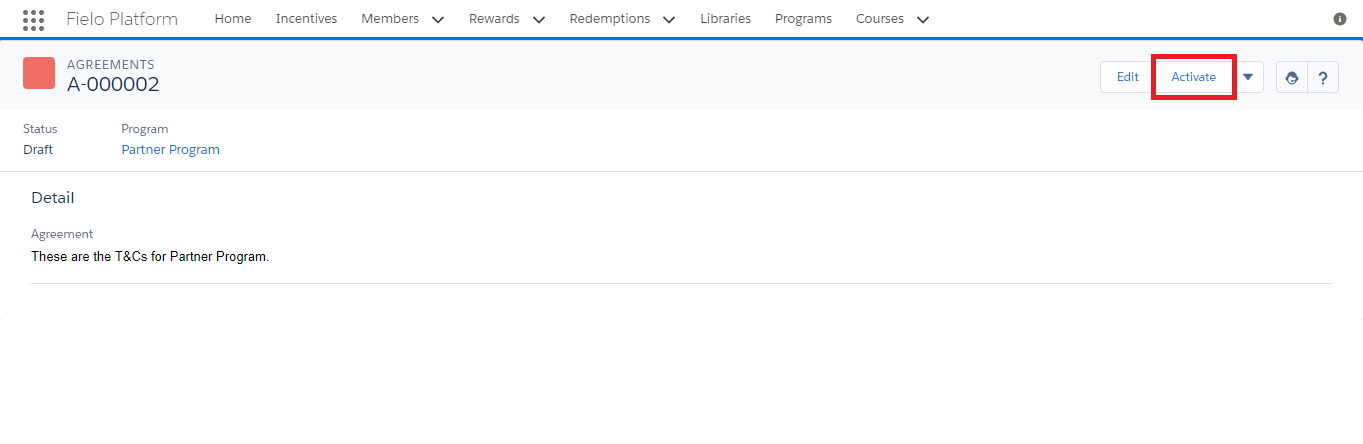
Agreement Detail Page
Creating a New Agreement Version
If you have to make a change to your agreement, we support versioning, so that you can keep track of which members have agreed to which version(s).
To create a new version, navigate to your program page and click Manage Agreement. Click New and enter (or copy and paste) the agreement text. Then, click Save.
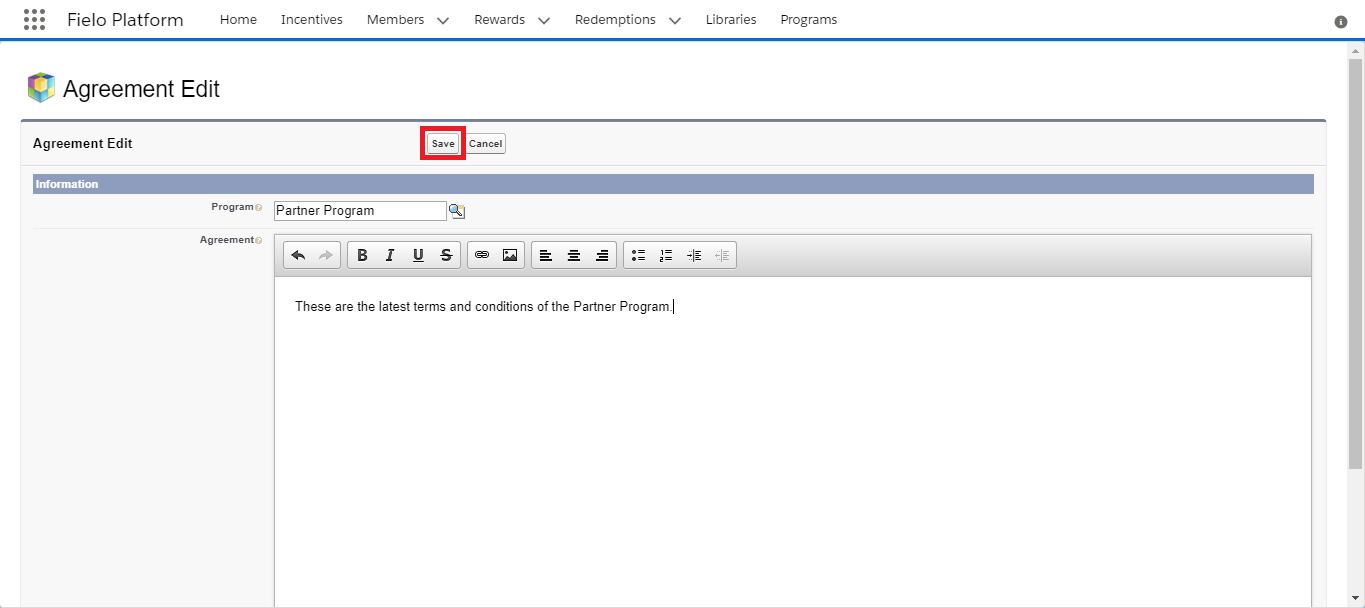
When you're ready, click Activate. The agreement status will change from Draft to Current and the status of your previous agreement will change to Deprecated.
On each Member's detail page, you'll be able to see the agreement acceptance history of that member.

Agreement History
It is possible to keep track of every agreement that was accepted by the member. A list will be available in the Agreements History tab within the member's page, presenting its code, the incentive or program they were created for and created and end date.
Note that the created date displays the time and date the member accepted it and that the end date will be populated only when the member accepts a new version of the agreement related to an incentive or program. Every agreement with an end date, then, can be consideres invalid.
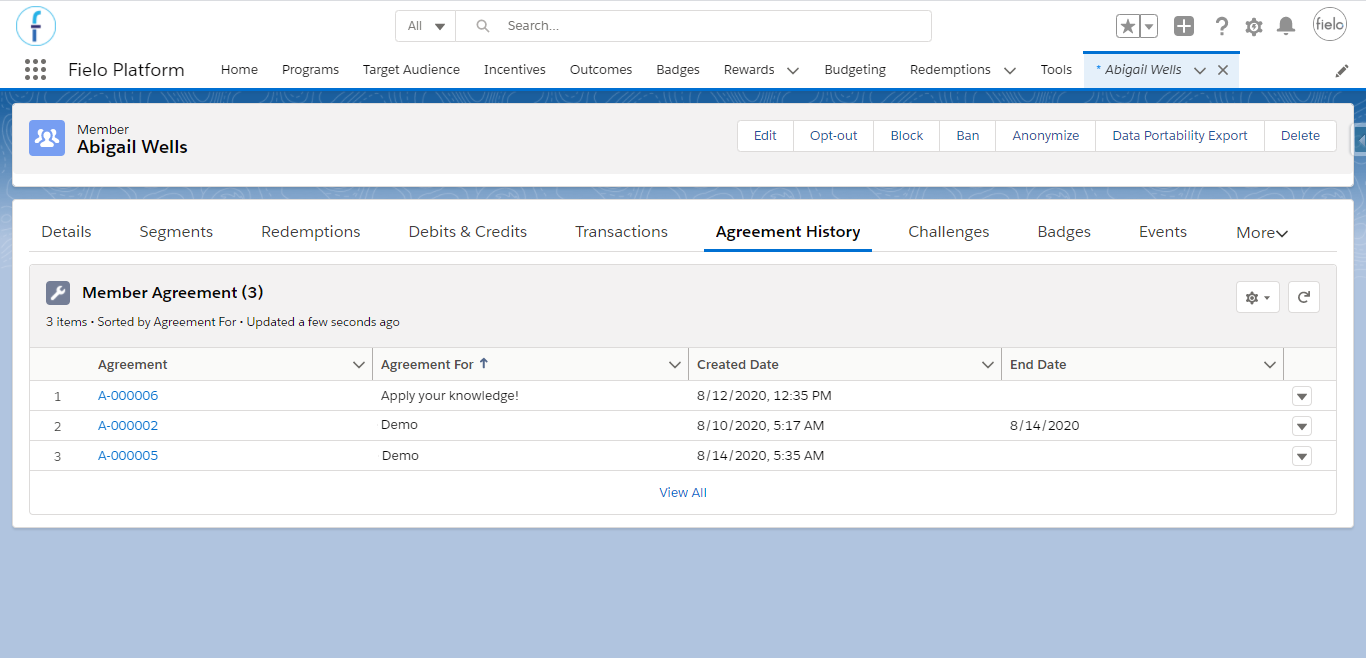
Agreement history
Tools
Access tools by clicking on the Agreement detail page. From Tools, you can delete your Agreement or manage the Page Settings for the detail page.
You won't be able to delete an agreement if it is the most recent one that any of your members has accepted.
Updated over 1 year ago