
Actions
Actions let you decide which practices and participants you want to incentivize. To create an Action, first you need to create a behavior that's associated with a Salesforce object.
Using Actions
Actions are made up of a behaviors you want to encourage, and a Member (either an Individual, Organization or Organization Contributor), which represents the participants of your Program.
Fielo comes with a default Action: Generate Event and Win. This object can be used to test out incentive automation and can even be configured for real-world applications.
From Tools, go to Libraries and click Fielo PLT. The Actions tab already includes Generate an Event and win by default:
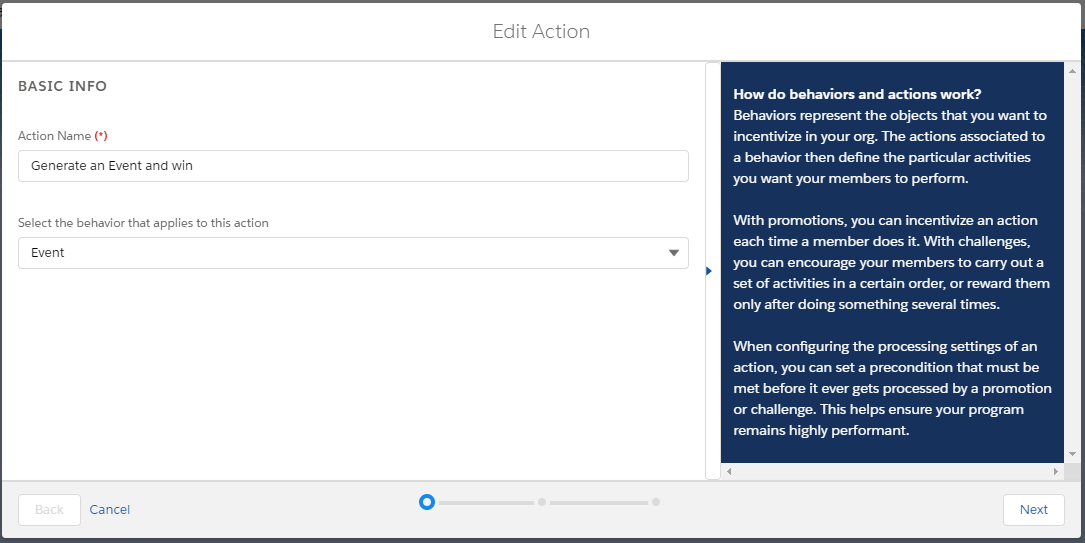
Action Name: Choose a descriptive name for you action. We've chosen to name it "Generate Event and Win" as it's a generic name that can be applied to any type of Action.
Select the behavior that applies to this action: Choose which behavior the new action will be related to. In this case, the pre-configured one called Event.
Note that each behavior can have one or more actions related to it, which are going to be incentivized. For example, you can have one action that is going to incentivize the opportunities that are closed and another one that will incentivize the opportunities created.
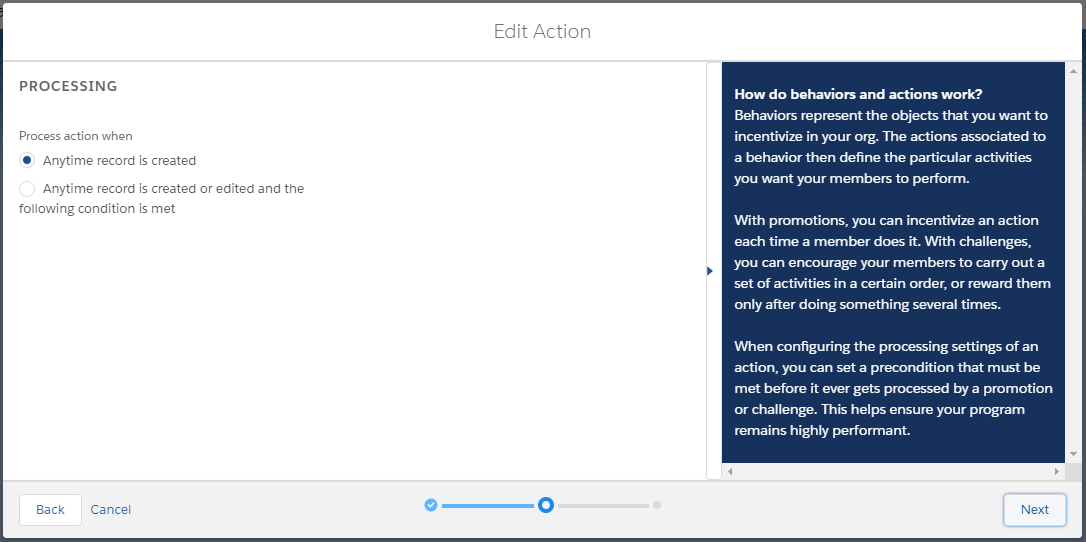
Process action when: choose Anytime record is created to activate the rules engine every time the action is performed. Go with Anytime record is created or edited and the following condition is met to filter out actions by a criterion before they can be evaluated by rules engine.
Regardless of which option you choose, you can always add additional criteria when you create your incentives.
Anytime record is created or edited and the following condition is metWhen selecting the criteria for this option, the operator will always be equal. Further criteria, using other operators, can be added through a Promotion Rule or Challenge Mission.
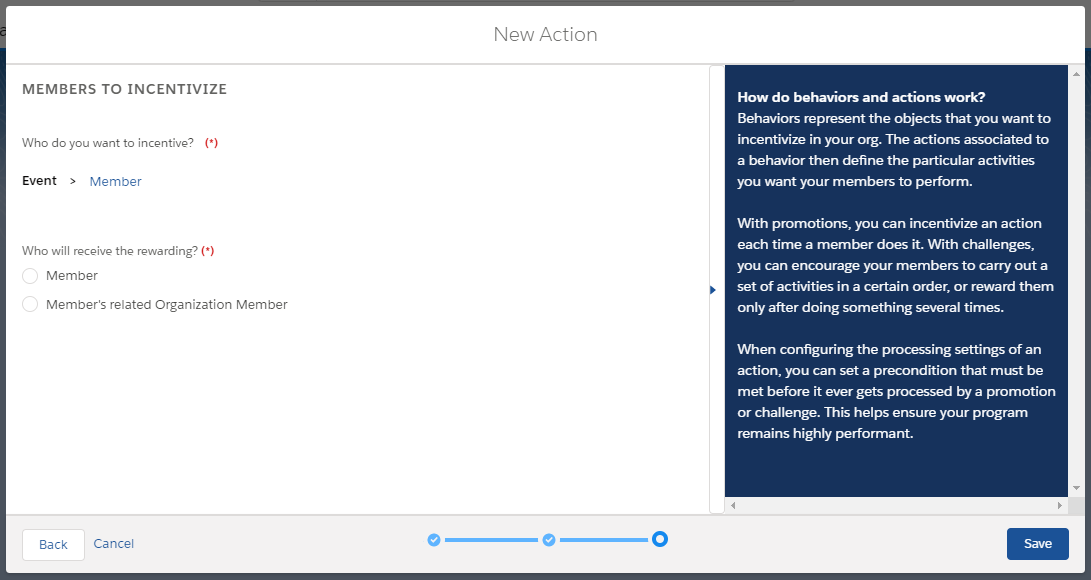
In Who will receive the rewarding?, choose the member that you want the action to consider when processed. If it is a Member, then any rewards given by the incentive that uses this action will go only to the member who is related to the incentivized action. In the case of Member's related Organization Member, the reward will be given to the Organization Member to which the member is related to.
Imagine, for example, that when an individual member performs an action, you don't want to award him for that, but the organization that they are related to, instead. In this case, you would choose the second option.
If you need both, choose one and can create a second action for the other.
Deleting an Action
You can delete an action as long as it is not being used in any rules or missions.
Updated over 1 year ago