
Tools
The Tools section will give you all the resources necessary to create and manage Libraries and Languages within your program. Below is an overview of what you can expect to find within the Tools tab.
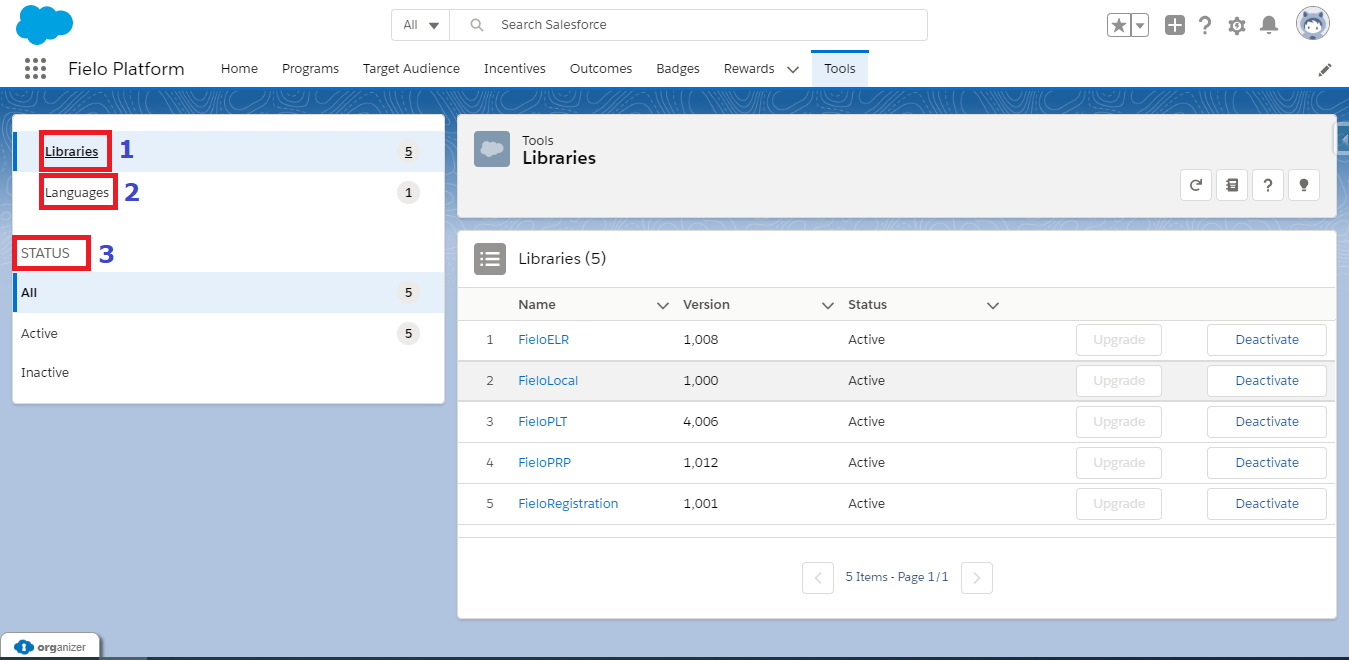
Libraries
Libraries are stacks which extend Fielo's functionality. They comprise a suite of data such as Actions, Models and Page Settings designed to achieve more functionality for your incentive and loyalty program.
Languages
With Languages, you can translate Fielo content so members from all around the world can be a part of your program without barriers. By identifying the user's location, the language displayed in your member touchpoints will dynamically change to match the user's own language, if available.
Status
This area will divide your Libraries and Languages by their statuses. For example, while you are in Libraries, the Status section will show All, Active, and Inactive. Languages will have its own status that will be displayed in this section.
Updated over 1 year ago