
My Payouts
Show Experience Cloud Site members their payouts
If your program uses Payouts as a way of incentivizing members, take advantage of our My Payouts Lightning Component and add it to your Experience Cloud Site!
Salesforce Experience CloudPreviously known as Community Cloud, as of Salesforce Spring '21 release, Community is now referred to as Experience Cloud and/or Site.
It is a simple way of allowing logged members to keep track of their payouts information, such as: status, payout date, total amount and other details.
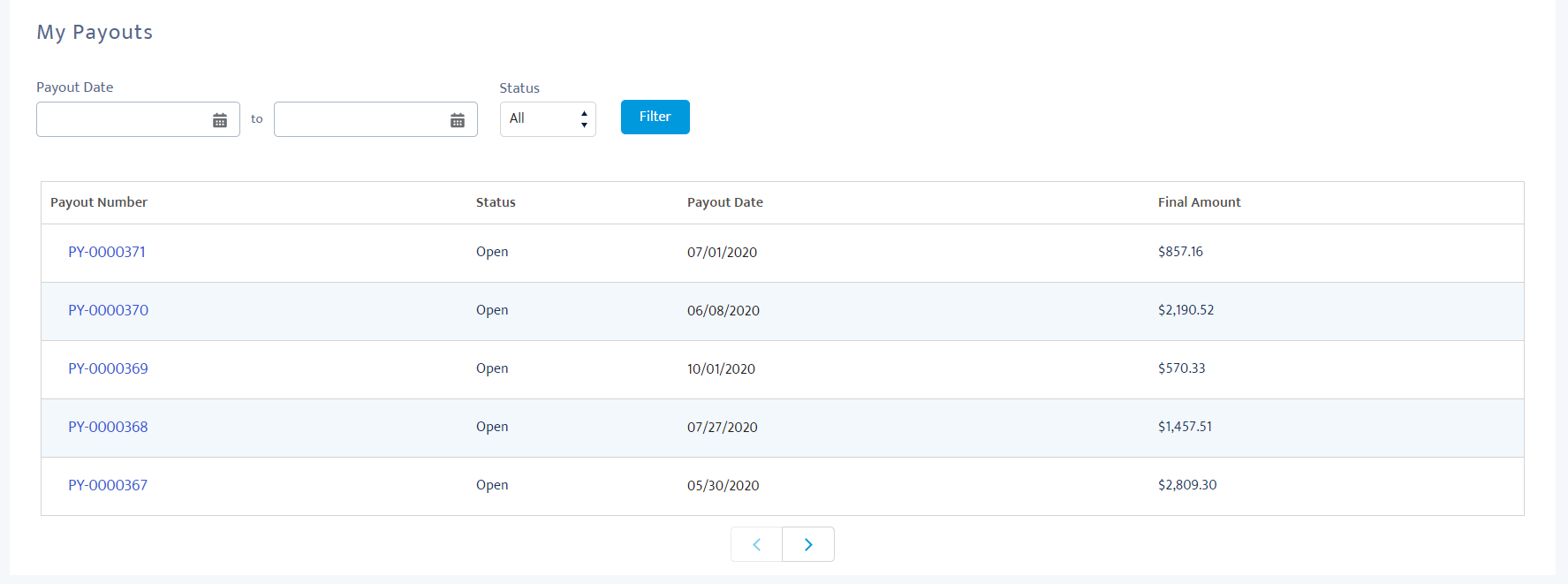
Payouts list from a logged member in the site
When accessing the site and viewing My Payouts component, the member will be able to, by standard:
- Filter the payouts by their start and end date, which can be used independently or as a range.
- Filter payouts by status open, pending, approved, rejected and paid.
- View each payout item and its record details, when clicking on the Payout Number.
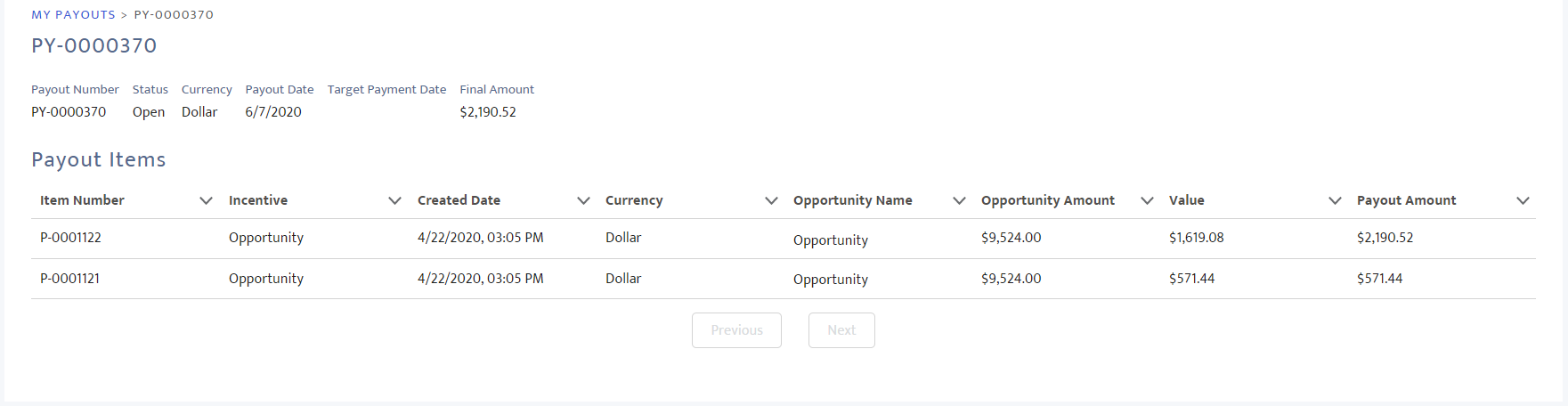
Payout detail page, with the items that are part of it
Configuring My Payouts
Once you've added the Member Selector and My Payouts to a Experience Cloud Site page, you can customize how and what data is shown in the component through the Builder.
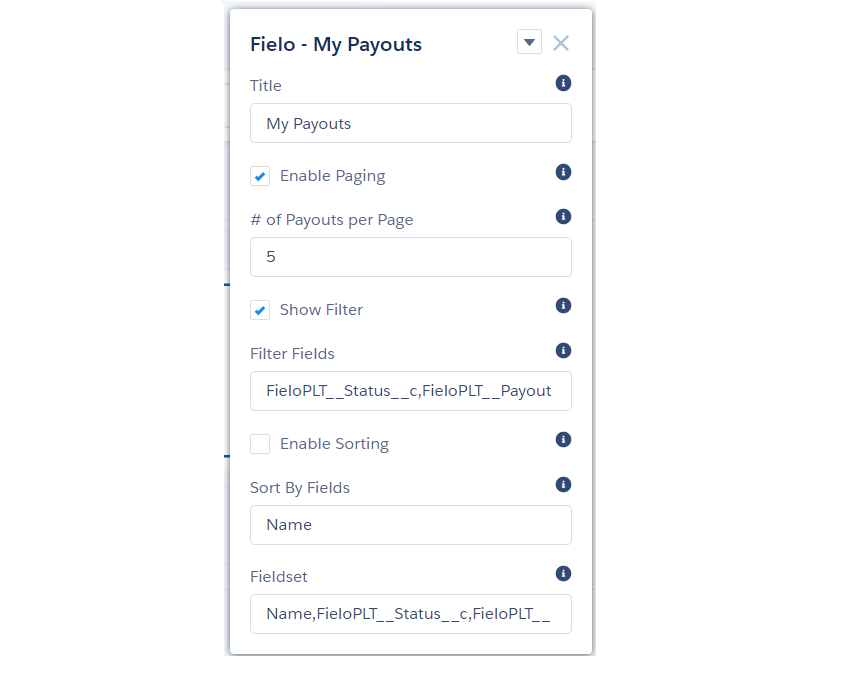
My Payouts' configuration bar in the Experience builder
This Lightning Component can be configured via the following properties:
- Title: Enter the title you want displayed at the top of the component.
- Enable Paging: Check this box to allow transactions to be displayed in pages.
- # of Redemptions per Page: If paging is enabled, enter the maximum number of redemptions to be displayed per page.
- Show Filter: Check this box to allow members to filter their payouts.
- Filter Fields: Enter the API names of fields you want to be used for filtering, separated by commas. Status and date range are included by default.
- Enable Sorting: Check this box to allow members to sort their payouts.
- Sort By Fields: If sorting is enabled, enter the API names of the fields you want members to be able to sort by, separated by commas.
- Fieldset: Enter the API names of the fields that you want to be displayed in the payouts list, separated by commas. Name, Status, Payout Date and Total Amount are included by default.
Updated over 1 year ago