
Member Selector
The Member dashboard for your portal
Member Selector connects your Community pages with the Member record of the portal user. Members use Member Selector to confirm which Program they're in, see how many points they have in that Program and switch to any other Programs they're a part of.
It is the keystone of Fielo Lightning Components, as component data is always specific to the Program a Member is currently interacting with.
Add Member Selector to Pages that use Fielo Lightning ComponentsBecause most Fielo Lightning Components depend on Member data, add the Member Selector component to all pages that use Fielo components (except Registration).
Member Selector includes the Member name(s) and Program(s) in a picklist and the number of points the Member has in the selected Program

Member Selector Component
Using Member Selector
Add Member Selector to all pages on which your Members will interact with their Programs. It's simple!
From Setup, access the All Communities page and select Builder for your Community. In Builder, click in the page menu and navigate to the page you'd like to use Member Selector on.
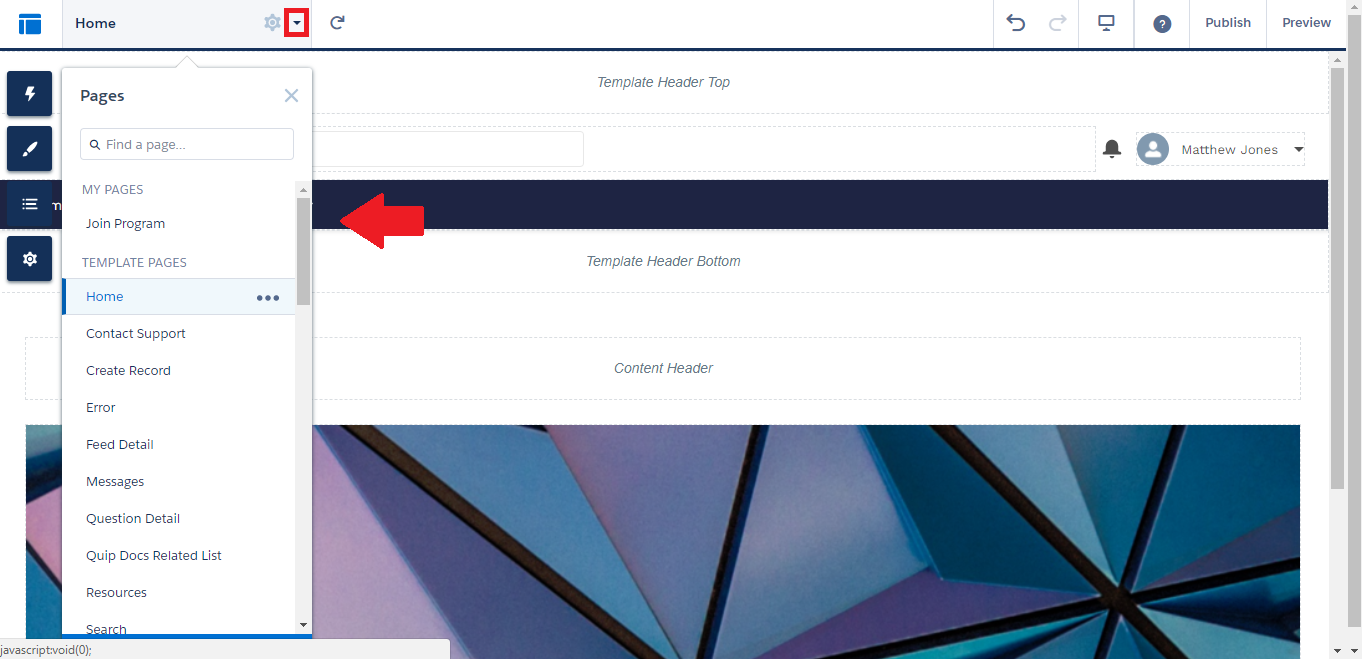
If your Community is being used exclusively as a loyalty portal, you can start with the homepage; otherwise, you can include it only on the Community page(s) relevant to your Program.
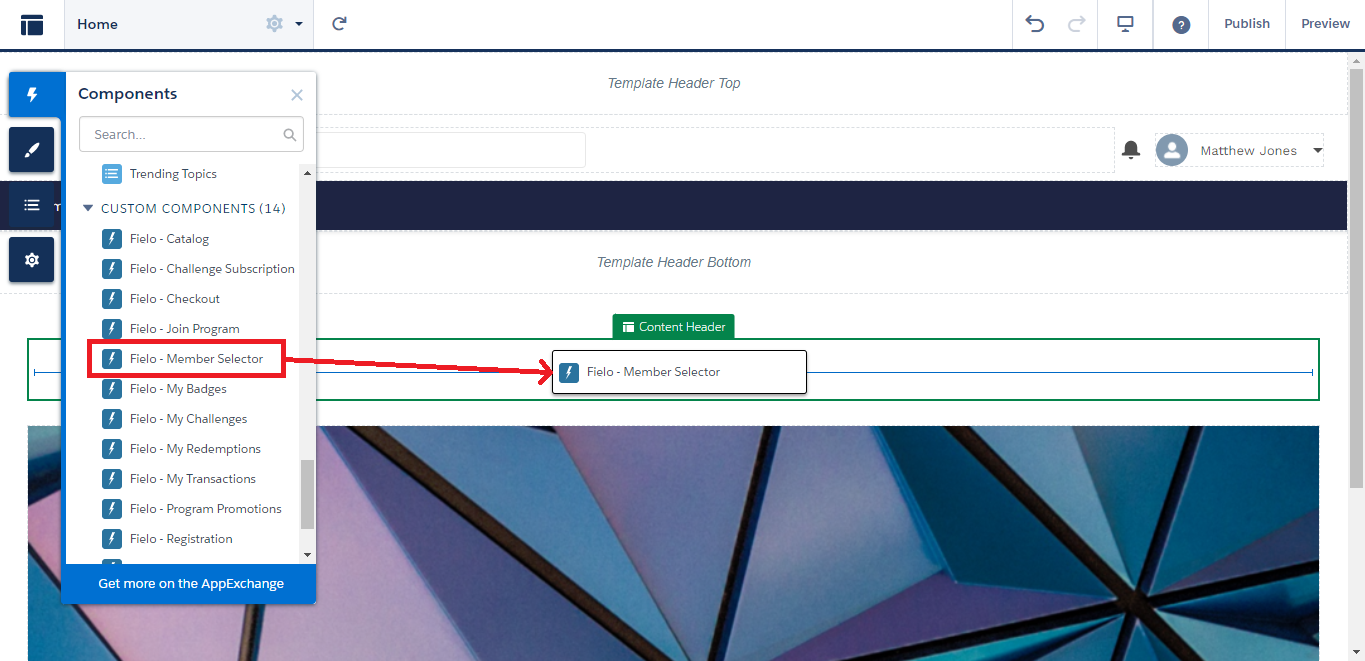
Once on the page, click and drag and drop Fielo - Member Selector onto the content area. For compatibility purposes, be sure to place Member Selector in the Content Header, Content, or Content Footer section of your page.
Properties
With the component on your page, you can now configure Member Selector to meet your loyalty portal's specific needs.
Member Selector can be configured with the following property:
- Fieldset: Enter the API names of Member fields that you want to be displayed, separated by commas. For example. you could include the Points and E-Mail fields by entering
FieloPLT__Points__c, FieloPLT__Email__c. Member and Program names are included automatically.
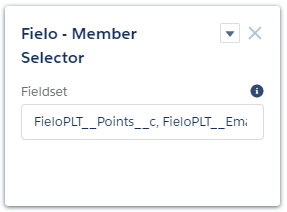
Member Selector Properties
Updated over 1 year ago
What's next
Now, let's dive into the components that motivate Members to take the next step in their journey!