
Platform with REST API services
Go through the steps to successfully install Platform using our REST API
If you're using Fielo REST API services, go through the following steps.
Prerequisites
Salesforce User
System Administrator permissions.
License
Authenticated Website.
Creating Fielo REST Profile
The first step you need to do is to create a new Profile for Fielo REST API to work. For that, log in to your Salesforce ORG and choose Authenticated Website Profile.
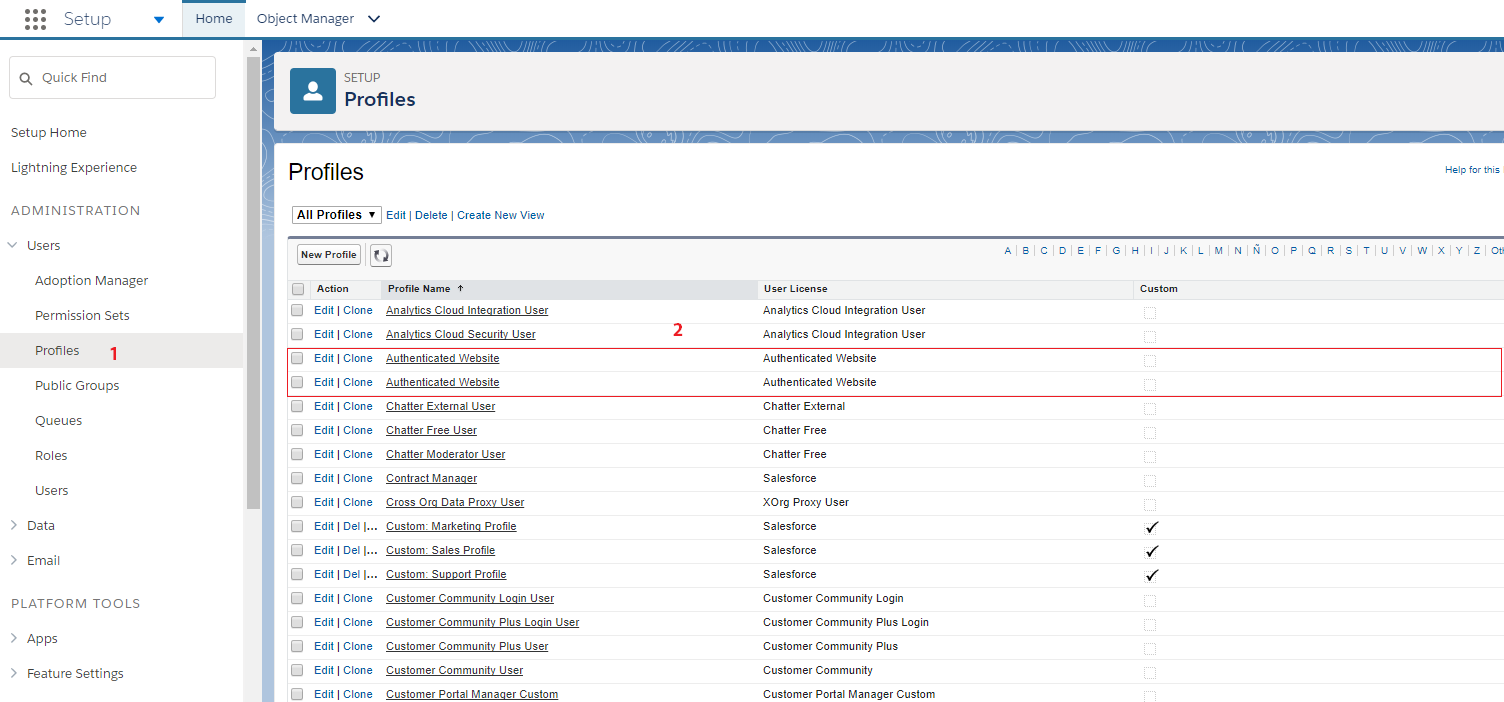
Profile: Authenticated Website
There are two Authenticated Website profiles, but there is only one which includes Accounts . On each Authenticated Website profile, cick Edit and move down to Standard Object Permissions to see which one includes Accounts .
Once you've identified the Authenticated Website profile that includes Accounts , clone it and name the new cloned profile Fielo REST.
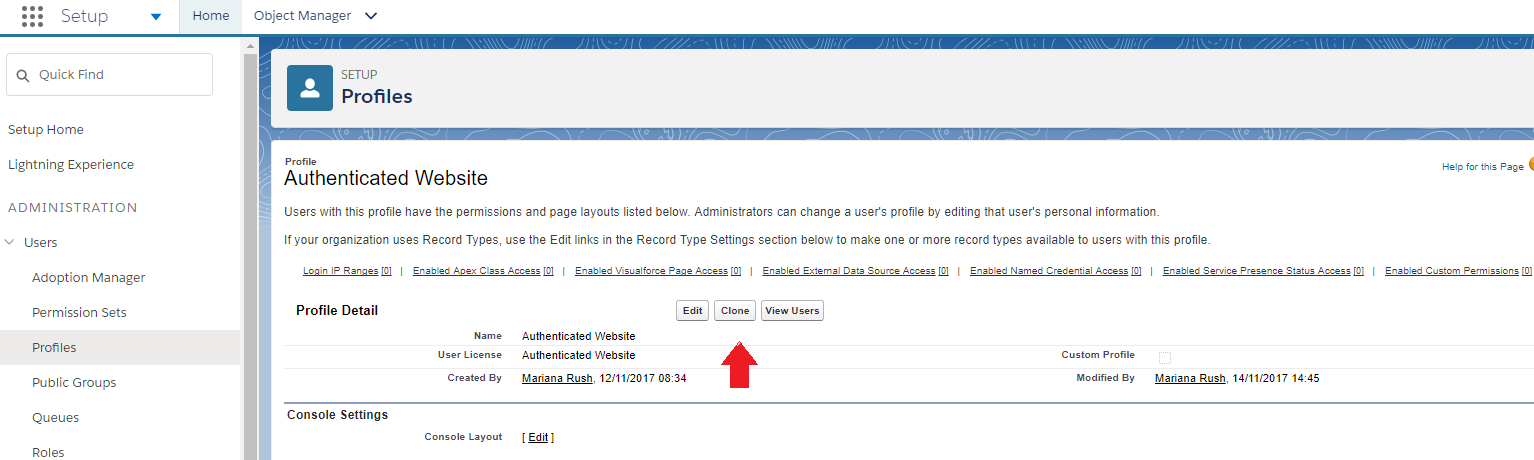
Profile: Clone Authenticated Website
When saved, click Edit. From Administrative Permissions API Enabled.
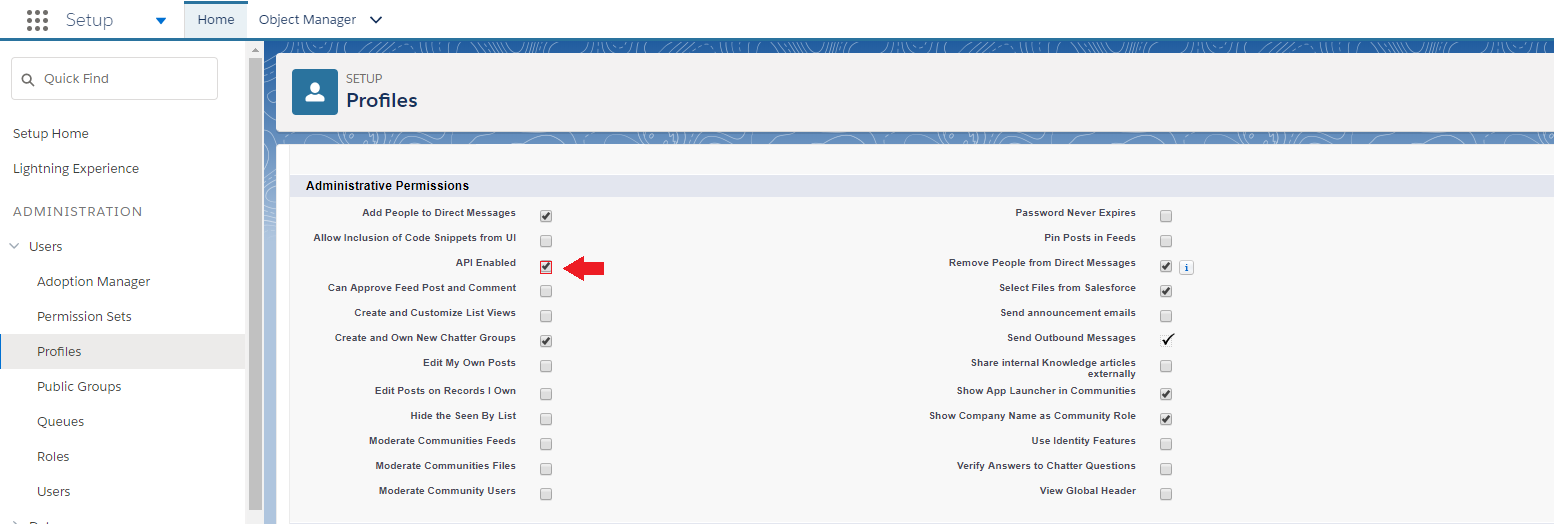
Authenticated Website: API enabled.
Installing Platform Package
When Profile for Fielo REST API is ready, now you can move to install Platform.
Upgrading Fielo PlatformIf there is a previous Platform package installed in the ORG, check Upgrades to know if some steps must be followed.
- After logging into your Salesforce ORG, click here to access Platform installation package.
- Select Install for Specific profiles.
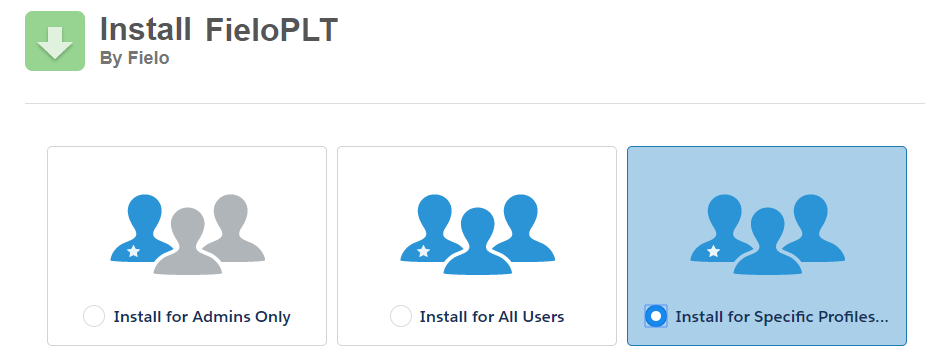
Install for specific Profiles
Don't click Install yet! Profile selection is on the same page.
- Scroll down to Profile column and choose Fielo REST. From Access Level column picklist, choose Fielo REST.
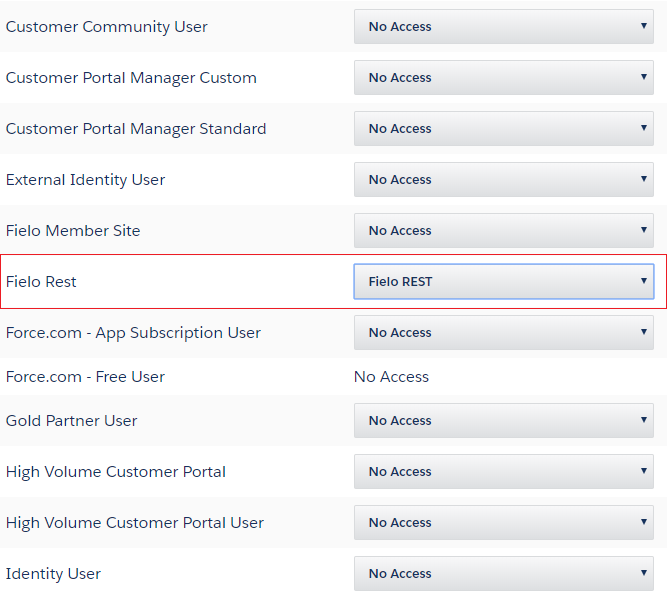
Profile and Access Level
- Click Install. When the installation process ends, the org administrator is notified by email.
- Once Fielo PLT is installed, configure the Fielo REST API.
Email Deliverability
From Deliverability, set e-mail access level to All email.
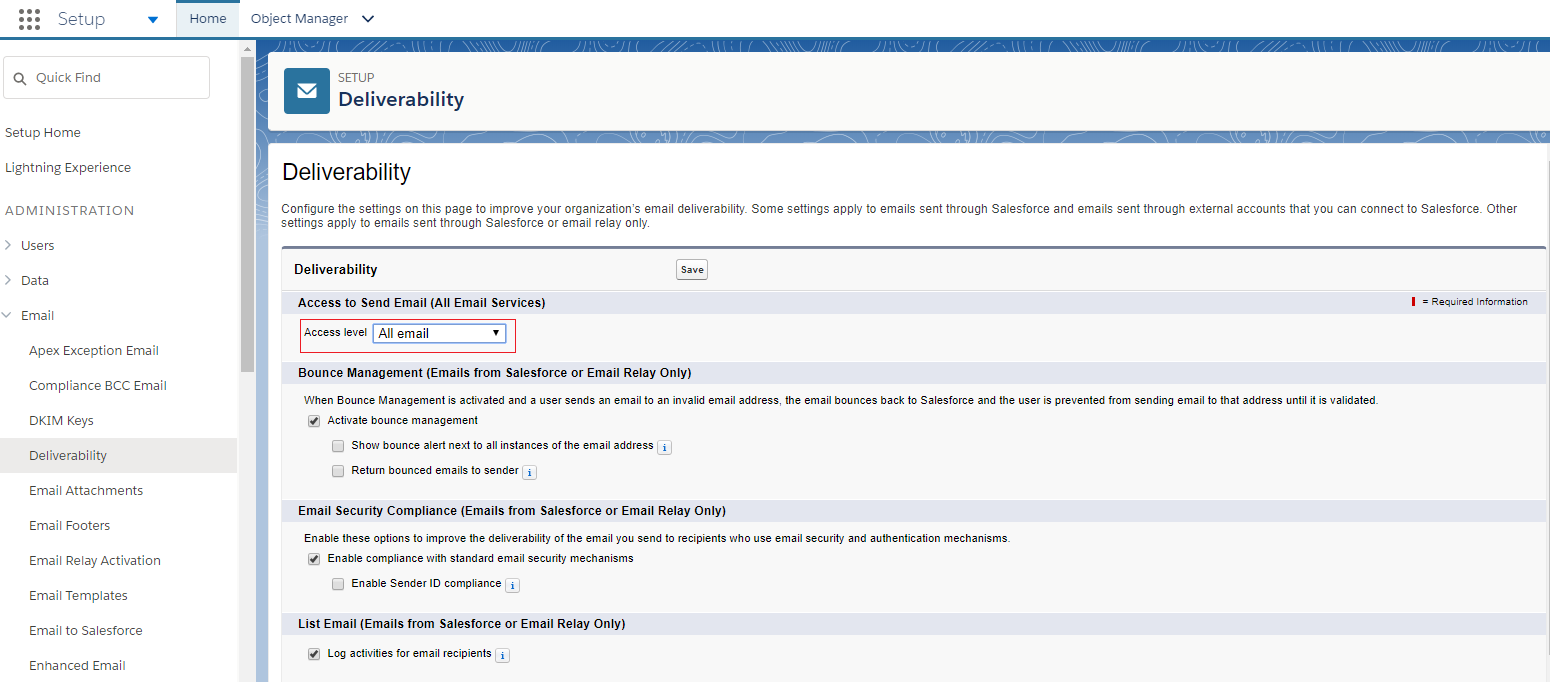
Email Delivarability
Enabling Fielo PLT Library
After installing Platform package, you need to enable FieloPLT Library so that Event and all required Page Settings are activated.
For that, just go to the App Launcher () and choose Fielo Platform. From Libraries tab, click Activate to enable FieloPLT.
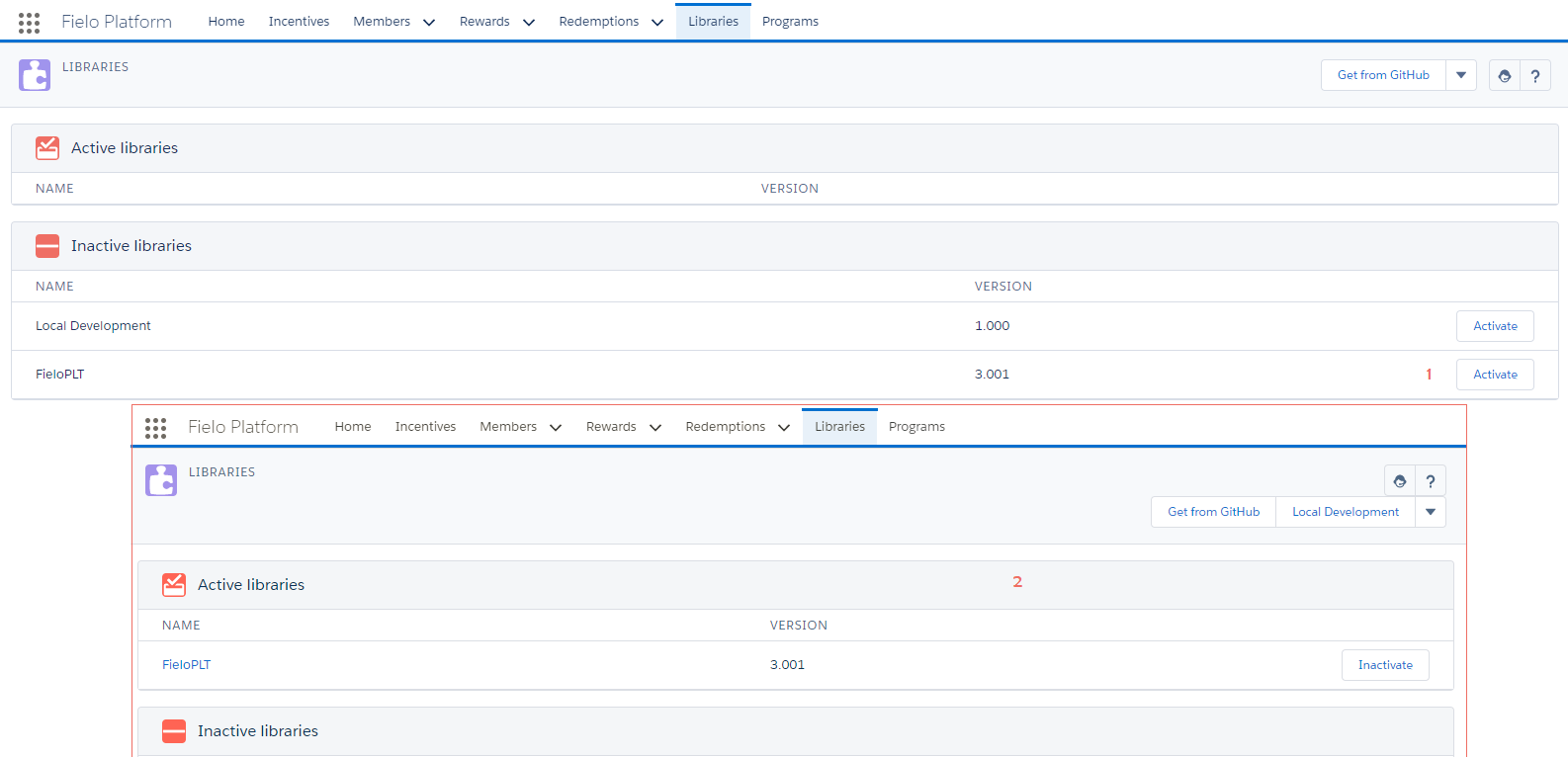
Activate FieloPLT Library
Local Development LibraryIf you'll create some custom Actions, Models or Page Settings, you can enable Local Development Library as well.
Great job! Now you can start using Platform!
Updated over 1 year ago