
Platform stand-alone
Go through the steps to successfully install Platform
If you're using Platform for loyalty administration only, go through the following steps to install Platform stand-alone.
Prerequisites
Salesforce User
System Administrator permissions.
License
Authenticated Websites.
Installing Platform Package
- After logging into your Salesforce ORG, click here to access Platform installation package.
- Select Install for Admins only.
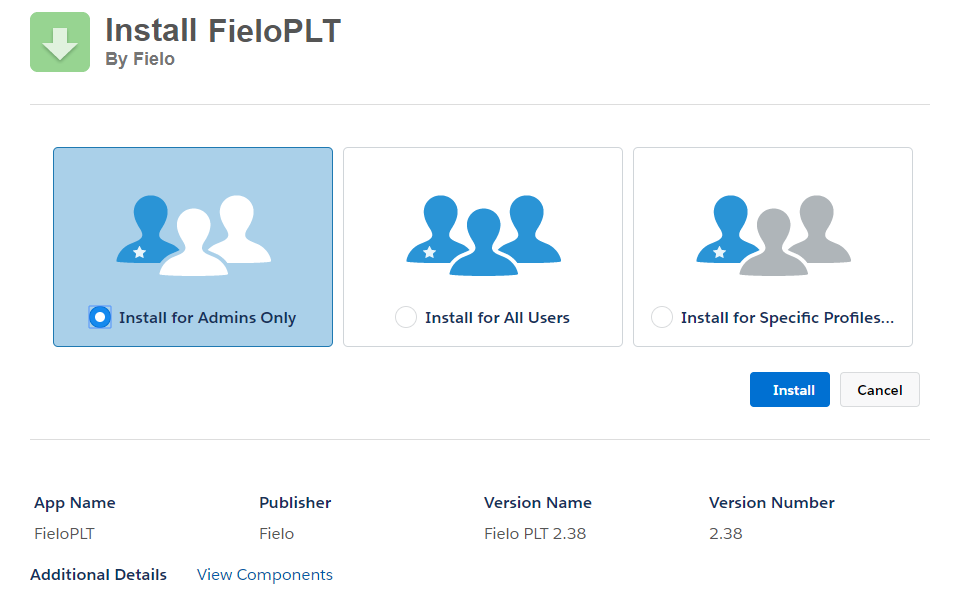
Install Platform for Admins only
- Click Install. When the installation process ends, the ORG Administrator is notified by email.
Email Deliverability
From Deliverability, set e-mail access level to All email.
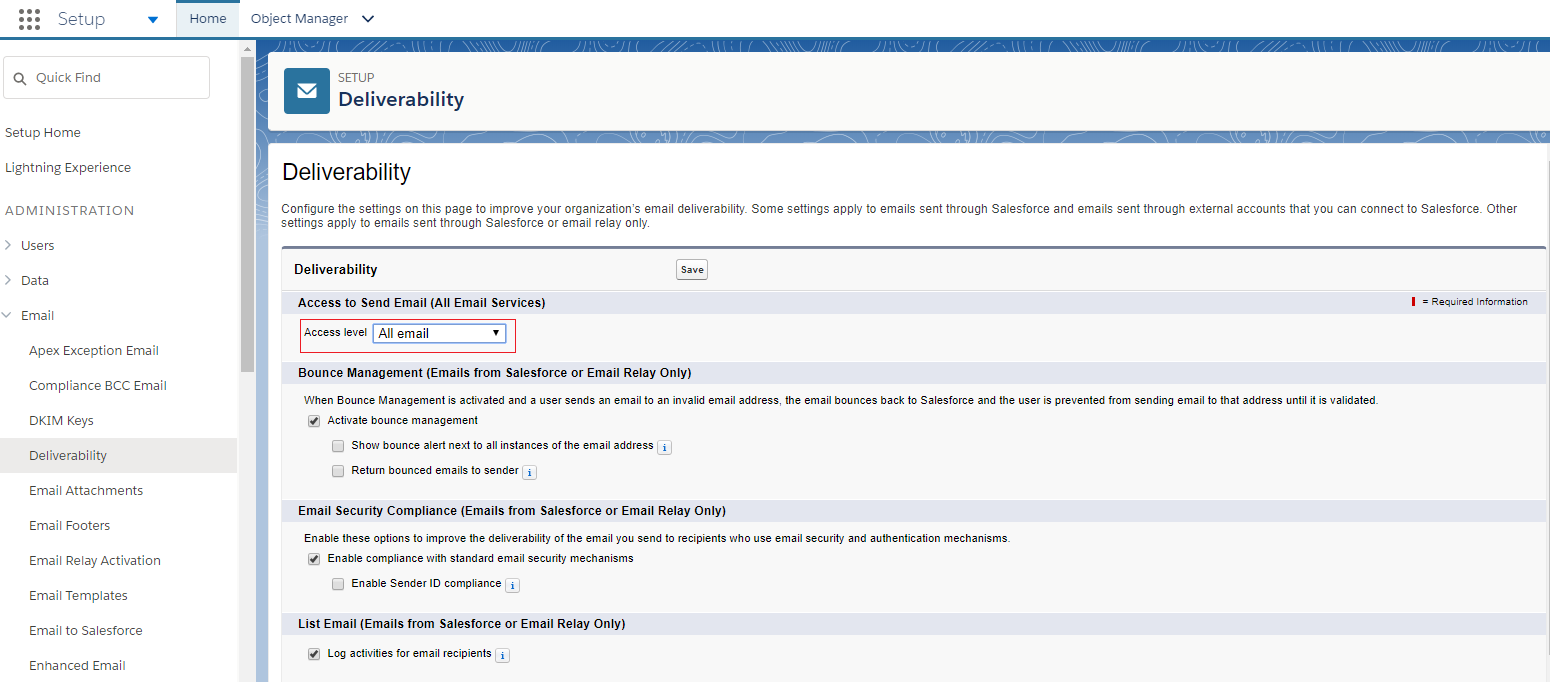
Email Delivarability
Enabling Fielo PLT Library
After installing Platform package, you need to enable FieloPLT Library so that Event and all required Page Settings are activated.
For that, just go to the App Launcher () and choose Fielo Platform. From Libraries tab, click Activate to enable FieloPLT.
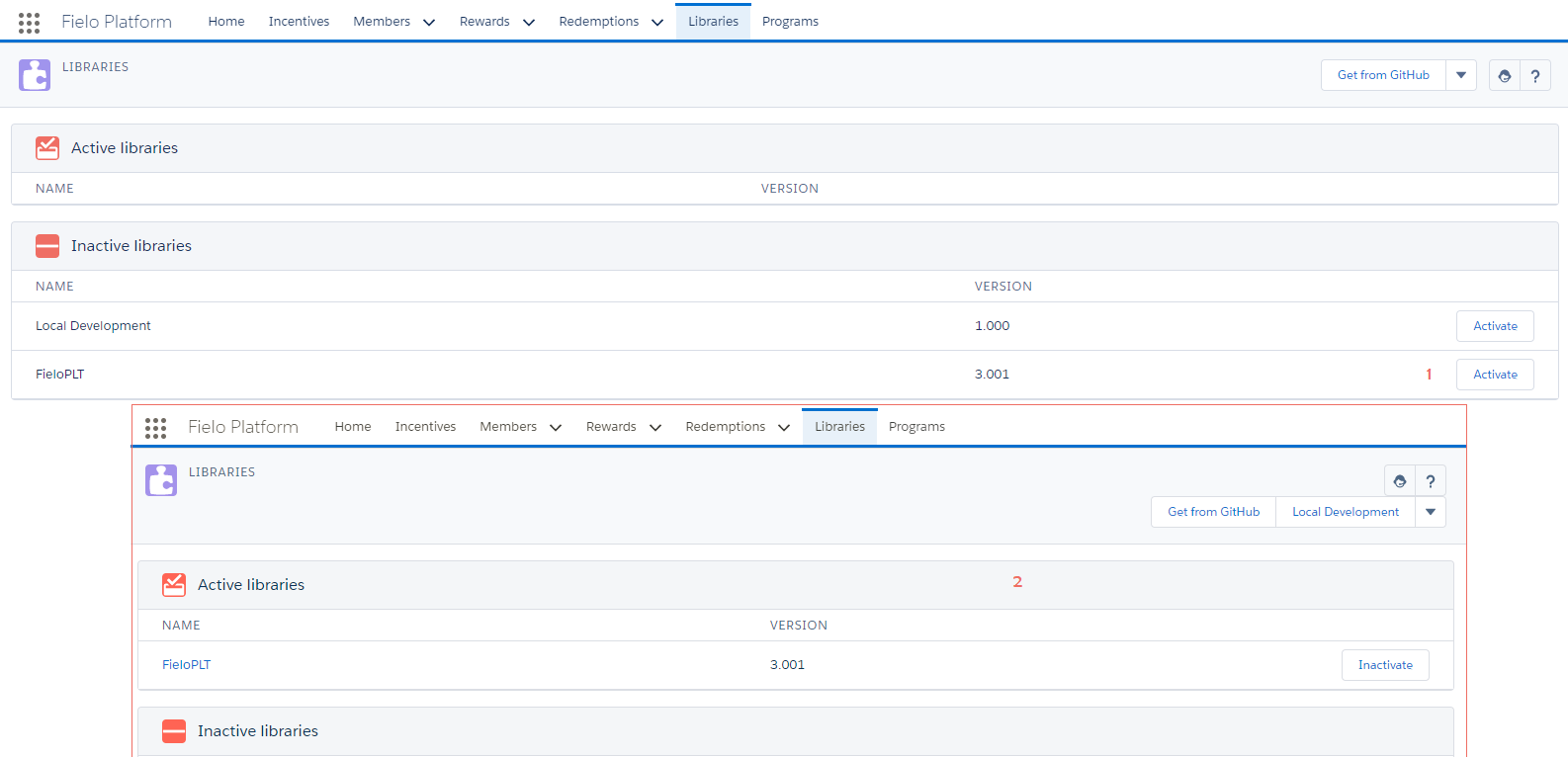
Activate FieloPLT Library
Local Development LibraryIf you'll create some custom Actions, Models or Page Settings, you can enable Local Development Library as well.
Great job! Now you can start using Platform!
Updated over 1 year ago